Introduction
This manual provides essential information for the proper use, setup, and maintenance of your Timex Men's Easy Reader Watch. Designed for clear readability, this timepiece features a classic analog display with full Arabic numerals, a date window, and the signature Indiglo backlight. Its durable construction and water resistance make it suitable for everyday wear.
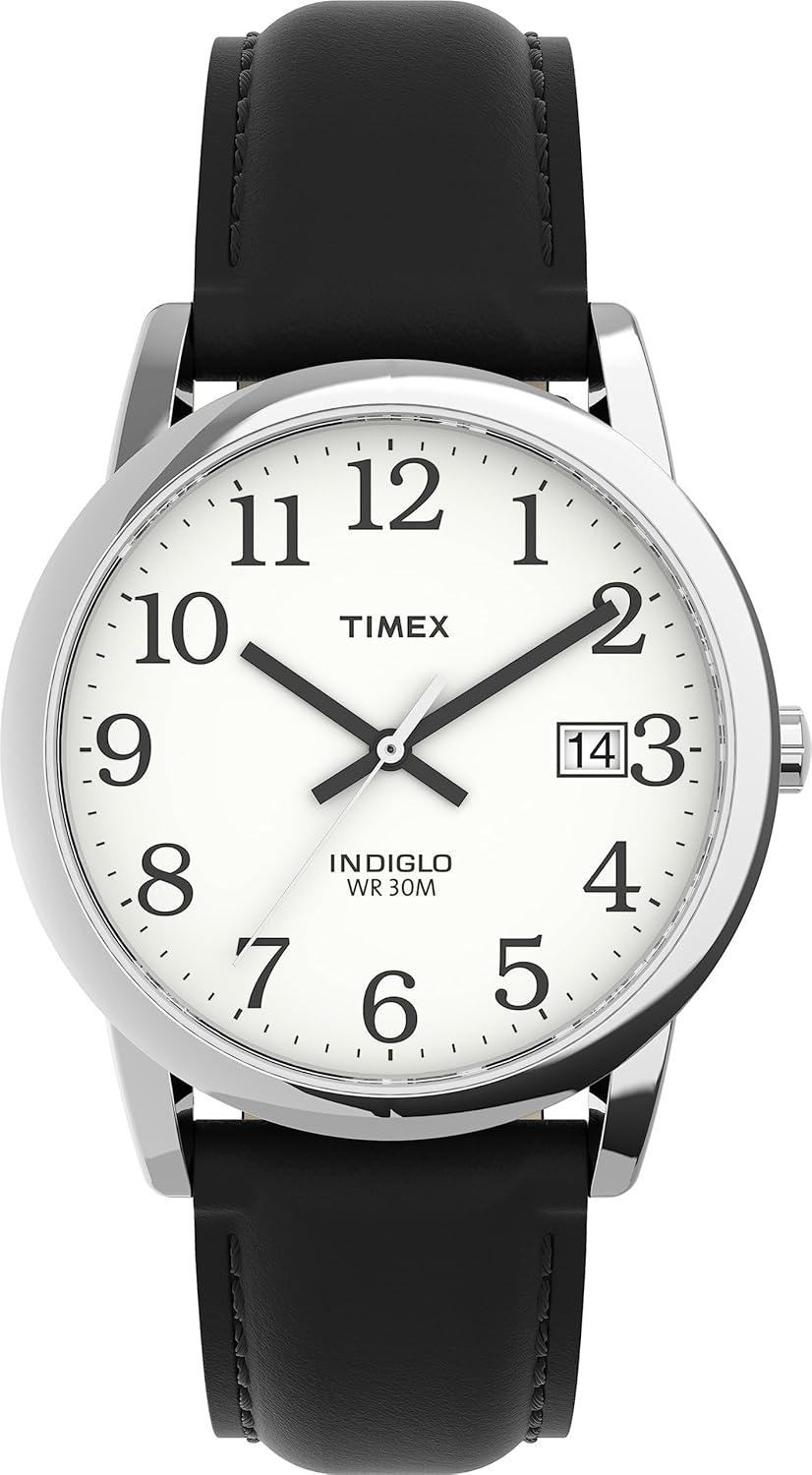
Figure 1: Front view of the Timex Men's Easy Reader Watch.
Setup
To begin using your watch, you will need to set the correct time and date. The watch is powered by a pre-installed lithium metal battery.
Setting Time and Date:
- Pull the Crown: Gently pull the crown (the small knob on the side of the watch case) out to the first click position. This will allow you to adjust the date.
- Set the Date: Rotate the crown towards you until the correct date appears in the date window.
- Pull to Second Click: Pull the crown out further to the second click position. This will stop the second hand and allow you to set the time.
- Set the Time: Rotate the crown to move the hour and minute hands to the correct time. Ensure you set the correct AM/PM by observing if the date changes as you pass midnight.
- Push the Crown In: Once the time and date are set, push the crown fully back into its original position. The second hand will begin to move, indicating the watch is now running.

Figure 2: Side view of the watch with the crown pulled out for time and date adjustment.
Operating Features
Indiglo Backlight:
The Timex Easy Reader features the Indiglo backlight for easy readability in low-light conditions. To activate the Indiglo light, simply press and hold the crown. The entire dial will illuminate with a soft, even glow.
Water Resistance:
This watch is water resistant to 30 meters (100 feet). This means it is suitable for splashes or brief immersion in water, such as during hand washing or light rain. It is not suitable for swimming, bathing, or diving. Avoid pressing the crown or operating the watch functions while it is wet or submerged.
Maintenance
Proper care will ensure the longevity and performance of your Timex Easy Reader Watch.
General Care:
- Clean the watch case and crystal with a soft, damp cloth.
- Avoid exposing the watch to extreme temperatures or direct sunlight for prolonged periods.
- The genuine leather strap should be kept dry and clean to prevent damage and prolong its life.
Battery Replacement:
The watch uses a CR2016 lithium metal battery. When the watch stops running, it indicates the battery needs replacement. Battery replacement should ideally be performed by a qualified watch technician to ensure proper sealing and maintain water resistance.

Figure 3: Back view of the watch, indicating battery type and water resistance.
Troubleshooting
If you encounter any issues with your Timex Easy Reader Watch, refer to the following common problems and solutions:
- Watch Not Running:
Ensure the crown is fully pushed in. If it still doesn't run, the battery may need replacement (refer to Maintenance section).
- Date Not Changing:
Verify the time is set correctly for AM/PM. The date typically changes around midnight. If the date is stuck, try manually advancing it using the crown (refer to Setup section).
- Indiglo Not Working:
Ensure the crown is pressed firmly. If it still doesn't light up, the battery may be low or depleted.
For persistent issues, please contact Timex customer support or visit an authorized service center.
Specifications
| Feature | Detail |
|---|---|
| Model Number | T2H281 |
| Product Dimensions | 3.7 x 2.8 x 2.8 inches; 1.28 ounces |
| Case Material | Silver-tone brass |
| Crystal Material | Mineral glass |
| Strap Material | Genuine Leather - Calfskin |
| Water Resistance | 30 meters (100 feet) |
| Battery Type | 1 Lithium Metal battery (CR2016) |
| Special Features | Indiglo light-up dial, Date window, Full Arabic numerals |
Warranty & Support
For detailed warranty information and customer support, please refer to the official Timex resources.
- User Manual (PDF): For a comprehensive guide, you can download the official PDF user manual here.
- Timex Store: Visit the official Timex store for additional product information and support: Timex Store on Amazon.


