
Introduction
This instruction manual provides comprehensive guidance for the Lancom AirLancer Cable NJ-NP Out/3 m. It covers essential information regarding the cable's purpose, proper setup procedures, operational considerations, routine maintenance, and troubleshooting tips. Adhering to these instructions will ensure optimal performance and longevity of your cable.
Product Overview
The Lancom AirLancer Cable NJ-NP Out/3 m is a high-quality, durable coaxial cable designed for reliable outdoor antenna connections. It features N-type male and female connectors, ensuring secure and efficient signal transmission for various networking applications. Its robust construction makes it suitable for demanding outdoor environments.
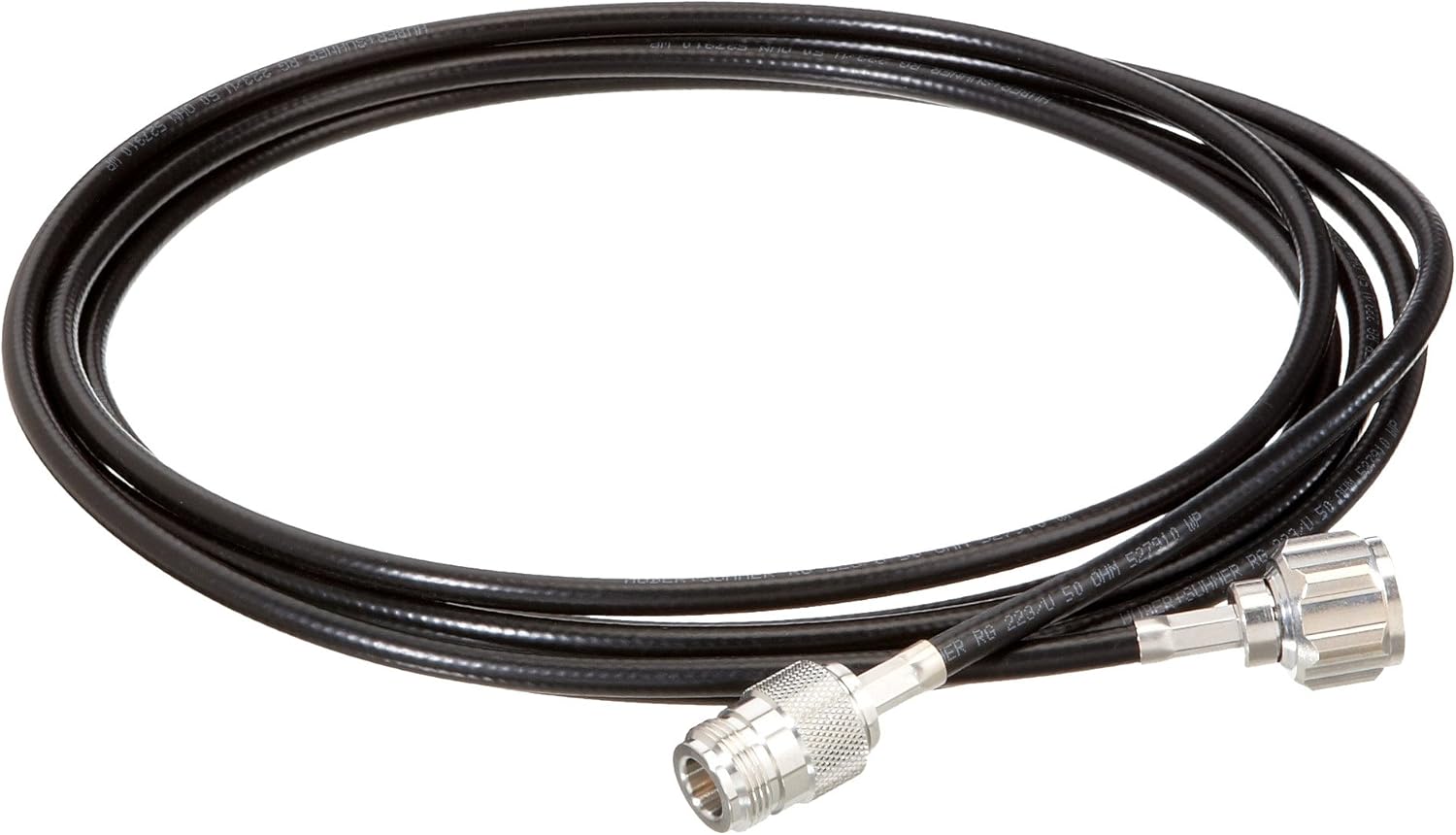
A coiled black coaxial cable with silver N-type male and female connectors on each end, designed for outdoor use. The cable is approximately 3 meters in length and features durable insulation suitable for external installations.
Key Features:
- Type: Coaxial Cable (RG 223/U)
- Connectors: N-Type Male to N-Type Female
- Length: 3 meters
- Impedance: 50 Ohm
- Application: Designed for outdoor use, suitable for antenna connections.
Setup
Proper installation of the Lancom AirLancer Cable is crucial for optimal performance. Follow these steps to connect the cable:
- Identify Connectors: Locate the N-type male connector on one end and the N-type female connector on the other end of the cable.
- Connect to Antenna: Attach the appropriate connector (typically N-type male) to your outdoor antenna's N-type female port. Ensure the connection is finger-tight and secure.
- Connect to Device: Attach the other end of the cable (N-type female) to the N-type male port of your networking device, such as an access point, router, or surge protector. Again, ensure a secure, finger-tight connection.
- Cable Routing: Route the cable carefully, avoiding sharp bends, kinks, or areas where it might be pinched or damaged. Use cable ties or clips to secure it if necessary.
- Weather Protection: For outdoor installations, consider using weatherproofing tape or sealant around the connectors to prevent moisture ingress, especially in exposed areas.
Note: Always handle connectors by their metal bodies, not by the cable itself, to prevent damage to the internal wiring.
Operating
The Lancom AirLancer Cable NJ-NP Out/3 m is a passive component designed to transmit radio frequency (RF) signals between an antenna and a compatible device. Once properly installed and connected, the cable operates continuously without requiring user intervention. Its function is to provide a low-loss pathway for RF signals, ensuring reliable communication for your wireless network.
Ensure that both connected devices (antenna and networking equipment) are powered on and configured correctly according to their respective manuals for the cable to facilitate signal transmission effectively.
Maintenance
Regular maintenance helps preserve the performance and extend the lifespan of your Lancom AirLancer Cable:
- Visual Inspection: Periodically inspect the entire length of the cable and its connectors for any signs of physical damage, such as cuts, abrasions, severe bends, or corrosion on the connectors.
- Connector Cleaning: If connectors appear dirty or corroded, gently clean them using a soft, lint-free cloth and a small amount of electrical contact cleaner. Ensure connectors are dry before re-connecting.
- Secure Connections: Verify that all cable connections remain tight and secure. Loose connections can lead to signal degradation.
- Environmental Protection: For outdoor installations, ensure that any weatherproofing applied to the connectors is intact and providing adequate protection against moisture and UV exposure. Reapply if necessary.
- Storage: If the cable is to be stored, coil it loosely without sharp bends and store it in a clean, dry environment away from extreme temperatures and direct sunlight.
Troubleshooting
If you experience issues with your network connection that you suspect are related to the cable, consider the following:
| Problem | Possible Cause | Solution |
|---|---|---|
| Poor or No Signal | Loose connections Damaged cable Incorrect cable type | Ensure all connectors are securely tightened. Inspect the cable for visible damage; replace if necessary. Verify the cable is the correct 50 Ohm impedance for your equipment. |
| Intermittent Connection | Corroded connectors Minor cable damage Environmental interference | Clean connectors thoroughly. Inspect for subtle damage; consider replacing if issues persist. Ensure proper grounding and shielding of your setup. |
| Physical Damage to Cable/Connectors | Improper handling Environmental exposure | Handle the cable by its body, not by the connectors. Ensure proper weatherproofing for outdoor use. Replace damaged components. |
Specifications
Detailed technical specifications for the Lancom AirLancer Cable NJ-NP Out/3 m:
| Attribute | Value |
|---|---|
| Brand | Lancom |
| Manufacturer | LANCOM |
| Model | LS61230 |
| Part Number | 4044144612305 |
| Cable Type | Coaxial (RG 223/U) |
| Connectors | N-Type Male to N-Type Female |
| Impedance | 50 Ohm |
| Length | 3 meters |
| Product Dimensions | 310.01 x 257.99 x 40.01 cm |
| Item Weight | 358.34 g |
| Date First Available | Aug. 7 2012 |
Warranty Information
Specific warranty terms for the Lancom AirLancer Cable NJ-NP Out/3 m may vary depending on your region and the point of purchase. Please refer to the warranty documentation provided with your product or contact your retailer for detailed information regarding warranty coverage and claims procedures.
Support
For technical assistance, product inquiries, or support related to the Lancom AirLancer Cable NJ-NP Out/3 m, please contact your authorized Lancom dealer or visit the official Lancom website for support resources and contact information.