
1. Introduction
This manual provides instructions for the safe and effective use of your Hama Star 20 4117 Camera Tripod. The Hama Star 20 tripod is designed to provide stability for cameras and camcorders, suitable for both photography and videography. It features a 3D head for precise alignment and a quick-release plate for efficient device changes.
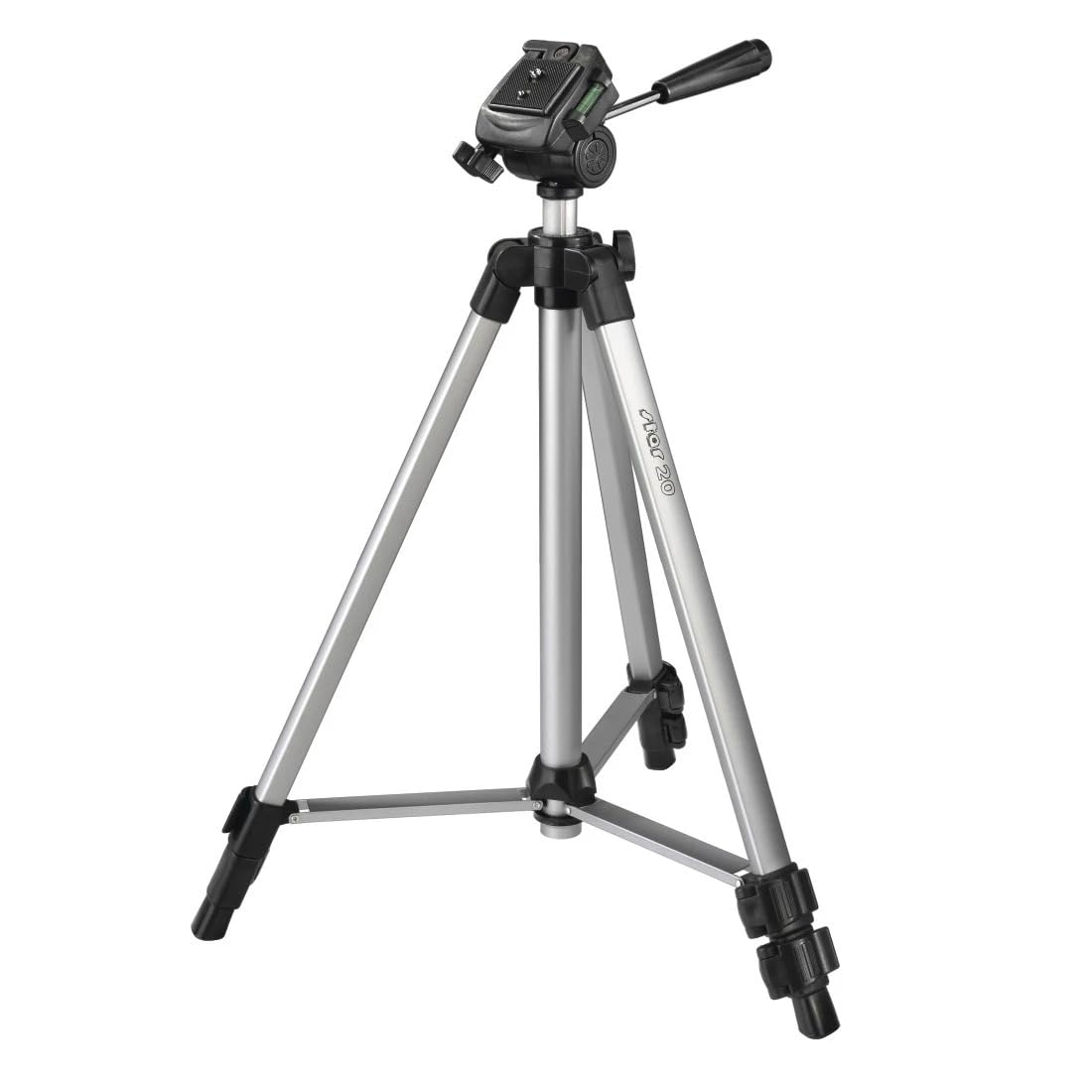
Image: The Hama Star 20 4117 Camera Tripod shown fully extended with a 3D pan head.
2. Package Contents
Verify that all items are present in the package:
- 1x Hama "Star 20" Tripod
- 1x Quick Mounting Plate
- 1x Carry Bag
3. Product Features
- 3D Pan Head: Allows for precise alignment of the device in portrait or landscape mode.
- Quick Release Plate: Enables rapid attachment and detachment of cameras or camcorders.
- Bubble Level: Integrated into the tripod head for accurate horizontal alignment.
- Adjustable Central Column: Stepless height adjustment for optimal positioning.
- 3-Section Legs: Two telescopic sections per leg for flexible height adjustment and compact storage.
- Leg Locking System: Plastic-coated leg and leg locking system for secure positioning and stability.
- Lightweight Design: Constructed from aluminum for portability.
4. Setup and Assembly
4.1 Unpacking and Initial Inspection
- Carefully remove all components from the packaging.
- Inspect the tripod for any signs of damage. Do not use if damaged.
4.2 Extending the Tripod Legs
- Place the tripod on a flat, stable surface.
- Release the leg locking clips on each leg section.
- Extend each leg section to the desired length.
- Securely close all leg locking clips to ensure stability.
4.3 Adjusting the Central Column
- Loosen the central column locking knob.
- Raise or lower the central column to the desired height.
- Tighten the central column locking knob firmly to secure its position.
4.4 Attaching the Quick Release Plate to Your Device
- Locate the quick release plate on the tripod head.
- Release the quick release lever and remove the plate from the tripod head.
- Attach the quick release plate to the 1/4" (6.4mm) screw thread on the bottom of your camera or camcorder. Ensure it is securely tightened.
4.5 Mounting Your Device to the Tripod
- With the quick release plate attached to your device, align the plate with the tripod head.
- Insert the plate into the tripod head and engage the quick release lever until it locks securely.
- Gently test the connection to ensure your device is firmly mounted before releasing your grip.

Image: The Hama Star 20 4117 Camera Tripod shown in its folded position.
5. Operation
5.1 Adjusting the 3D Pan Head
- Tilt Adjustment: Loosen the tilt locking knob to adjust the vertical angle of your device. Tighten the knob to secure the position.
- Pan Adjustment: Loosen the pan locking knob (usually located at the base of the head) to rotate your device horizontally. Tighten the knob to secure the position.
- Portrait/Landscape Mode: The 3D head allows for easy switching between horizontal (landscape) and vertical (portrait) orientations. Adjust the tilt and pan as needed.
5.2 Using the Bubble Level
The integrated bubble level on the tripod head assists in achieving a perfectly horizontal setup. Adjust the tripod legs and/or the central column until the bubble is centered within the indicator lines.
5.3 Securing Your Device
Always ensure all locking mechanisms (leg clips, central column knob, and head adjustment knobs) are securely tightened before leaving your device unattended on the tripod. This prevents accidental movement or tipping.
6. Care and Maintenance
- Cleaning: Wipe the tripod with a soft, damp cloth. Avoid using abrasive cleaners or solvents, as these can damage the finish or moving parts.
- Storage: When not in use, fold the tripod to its minimum size and store it in the included carry bag to protect it from dust and scratches. Store in a dry environment.
- Inspection: Periodically check all screws, bolts, and locking mechanisms for tightness. Do not overtighten.
- Avoid Overloading: Do not exceed the maximum load capacity of 2000g (2 kg) to prevent damage to the tripod and your equipment.
7. Troubleshooting
7.1 Tripod is Unstable
- Ensure all leg locking clips are fully closed and secure.
- Verify that the central column locking knob is tightened.
- Place the tripod on a level and firm surface.
- Check that the weight of your camera and accessories does not exceed the maximum load capacity.
7.2 Camera Not Securely Mounted
- Ensure the quick release plate is firmly attached to your camera's 1/4" screw thread.
- Verify that the quick release lever on the tripod head is fully engaged and locked.
7.3 Adjustments Feel Stiff
- Check for any dirt or debris in the moving parts. Clean as per maintenance instructions.
- Do not force adjustments. If a part is stuck, re-check for obstructions or ensure no locking mechanisms are engaged.
8. Technical Specifications
| Specification | Value |
|---|---|
| Brand | Hama |
| Model Name | Star 20 |
| Model Number | 4117 |
| Material | Aluminum (legs), Rubber (feet) |
| Item Weight | 0.65 kg (650 g) |
| Maximum Load Capacity | 2000 g (2 kg) |
| Maximum Height | 125 centimeters |
| Minimum Height | 47 centimeters |
| Folded Size | 47 centimeters |
| Tripod Head Type | 3D Pan Head |
| Number of Leg Sections | 3 |
| Compatible Devices | Photo and Video Cameras |
| Screw Thread | 1/4" (6.4mm) |
9. Warranty and Support
This Hama product is covered by a manufacturer's warranty. Please refer to the warranty documentation provided with your purchase for specific terms and conditions, including the warranty period and coverage details.
For technical support, spare parts, or warranty claims, please contact Hama customer service directly. Contact information can typically be found on the Hama official website or on the product packaging.


