1. Introduction
Welcome to Sim Life: The Genetic Playground, a simulation game developed by Electronic Arts. This manual provides essential information for installing, operating, and maintaining your game. Sim Life allows players to create and manage their own microcosm, experimenting with the genetic attributes of lifeforms and observing their evolution within a simulated ecosystem.
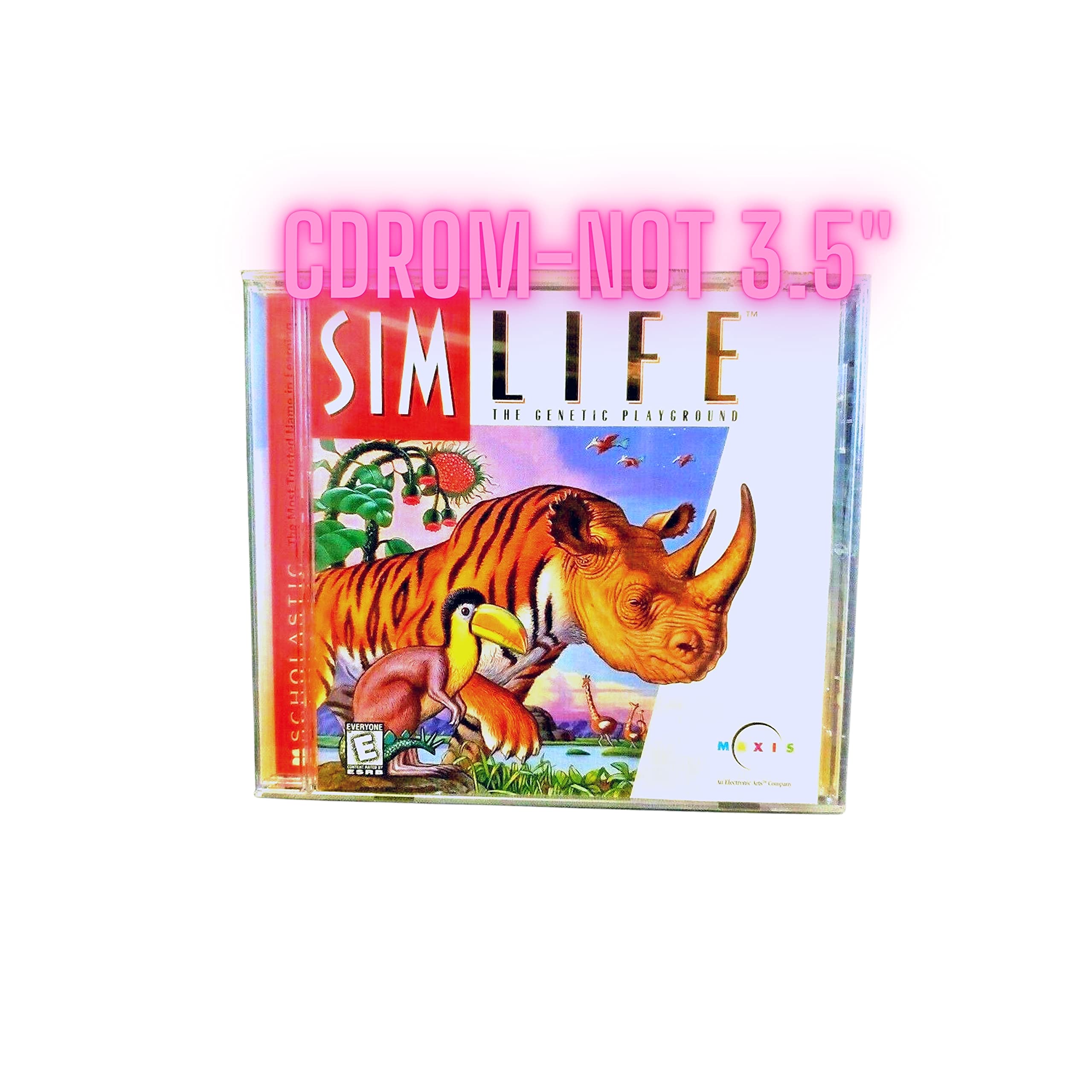
Figure 1: Sim Life: The Genetic Playground game box art.
2. Setup
2.1 System Requirements
Sim Life was originally designed for older PC operating systems. While specific minimum requirements are not detailed in this document, it is generally compatible with Windows 95/98/Me/XP. Modern operating systems may require compatibility mode settings for proper functionality.
2.2 Installation
- Insert the Sim Life game disc into your computer's CD-ROM drive.
- The installer should launch automatically. If it does not, navigate to "My Computer" or "This PC", right-click on the CD-ROM drive icon, and select "Open" or "Explore". Locate and double-click the "SETUP.EXE" or "INSTALL.EXE" file.
- Follow the on-screen prompts to complete the installation. This typically involves accepting the license agreement, choosing an installation directory, and selecting components.
- Once installation is complete, you may be prompted to restart your computer. It is recommended to do so.
2.3 Compatibility Notes for Modern Systems
Users attempting to run Sim Life on Windows XP or newer operating systems may encounter installation or runtime issues. To improve compatibility:
- Locate the game's executable file (e.g., SIMLIFE.EXE) in the installation directory.
- Right-click the executable file and select "Properties".
- Go to the "Compatibility" tab.
- Check the box for "Run this program in compatibility mode for:" and select "Windows 95" or "Windows 98 / Windows Me" from the dropdown menu.
- Additionally, you may need to check "Run in 256 colors" and "Run in 640 x 480 screen resolution" for older titles.
- Click "Apply" and then "OK".
Note: Full functionality on very modern operating systems (Windows 10/11) is not guaranteed and may require additional community-developed patches or virtual machine environments.
3. Operating the Game
3.1 Game Objective
Sim Life is an open-ended simulation where the primary objective is to create and observe a self-sustaining ecosystem. Players can manipulate environmental factors and the genetic code of various organisms to influence their survival, adaptation, and evolution.
3.2 Core Gameplay Mechanics
- World Creation: Begin by designing your world, adjusting parameters such as temperature, humidity, elevation, and landmass distribution.
- Organism Design: Utilize the genetic editor to create plants and animals. Modify their physical traits, dietary needs, reproductive strategies, and environmental tolerances.
- Population Management: Introduce your designed organisms into the world and observe their interactions. Monitor population levels, resource consumption, and predator-prey relationships.
- Environmental Control: Adjust environmental conditions dynamically to challenge or support your species. Observe how changes impact evolution and survival.
- Observation and Analysis: The game provides tools to track species data, genetic changes, and ecological balance. Learn from the outcomes of your genetic experiments.
3.3 User Interface
The game's interface consists of various menus and toolbars for accessing world settings, genetic editors, and observation tools. Familiarize yourself with these elements to effectively manage your simulation. While the interface may appear dated by modern standards, its functionality is comprehensive for the game's design.
4. Maintenance
4.1 Saving and Loading Games
Regularly save your game progress to avoid loss of data. The save/load options are typically found within the main menu or a dedicated in-game menu. It is advisable to use multiple save slots for different experimental scenarios.
4.2 Game Updates and Patches
As an older title, official updates or patches from Electronic Arts are unlikely. However, community-driven patches or compatibility fixes may exist online. Exercise caution when downloading unofficial software and ensure sources are reputable.
4.3 Disc Care
Keep the game disc clean and free from scratches. Store it in its original case when not in use. A damaged disc can prevent installation or proper game operation.
5. Troubleshooting
5.1 Game Will Not Install or Run
- Compatibility Mode: Refer to Section 2.3 for instructions on running the game in compatibility mode for older Windows versions (e.g., Windows 95).
- Administrator Privileges: Try running the installer or game executable as an administrator. Right-click the file and select "Run as administrator".
- Disc Condition: Ensure the game disc is clean and free of scratches.
- System Resources: Close other applications running in the background that might consume system resources.
5.2 Graphical or Display Issues
- Color Depth: In compatibility settings, try enabling "Run in 256 colors".
- Screen Resolution: In compatibility settings, try enabling "Run in 640 x 480 screen resolution".
- Graphics Drivers: Ensure your graphics drivers are up to date, although for very old games, sometimes older drivers or specific settings are more effective.
5.3 Game Performance Issues
- Background Processes: Minimize background applications to free up CPU and RAM.
- Virtual Machine: For persistent issues on modern systems, consider running the game within a virtual machine configured with an older operating system (e.g., Windows 98).
6. Specifications
| Feature | Detail |
|---|---|
| Product Title | Sim Life: The Genetic Playground |
| Brand | Electronic Arts |
| Model Number | 43171-265743 |
| ASIN | B0009JXZBS |
| Item Weight | 1.01 pounds |
| Package Dimensions | 5.5 x 4.9 x 0.4 inches |
| Rated | Everyone |
| Date First Available | May 3, 2005 |
7. Warranty and Support
7.1 Product Warranty
Information regarding specific warranty terms for Sim Life: The Genetic Playground is not available in this manual. For details on Electronic Arts' general warranty policies for older software titles, please refer to the documentation included with your original purchase or visit the official Electronic Arts website.
7.2 Technical Support
For technical assistance, please visit the Electronic Arts support website. While direct support for very old titles may be limited, their knowledge base or community forums might offer solutions or workarounds for common issues.
Electronic Arts Support: https://help.ea.com/


