
1. Introduction
This manual provides essential information for the safe and efficient operation of your APC SURTA3000XL 3000VA 120V Uninterruptible Power Supply (UPS) system. Please read this manual thoroughly before installation and use, and retain it for future reference. The APC SURTA3000XL is designed to provide reliable power protection for critical electronic equipment, safeguarding against power outages, surges, and fluctuations.
2. Safety Information
Important Safety Instructions:
- Read all instructions before operating the UPS.
- This UPS contains internal batteries and may present a shock hazard even when disconnected from the AC outlet.
- Servicing of batteries should be performed or supervised by personnel knowledgeable of batteries and the required precautions. Keep unauthorized personnel away from batteries.
- Do not dispose of batteries in a fire. The batteries may explode.
- Do not open or mutilate batteries. Released electrolyte is harmful to the skin and eyes. It may be toxic.
- A battery can present a risk of electrical shock and high short-circuit current. The following precautions should be observed when working on batteries:
- Remove watches, rings, or other metal objects.
- Use tools with insulated handles.
- Wear rubber gloves and boots.
- Do not lay tools or metal parts on top of batteries.
- Disconnect charging source prior to connecting or disconnecting battery terminals.
- The UPS must be connected to a grounded AC outlet.
- Do not use the UPS for medical or life support equipment.
3. Setup
3.1 Unpacking
Carefully unpack the UPS and inspect it for any shipping damage. Retain the packaging materials for future transport or return. The package includes the UPS unit, documentation, and any included cables.
3.2 Placement
Place the UPS in a protected area free from excessive dust, corrosive fumes, and conductive contaminants. Ensure the ambient temperature is within the specified operating range. Maintain adequate clearance around the unit for proper ventilation. Avoid placing the UPS near heat sources or in direct sunlight.
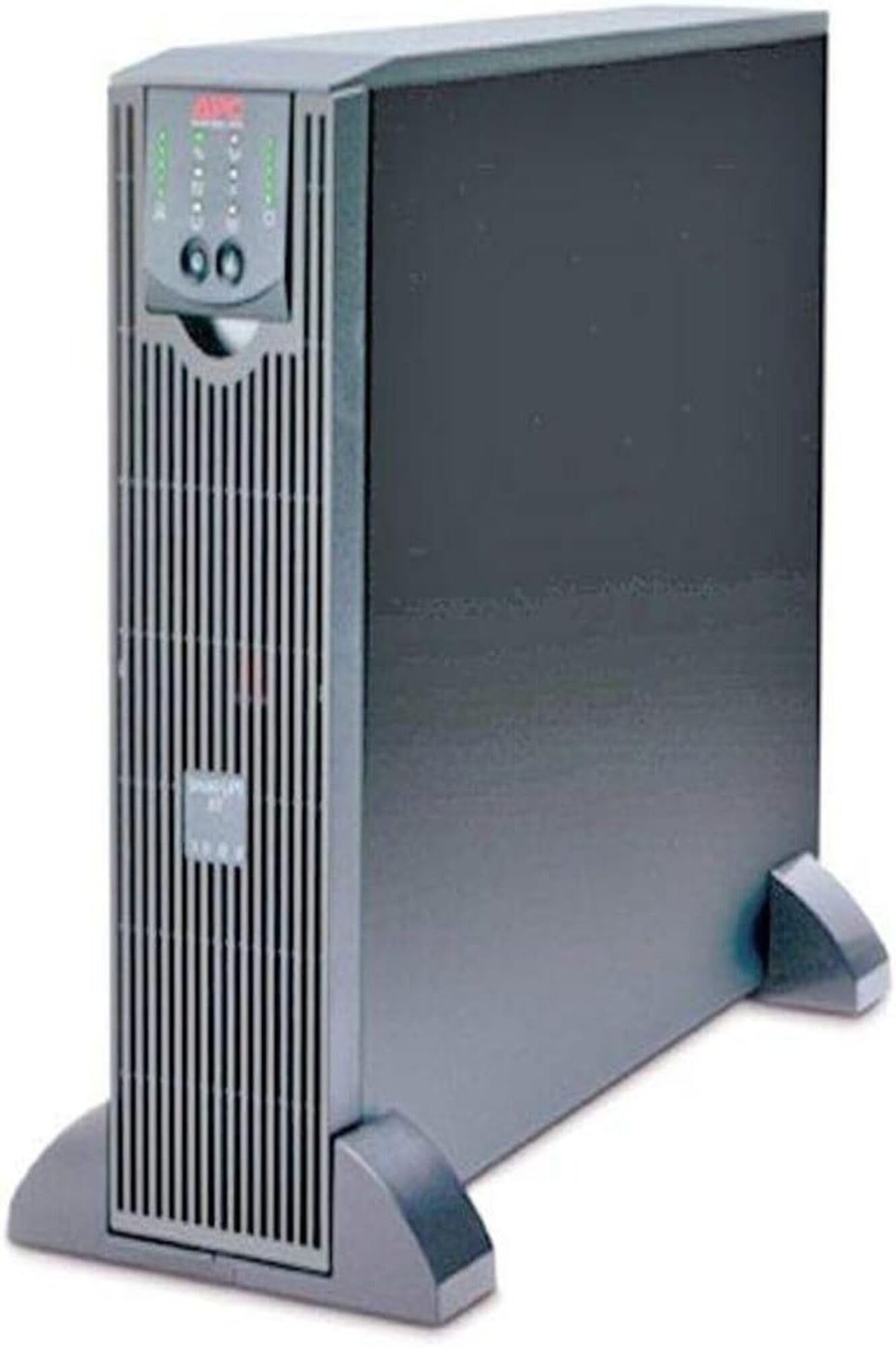
Figure 1: Front view of the APC SURTA3000XL UPS System. This image shows the main unit, highlighting its compact design and the front panel interface.
3.3 Connecting to Power
- Connect the UPS to a properly grounded 120V AC outlet using the provided power cord.
- Allow the UPS to charge for at least 24 hours before connecting equipment to ensure full battery capacity.
3.4 Connecting Equipment
Connect your critical electronic equipment (computers, servers, network devices) to the UPS output receptacles. Ensure that the total load does not exceed the UPS's rated capacity (2400 Watts / 3000VA). Use the appropriate IEC 320 connectors for your devices.
4. Operating Instructions
4.1 Powering On/Off
- To Power On: Press and hold the power button on the front panel until you hear a short beep. The UPS will perform a self-test and then transfer to online mode.
- To Power Off: Press and hold the power button until you hear a long beep. The UPS will shut down, and all connected equipment will lose power.
4.2 Front Panel Indicators
The front panel features various LEDs and a display to indicate the UPS status. Refer to the detailed user interface guide for specific icon meanings and troubleshooting codes.
- Online LED: Illuminates when the UPS is supplying utility power to connected equipment.
- On Battery LED: Illuminates when the UPS is supplying battery power during an outage.
- Fault LED: Illuminates to indicate an internal fault. Consult the troubleshooting section.
- Battery Charge Indicator: Displays the current battery charge level.
4.3 Battery Management
The UPS automatically manages battery charging and discharge. For optimal battery life, avoid frequent deep discharges. The UPS performs periodic self-tests to ensure battery health. The runtime for this model is approximately 14 minutes at full load.
5. Maintenance
5.1 Battery Replacement
Batteries are consumable items and have a finite lifespan. When the UPS indicates a "Replace Battery" warning, contact APC support or an authorized service provider for replacement. Always use genuine APC replacement battery cartridges to ensure compatibility and safety. Refer to the safety section before attempting any battery service.
5.2 Cleaning
Keep the UPS clean and free of dust. Use a dry cloth to wipe the exterior. Do not use liquid cleaners or solvents. Ensure ventilation openings are clear of obstructions.
5.3 Firmware Updates
Periodically check the APC website for available firmware updates for your UPS model. Firmware updates can improve performance, add features, or address known issues. Follow the instructions provided with the update package carefully.
6. Troubleshooting
This section provides solutions to common issues. If the problem persists, contact technical support.
| Problem | Possible Cause | Solution |
|---|---|---|
| UPS does not turn on. | Not connected to AC power; battery deeply discharged. | Ensure the power cord is securely connected to a live AC outlet. Allow the unit to charge for several hours. |
| UPS beeps continuously or frequently. | Overload condition; on battery power; low battery. | Reduce connected load. Check AC input power. Allow battery to charge. |
| "Replace Battery" indicator is on. | Battery has reached end of life. | Contact APC support for a replacement battery. |
| Connected equipment loses power. | UPS shut down due to overload or battery depletion. | Reduce load. Allow UPS to recharge. Check for utility power restoration. |
7. Specifications
Key technical specifications for the APC SURTA3000XL UPS System:
- Model: SURTA3000XL
- Capacity: 3000VA / 2400 Watts
- Input Voltage: 120 Volts AC
- Output Voltage: 120 Volts AC
- Frequency Range: 60 Hz
- Runtime (Full Load): Approximately 14 minutes
- Number of Outlets: 8 (IEC 320)
- Battery Cell Composition: Lithium
- Item Dimensions: 6 x 3 x 1 inches (Note: This seems incorrect for a 3000VA UPS, likely a typo in source data. Refer to official APC documentation for accurate dimensions.)
- Item Weight: 0.55 Kilograms (Note: This seems incorrect for a 3000VA UPS, likely a typo in source data. Refer to official APC documentation for accurate weight.)
- Enclosure Material: Alloy Steel
- Energy Star Certified: Yes
8. Warranty & Support
8.1 Warranty Information
The APC SURTA3000XL UPS System comes with a 2-year repair or replace warranty. This warranty covers defects in materials and workmanship under normal use. For full terms and conditions, please refer to the warranty card included with your product or visit the official APC website.
8.2 Technical Support
For technical assistance, troubleshooting, or warranty claims, please contact APC customer support. Before contacting support, have your model number (SURTA3000XL) and serial number ready. You can find contact information on the official APC website or in the documentation provided with your unit.
Online Resources: Visit the APC website for FAQs, software downloads, and additional product information.


