
Introduction
Thank you for choosing the Sector Watch Model 2653976025. This manual provides detailed instructions to help you understand and operate your new timepiece effectively. Please read this manual thoroughly before using your watch to ensure proper function and longevity. Keep this manual for future reference.
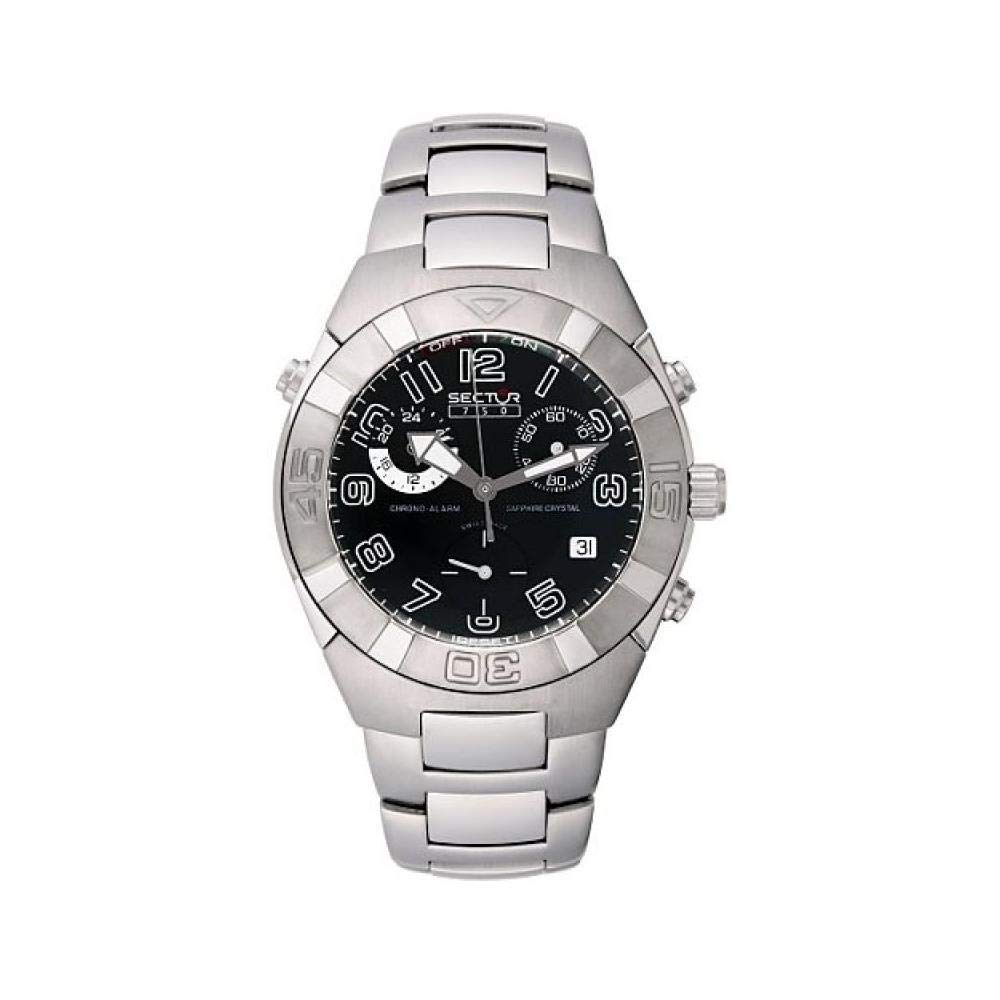
Image: Front view of the Sector Watch Model 2653976025, showcasing its dial and strap.
Setup
1. Initial Inspection
Upon unboxing, carefully inspect your watch for any visible damage. Ensure all protective films are removed from the crystal and case back.
2. Setting the Time
- Pull out the crown: Gently pull the crown (the small knob on the side of the watch) to the outermost position. You might feel a slight click.
- Rotate the crown: Turn the crown clockwise or counter-clockwise to move the hands and set the desired time.
- Push in the crown: Once the time is set, push the crown back into its original position. This will start the watch movement.
3. Adjusting the Strap/Bracelet
Ensure the strap or bracelet is adjusted to fit comfortably on your wrist. If your watch has a metal bracelet, professional adjustment by a jeweler may be required to remove or add links. For leather or silicone straps, use the buckle to find the appropriate fit.
Operating Your Watch
Reading the Time
The Sector Watch Model 2653976025 features a classic analog display. The hour hand indicates the hour, the minute hand indicates the minute, and the second hand indicates the seconds. Some models may include a date window, which typically advances automatically at midnight.
Water Resistance
Refer to the markings on the watch case back for specific water resistance ratings. Generally, watches are rated as follows:
- 3 ATM (30 meters/100 feet): Suitable for everyday use. Splash/rain resistant. Not suitable for showering, bathing, swimming, snorkeling, or water-related work.
- 5 ATM (50 meters/165 feet): Suitable for showering or swimming in shallow water. Not suitable for diving or snorkeling.
- 10 ATM (100 meters/330 feet): Suitable for swimming and snorkeling. Not suitable for high-impact water sports or diving.
Important: Do not operate the crown or pushers when the watch is wet or submerged in water, as this can compromise the water resistance.
Maintenance
Cleaning Your Watch
To maintain the appearance of your watch, wipe the case and crystal with a soft, dry cloth regularly. For water-resistant models, a slightly damp cloth can be used, followed by drying with a soft, dry cloth. Avoid using harsh chemicals or abrasive materials.
Battery Replacement
When the battery needs replacement (for quartz models), it is recommended to have it done by an authorized service center or a qualified watchmaker. This ensures the correct battery type is used and the water resistance seal is properly maintained.
Storage
When not wearing your watch, store it in a cool, dry place away from direct sunlight, extreme temperatures, and strong magnetic fields. The original watch box is ideal for storage.
Troubleshooting
| Problem | Possible Cause | Solution |
|---|---|---|
| Watch has stopped or is running intermittently. | Depleted battery (quartz models). | Replace the battery at an authorized service center. |
| Time is incorrect. | Crown is not fully pushed in after setting. | Ensure the crown is fully pushed into its normal operating position. Reset the time if necessary. |
| Condensation inside the crystal. | Exposure to extreme temperature changes or compromised water resistance. | Immediately take the watch to an authorized service center for inspection and repair to prevent internal damage. |
If you encounter issues not listed here or if the suggested solutions do not resolve the problem, please contact customer support or an authorized service center.
Specifications
- Model Number: 2653976025
- Brand: Sector
- Department: Mens
- Manufacturer: Sector
- ASIN: B0007W1CF8
- Date First Available: June 15, 2016
Warranty and Support
Your Sector Watch Model 2653976025 is covered by a manufacturer's warranty against defects in materials and workmanship. Please refer to the warranty card included with your purchase for specific terms, conditions, and duration. Keep your proof of purchase for warranty claims.
For technical support, service, or warranty inquiries, please contact Sector customer service through their official website or the contact information provided in your warranty documentation. Do not attempt to open or repair the watch yourself, as this may void the warranty.


