Introduction
This manual provides essential instructions for setting up, operating, maintaining, and troubleshooting your Sony DSC-W5 5.1 Megapixel Cyber-shot Digital Camera. The DSC-W5 is designed for capturing high-quality still images and video, featuring a 5.1-megapixel sensor, 3x optical zoom, and a 2.5-inch TFT LCD screen.
What's in the Box
Verify that all the following items are included with your Sony DSC-W5 camera package:
- Sony DSC-W5 Digital Camera
- NH-AA-DA Rechargeable Batteries (2)
- Battery Charger
- A/V Cable
- USB Cable
- Power Cord
- Wrist Strap
- Software CD
- Instruction Manual (this document)

Figure 1: The Sony DSC-W5 camera box displaying the camera and various accessories included in the package.
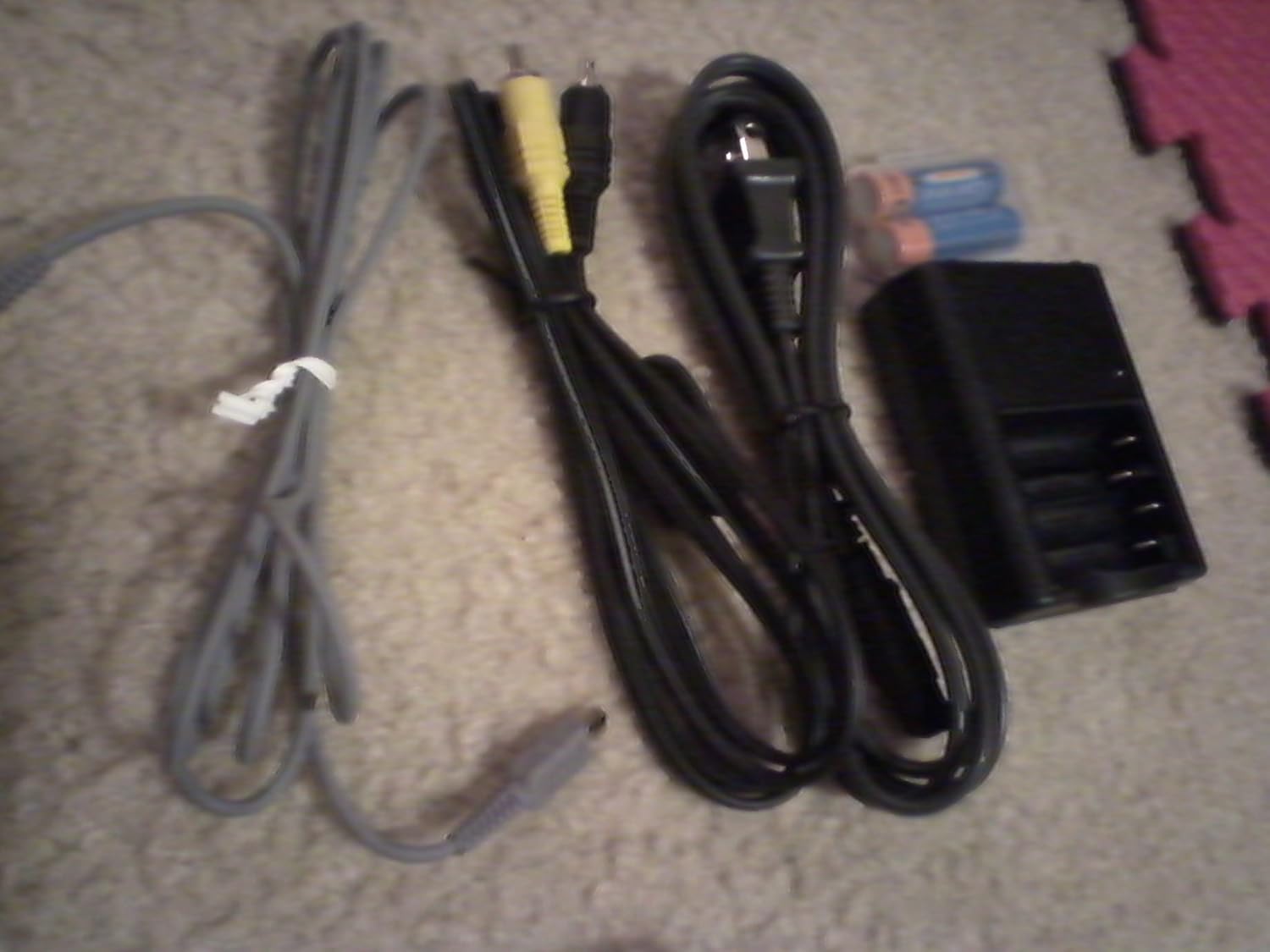
Figure 2: Essential accessories: USB cable, A/V cable, power cord, battery charger, and rechargeable batteries.
Setup
1. Charging the Batteries
- Insert the two NH-AA-DA rechargeable batteries into the provided battery charger. Ensure correct polarity.
- Connect the power cord to the battery charger and then to a wall outlet.
- Allow the batteries to charge fully before first use. The charging indicator on the charger will typically change color or turn off when charging is complete.
2. Inserting Batteries and Memory Stick
- Open the battery/memory stick compartment cover on the camera.
- Insert the charged batteries according to the polarity indicators inside the compartment.
- Insert a Memory Stick or Memory Stick PRO into the designated slot. Ensure it is inserted correctly until it clicks into place.
- Close the compartment cover securely.
3. Attaching the Wrist Strap
Thread the wrist strap through the strap eyelet on the camera body to prevent accidental drops.
Operating the Camera

Figure 3: Front view of the Sony DSC-W5 camera, highlighting the lens and flash unit.
1. Powering On/Off
Press the POWER button to turn the camera on or off. The lens will extend when powered on.
2. Basic Shooting Modes
Rotate the mode dial to select your desired shooting mode:
- Auto: For general photography, the camera automatically adjusts settings.
- Program Auto: Allows more control over settings while maintaining automatic exposure.
- Scene Selection: Choose from various scene modes like Beach, Candle, Landscape, Soft Snap, Twilight Mode, and Twilight Portrait for optimized settings in specific conditions.
- Movie: For recording video clips.
3. Taking Photos
- Frame your shot using the 2.5-inch TFT LCD screen or the optical viewfinder.
- Use the zoom lever to adjust the 3x optical zoom or 6x precision digital zoom.
- Press the shutter button halfway down to focus. The camera will confirm focus.
- Press the shutter button fully to capture the image.
4. Recording Videos
- Set the mode dial to Movie mode.
- Press the shutter button to start recording.
- Press the shutter button again to stop recording. The camera supports VX Fine (640 x 480) at 30 fps with audio.
5. Flash Modes
Press the flash button to cycle through available flash modes:
- Auto Flash: Flash fires automatically when needed.
- Fill-Flash: Flash fires for every shot.
- Slow Sync: Flash fires with a slow shutter speed for balanced background exposure.
- Flash Off: Flash does not fire.
6. Reviewing Images and Videos
Press the PLAY button to enter playback mode. Use the directional buttons to navigate through your captured media.
Maintenance
1. Cleaning the Camera
- Camera Body: Wipe with a soft, dry cloth. For stubborn dirt, use a cloth lightly dampened with water and then dry thoroughly.
- Lens: Use a lens brush or a blower to remove dust. For smudges, use a lens cleaning cloth and lens cleaning fluid. Avoid touching the lens surface directly.
- LCD Screen: Gently wipe with a soft, dry cloth. Do not use harsh chemicals.
2. Battery Care
- Always use genuine Sony NH-AA-DA rechargeable batteries.
- Store batteries in a cool, dry place when not in use.
- Remove batteries from the camera if it will not be used for an extended period.
3. Storage
Store the camera in a dry, dust-free environment, away from extreme temperatures and direct sunlight. Consider using a camera bag for protection during transport.
Troubleshooting
| Problem | Possible Cause / Solution |
|---|---|
| Camera does not power on. |
|
| Camera shuts down unexpectedly. |
|
| Images are blurry. |
|
| Memory Stick error. |
|
| Dust spots appear on images. |
|
Specifications
| Feature | Specification |
|---|---|
| Effective Still Resolution | 5.1 Megapixels |
| Photo Sensor Technology | CCD |
| Optical Zoom | 3x |
| Digital Zoom | 4x (6x Precision Digital Zoom, 12x VGA Smart Zoom) |
| Maximum Focal Length | 114 Millimeters (35mm equivalent: 38-114mm) |
| Screen Size | 2.5 Inches TFT LCD |
| Video Resolution | MPEG VX (640 x 480, 30 fps) with audio |
| Image Stabilization | Digital, Optical |
| Supported File Format | JPEG, RAW |
| Flash Memory Type | Memory Stick / Pro, Internal |
| Connectivity Technology | USB |
| Minimum Shutter Speed | 30 seconds |
| Maximum Shutter Speed | 1/1000 Seconds |
| Exposure Control | Automatic, Manual, Program |
| Item Weight | 0.55 Pounds (approx. 250g) |
Warranty and Support
For warranty information, please refer to the warranty card included in your product packaging or visit the official Sony support website. For technical assistance, product registration, or service inquiries, please contact Sony customer support directly. Keep your proof of purchase for warranty claims.
Sony Support Website: https://www.sony.com/electronics/support


