
1. Introduction
The Pentax 10x50 PCF WP II binoculars are designed for superior viewing, especially in low light conditions. Featuring 10x magnification and large 50mm objective lenses, these binoculars gather ample light for clear observations at dusk or dawn. Their waterproof construction ensures reliable performance in various environments.
Key features include:
- Nitrogen-filled waterproof (JIS Class 6) construction: Allows use in extreme weather conditions.
- Aluminum-diecast body: Provides strength and durability.
- Long eye-relief: Accommodates users with or without eyeglasses.
- Mechanical focus lock: Enables locking focus at a specific distance for consistent viewing.
- Click-stop diopter adjustment: Secures the right eyepiece diopter setting.
2. Package Contents
Please check that all items are present in your package:
- Pentax 10x50 PCF WP II Binoculars
- Objective Lens Caps
- Rain Guard Cap (Eyepiece Lens Cover)
- Carrying Case
- Neck Strap
- Lens Cleaning Cloth
3. Setup
3.1 Adjusting Interpupillary Distance
Hold the binoculars with both hands and look through them. Adjust the distance between the two barrels by moving them closer together or further apart until you see a single, clear circular field of view. This sets the interpupillary distance to match your eyes.

Image: Adjusting the barrels to achieve a single circular field of view.
3.2 Diopter Adjustment
- Close your right eye or cover the right objective lens.
- Look through the left eyepiece with your left eye and rotate the center focus wheel until the image is sharp and clear.
- Close your left eye or cover the left objective lens.
- Look through the right eyepiece with your right eye and rotate the diopter adjustment ring (located on the right eyepiece) until the image is sharp and clear.
- Once adjusted, the diopter ring features a click-stop mechanism to lock your setting.
3.3 Eyecup Adjustment
The eyecups can be twisted up or down to provide comfortable viewing. If you wear eyeglasses, twist the eyecups down to their lowest position to achieve the full field of view. If you do not wear eyeglasses, twist the eyecups up to a comfortable position.
4. Operating Instructions
4.1 Focusing
After performing the interpupillary distance and diopter adjustments, you can focus on objects by rotating the large center focus wheel. For different viewing distances, simply adjust the center focus wheel until the image is sharp.
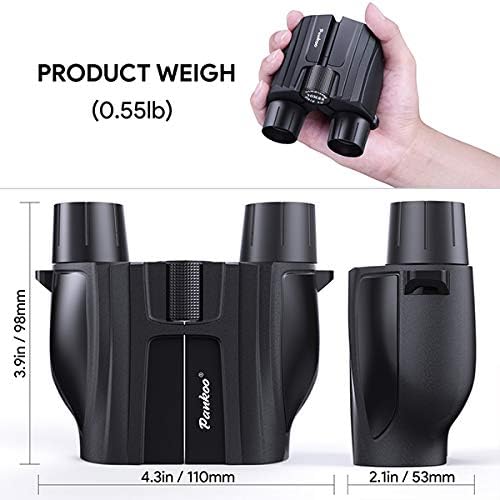
Image: Top view of the binoculars, highlighting the central focus wheel.
4.2 Using the Focus Lock
The mechanical focus lock feature allows you to maintain a specific focus setting. Once you have focused on an object, engage the focus lock to prevent accidental changes. This is particularly useful for observing subjects at a consistent distance, such as at a sporting event or a fixed observation point.
5. Maintenance
5.1 Cleaning the Lenses
To clean the lenses, first use a soft brush or a can of compressed air to remove any dust or loose debris. Then, use a clean, soft microfiber cloth specifically designed for optics. For stubborn smudges or fingerprints, apply a small amount of lens cleaning fluid to the cloth, not directly to the lens, and gently wipe in a circular motion.
5.2 Cleaning the Body
Wipe the body of the binoculars with a soft, damp cloth. Avoid using harsh chemicals or abrasive materials, as these can damage the finish or rubber armor.
5.3 Storage
When not in use, store your binoculars in their protective case in a cool, dry place. Avoid exposing them to extreme temperatures or high humidity for extended periods. Ensure lens caps are in place to protect the optics from dust and scratches.
5.4 Waterproof Care
While these binoculars are nitrogen-filled and waterproof, it is recommended to wipe them dry after exposure to water to prevent water spots and maintain their appearance. Do not attempt to disassemble the binoculars, as this will compromise their waterproof seal.
6. Troubleshooting
6.1 Blurry Image
- Ensure the center focus wheel is adjusted correctly for your viewing distance.
- Verify that the diopter adjustment on the right eyepiece is set correctly for your vision.
- Check that the objective lenses and eyepieces are clean and free from smudges or debris.
6.2 Double Image or Difficulty Merging Views
- Adjust the interpupillary distance by moving the barrels closer or further apart until a single circular field of view is achieved.
- If the problem persists after adjusting interpupillary distance, the binoculars may require professional servicing.
6.3 Eyecups Not Staying in Position
- Ensure the eyecups are twisted firmly into their desired position. Over time, wear may reduce the friction.
7. Specifications
| Feature | Specification |
|---|---|
| Model Number | 65808 |
| Magnification Maximum | 10x |
| Objective Lens Diameter | 50 mm |
| Special Feature | Waterproof (Nitrogen-filled, JIS Class 6) |
| Body Material | Aluminum-diecast |
| Item Weight | 2.1 pounds |
| Eye Relief | Long eye-relief |
| Diopter Adjustment | Click-stop |
8. Warranty and Support
For warranty information and customer support, please refer to the documentation provided with your purchase or visit the official Pentax website. Keep your proof of purchase for any warranty claims.

