
Introduction
Thank you for choosing the Dayton Audio DC380-8 15-inch Classic Woofer. This driver is designed for high-fidelity audio reproduction, suitable for both replacement applications and new speaker system designs. Its versatile parameters allow for integration into various enclosure types, including sealed or vented designs.
Key features include a treated paper cone for smooth response, low energy storage, an aluminum former, a vented pole piece, and a porous dustcap for enhanced power handling. These elements contribute to clean bass reproduction and overall acoustic performance.
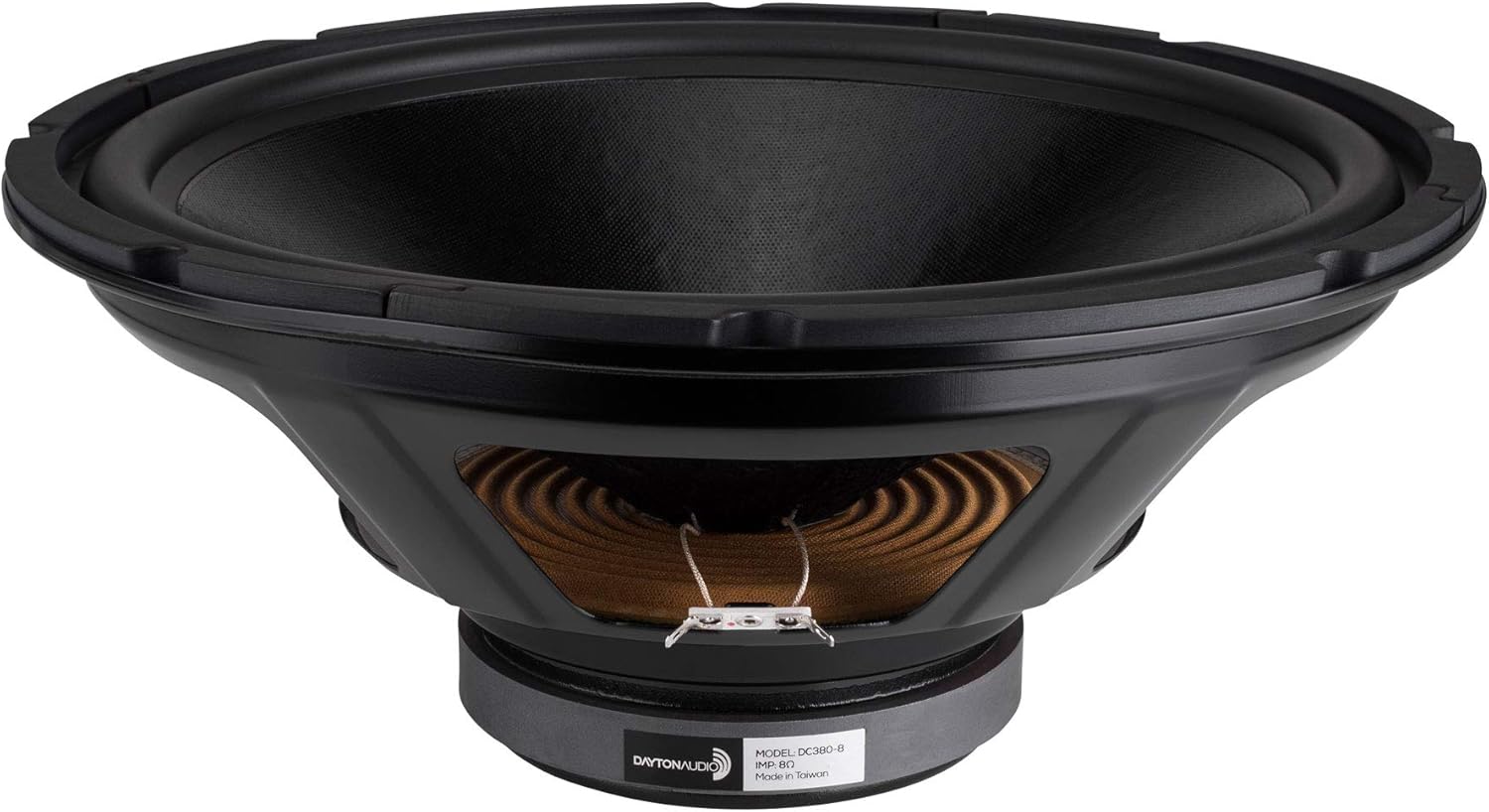
Image: Front view of the Dayton Audio DC380-8 15-inch Classic Woofer, showcasing its treated paper cone and robust surround.
Setup and Installation
Proper installation is crucial for optimal performance of your Dayton Audio DC380-8 woofer. Follow these guidelines for a successful setup:
- Enclosure Preparation: Ensure your speaker enclosure is robust, airtight (for sealed designs), and properly braced. The DC380-8 is suitable for both sealed and vented enclosure designs. Refer to speaker design software or resources for recommended enclosure volumes and port tuning frequencies for vented designs.
- Mounting: Carefully place the woofer into the cutout of your enclosure. Ensure a snug fit. Use appropriate screws to secure the woofer to the baffle. Avoid overtightening, which can damage the woofer frame.
- Wiring Connections: Connect your amplifier's speaker output to the woofer's terminals. Observe correct polarity: positive (+) from the amplifier to the positive terminal on the woofer, and negative (-) from the amplifier to the negative terminal. The DC380-8 features robust push-button terminals for secure connections.
- Crossover Integration: If integrating into a multi-way speaker system, ensure a suitable passive or active crossover network is used to filter frequencies, directing only the appropriate low frequencies to the woofer.

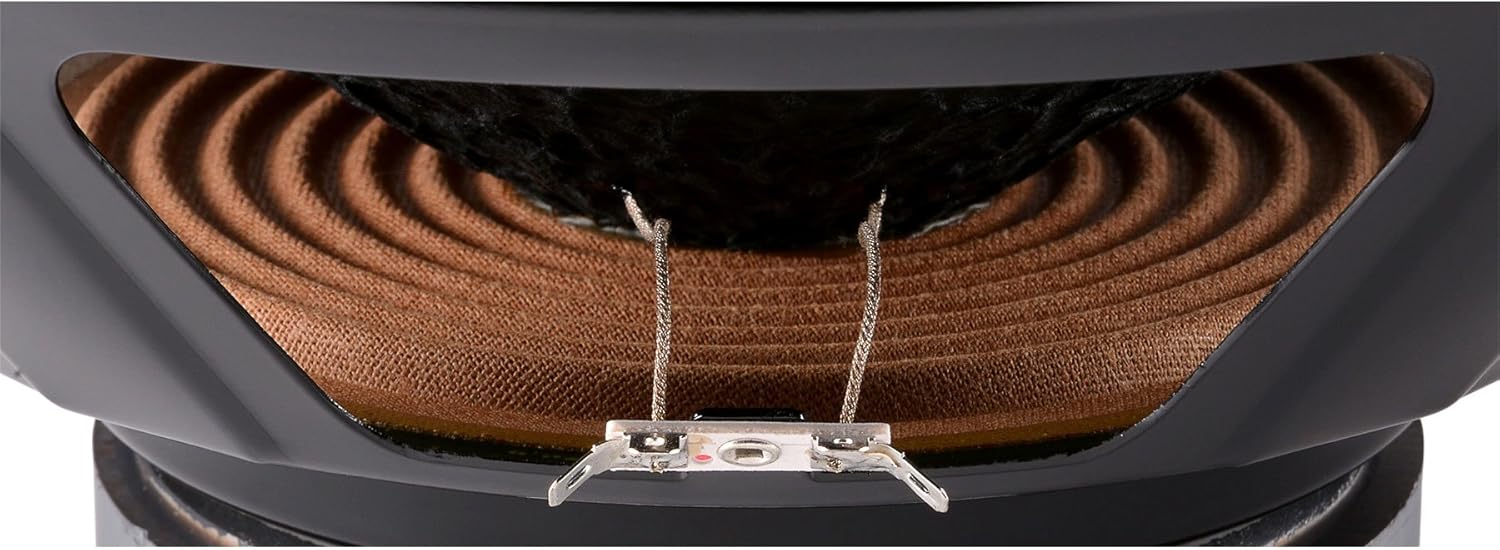
Image: Rear view of the Dayton Audio DC380-8 woofer (left) showing the magnet structure and frame, and a close-up of the speaker terminals (right) for wiring connections.
Operating Guidelines
To ensure longevity and optimal sound quality from your DC380-8 woofer, consider the following operational aspects:
- Break-in Period: Like many high-performance drivers, the DC380-8 may benefit from a break-in period. Play music at moderate volumes for several hours to allow the suspension components to loosen and settle, which can lead to improved bass response and overall sound.
- Power Handling: While designed for high power handling, avoid excessive amplification that leads to audible distortion. Distortion can damage the voice coil and other components. Always match the woofer's power rating with a suitable amplifier.
- Volume Control: Gradually increase volume levels. If you hear any signs of strain or distortion, reduce the volume immediately.
- Environmental Conditions: Operate the woofer in a stable environment, avoiding extreme temperatures, high humidity, or direct sunlight, which can degrade materials over time.
Maintenance
Regular, simple maintenance can help preserve the performance and appearance of your woofer:
- Cleaning: Use a soft, dry cloth to gently wipe dust from the cone and frame. Avoid using harsh chemicals or abrasive materials, which can damage the speaker's surfaces.
- Inspection: Periodically inspect the woofer for any signs of damage, such as tears in the cone or surround, or loose connections. Address any issues promptly to prevent further damage.
- Storage: If the woofer is to be stored for an extended period, keep it in a cool, dry place, away from direct sunlight and extreme temperature fluctuations.
Troubleshooting
If you encounter issues with your Dayton Audio DC380-8 woofer, consider the following common troubleshooting steps:
- No Sound:
- Check all wiring connections between the amplifier and the woofer for proper seating and polarity.
- Verify the amplifier is powered on and functioning correctly.
- Ensure the audio source is active and sending a signal.
- Distorted Sound:
- Reduce the volume level. Excessive volume can cause distortion.
- Check for damaged speaker wires or loose connections.
- Inspect the woofer cone and surround for any physical damage.
- Ensure the amplifier is not overdriven or clipping.
- Weak or Muffled Bass:
- Verify correct wiring polarity. Incorrect polarity can cause phase cancellation and weak bass.
- Check the enclosure for any air leaks, especially in sealed designs.
- Ensure the crossover settings are appropriate for the woofer and system.
If these steps do not resolve the issue, contact Dayton Audio customer support for further assistance.
Specifications
| Model Name | DC380-8 |
| Speaker Type | Woofer |
| Material | Aluminum (frame), Treated Paper (cone) |
| Woofer Diameter | 15 Inches |
| Item Weight | 11.5 Pounds |
| Product Dimensions (D x W x H) | 6.38"D x 15.16"W x 15.16"H |
| Connectivity Technology | Wired |
| Power Source | Corded Electric (refers to amplifier power, not woofer itself) |
| UPC | 844632000287 |
| Manufacturer | Dayton Audio |
| Speaker Maximum Output Power | 25 Watts (RMS, typical for a woofer of this size, though often higher peak) |
Note: Specifications are subject to change without notice.
Warranty and Support
The Dayton Audio DC380-8 15-inch Classic Woofer comes with a Limited Warranty. For specific terms and conditions of your warranty, please refer to the documentation included with your purchase or visit the official Dayton Audio website.
For technical support, troubleshooting assistance beyond this manual, or warranty claims, please contact Dayton Audio customer service. You can find more information and contact details on the Dayton Audio Store on Amazon or their official website.