
1. Introduction
This manual provides essential instructions for the proper use, setup, operation, and maintenance of your Memorex 3202-5599 4X DVD+RW for Video discs. Please read this manual thoroughly before using the product to ensure optimal performance and longevity of your discs.
2. Product Overview
The Memorex 3202-5599 DVD+RW discs are designed for recording and rewriting video content. These single-sided discs offer a storage capacity suitable for various video applications.
- Rewritable Format: Allows for multiple recordings and erasures, making them ideal for temporary storage or content that may be updated.
- Video Recording: Specifically designed for video applications, enabling transfer of home movies from VHS or 8mm cassettes, or recording and editing television programs.
- Capacity: Each disc can store up to 6 hours of video content or 4.7 GB of data.
- Compatibility: Compatible with home DVD recorders that support DVD+RW recording.
- Write Speed: Supports recording at up to 4x speed.
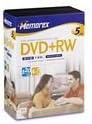
Figure 2.1: Front view of the Memorex 4X DVD+RW for Video 5-pack packaging. The packaging displays the Memorex brand logo, "DVD+RW" designation, and indicates a 5-disc pack.
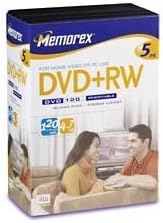
Figure 2.2: Angled view of the Memorex 4X DVD+RW for Video 5-pack packaging. This image shows the side and front of the packaging, highlighting the "DVD+RW" label and the 4.7 GB / 120 min capacity.
3. Setup
- Check Device Compatibility: Ensure your DVD recorder or computer drive supports DVD+RW discs. Refer to your device's instruction manual for compatibility information.
- Disc Handling: Hold the disc by its edges or the center hole to avoid touching the recording surface. Fingerprints, dust, or scratches can affect performance.
- Insert Disc: Carefully insert the Memorex DVD+RW disc into your compatible DVD recorder or computer drive with the label side facing up.
- Initial Formatting (if required): Some DVD recorders may require initial formatting of a new DVD+RW disc before recording. Follow the on-screen prompts or your device's manual for this process. This typically prepares the disc for recording.
4. Operating Instructions
4.1 Recording Video
- Prepare Content: Connect your video source (e.g., VCR, camcorder, TV tuner) to your DVD recorder according to your recorder's instructions.
- Select Recording Mode: Choose the desired recording quality and mode on your DVD recorder. Higher quality settings will consume more disc space.
- Start Recording: Initiate recording from your DVD recorder. Ensure the source content is playing correctly.
- Finalize (if applicable): For some recorders, finalizing the disc may be necessary for playback on other devices. Consult your recorder's manual. DVD+RW discs generally do not require finalizing for continued recording on the same device.
4.2 Rewriting/Erasing Content
One of the key advantages of DVD+RW discs is their rewritability. You can erase existing content and record new content multiple times.
- Insert Disc: Insert the DVD+RW disc containing the content you wish to erase or overwrite into your compatible DVD recorder or computer drive.
- Access Erase Function: Navigate to the erase or format function within your DVD recorder's menu or your computer's disc utility software.
- Confirm Erase: Follow the prompts to confirm the erasure. Be aware that erasing typically removes all data from the disc.
- Record New Content: Once erased, the disc is ready for new recordings as described in Section 4.1.
5. Maintenance and Care
- Handling: Always hold discs by the edges or the center hole. Avoid touching the shiny recording surface.
- Cleaning: If a disc becomes dirty, gently wipe it with a soft, lint-free cloth from the center outwards. Do not use abrasive materials or harsh chemical cleaners.
- Storage: Store discs in their original cases or in protective sleeves to prevent scratches and dust accumulation. Keep them away from direct sunlight, extreme temperatures, and high humidity.
- Labeling: Use a soft, felt-tip marker specifically designed for optical discs to label the non-recording side. Avoid ballpoint pens or sharp objects that could damage the disc.
6. Troubleshooting
| Problem | Possible Cause | Solution |
|---|---|---|
| Disc not recognized by recorder/drive. |
|
|
| Recording errors or failed recordings. |
|
|
| Playback issues (stuttering, freezing). |
|
|
7. Specifications
| Feature | Detail |
|---|---|
| Brand | Memorex |
| Model Number | 3202-5599 |
| Disc Type | DVD+RW |
| Write Speed | 4x |
| Memory Storage Capacity | 4.7 GB |
| Recording Capacity (Video) | Up to 6 Hours (depending on recording mode) |
| Product Dimensions | 7.5 x 5.5 x 3 inches (packaging) |
| Item Weight | 1 pound (packaging) |
| UPC | 034707055995 |
8. Warranty and Support
For information regarding product warranty, technical support, or service inquiries, please refer to the official Memorex website or contact Memorex customer support directly. Contact details are typically available on the product packaging or the manufacturer's official website.
Please retain your proof of purchase for any warranty claims.
