
1. Introduction
This manual provides detailed instructions for the assembly, operation, and maintenance of your Vollmer 43785 Burning IRS Office HO Scale Plastic Building Kit. This kit is designed for model enthusiasts and requires assembly. Please read all instructions carefully before beginning assembly.
2. Product Overview
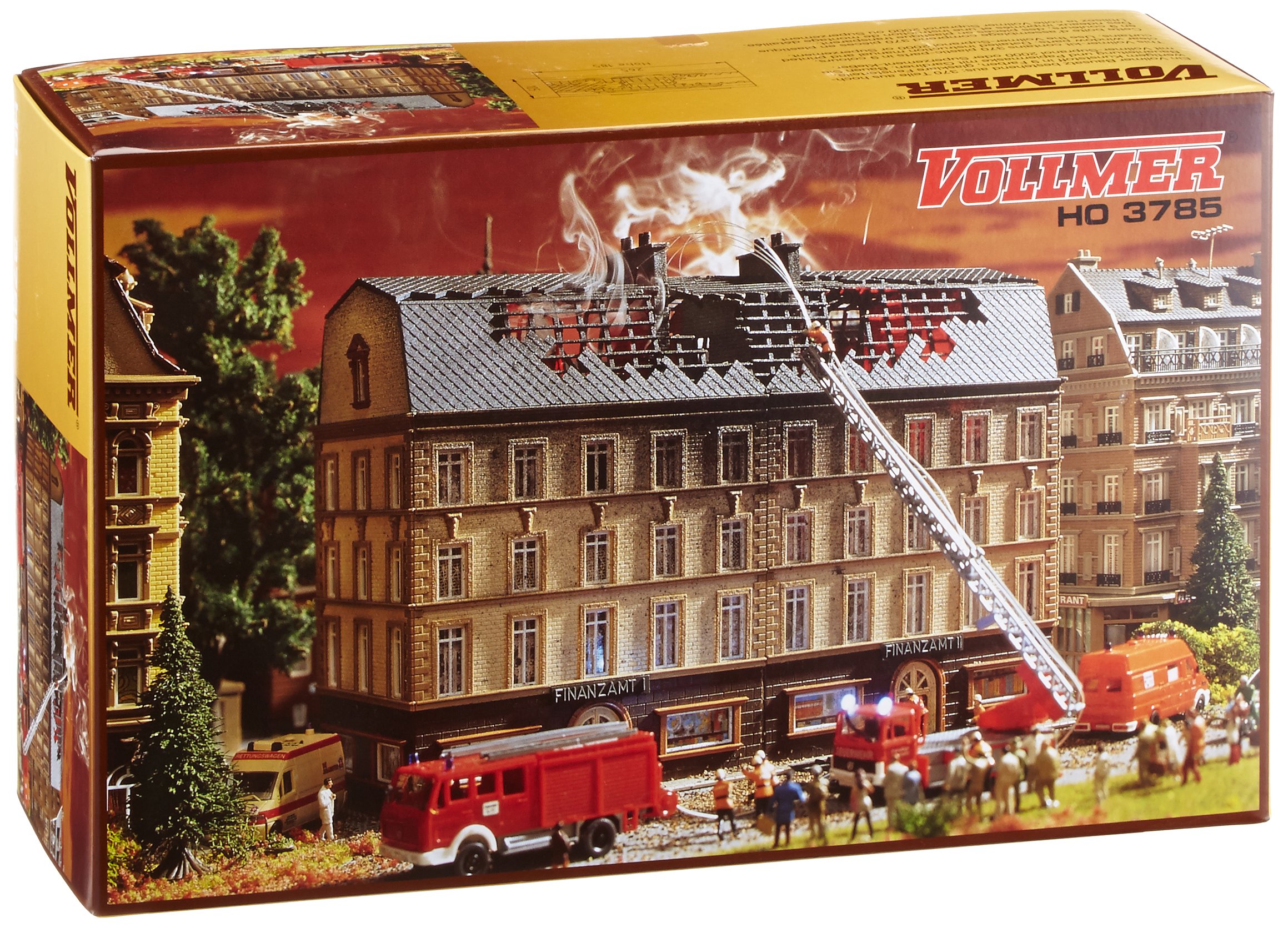
Figure 1: Fully assembled Vollmer 43785 Burning IRS Office HO Scale Plastic Building Kit, featuring detailed architectural elements and a distressed, 'burning' effect.
The Vollmer 43785 is an HO scale plastic building kit designed to represent a 'Burning IRS Office'. It is intended for use in model train layouts and dioramas. The kit includes various plastic components that, once assembled, form a detailed building structure with specific aesthetic features.
- Model Number: 3785
- Brand: VOLLMER
- Scale: HO Scale
- Approximate Assembled Dimensions: 10-7/16 x 4-1/8 x 7-9/32 inches (26.5 x 10.5 x 18.5 cm)
- Material: Plastic
- Assembly: Required
3. Setup and Assembly Instructions
3.1. Required Tools and Materials (Not Included)
- Plastic model cement/glue
- Hobby knife or sprue cutters
- Small file or sandpaper (fine grit)
- Tweezers (optional, for small parts)
- Paint and brushes (optional, for detailing)
3.2. Assembly Steps
Follow these steps carefully for proper assembly. Refer to the included diagrams (if any) with your physical kit for visual guidance.
- Unpack and Inspect: Carefully remove all parts from the packaging. Check for any damaged or missing components against the parts list provided in your kit.
- Prepare Parts: Using a hobby knife or sprue cutters, carefully remove each plastic part from its sprue. Trim any excess plastic (flash) with a hobby knife or fine sandpaper for a clean fit.
- Assemble Base: Begin by assembling the base of the building. Ensure all base pieces fit together securely before applying cement.
- Construct Walls: Attach the wall sections to the base, ensuring they are aligned correctly. Apply plastic cement sparingly to the joining surfaces. Hold parts firmly until the cement sets.
- Install Windows and Doors: Insert window frames, glazing, and door elements into their designated openings in the wall sections.
- Assemble Roof Structure: Construct the roof sections according to the kit instructions. Attach them to the top of the wall assembly.
- Add Details: Attach smaller details such as chimneys, decorative elements, and any specific 'burning' effect pieces.
- Final Inspection: Once all parts are assembled and cement has dried, inspect the model for any loose parts or areas requiring additional attention.
4. Operating Instructions (Placement and Integration)
As a static model kit, 'operation' primarily refers to its placement and integration within your HO scale layout or diorama.
- Stable Surface: Place the assembled building on a flat, stable surface within your model environment to prevent accidental tipping or damage.
- Thematic Integration: Position the 'Burning IRS Office' in a location that complements its unique theme, perhaps near other urban structures or a scene depicting an event.
- Lighting: Consider adding internal or external lighting (sold separately) to enhance the visual impact of the model, especially the 'burning' effects.
- Securing the Model: For permanent placement, you may wish to secure the model to your layout base using a small amount of adhesive or screws (not included) to prevent movement.
5. Maintenance
Proper maintenance will help preserve the appearance and integrity of your model kit.
- Dusting: Regularly dust the model using a soft brush or a can of compressed air to prevent dust buildup in crevices.
- Cleaning: If necessary, gently wipe surfaces with a slightly damp cloth. Avoid harsh chemicals or abrasive cleaners, as these can damage the plastic or painted surfaces.
- Storage: If storing the model, place it in a protective box or container away from direct sunlight, extreme temperatures, and high humidity to prevent warping or fading.
- Handling: Always handle the model by its base to avoid stressing delicate parts.
6. Troubleshooting
This section addresses common issues you might encounter during assembly or with the finished model.
- Parts Not Fitting:
Ensure parts are correctly oriented. Check for excess plastic (flash) on the edges that may need to be trimmed with a hobby knife or filed down. - Missing or Damaged Parts:
Carefully review the parts list provided with your kit. If parts are genuinely missing or damaged upon opening, contact Vollmer customer support with your model number and proof of purchase. - Model Instability:
Ensure the base is fully assembled and all wall sections are securely cemented. If placed on an uneven surface, the model may wobble. Consider securing it to your layout. - Adhesive Issues:
Ensure you are using plastic model cement specifically designed for polystyrene. Apply sparingly and allow adequate drying time as per the cement manufacturer's instructions.
7. Specifications
| Brand | VOLLMER |
| Model Number | 3785 |
| ASIN | B0006A3PH4 |
| Scale | HO Scale |
| Approximate Assembled Dimensions | 10-7/16 x 4-1/8 x 7-9/32 inches (26.5 x 10.5 x 18.5 cm) |
| Package Dimensions | 12.28 x 7.64 x 4.17 inches |
| Item Weight | 1.81 pounds |
| Manufacturer Recommended Age | 0 months and up |
| Manufacturer | Vollmer |
8. Warranty and Support
Specific warranty information for the Vollmer 43785 Burning IRS Office HO Scale Plastic Building Kit is not provided in the product data. For details regarding warranty coverage, replacement parts, or technical support, please contact the manufacturer directly:
Manufacturer: Vollmer
Please refer to the official Vollmer website or product packaging for current contact information.