

1. Overview
The Auto Meter 1318 Arctic White Fuel Level Gauge features a vintage high-performance design with striking white dials, lustrous chrome bezels, and domed lenses. This instrument provides quick and accurate readings, utilizing Auto Meter’s race-proven air-core electric technology.
Key features include:
- Traditional incandescent lighting around the perimeter of the dial.
- Compatibility with most Pre-1965 Chevrolet/GM senders.
- 12 and 16 volt compatibility, suitable for various vehicle electrical systems.
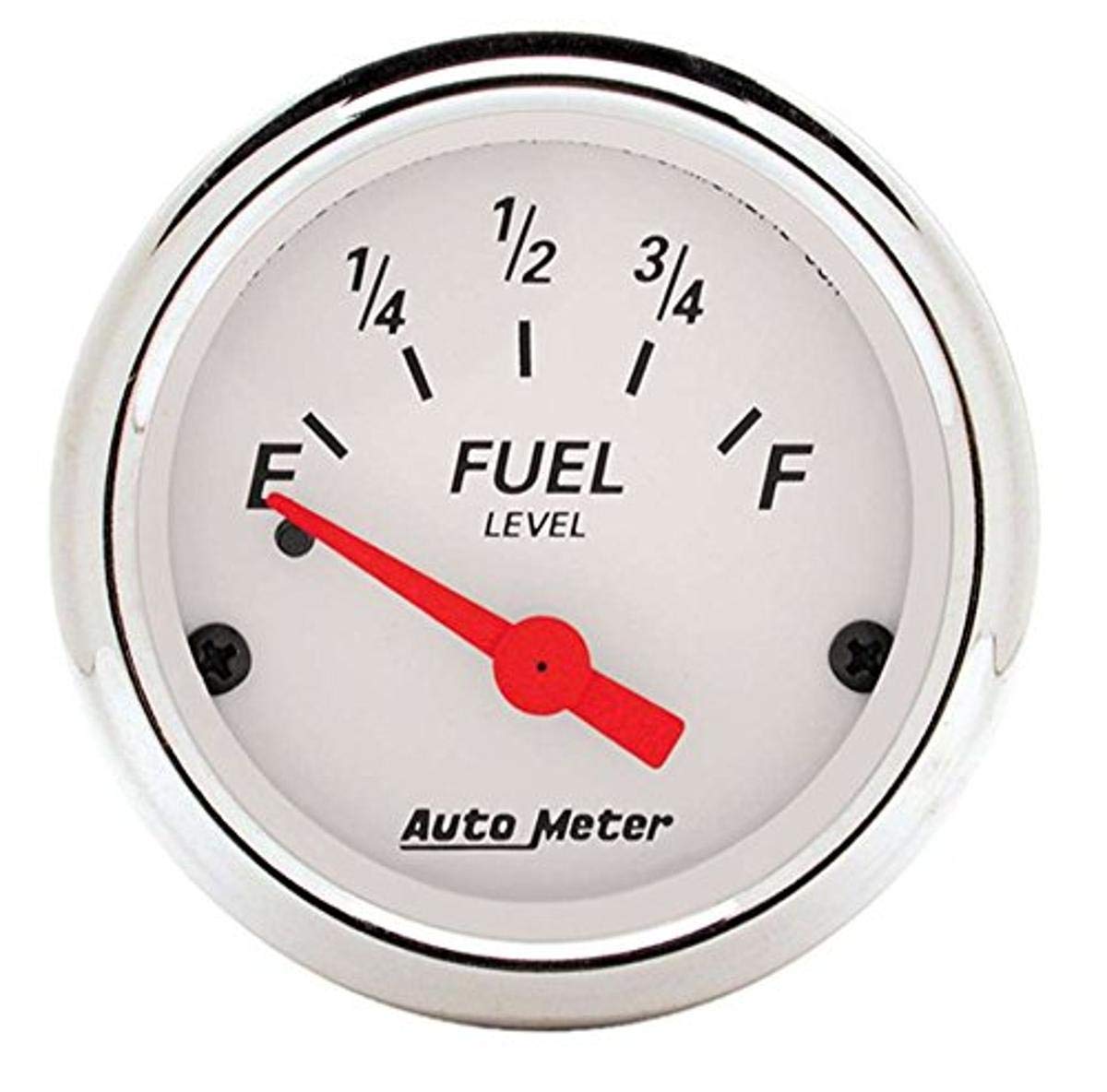
Image 1.1: The Auto Meter 1318 Arctic White Fuel Level Gauge, showcasing its design.
2. Safety Information
CALIFORNIA WARNING: This product can expose you to chemicals which are known to the State of California to cause cancer and reproductive harm. For more information, visit www.P65Warnings.ca.gov.
Always ensure proper ventilation when working with automotive components and follow all local safety guidelines.
3. What's in the Box
Upon opening the package, verify that all components are present:
- Auto Meter 1318 Arctic White Fuel Level Gauge
- Bulb and Socket Assembly
- Red Bulb Cover
- Green Bulb Cover
- Mounting Hardware
- Detailed Installation Instructions (separate document or integrated within this manual)
4. Setup & Installation
Proper installation is crucial for accurate gauge operation. If you are not experienced with automotive electrical systems, it is recommended to seek professional assistance.
4.1. Pre-Installation Checks
- Ensure the vehicle's electrical system is compatible (12 or 16 volt).
- Verify your fuel sender unit is compatible with the gauge (works with most Pre-1965 Chevrolet/GM senders).
- Disconnect the vehicle's battery before beginning any electrical work.
4.2. Mounting the Gauge
- Select a suitable location on your dashboard or instrument panel for the gauge.
- Using the provided mounting hardware, secure the gauge firmly in place. Ensure it is easily visible and does not obstruct other controls.

Image 4.1: An example of an Auto Meter gauge being wired during installation. Note: Specific wiring for the 1318 model may vary; refer to the detailed instructions included with your gauge.
4.3. Electrical Connections
Refer to the detailed wiring diagram provided with your gauge for precise connections. General steps include:
- Power: Connect the gauge to a switched 12V or 16V power source.
- Ground: Connect the gauge to a reliable chassis ground.
- Sender: Connect the gauge to your vehicle's fuel level sender unit.
- Lighting: Install the bulb and socket assembly. Use the red or green bulb cover as desired for illumination color. Connect the lighting wire to your vehicle's dash lighting circuit.
After all connections are made, re-connect the vehicle's battery and test the gauge operation.
5. Operating Instructions
The Auto Meter 1318 Fuel Level Gauge provides a continuous display of your vehicle's fuel tank level. Once installed and powered, the needle will indicate the current fuel level based on the input from your compatible fuel sender unit.
- Turn the vehicle's ignition to the "ON" position to power the gauge.
- The gauge will display the fuel level.
- When vehicle lights are activated, the perimeter lighting of the gauge will illuminate, enhancing visibility in low-light conditions.
The air-core electric movement ensures quick and accurate responses to changes in fuel level.
6. Maintenance
The Auto Meter 1318 Fuel Level Gauge is designed for durability and requires minimal maintenance.
- Cleaning: Clean the gauge face and bezel with a soft, damp cloth. Avoid abrasive cleaners or solvents that could damage the finish or lens.
- Connections: Periodically check electrical connections to ensure they remain secure and free from corrosion.
- Bulb Replacement: If the incandescent lighting dims or fails, the bulb can be replaced. Refer to the original installation instructions for details on accessing and replacing the bulb and socket assembly.
7. Troubleshooting
| Problem | Possible Cause | Solution |
|---|---|---|
| Gauge does not power on or illuminate. | No power, poor ground, blown fuse, faulty bulb. | Check power and ground connections. Inspect vehicle fuse. Replace bulb if necessary. |
| Gauge reads inaccurately or erratically. | Incorrect sender unit, faulty sender unit, poor sender connection, wiring issue. | Verify sender compatibility. Test sender unit. Check wiring between sender and gauge for shorts or open circuits. |
| Gauge always reads full or empty. | Open circuit (reads empty), short circuit (reads full) in sender wire or sender unit. | Inspect sender wiring for damage. Test the fuel sender unit for proper resistance range. |
If troubleshooting steps do not resolve the issue, contact Auto Meter customer support for further assistance.
8. Specifications
- Brand: AUTO METER
- Model: 1318
- Part Number: 1318
- Item Type: Fuel Level Gauge
- Material: Plastic
- Item Weight: 7.2 ounces
- Compatibility: Works with most Pre-1965 Chevrolet/GM senders
- Voltage: 12 and 16 volt compatible
- Lighting: Traditional incandescent perimeter lighting (red and green bulb covers included)
- UPC: 046074013188
- GTIN: 00046074013188
- Manufacturer: Auto Meter
9. Warranty & Support
9.1. Warranty Information
This Auto Meter product is covered by a manufacturer's warranty. For specific warranty terms and conditions, please refer to the documentation included with your purchase or visit the official Auto Meter website. Keep your proof of purchase for warranty claims.
9.2. Customer Support
For technical assistance, installation questions, or warranty service, please contact Auto Meter customer support. Contact information can typically be found on the manufacturer's website or in the product packaging.
You can also visit the AUTO METER Store on Amazon for more product information and resources.