
1. Introduction
The Rane RS-1 is a dedicated external power supply designed to provide reliable 120VAC power to a range of compatible Rane audio products. This manual provides essential information for the safe and correct setup, operation, and maintenance of your RS-1 power supply.
Please read this manual thoroughly before using the product to ensure proper function and to prevent damage to the unit or connected equipment.
2. Safety Information
- Power Source: Connect the RS-1 only to a 120VAC, 60Hz power outlet. Ensure the outlet is properly grounded.
- Ventilation: Do not block any ventilation openings. Ensure adequate airflow around the power supply.
- Moisture: Do not expose the unit to rain, moisture, or excessive humidity. Keep liquids away from the power supply.
- Heat: Avoid placing the unit near heat sources such as radiators, heat registers, stoves, or other heat-producing appliances.
- Cables: Protect the power cord from being walked on or pinched, particularly at plugs, convenience receptacles, and the point where they exit from the apparatus.
- Servicing: Do not attempt to service this product yourself. Refer all servicing to qualified service personnel.
- Disconnection: Unplug the power supply from the wall outlet during lightning storms or when unused for long periods.
3. Setup
Follow these steps to correctly set up your Rane RS-1 Power Supply:
- Identify Compatible Device: Ensure your Rane audio product requires the RS-1 power supply and has the appropriate RJ-45 style power input port.
- Connect to Device: Carefully insert the RJ-45 style connector from the RS-1 power supply into the designated power input port on your Rane audio device. Ensure a secure connection.
- Connect to Power Outlet: Plug the two-prong AC power cord of the RS-1 into a standard 120VAC, 60Hz wall outlet.
- Power On: Once connected, your Rane audio device should receive power. Refer to your Rane audio device's manual for specific power-on procedures.
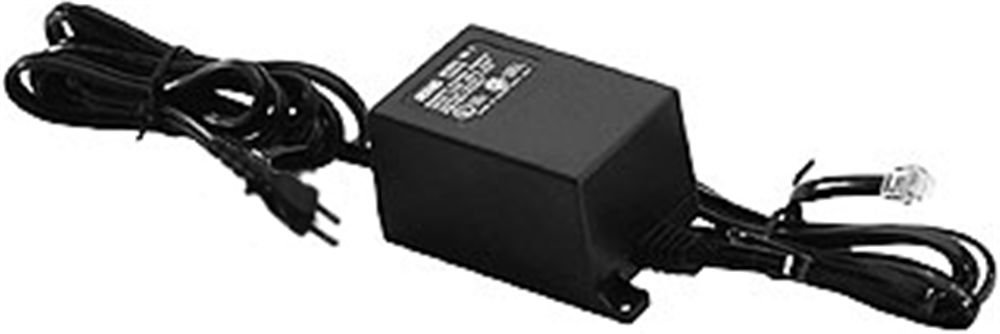
Image: Rane RS-1 Power Supply. This image displays the Rane RS-1 Power Supply, a black rectangular unit with an attached power cord featuring a two-prong North American plug on one end and an RJ-45 style connector on the other, designed to provide power to compatible Rane audio equipment.
4. Operating Instructions
The Rane RS-1 is an external power supply that operates automatically once connected to a power source and a compatible Rane device. It does not have user-adjustable controls.
- Ensure all connections are firm before applying power.
- The power supply is designed for continuous operation within its specified voltage and wattage limits.
- Always disconnect the power supply from the wall outlet before disconnecting it from the Rane audio device, especially if the device does not have its own power switch.
5. Maintenance
The Rane RS-1 Power Supply requires minimal maintenance. Follow these guidelines to ensure longevity:
- Cleaning: Disconnect the power supply from the wall outlet before cleaning. Use a soft, dry cloth to wipe the exterior. Do not use liquid cleaners or aerosol sprays.
- Inspection: Periodically inspect the power cord and connectors for any signs of damage, fraying, or loose connections. If damage is observed, discontinue use and seek professional servicing.
- Storage: When not in use for extended periods, store the power supply in a cool, dry place, away from direct sunlight and extreme temperatures.
6. Troubleshooting
If you encounter issues with your Rane RS-1 Power Supply, refer to the following common troubleshooting steps:
| Problem | Possible Cause | Solution |
|---|---|---|
| No power to connected Rane device. |
|
|
| Intermittent power. |
|
|
If these steps do not resolve the issue, contact Rane customer support or a qualified service technician.
7. Specifications
| Model | RS1 |
| Brand | Rane |
| Input Voltage | 120 Volts AC |
| Power Source | AC |
| Wattage | 1000 watts |
| Power Plug Type | Type A - 2 pin (North American) |
| Item Weight | 1.3 Pounds (0.59 kg) |
| Dimensions | (Not specified in data) |
| UPC | 687499101045 |
| ASIN | B0002IU02S |
8. Compatible Rane Devices
The Rane RS-1 Power Supply is compatible with the following Rane audio products:
- AC 22B
- AC 23B
- AD 22d
- AP 13
- AVA 22d
- CP 52
- CP 64
- DA 216a
- DA 26
- DC 24
- DMS 22
- GE 130
- GE 215
- GE 30
- HC 4
- HC 6
- MLM 42
- MLM 82a
- MM 8z
- MP 2
- MP 22z
- MP 24z
- MP 2016
- MS 1b
- PE 17
- PS 1
- RA 30
- SM 26B
- SM 82
- SRM 66
- SSE 35
- THX 22
- THX 44
- TTM 54i
- TTM 56
- VP 12
9. Warranty and Support
For information regarding warranty coverage, product registration, or technical support, please refer to the official Rane website or contact Rane customer service directly. Keep your purchase receipt as proof of purchase for warranty claims.
Rane Official Website: www.rane.com


