
dbx 266XL
Contents
dbx 266XL Dual Compressor Gate User Manual
Model: 266XL
1. Introduction
The dbx 266XL is a dual-channel compressor/gate designed to provide versatile and high-quality dynamics processing for various audio applications. This manual provides essential information for setting up, operating, and maintaining your 266XL unit.

Image: Front view of the dbx 266XL Dual Compressor Gate, showing controls and indicators.
2. Key Features
- Goof-proof operation for smoothing uneven audio levels, adding sustain, or tightening mixes.
- Advanced gate timing algorithms for smooth release characteristics.
- Program-adaptive expander/gates for natural sound.
- Suitable for various program materials.
- Separate precision LED displays for gain reduction, compression threshold, and gate threshold for accurate setup.
- AutoDynamic™ Attack and Release controls for optimal program material matching.
- Wide dynamic range and high precision VCA for superior gating performance.
3. Setup
Proper connection of the dbx 266XL is crucial for optimal performance. Ensure all audio equipment is powered off before making connections.
3.1 Rear Panel Overview
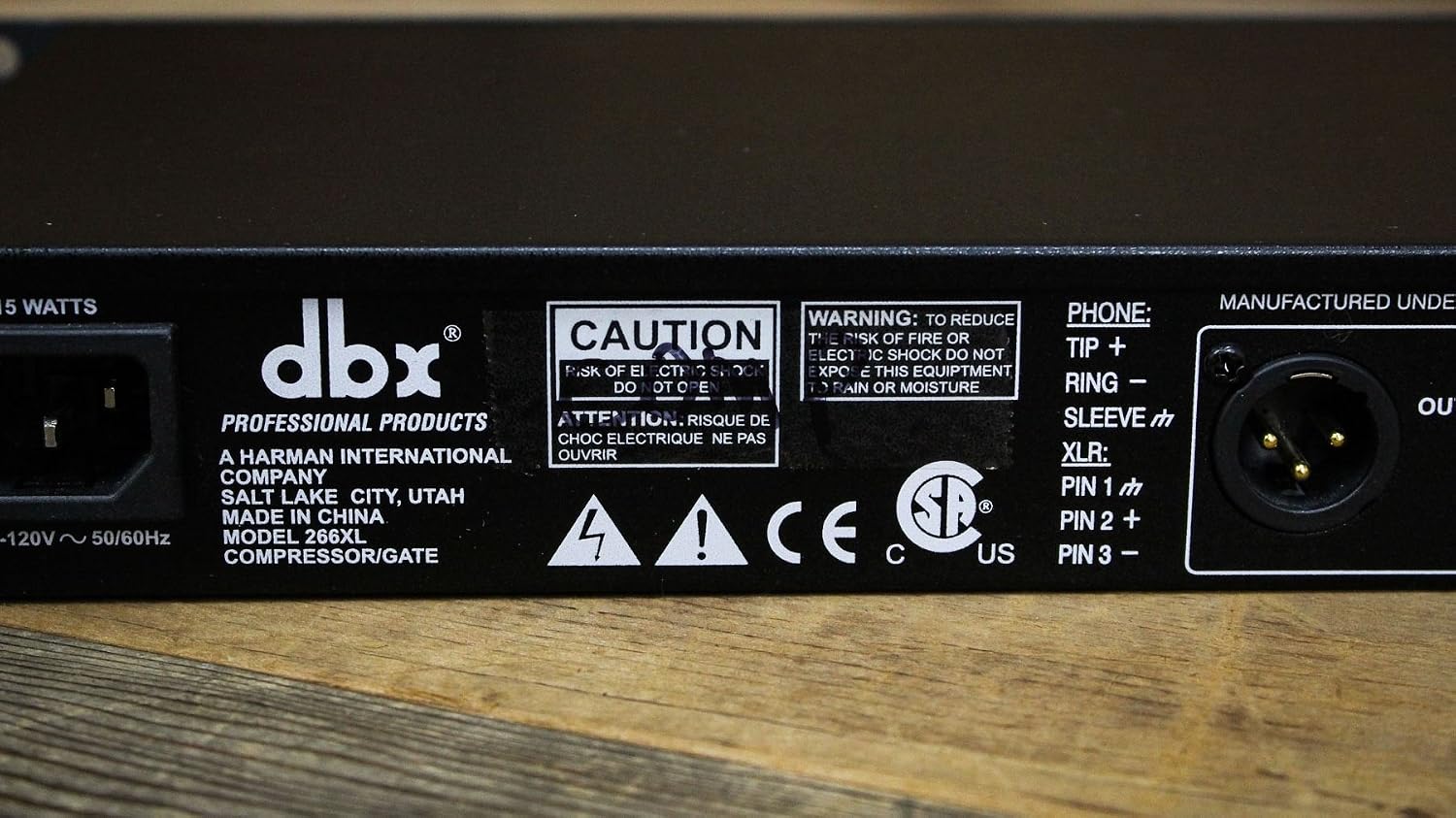
Image: Rear panel of the dbx 266XL, displaying power input, XLR and 1/4" TRS inputs/outputs for two channels, and sidechain inserts.
3.2 Power Connection
Connect the supplied AC power cord to the IEC power inlet on the rear panel of the 266XL and then to a suitable AC power outlet. The unit operates on 100-120V~ or 220-240V~, 50/60Hz, 15 Watts. Refer to the rear panel image for the exact location of the power inlet and voltage information.
3.3 Audio Connections
The 266XL features two independent channels, each with balanced XLR and 1/4" TRS inputs and outputs. It also includes 1/4" TRS sidechain inserts.
- Inputs: Connect your audio source (e.g., mixer output, microphone preamp) to the INPUTs using XLR or 1/4" TRS cables.
- Outputs: Connect the OUTPUTs to the next device in your signal chain (e.g., amplifier, recorder, mixer input) using XLR or 1/4" TRS cables.
- Sidechain: For external processing or keying, connect send/return cables to the SIDECHAIN INSERT jacks.
4. Operating Instructions
The dbx 266XL offers intuitive controls for both compression and gating functions. Familiarize yourself with the front panel controls for each channel.
4.1 Gate Operation
- Threshold: Adjust this control to set the level below which the gate will close, silencing unwanted noise.
- Release: Controls how quickly the gate closes after the signal falls below the threshold.
- Gate LED: Indicates when the gate is active (closed).
4.2 Compressor Operation
- Threshold: Sets the level at which compression begins. Signals above this level will be compressed.
- Ratio: Determines the amount of compression applied. Higher ratios result in more aggressive compression.
- Attack: Controls how quickly the compressor reacts to signals exceeding the threshold. The 266XL features AutoDynamic™ attack.
- Release: Controls how quickly the compressor returns to its uncompressed state after the signal falls below the threshold. The 266XL features AutoDynamic™ release.
- Output Gain: Adjusts the overall output level to compensate for gain reduction caused by compression.
- Gain Reduction Meter: LED display showing the amount of gain reduction being applied.
4.3 Stereo Link
If available on the front panel, engaging the Stereo Link function will link the control circuits of both channels, ensuring consistent processing for stereo signals.
5. Maintenance
- Cleaning: Use a soft, dry cloth to clean the exterior of the unit. Do not use liquid cleaners or solvents.
- Ventilation: Ensure adequate airflow around the unit to prevent overheating. Do not block ventilation slots.
- Storage: When not in use for extended periods, store the unit in a cool, dry place, protected from dust.
6. Troubleshooting
| Problem | Possible Cause | Solution |
|---|---|---|
| No audio output | Incorrect cabling, unit not powered, bypass engaged, input level too low. | Check all cable connections, ensure power is on, disengage bypass, increase input level. |
| Distorted audio | Input or output levels too high, excessive compression. | Reduce input/output levels, adjust compression threshold and ratio. |
| Gate not opening/closing correctly | Threshold set incorrectly, release time too fast/slow. | Adjust gate threshold and release controls. |
| Compressor not engaging | Threshold set too high, input level too low. | Lower compression threshold, increase input level. |
7. Specifications
- Model: 266XL
- Item Weight: 5.29 pounds (2.4 kg)
- Product Dimensions: 21.71 x 11.38 x 2.5 inches (55.14 x 28.89 x 6.35 cm)
- Power Consumption: 15 Watts
- ASIN: B0002IHESG
- Date First Available: May 12, 2008
8. Warranty and Support
For warranty information and technical support, please refer to the official dbx website or contact your authorized dbx dealer. Keep your proof of purchase for warranty claims.
Official dbx Website: dbxpro.com
Documents and downloads
Ask a question about this manual
Ask about setup, troubleshooting, compatibility, parts, safety, or missing instructions. Manuals+ will review the question and use this page’s manual context to help answer it.