
Introduction
This manual provides essential instructions for the safe and efficient operation of your NEC VT670 Value LCD Video Projector. Please read this manual thoroughly before using the projector and keep it for future reference. The NEC VT670 is designed for clear image projection with a native resolution of 1024 x 768 and a brightness of up to 2,100 ANSI lumens.
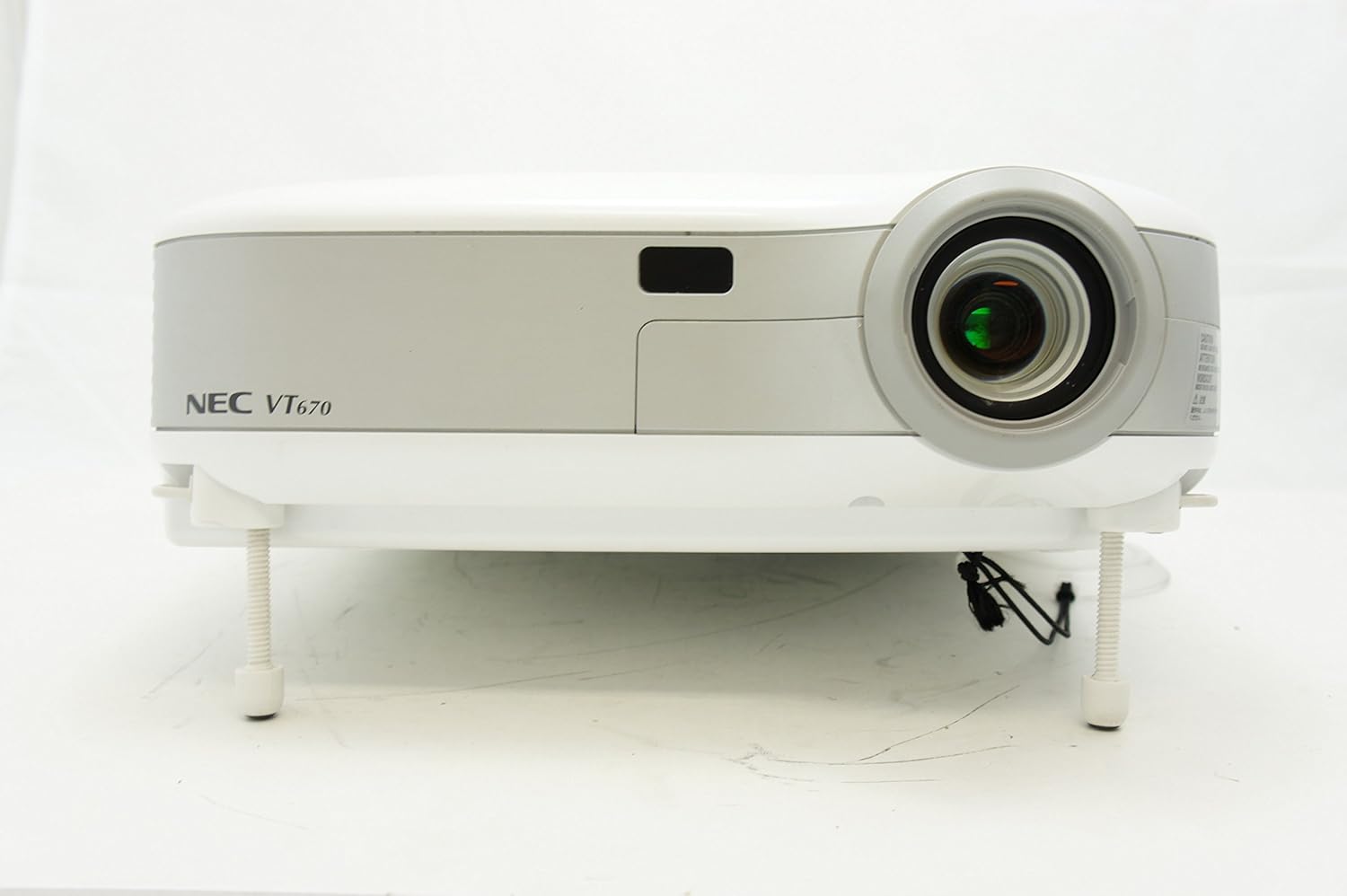
Figure 1: Front view of the NEC VT670 projector, showing the lens and front panel.
Setup
Follow these steps to set up your NEC VT670 projector:
- Placement: Position the projector on a stable, flat surface or mount it according to the instructions for your specific mounting solution. Ensure adequate ventilation around the unit. The projector is designed for tabletop mounting.
- Power Connection: Connect the power cord to the projector's power inlet and then to a grounded electrical outlet.
- Source Connection: Connect your video source (e.g., computer, DVD player) to the appropriate input port on the projector. The VT670 supports VGA (D-Sub), S-Video, and composite video inputs. Use the color-coded connections for ease of setup.
- Cable Connections: Ensure all necessary cables, such as the VGA cable for computer input, are securely connected to both the projector and the source device.
- Audio Connection: If your source provides audio, connect it to the projector's audio input ports. The projector features built-in speakers.
- Initial Power On: Press the power button on the projector or remote control to turn on the unit.

Figure 2: Rear panel of the NEC VT670 projector, illustrating various input and output ports including VGA, S-Video, and audio connections.

Figure 3: Example of a VGA cable (left) and a power cable (right) used for connecting the projector.
Operating Instructions
This section details the basic operation of your projector.
Power On/Off
- To power on, press the POWER button once. The power indicator will illuminate.
- To power off, press the POWER button twice. The projector will enter a cooling cycle before shutting down completely.
Input Source Selection
- Use the INPUT or dedicated source buttons (e.g., COMPUTER 1, VIDEO) on the control panel or remote to cycle through available input sources.

Figure 4: Top control panel of the NEC VT670 projector, showing power, input selection, and navigation buttons.
Focus and Zoom Adjustment
- Adjust the FOCUS ring on the lens until the image is sharp and clear.
- Use the ZOOM lever on the lens to adjust the image size to fit your screen.
Menu Navigation
- Press the MENU button to access the on-screen display (OSD) menu.
- Use the arrow buttons (UP, DOWN, LEFT, RIGHT) to navigate through menu options.
- Press ENTER or SELECT to confirm a selection.
- Press EXIT or MENU again to close the OSD menu.
Maintenance
Regular maintenance ensures optimal performance and extends the lifespan of your projector.
Lamp Replacement
The projector lamp has a limited lifespan. When the lamp indicator lights up or the image becomes dim, the lamp may need replacement. Refer to the full service manual for detailed lamp replacement procedures. Always allow the projector to cool down completely before attempting lamp replacement.
Air Filter Cleaning
Dust accumulation on the air filter can reduce cooling efficiency and affect projector performance. Clean the air filter regularly (e.g., every 100 hours of operation) by removing it and gently brushing off dust or using a vacuum cleaner. Replace the filter if it is damaged.
Lens Cleaning
Gently wipe the projector lens with a soft, lint-free cloth specifically designed for optical surfaces. Do not use abrasive cleaners or excessive force.
Troubleshooting
This section provides solutions to common issues you might encounter.
| Problem | Possible Cause | Solution |
|---|---|---|
| No image displayed |
|
|
| Image is blurry |
|
|
| No sound |
|
|
Specifications
Key technical specifications for the NEC VT670 Value LCD Video Projector:
- Model Name: VT670
- Display Type: LCD
- Native Resolution: 1024 x 768 (XGA)
- Maximum Brightness: 2,100 ANSI lumens
- Contrast Ratio: 400:1
- Connectivity Technology: VGA (D-Sub), S-Video, Composite Video
- Hardware Connectivity: D-Sub, VGA
- Maximum Image Size: 300 Inches
- Form Factor: Portable
- Mounting Type: Tabletop Mount
- Controller Type: Button Control
- Item Weight: 9.2 Pounds
- Additional Features: Built-in speakers
- Supported Signals: PC, NTSC, PAL, SECAM, HDTV
Warranty Information
The NEC VT670 Value LCD Video Projector comes with a 2-year warranty. This warranty covers defects in materials and workmanship under normal use. For specific terms and conditions, please refer to the warranty card included with your product or contact NEC customer support.
Support
For further assistance, technical support, or service inquiries regarding your NEC VT670 projector, please visit the official NEC website or contact their customer service department. Keep your product model number (VT670) and serial number ready when contacting support.
Online Resources: www.nec.com


