
Introduction
The Griffin iTrip Mini is an FM transmitter designed to enable your iPod Mini to play audio through any standard FM radio. This device allows you to share your iPod Mini's music collection in various environments, such as a car or home stereo system, by broadcasting the audio on an available FM frequency. The iTrip Mini is powered directly by your iPod Mini, eliminating the need for separate batteries.
Key features include the ability to tune to any FM frequency for optimal performance and a compact design that integrates seamlessly with the iPod Mini.
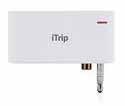
Image: The Griffin iTrip Mini, a compact white device, shown connected to the top of an iPod Mini. This illustrates how the transmitter integrates with the portable music player.
Setup
- Connect the iTrip Mini: Carefully plug the iTrip Mini into the dock connector port on the top of your iPod Mini. Ensure a secure connection.
- Load iStations: The iTrip Mini utilizes special 'iStation' audio files to set its broadcast frequency. These files must be loaded onto your iPod Mini. Refer to the included CD-ROM or Griffin's official website for instructions on how to transfer these files to your iPod.
- Select a Frequency: On your iPod Mini, navigate to the 'iStations' playlist. Play an iStation file corresponding to an unused FM frequency in your area. The iTrip Mini will then tune to this frequency.
- Tune your FM Radio: Turn on your FM radio (e.g., car radio, home stereo) and tune it to the exact frequency you selected on your iPod Mini.
The iTrip Mini draws power directly from your iPod Mini, so no external power source or batteries are required for the transmitter itself.
Image: A close-up view of the Griffin iTrip Mini's connection point, illustrating how it plugs into the iPod Mini's top port. This highlights the physical setup step.
Operating
- Play Music: Once the iTrip Mini is connected and both the iTrip and your FM radio are tuned to the same frequency, begin playing music on your iPod Mini. The audio will now broadcast through your FM radio.
- Adjust iPod Volume: For optimal sound quality and to prevent distortion, set your iPod Mini's volume level between 50% and 70% of its maximum.
- Changing Frequencies: If you encounter static or interference, it indicates that the current frequency is being used by a local radio station. To change the frequency, select a different iStation file on your iPod Mini and then retune your FM radio to match the new frequency.
- Automatic Shut-off: The iTrip Mini will automatically power off after approximately 60 seconds of silence from the iPod Mini, conserving your iPod's battery.
Image: The Griffin iTrip Mini and an iPod Mini positioned within a car's interior, demonstrating typical usage while driving. The image suggests the device's portability and function.
Maintenance
- Cleaning: Use a soft, dry cloth to clean the exterior of the iTrip Mini. Avoid using liquid cleaners or abrasive materials.
- Storage: When not in use, store the iTrip Mini in a cool, dry place, away from direct sunlight and extreme temperatures.
- Battery: The iTrip Mini does not contain its own battery and is powered by the iPod Mini. Therefore, no battery maintenance is required for the transmitter itself.
Troubleshooting
- Poor Reception or Static:
- Ensure your iPod Mini's volume is set between 50-70%.
- Change the iTrip Mini's frequency to an unused station on your FM radio. Strong local radio signals can interfere with transmission.
- Move to a different location, as environmental factors can affect FM transmission.
- Difficulty Changing Stations: Review the setup instructions for loading and selecting iStation files on your iPod Mini. Ensure the FM radio is precisely tuned to the selected iStation frequency.
- Rapid iPod Battery Drain: The iTrip Mini draws power from your iPod Mini. Extended use may lead to faster battery depletion. Consider using a car charger for your iPod Mini during long trips.
- iTrip Mini Does Not Fit: Some third-party iPod Mini cases or skins may obstruct the iTrip Mini's connection. Remove any such accessories if they prevent proper seating of the iTrip Mini.
Specifications
- Brand: Griffin
- Model: iTrip Mini
- Power Source: Powered by iPod Mini (battery-free)
- Compatible Devices: iPod Mini, 3rd Generation (3G) iPod with dock connector, 4th Generation (4G) iPod (including iPod Photo). Not compatible with video models.
- Item Weight: 0.01 Ounces
- GTIN/UPC: 685387040254
- Special Feature: FM Transmitter
Warranty and Support
For detailed warranty information, technical support, or to access additional resources, please visit the official Griffin website or contact their customer service department.
You can find more information and support at the Griffin Store on Amazon.
