1. Introduction
The Tetra Whisper 40i Internal Filter provides quiet and convenient 3-stage filtration for aquariums ranging from 20 to 40 gallons. This submersible filter is designed to mount inside your aquarium, allowing for flexible tank placement flush against walls and easy concealment with tank décor. It includes an air pump that facilitates water movement through the filter, ensuring efficient filtration and oxygenation.
The filtration process involves three stages: mechanical filtration through dual-sided mesh to trap debris and fish waste, chemical filtration using Ultra-Activated® carbon to absorb odors and discoloration, and biological filtration to cultivate beneficial aerobic bacteria.
2. Important Safety Information
WARNING: To avoid possible electrical shock, special precautions should be taken when handling aquarium equipment.
- Always unplug the internal filter from the power outlet before performing any maintenance, inspection, or disassembly.
- Ensure the appliance is positioned to prevent water from dripping onto the power outlet. If the appliance shows any signs of abnormal water leakage, immediately unplug it.
- Do not operate the filter if the cord or plug is damaged.
- Keep out of reach of children.
3. Package Contents
Your Tetra Whisper 40i Internal Filter package should contain the following items:
- Whisper 40i Internal Filter Unit
- Air Pump (included)
- 2 feet of Airline Tubing
- 1 Medium Tetra Whisper Bio-Bag Filter Cartridge
- 1 Bio-Foam (biological media)
- Mounting Clip (Hanger Assembly)
- 2 Suction Cups

Figure 1: Filter components including the Bio-Bag, Bio-Foam, and mounting clip.
4. Setup
- Attach the Mounting Clip: Slide the hanger assembly onto the track on the back of the filter unit. Adjust its position to achieve the desired water level in your aquarium. Alternatively, use the two suction cups provided for lower placement.
- Insert Filter Media: Place the Bio-Foam (biological media) into the filter unit, ensuring the side marked 'FRONT' faces forward. Then, insert the Bio-Bag filter cartridge into the designated slot, with the dual-sided mesh facing the back wall of the filter.
- Position in Aquarium: Secure the filter unit to the inside of your aquarium wall using the mounting clip or suction cups. Ensure the filter is fully submerged in the water. The minimum water level should be above the motor housing to prevent dry running.
- Connect Air Pump: Attach the airline tubing to the air pump and then to the designated inlet on the filter unit. Place the air pump outside the aquarium.
- Power On: Plug the filter's power cord into a suitable electrical outlet. The filter is self-priming and should begin operating immediately.

Figure 2: The Tetra Whisper 40i Internal Filter installed in an aquarium.
5. Operating
The Tetra Whisper 40i Internal Filter operates continuously once plugged in. It filters water at a rate of up to 170 GPH (gallons per hour) and provides essential oxygenation through its air-driven design. There are no adjustable flow rate settings on this model.
During feeding, it is recommended to temporarily turn off the filter to prevent food from being drawn into the filter media, which can lead to premature clogging.
6. Maintenance
Regular maintenance is crucial for the optimal performance and longevity of your filter. Always unplug the filter before performing any maintenance.
- Filter Cartridge Replacement: The Tetra Whisper Bio-Bag filter cartridge should be replaced monthly. Gently remove the old cartridge and insert a new one.
- Bio-Foam Cleaning: The Bio-Foam (biological media) should generally not be replaced unless it is severely damaged. To clean, gently rinse it under cool aquarium water (never tap water, as chlorine can kill beneficial bacteria). This helps dislodge debris without removing the beneficial bacteria essential for the nitrogen cycle.
- Impeller Cleaning: If the filter's performance decreases or it becomes noisy, the impeller may need cleaning. The bottom of the filter unit can be detached to access the impeller. Remove any debris or buildup and rinse with cool water. Reassemble carefully.
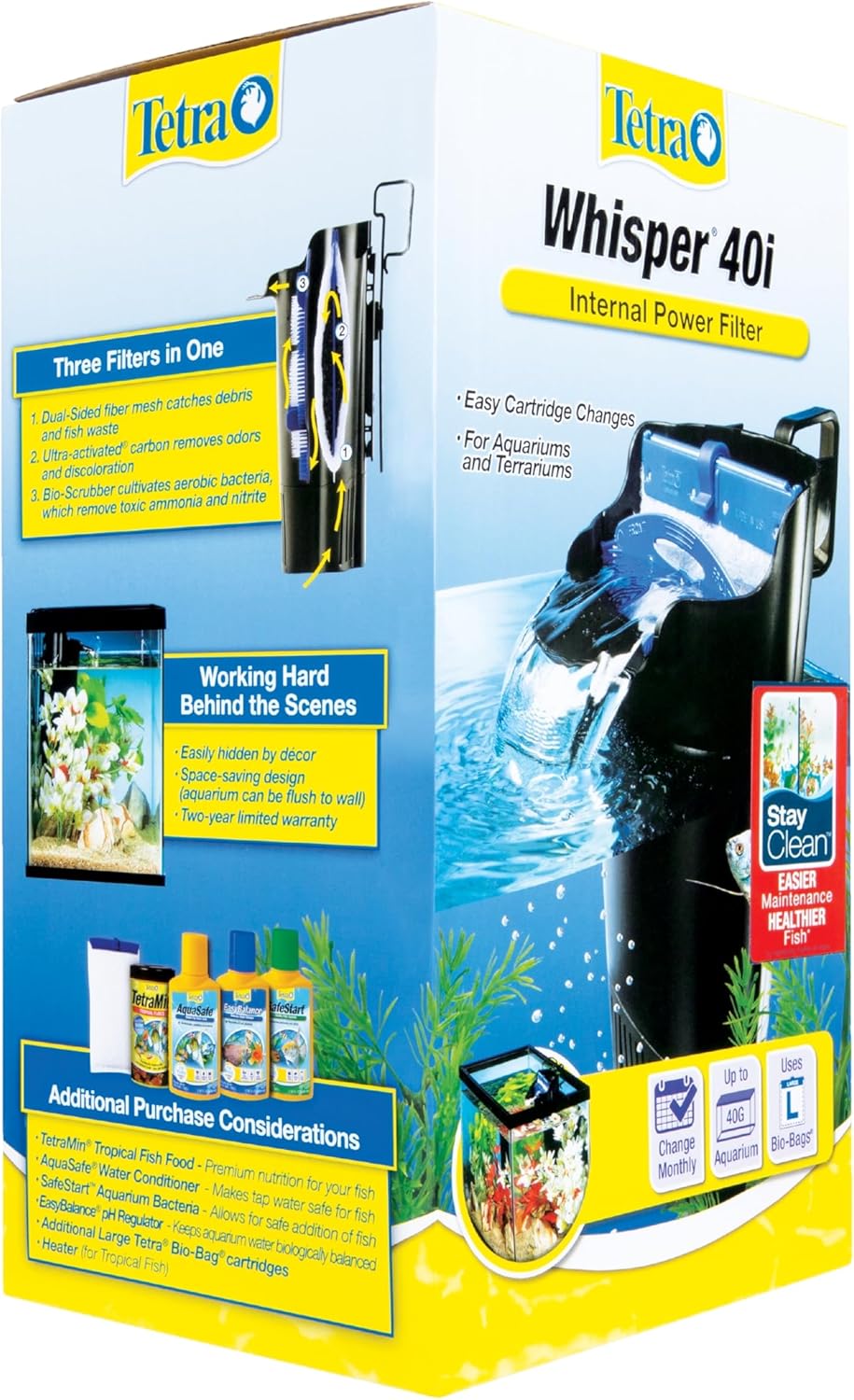
Figure 3: Illustration of the 3-stage filtration process and filter media.
7. Troubleshooting
| Problem | Possible Cause | Solution |
|---|---|---|
| Filter not running | Not plugged in; power outage; impeller jammed. | Check power connection; restore power; clean impeller. |
| Reduced water flow | Clogged filter cartridge or Bio-Foam; dirty impeller. | Replace filter cartridge; rinse Bio-Foam; clean impeller. |
| Loud noise/rattling | Impeller jammed by debris; air trapped in pump. | Clean impeller; gently shake filter to release air bubbles. |
| Water overflowing from filter | Severely clogged filter cartridge. | Replace filter cartridge immediately. Ensure filter is mounted below tank rim. |
8. Specifications
| Feature | Detail |
|---|---|
| Model Name | Whisper Internal Filter 40i |
| Model Number | AQ-65818 |
| Aquarium Size | Up to 40-Gallons (Recommended for 20-40 Gallons) |
| Filtration Stages | 3-Stage (Mechanical, Chemical, Biological) |
| Flow Rate | Up to 170 GPH |
| Mounting | Internal (Mounting clip & suction cups included) |
| Dimensions (LxWxH) | 5.85 x 5.09 x 10.29 inches |
| Item Weight | 1.5 Pounds |
| Included Components | Filter, Air Pump, Airline Tubing |
9. Warranty and Support
For warranty information and customer support, please refer to the product packaging or contact Tetra customer service directly. Contact details are typically available on the product label or manufacturer's website.

Figure 4: Back of product packaging with customer support details.