
1. Introduction
This manual provides detailed instructions for the safe and efficient operation of your Samlex SEC-1223 Desktop 23 Amp Switching Power Supply. The SEC-1223 is designed to provide reliable DC power with advanced switch-mode technology, minimizing output voltage ripple and radio frequency interference (RFI). Please read this manual thoroughly before installation and use.
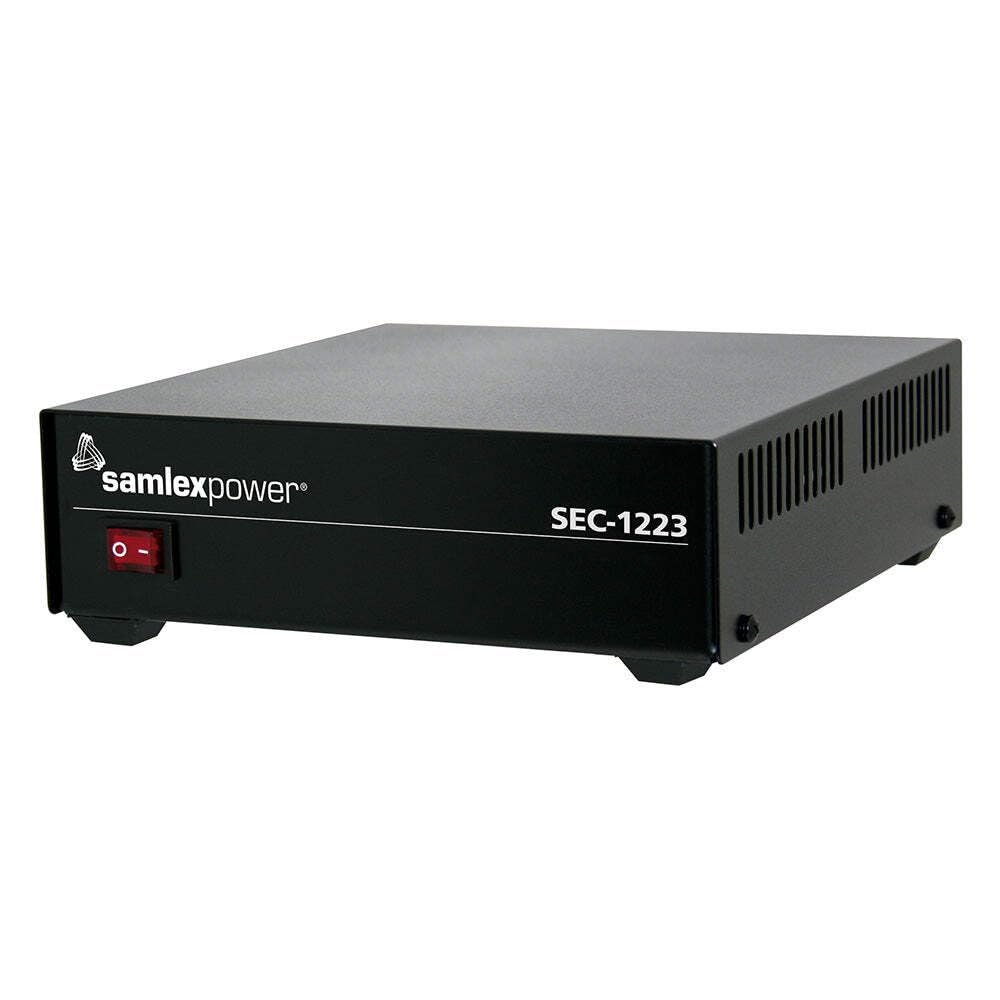
Image 1.1: The Samlex SEC-1223 Desktop 23 Amp Switching Power Supply. This image shows the compact design of the power supply unit.
2. Important Safety Instructions
WARNING: Failure to follow these safety instructions may result in electric shock, fire, or serious injury.
- Read all instructions before operating the power supply.
- Do not expose the unit to rain, moisture, or extreme temperatures.
- Ensure proper ventilation. Do not block ventilation openings.
- Do not operate the unit if it has been damaged in any way.
- Only connect to a properly grounded AC outlet.
- Do not disassemble the unit. Refer all servicing to qualified personnel.
- Keep children away from the power supply during operation.
- Disconnect AC power before making or breaking connections to the output terminals.
3. Product Overview
The Samlex SEC-1223 is a high-performance desktop switching power supply designed for various applications requiring stable 13.8 VDC power. Key features include:
- Input: 100-130 V AC or 200-260 V AC (selectable).
- Output: 13.8 VDC.
- Output Current: 23 amps continuous, 25 amps max surge.
- Protection: Over-current, short circuit, and over-voltage protection.
- Technology: Advanced switch-mode technology for efficiency and reduced ripple.
- Fuse: 6.3 amps.
4. Setup and Installation
- Unpacking: Carefully remove the power supply from its packaging and inspect for any shipping damage. Retain packaging for future transport.
- Placement: Place the power supply on a stable, flat surface in a well-ventilated area. Ensure there is adequate space around the unit for airflow. Do not place it near heat sources or in direct sunlight.
- AC Input Voltage Selection:
The unit supports both 100-130 V AC and 200-260 V AC input. Verify the voltage selector switch (if present, typically on the rear panel) is set to match your local AC mains voltage. Incorrect setting can damage the unit.
- AC Power Connection:
Connect the provided AC power cord to the AC input receptacle on the power supply, then plug the other end into a grounded wall outlet. Ensure the outlet provides the correct voltage and is capable of supplying the required current.
- DC Output Connection:
With the power supply turned OFF, connect your DC load to the output terminals. Observe correct polarity: connect the positive (+) terminal of the load to the positive (+) terminal of the power supply, and the negative (-) terminal of the load to the negative (-) terminal of the power supply. Ensure connections are secure to prevent arcing or poor performance.
5. Operating Instructions
- Power On: After ensuring all connections are secure and correct, turn on the power supply using the front panel power switch. The power indicator light should illuminate.
- Voltage Output: The power supply provides a fixed output of 13.8 VDC. No adjustment is typically required.
- Monitoring Load: Observe the current draw of your connected device to ensure it does not exceed the continuous output current rating of 23 amps. Brief surges up to 25 amps are permissible.
- Overload Protection: If the load current exceeds the maximum rating, the over-current protection will activate, potentially shutting down the unit or limiting the output. Disconnect the load, turn off the power supply, and investigate the cause of the overload before restarting.
- Power Off: To turn off the power supply, switch the front panel power switch to the OFF position. Disconnect the AC power cord from the wall outlet if the unit will not be used for an extended period.
6. Maintenance
- Cleaning: Keep the power supply clean and free of dust. Use a soft, dry cloth for cleaning. Do not use liquid cleaners or solvents.
- Ventilation: Regularly check that the ventilation openings are not obstructed by dust or debris. Use compressed air to clear vents if necessary.
- Connections: Periodically check all AC and DC connections to ensure they are tight and free from corrosion.
- Fuse Replacement: The unit is protected by a 6.3 amp fuse. If the unit fails to power on, check the fuse (typically located near the AC input). Replace only with a fuse of the identical type and rating. Refer to qualified service personnel if unsure.
- Storage: When not in use for extended periods, store the power supply in a cool, dry place, away from direct sunlight and extreme temperatures.
7. Troubleshooting
| Problem | Possible Cause | Solution |
|---|---|---|
| No power indicator light, unit not operating. | No AC input power; Blown fuse; Power switch off. | Check AC power cord and outlet; Replace fuse (6.3A); Ensure power switch is ON. |
| Output voltage is low or unstable. | Overload condition; Loose DC connections; Faulty load. | Reduce load current; Check and tighten DC connections; Test with a different load. |
| Unit shuts down unexpectedly. | Overload protection activated; Over-temperature. | Reduce load; Ensure adequate ventilation; Allow unit to cool down. |
| Excessive noise or RFI. | Improper grounding; Interference from other devices. | Ensure proper grounding; Move power supply away from sensitive equipment. |
If troubleshooting steps do not resolve the issue, contact Samlex America customer support.
8. Specifications
| Feature | Detail |
|---|---|
| Model | SEC-1223 |
| Input Voltage | 100-130 V AC or 200-260 V AC |
| Output Voltage | 13.8 VDC |
| Output Current (Continuous) | 23 Amps |
| Output Current (Max Surge) | 25 Amps |
| Fuse Rating | 6.3 Amps |
| Output Wattage | 240 Watts |
| Cooling Method | Air |
| Dimensions (L x W x H) | 9.8 x 8.8 x 2.1 inches |
| Weight | 16 ounces (1 lb) |
| Manufacturer | Samlex |
9. Warranty and Support
The Samlex SEC-1223 Desktop Switching Power Supply comes with a manufacturer's warranty. For specific warranty terms and conditions, please refer to the documentation included with your purchase or visit the official Samlex America website.
For technical support, service, or warranty claims, please contact Samlex America directly. Contact information can typically be found on their official website or on the product packaging.
Manufacturer: Samlex America
Model Number: SEC-1223
UPC: 622988030611