
Makita MAC700
Makita MAC700 2.0 HP* Big Bore™ Air Compressor
User Instruction Manual
Introduction
This manual provides essential information for the safe and efficient operation, maintenance, and troubleshooting of your Makita MAC700 2.0 HP* Big Bore™ Air Compressor. Please read this manual thoroughly before using the compressor and keep it for future reference.
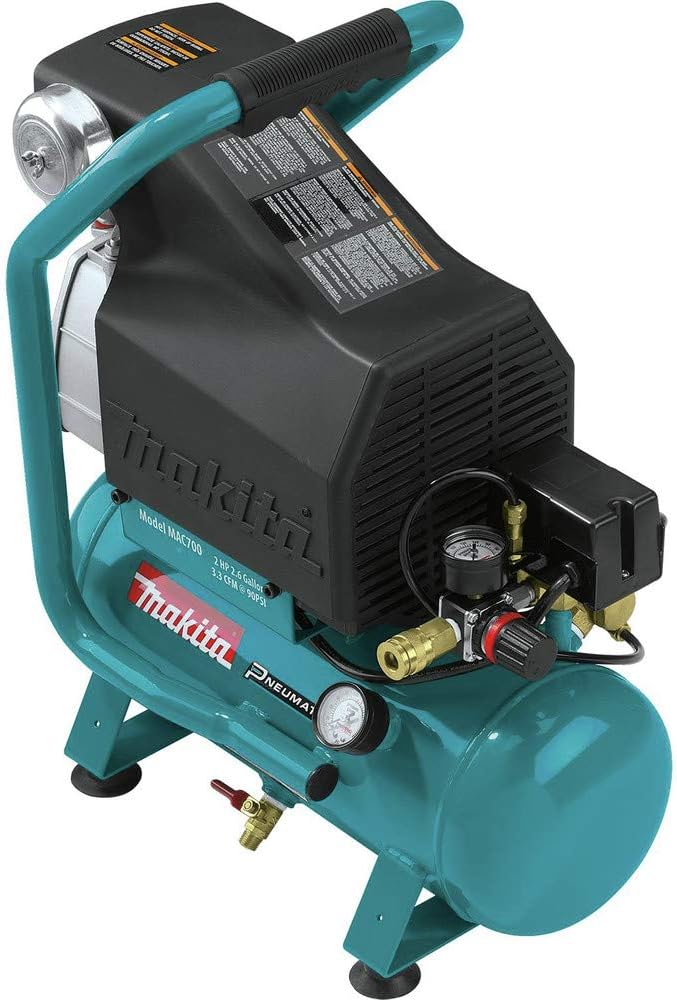
Figure 1: Makita MAC700 2.0 HP* Big Bore™ Air Compressor. This image displays the overall design of the compressor, highlighting its robust construction and integrated roll bar handle.
Setup and Initial Operation
Before first use, proper setup is crucial for optimal performance and longevity of your air compressor.
1. Unpacking and Inspection
- Carefully remove the compressor from its packaging.
- Inspect the unit for any signs of shipping damage. If damage is found, do not operate the compressor and contact customer support.
- Ensure all included components are present: the MAC700 compressor unit, compressor oil, and two 1/4" universal quick couplers.
2. Oil Filling
The MAC700 features an oil-lubricated pump. It is essential to fill the pump with the provided compressor oil before initial operation.
- Locate the oil fill cap and oil sight glass on the pump.
- Carefully pour the compressor oil into the pump until the oil level reaches the middle of the sight glass. Do not overfill.
- Replace the oil fill cap securely.
3. Air Filter Attachment
Attach the air filter to the designated port on the compressor pump. This filter protects the pump from airborne debris.
4. Break-in Procedure
A break-in period is required for new compressors to ensure proper seating of internal components and extend the life of the pump.
- Connect the compressor to a suitable 120V power source.
- Open the tank drain valve (typically a red valve at the bottom of the tank) to allow air to escape freely.
- Turn on the compressor and allow it to run for a minimum of 20 minutes with the drain valve open. This allows the internal components to lubricate and seat properly without building pressure.
- After the break-in period, turn off the compressor and close the drain valve.

Figure 2: Portability of the MAC700. The integrated roll bar handle allows for easy transport of the unit, making it suitable for various job site conditions.
Operating Instructions
The Makita MAC700 is designed for industrial performance with enhanced durability and reduced noise.
1. Powering On and Pressure Build-up
- Ensure the tank drain valve is closed.
- Connect the compressor to a 120V power outlet.
- Turn on the power switch. The compressor will begin to build air pressure in the 2.6-gallon tank.
- The compressor will automatically shut off once the maximum operating pressure of 130 PSI is reached.
2. Adjusting Output Pressure
The compressor is equipped with a regulator to adjust the output air pressure for various tools and applications.
- Attach your air tool to one of the 1/4" universal quick couplers.
- Turn the regulator knob to set the desired working pressure. The pressure gauge will indicate the current output pressure.
- The MAC700 delivers 3.8 CFM at 40 PSI and 3.3 CFM at 90 PSI, suitable for a wide range of pneumatic tools.

Figure 3: Pressure gauges and regulator. This image shows the main pressure gauges and the adjustable regulator, allowing precise control over air output for various applications.
3. Key Operational Features
- Big Bore™ Technology: The cast iron pump with Big Bore™ cylinder and piston, combined with greater bore and stroke, delivers maximum performance and faster recovery.
- Reduced Noise: A large 1,720 RPM pump enables greater displacement at lower RPM, resulting in substantially lower noise levels (80 dB).
- Low AMP Draw: Reduces instances of tripped breakers and voltage drop, which can prevent premature motor failure.
- Oil-Lubricated Pump: Provides a cooler running pump, minimizing wear and extending the lifespan of the unit.
Maintenance
Regular maintenance ensures the longevity and reliable operation of your Makita MAC700 air compressor.
1. Daily Maintenance
- Drain Condensation: At the end of each day of use, open the tank drain valve to release any accumulated moisture from the air tank. This prevents rust and corrosion inside the tank. The MAC700 features a convenient tank drain valve that supersedes standard petcock designs for easier maintenance.
- Check Oil Level: Verify the oil level using the oil sight glass. Add oil if necessary to maintain the level in the middle of the sight glass.
2. Periodic Maintenance
- Oil Change: Refer to the full user manual for recommended oil change intervals. Use only specified compressor oil. The convenient oil drain makes this process simpler.
- Air Filter Cleaning/Replacement: Periodically inspect the air filter for dirt and debris. Clean or replace as needed to ensure optimal air intake and efficiency.
- Inspect Hoses and Fittings: Check all air hoses and fittings for leaks or damage. Replace any worn or damaged components to maintain air pressure and safety.

Figure 4: Pump assembly. This image shows the robust pump assembly, including the finned discharge tubing designed to dissipate heat efficiently, contributing to cooler operation and reduced wear.
Troubleshooting
This section covers common issues you might encounter with your air compressor. For more detailed troubleshooting, please consult the comprehensive User Manual (PDF) available from Makita.
| Problem | Possible Cause | Solution |
|---|---|---|
| Compressor does not start or trips breaker | Insufficient power supply; Voltage drop; Overload; Thermal overload switch tripped. | Ensure compressor is connected to a dedicated 120V circuit. Check for other high-draw appliances on the same circuit. Allow motor to cool if thermal overload is tripped. |
| Low air pressure or slow recovery | Air leaks in hoses or fittings; Clogged air filter; Worn pump components. | Check all connections for leaks and tighten or replace as needed. Clean or replace the air filter. If issues persist, professional service may be required. |
| Excessive noise or vibration | Loose components; Insufficient oil; Worn bearings. | Inspect and tighten any loose bolts or screws. Check oil level and add if low. For internal component wear, contact an authorized service center. |
| Moisture in air line | Tank not drained regularly; High humidity. | Drain the air tank daily after use. Consider using an inline air dryer for sensitive applications in humid environments. |
Specifications
Key technical specifications for the Makita MAC700 2.0 HP* Big Bore™ Air Compressor:
- Brand: Makita
- Model Name: Makita MAC700 2.0 HP* Big Bore™ Air Compressor
- Horsepower: 2.0 HP
- Pump Type: Oil-lubricated, Cast Iron Big Bore™
- Tank Capacity: 2.6 Gallons (Hot Dog style)
- Air Flow Capacity (CFM): 3.8 CFM @ 40 PSI, 3.3 CFM @ 90 PSI
- Operating Pressure: 0 - 130 PSI (Maximum)
- AMPS: 12.4 A
- Voltage: 120 Volts
- Noise Level: 80 dB
- Product Dimensions: Approximately 18"L x 10"W x 22"H
- Net Weight: 52 lbs
- Included Components: MAC700 unit, Compressor oil, 2 ea. 1/4" Universal quick coupler
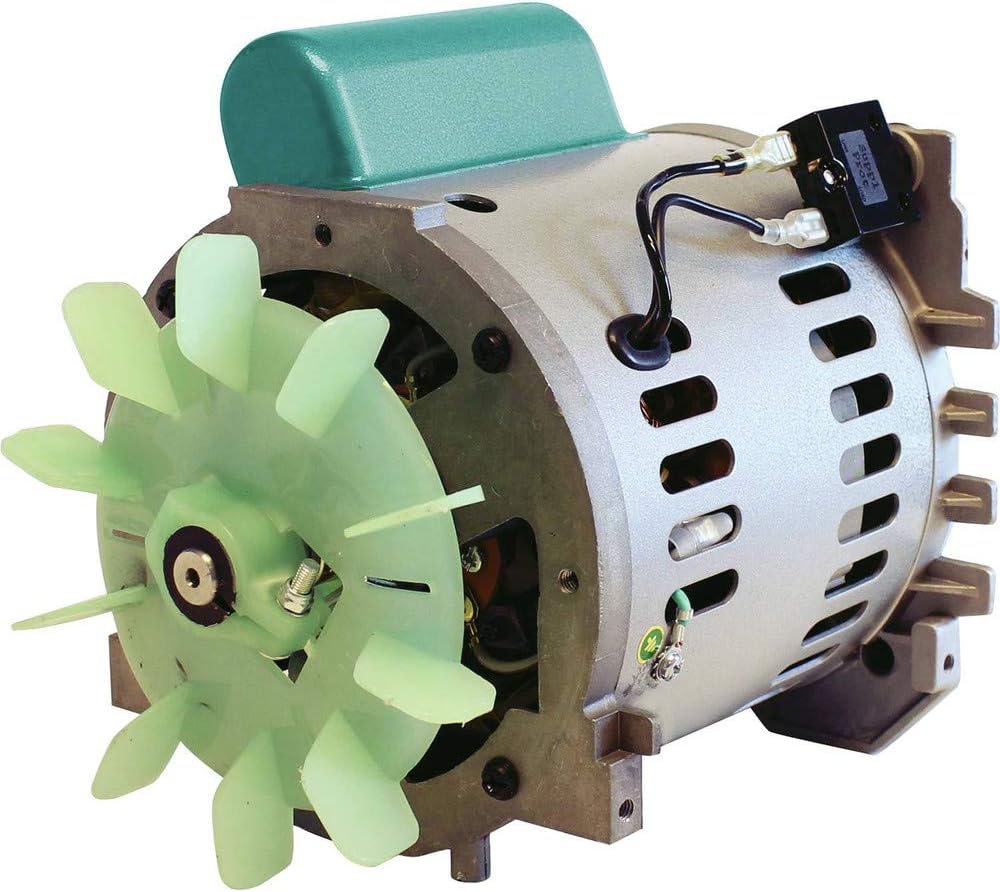

Figure 5: Internal components. Left: Internal view of the 4-pole induction motor, designed for improved power and longer operating speed. Right: The Big Bore™ piston, a key component for increased compression and faster recovery.
Warranty Information
Every Makita tool is thoroughly inspected and tested before leaving the factory. Makita provides a warranty against defects from workmanship and materials.
- Standard Warranty: One (1) Year from the date of original purchase.
- Return Policy: If you are not satisfied with any Makita tool within 30 days of purchase, you may return it for a replacement or refund.
For complete details regarding warranty claims and terms, please refer to the official Makita website or the full user manual.
Support and Contact Information
For further assistance, technical support, or to locate an authorized service center, please use the following resources:
- Makita U.S.A., Inc. Customer Service: 800/4-MAKITA (800/462-5482)
- Official Website: makitatools.com
- User Manual (PDF): A detailed User Manual is available for download here.
- User Guide (PDF): An additional User Guide is available for download here.
Related documentsMAC700


Ask a question about this manual
Ask about setup, troubleshooting, compatibility, parts, safety, or missing instructions. Manuals+ will review the question and use this page’s manual context to help answer it.