
1. Introduction
Thank you for choosing the TASCO Off Shore OS541 7x50 Binoculars. This manual provides essential information for the proper setup, operation, and maintenance of your binoculars. Please read these instructions carefully before using your device to ensure optimal performance and longevity.
2. Product Overview
The TASCO Off Shore OS541 7x50 binoculars are designed for clear and bright viewing, particularly suitable for marine use. They feature fully coated lenses and BAK-4 Porro prisms, ensuring high image quality. The lightweight and portable design, along with tripod mountability, makes them versatile for various outdoor activities.

Figure 1: Front view of the TASCO OS541 7x50 Binoculars.
Key Features:
- Fully Coated Lenses: Enhances light transmission for brighter, clearer images.
- BAK-4 Porro Prisms: Delivers superior optical quality for sharp and detailed views.
- 7x Magnification: Provides a stable and wide field of view.
- 50mm Objective Lens Diameter: Gathers ample light for bright images, even in lower light conditions.
- Lightweight and Portable: Designed for ease of carrying during extended use.
- Tripod Mountable: Allows for stable, long-duration viewing (tripod adapter sold separately).
- Durable ABS Material: Ensures robust construction for outdoor environments.
Components:
- Eyepieces: Where you look through.
- Diopter Adjustment Ring: Located on the right eyepiece, used for fine-tuning focus for individual eye differences.
- Center Focus Wheel: Used to adjust the focus for both eyes simultaneously.
- Objective Lenses: The large lenses at the front of the binoculars.
- Interpupillary Distance Adjustment: The hinge mechanism that allows you to adjust the distance between the eyepieces.
- Neck Strap Lugs: Attachment points for a neck strap.
- Tripod Adapter Socket: A threaded socket, usually under a cap on the front hinge, for attaching to a tripod.

Figure 2: Close-up view of an eyepiece, indicating a potential eye relief of 22mm.
3. Setup
3.1 Unpacking
Carefully remove the binoculars and all accessories from the packaging. Check for any signs of damage. Retain the packaging for future storage or transport.
3.2 Attaching the Neck Strap
Thread the provided neck strap through the strap lugs on each side of the binoculars. Ensure it is securely fastened to prevent accidental drops.
3.3 Adjusting Interpupillary Distance (IPD)
Hold the binoculars with both hands and look through the eyepieces. Bend the binoculars at the hinge until you see a single, clear circular field of view. This adjusts the distance between the eyepieces to match the distance between your eyes.
3.4 Diopter Adjustment
This step compensates for differences in vision between your left and right eyes.
- Close your right eye or cover the right objective lens.
- Look through the left eyepiece with your left eye and rotate the center focus wheel until the image is sharp.
- Close your left eye or cover the left objective lens.
- Look through the right eyepiece with your right eye and rotate the diopter adjustment ring (on the right eyepiece) until the image is sharp. Do not use the center focus wheel for this step.
- Both eyes should now be individually focused. From now on, use only the center focus wheel for general focusing.
4. Operating Instructions
4.1 Focusing
After completing the diopter adjustment, simply use the center focus wheel to bring objects at various distances into sharp focus. For optimal viewing, ensure your IPD is correctly set.
4.2 Eye Relief
If you wear eyeglasses, you may need to roll down or twist up the eyecups to achieve the full field of view. This adjusts the distance between your eyes and the eyepieces.
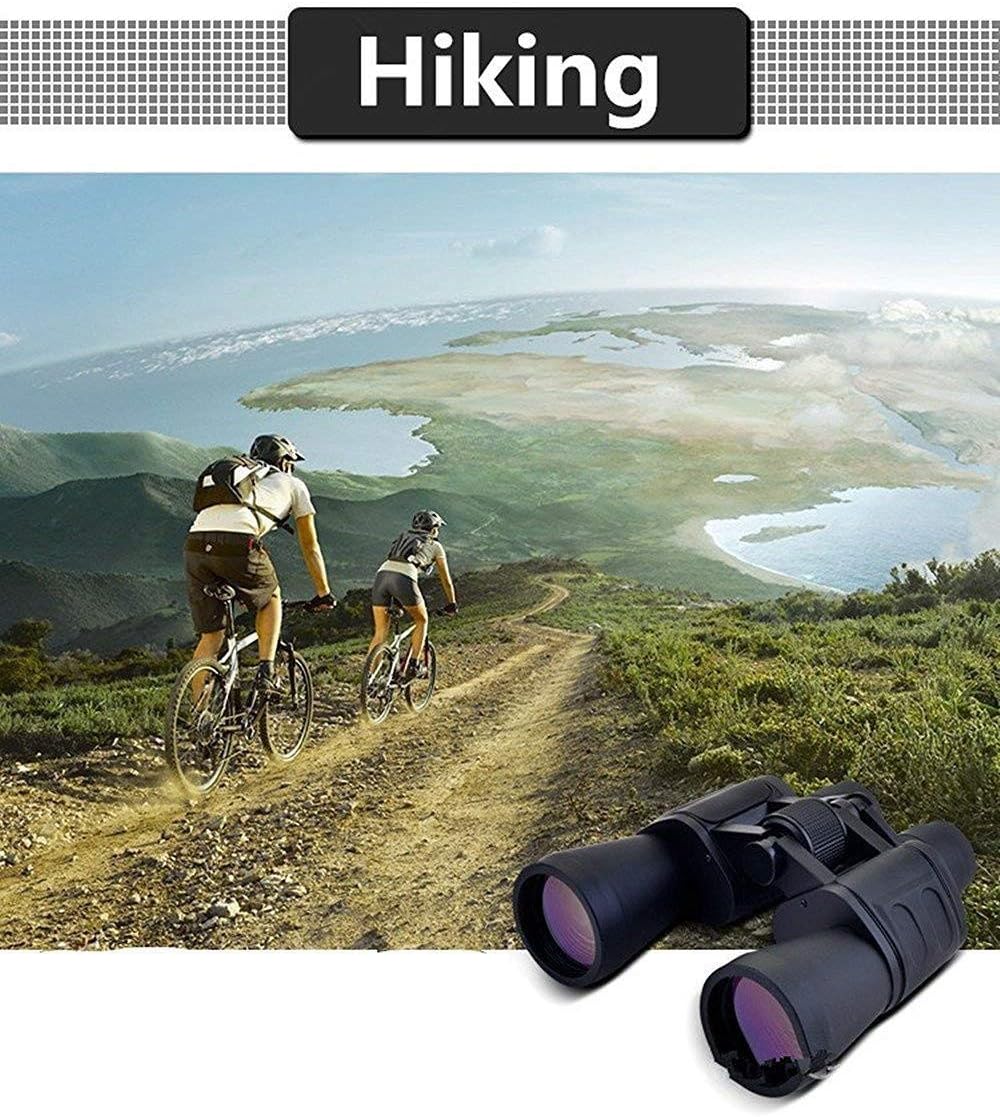
Figure 3: Binoculars in use for observing a coastal scene.

Figure 4: Binoculars in use for observing a sporting event.

Figure 5: Binoculars in use during a hiking activity.
5. Maintenance and Care
5.1 Cleaning Lenses
Use a soft, lint-free cloth specifically designed for optical lenses. For stubborn dirt or smudges, use a few drops of lens cleaning fluid applied to the cloth, not directly to the lens. Avoid using abrasive cloths or harsh chemicals, as these can damage the lens coatings.
5.2 Cleaning Body
Wipe the body of the binoculars with a soft, clean cloth. If necessary, a slightly damp cloth can be used, but ensure no moisture enters the optical components.
5.3 Storage
Store your binoculars in a cool, dry place, away from direct sunlight and extreme temperatures. Use the provided case or a protective bag to prevent dust and scratches. Avoid storing in areas with high humidity.
6. Troubleshooting
| Problem | Possible Cause | Solution |
|---|---|---|
| Blurred image | Incorrect focus; Diopter not adjusted; Dirty lenses | Adjust center focus wheel; Perform diopter adjustment; Clean lenses |
| Double image or two circles | Interpupillary distance (IPD) not set correctly | Adjust the hinge until a single circular field of view is seen |
| Dark or dim image | Low light conditions; Dirty objective lenses | Use in brighter conditions; Clean objective lenses |
7. Specifications
| Feature | Detail |
|---|---|
| Brand | TASCO |
| Model | OS541 7x50 |
| Magnification | 7x |
| Objective Lens Diameter | 50mm |
| Prism Type | Porro Prism (BAK-4) |
| Lens Coating | Fully Coated |
| Color | Black |
| Material | Acrylonitrile Butadiene Styrene (ABS) |
| Special Features | Lightweight, Portable |
| Mounting Type | Tripod Mountable |
| Specific Uses | Marine |
| Age Range | Adult |
8. Safety Information
- WARNING: Never look directly at the sun or any bright light source through your binoculars, as this can cause severe and permanent eye damage.
- Keep binoculars out of reach of small children.
- Avoid dropping the binoculars or subjecting them to strong impacts, which can damage the optical components.
- Do not attempt to disassemble or repair the binoculars yourself, as this will void any potential warranty and may cause further damage.
9. Warranty and Support
Specific warranty details and support contact information are not provided in the product data. Please refer to the product packaging or the manufacturer's official website for warranty claims and customer support inquiries.


