
Nikon Nikonos-V
Nikon Nikonos-V Underwater Film Camera Instruction Manual
Model: Nikonos-V
Introduction
The Nikon Nikonos-V is a robust 35mm film camera specifically designed for underwater photography, but also suitable for use in harsh environments on land. This manual provides essential instructions for the proper setup, operation, and maintenance of your Nikonos-V camera to ensure optimal performance and longevity.
Product Overview
Included Components
- Nikonos-V Camera Body (Orange/Black)
- Nikkor 1:2.5 Lenses (Two included)
- Novatek Closeup Lens Adapter
- Nikkor 36/80 View Finder
- Sea and Sea Top Mount Close Up View Finder
- Lens Cap
- Missing Flash Sync Cover (Note: This item is noted as missing from the original package)
Camera Body and Controls
Familiarize yourself with the main components of the Nikonos-V camera. Its sealed construction is designed to withstand water pressure and protect internal mechanisms.

Figure 1: Front view of the Nikon Nikonos-V camera with a Nikkor 35mm f/2.5 lens mounted. This image displays the robust orange and black body, the lens barrel with aperture and focus rings, and the top-mounted viewfinder.
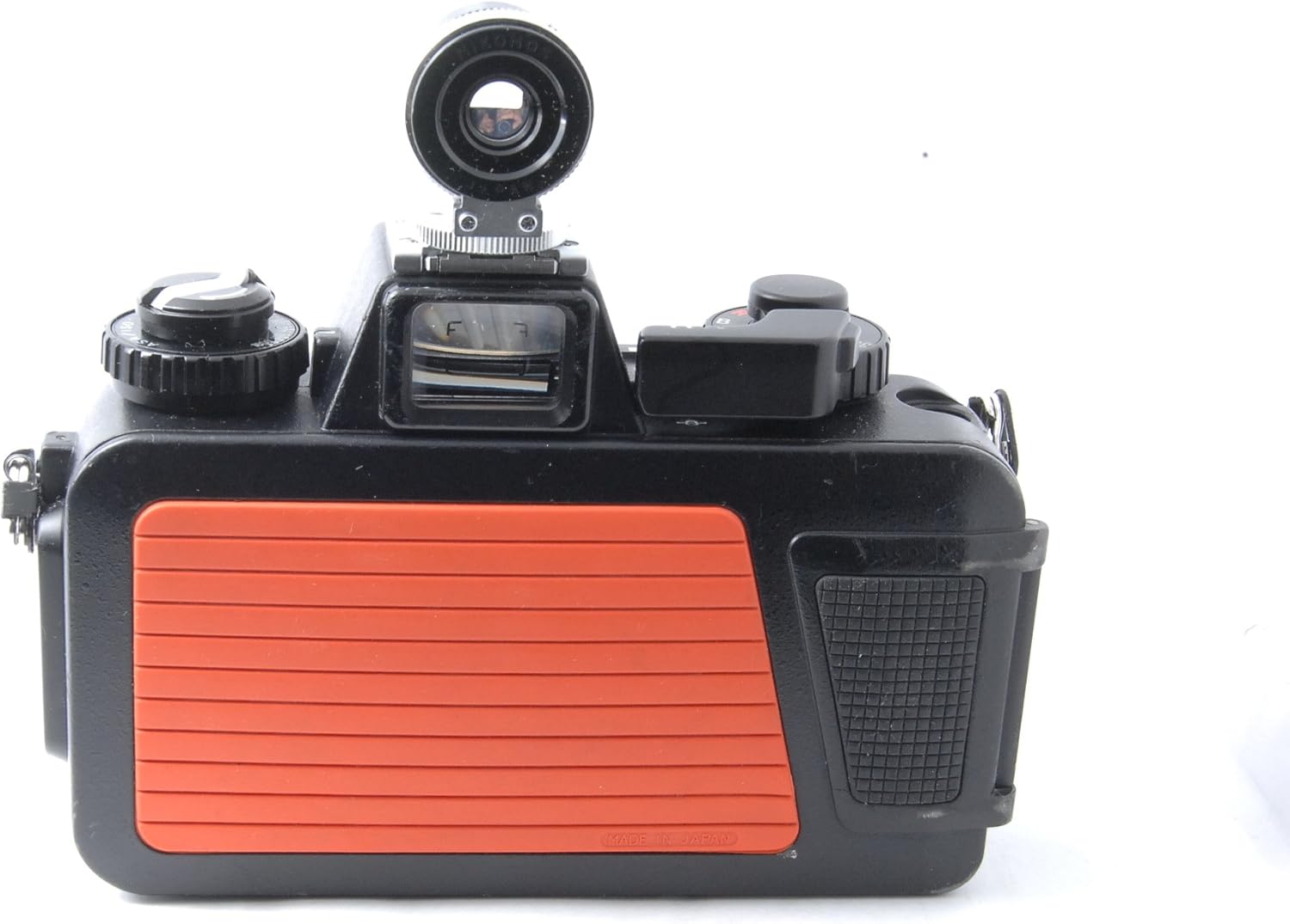
Figure 2: Side view of the Nikonos-V camera, illustrating the textured grip and the overall compact, sealed design suitable for underwater use.

Figure 3: The Nikonos-V camera body displayed alongside a detached Nikkor lens and the external viewfinder, demonstrating the camera's modular design.
Setup
1. Attaching the Lens
- Ensure both the lens and camera body mounts are clean and free of debris.
- Align the red dot on the lens with the red dot on the camera body.
- Insert the lens into the camera body mount and rotate clockwise until it locks securely into place.
- For underwater use, ensure the lens is firmly seated and the O-rings are properly sealed.
2. Loading Film
The Nikonos-V uses standard 35mm film cartridges.
- Open the camera back by lifting the latch and swinging the back cover open.
- Insert a 35mm film cartridge into the film chamber on the left side.
- Pull the film leader across to the take-up spool on the right side and insert it into one of the slots.
- Advance the film slightly using the film advance lever to ensure it catches on the take-up spool.
- Close the camera back firmly until it latches securely.
- Advance the film two frames, pressing the shutter release button after each advance, to wind past any exposed film. The frame counter should display '1'.
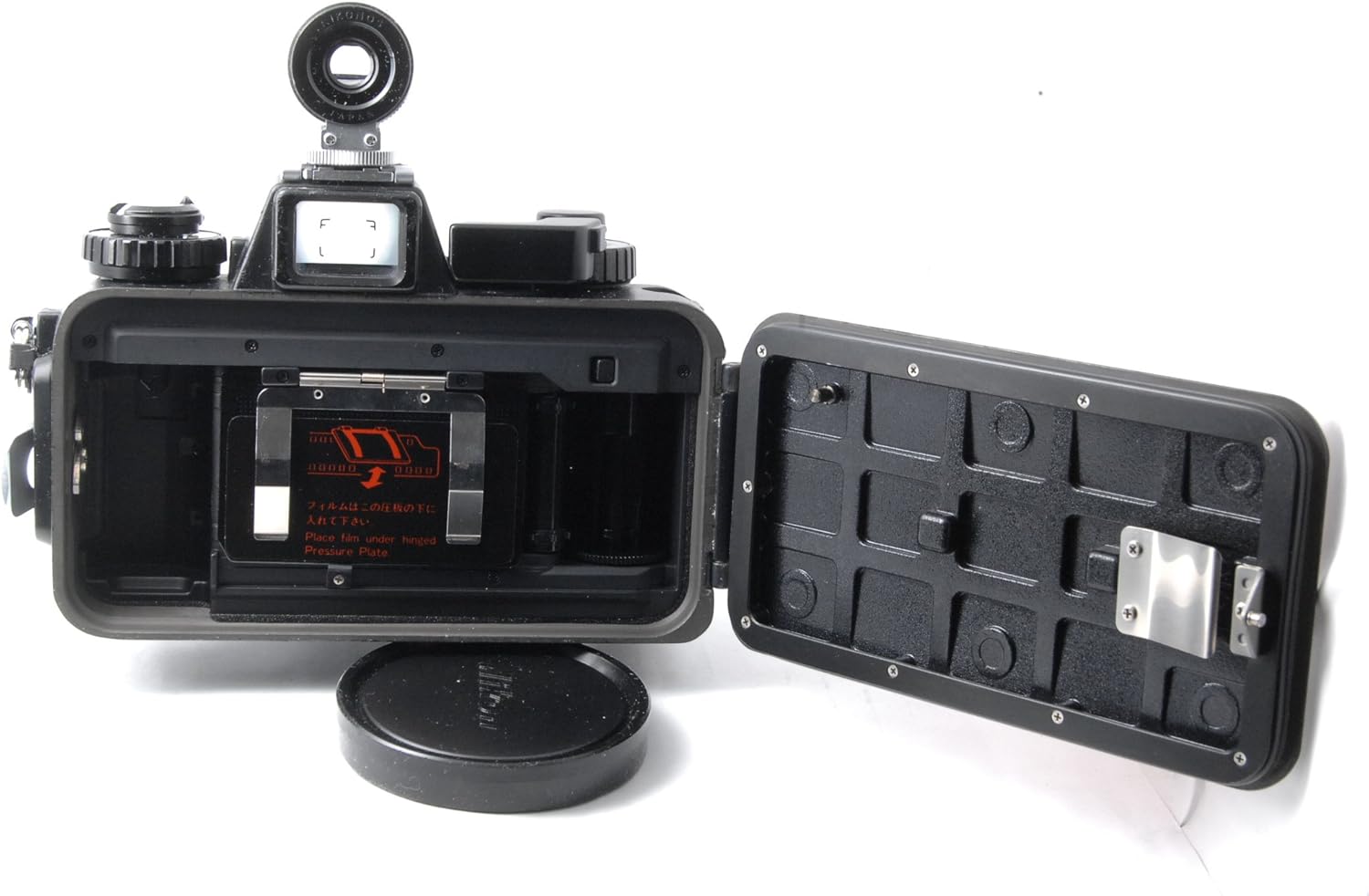
Figure 4: The open film compartment of the Nikonos-V, illustrating where the 35mm film cartridge is loaded and the film leader is attached to the take-up spool.
3. Battery Installation (for Light Meter)
The Nikonos-V's internal light meter requires a 1.5V silver oxide battery. Refer to the battery compartment cover for specific instructions on opening and inserting the battery with correct polarity.
Operating Instructions
1. Setting Film Speed (ISO/ASA)
Set the film speed (ISO/ASA) on the camera's dial to match the film loaded. This ensures accurate light meter readings.
2. Exposure Control
The Nikonos-V offers manual exposure control.
- Shutter Speed: Adjust the shutter speed dial on the top of the camera. Available speeds typically range from 1/30s to 1/1000s, plus Bulb (B) for long exposures.
- Aperture: Rotate the aperture ring on the lens to select the desired f-stop (e.g., f/2.5, f/4, f/5.6).
- Use the built-in light meter (if battery is installed) to determine appropriate settings, or use an external light meter.
3. Focusing
Focus is achieved manually by rotating the focus ring on the lens.
- For standard lenses, estimate the distance to your subject and set the focus ring accordingly.
- For close-up photography, utilize the Novatek Closeup Lens Adapter and the Sea and Sea Top Mount Close Up View Finder for precise framing and focusing.

Figure 5: A detailed view of a Nikkor lens, showing the distance scale and aperture markings essential for manual focusing and exposure control.
4. Taking a Picture
- Advance the film using the film advance lever until it stops.
- Compose your shot through the viewfinder.
- Set your desired aperture and shutter speed.
- Focus the lens.
- Press the shutter release button to take the picture.
5. Rewinding Film
Once all frames are exposed, rewind the film back into its cartridge.
- Locate the film rewind button (usually on the bottom of the camera) and press it.
- Rotate the film rewind crank (usually on the top left) clockwise until you feel the tension release, indicating the film is fully rewound.
- Open the camera back and remove the film cartridge.
Maintenance
- Cleaning: After each use, especially after saltwater exposure, rinse the camera thoroughly with fresh water. Dry with a soft, lint-free cloth.
- O-Rings: Regularly inspect the O-rings on the camera back and lenses for any signs of wear, cracks, or dirt. Clean them gently and apply a thin layer of silicone grease to maintain their seal. Replace damaged O-rings immediately.
- Storage: Store the camera in a cool, dry place away from direct sunlight and extreme temperatures. Ensure the camera is completely dry before storage.
- Lens Care: Use a lens brush or air blower to remove dust, then gently clean with a lens cleaning solution and a microfiber cloth.
Troubleshooting
| Problem | Possible Cause | Solution |
|---|---|---|
| Camera does not fire | Film not advanced; Shutter lock engaged | Advance film completely; Check and disengage shutter lock. |
| Light leaks on film | Improperly closed camera back; Damaged O-rings | Ensure camera back is securely latched; Inspect and replace O-rings if necessary. |
| Fogging inside lens/viewfinder | Condensation due to temperature changes; Moisture ingress | Allow camera to acclimatize slowly; Check seals for damage. |
| Light meter not working | Dead battery; Incorrect battery installation | Replace battery; Ensure correct polarity. |
Specifications
| Feature | Detail |
|---|---|
| Brand | Nikon |
| Model Name | Nikonos-V |
| Camera Type | 35mm Film Camera, Underwater/All-Weather |
| Compatible Mountings | Nikonos 1 (specific to Nikonos lenses) |
| Exposure Control | Manual |
| Focus Type | Manual Focus |
| Maximum Shutter Speed | 1/500 seconds |
| Minimum Shutter Speed | 1/500 seconds |
| Water Resistance Level | Water Resistant (designed for underwater use) |
| Color | Orange |
| Material | Plastic, Metal |
| Item Weight | 1.81 Kilograms |
| Power Source | 1.5V Silver Oxide Battery (for light meter) |
Note: Specifications are subject to change without notice. Refer to official Nikon documentation for the most current information.
Support and Warranty
For technical support, service, or warranty information regarding your Nikon Nikonos-V camera, please refer to the documentation provided at the time of purchase or visit the official Nikon website.
Visit the Nikon Store on Amazon for additional product information and accessories.
Related documentsNikonos-V


Ask a question about this manual
Ask about setup, troubleshooting, compatibility, parts, safety, or missing instructions. Manuals+ will review the question and use this page’s manual context to help answer it.