
Introduction
This manual provides essential instructions for the setup, operation, maintenance, and troubleshooting of your Dragonslayer DVD. Please read this manual thoroughly to ensure proper use and enjoyment of the product.
Product Overview
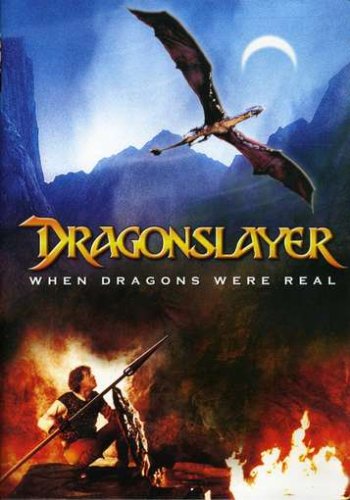
Image: Dragonslayer DVD cover. The artwork depicts a large winged dragon soaring above a mountainous landscape under a crescent moon. In the foreground, a figure holds a spear near a fire.
The Dragonslayer DVD (ASIN B0000AUHOM) contains the 1981 fantasy film directed by Matthew Robbins. This DVD is formatted for NTSC regions and includes English audio and subtitles.
Setup Instructions
- Unpack the DVD: Carefully remove the DVD disc from its packaging. Avoid touching the disc's surface.
- Prepare Your DVD Player: Ensure your DVD player is connected to your television or display device and is powered on. Refer to your DVD player's manual for specific connection instructions.
- Insert the Disc: Open the disc tray of your DVD player. Hold the Dragonslayer DVD by its edges and gently place it onto the disc tray with the label side facing up. Close the disc tray.
- Select Input: On your television or display, select the correct input source (e.g., HDMI 1, AV, Component) that corresponds to your DVD player's connection.
Operating Instructions
- Power On: Turn on your DVD player and television/display.
- Disc Loading: The DVD player will typically load the disc automatically and display the main menu or begin playback.
- Navigating Menus: Use the arrow keys on your DVD player's remote control to navigate through the on-screen menu options (e.g., Play Movie, Scene Selection, Setup). Press the 'Enter' or 'OK' button to make a selection.
- Audio and Subtitle Selection: Access the 'Setup' or 'Audio/Subtitles' menu to select your preferred audio track (English Dolby Digital 2.0 Surround, English Dolby Digital 5.1) and subtitle option (English).
- Playback Controls:
- Play: Starts or resumes playback.
- Pause: Temporarily stops playback.
- Stop: Halts playback and returns to the beginning of the disc or menu.
- Fast Forward/Rewind: Skips through the movie quickly.
- Chapter Skip: Jumps to the next or previous chapter.
Maintenance and Care
- Handling: Always hold the DVD disc by its outer edges or the center hole to avoid fingerprints and scratches on the playing surface.
- Cleaning: If the disc becomes dirty, gently wipe it with a soft, lint-free cloth. Wipe from the center of the disc outwards in a straight line, not in a circular motion. Do not use abrasive cleaners or solvents.
- Storage: Store the DVD in its original case, away from direct sunlight, extreme temperatures, and high humidity. Proper storage prevents warping and damage.
- Avoid Labels/Stickers: Do not attach labels or stickers to the disc surface, as this can unbalance the disc and interfere with playback.
Troubleshooting
| Problem | Possible Cause | Solution |
|---|---|---|
| Disc does not play or load. | Disc is dirty or scratched; incorrect disc insertion; incompatible region code; player malfunction. | Clean the disc. Reinsert the disc correctly. Ensure your player supports NTSC region discs. Try another DVD to check player functionality. |
| No audio during playback. | TV/player volume is low or muted; incorrect audio track selected; audio cables disconnected. | Increase volume. Check mute settings. Select the correct audio track from the DVD menu. Verify audio cable connections. |
| No video or distorted picture. | Incorrect input selected on TV; video cables disconnected; disc damage. | Select the correct TV input. Check video cable connections. Clean or inspect the disc for damage. |
| Disc skips or freezes. | Disc surface is dirty or scratched; disc is warped. | Clean the disc thoroughly. If the problem persists, the disc may be damaged or warped. |
Specifications
- ASIN: B0000AUHOM
- Brand: Paramount
- Title: Dragonslayer
- Format: DVD (Anamorphic, Closed-captioned, Color, Dolby, Multiple Formats, NTSC, Subtitled, Widescreen)
- Aspect Ratio: 2.40:1
- MPAA Rating: PG (Parental Guidance Suggested)
- Run Time: 1 hour and 49 minutes
- Language: English (Dolby Digital 2.0 Surround, Dolby Digital 5.1)
- Subtitles: English
- Dubbed: English
- Number of Discs: 1
- Director: Matthew Robbins
- Writers: Hal Barwood, Matthew Robbins
- Actors: Caitlin Clarke, John Hallam, Peter Eyre, Peter MacNicol, Ralph Richardson
- Product Dimensions: 7.5 x 5.5 x 0.5 inches; 3.2 ounces
- Genre: Science Fiction, Fantasy, Action & Adventure
Support Information
For further assistance or inquiries regarding the Dragonslayer DVD, please refer to the contact information provided by your retailer or the official Paramount Home Entertainment website. Specific warranty details are typically included with the product packaging or available through the distributor.