
Introduction
The Manfrotto 625 RC0 Rapid Connect Adapter is designed to provide quick release capabilities for your tripod setup. This system utilizes a traditional hexagonal plate (030-14) to securely hold your camera, allowing for fast and efficient mounting and dismounting. It features two built-in spirit levels for accurate setup and a secondary safety system for enhanced security.
Safety Information
- Always ensure the quick release plate is securely attached to your camera and the adapter is firmly mounted to your tripod before use.
- Verify that the camera is fully locked into the adapter before releasing your grip.
- Do not exceed the weight capacity of your tripod or the adapter.
- Keep the adapter clean and free from debris to ensure proper function.
Package Contents
- Manfrotto 625 RC0 Rapid Connect Adapter
- Manfrotto 030-14 Hexagonal Quick Release Plate
Setup Instructions
1. Attaching the Adapter to a Tripod
- Locate the 3/8-inch female thread at the bottom of the 625 RC0 adapter.
- Screw the adapter onto the 3/8-inch screw of your tripod head or other support.
- Ensure the adapter is tightened securely to prevent rotation during use.
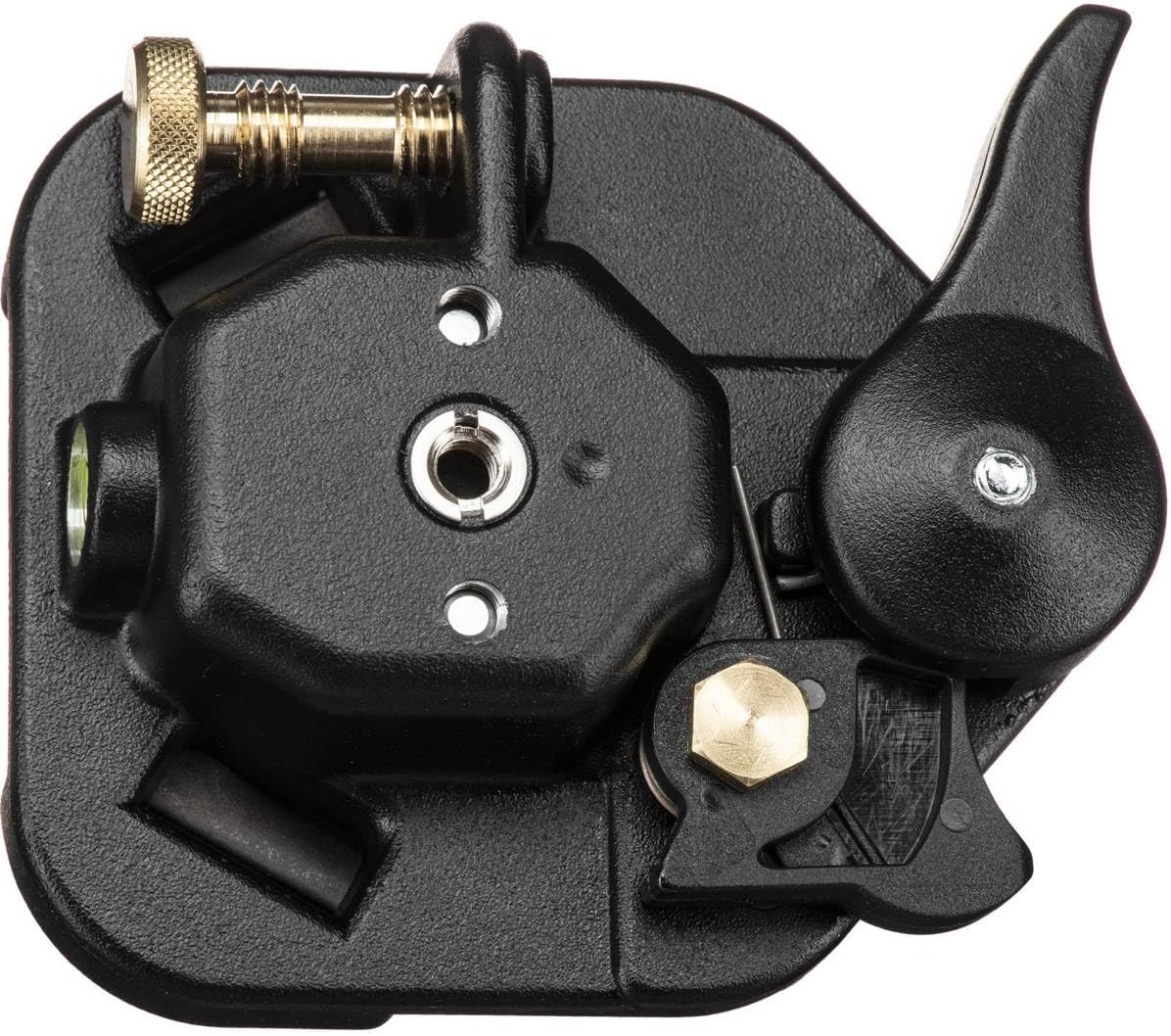
Image: Bottom view of the Manfrotto 625 RC0 adapter, highlighting the 3/8-inch female thread for tripod attachment and the secondary safety pin mechanism.
2. Attaching the 030-14 Plate to a Camera
- Locate the 1/4-inch screw on the 030-14 hexagonal quick release plate.
- Align the screw with the tripod mount thread on the bottom of your camera or lens collar.
- Turn the screw clockwise until the plate is firmly attached to your camera. Use a coin or screwdriver if necessary to ensure a tight fit.
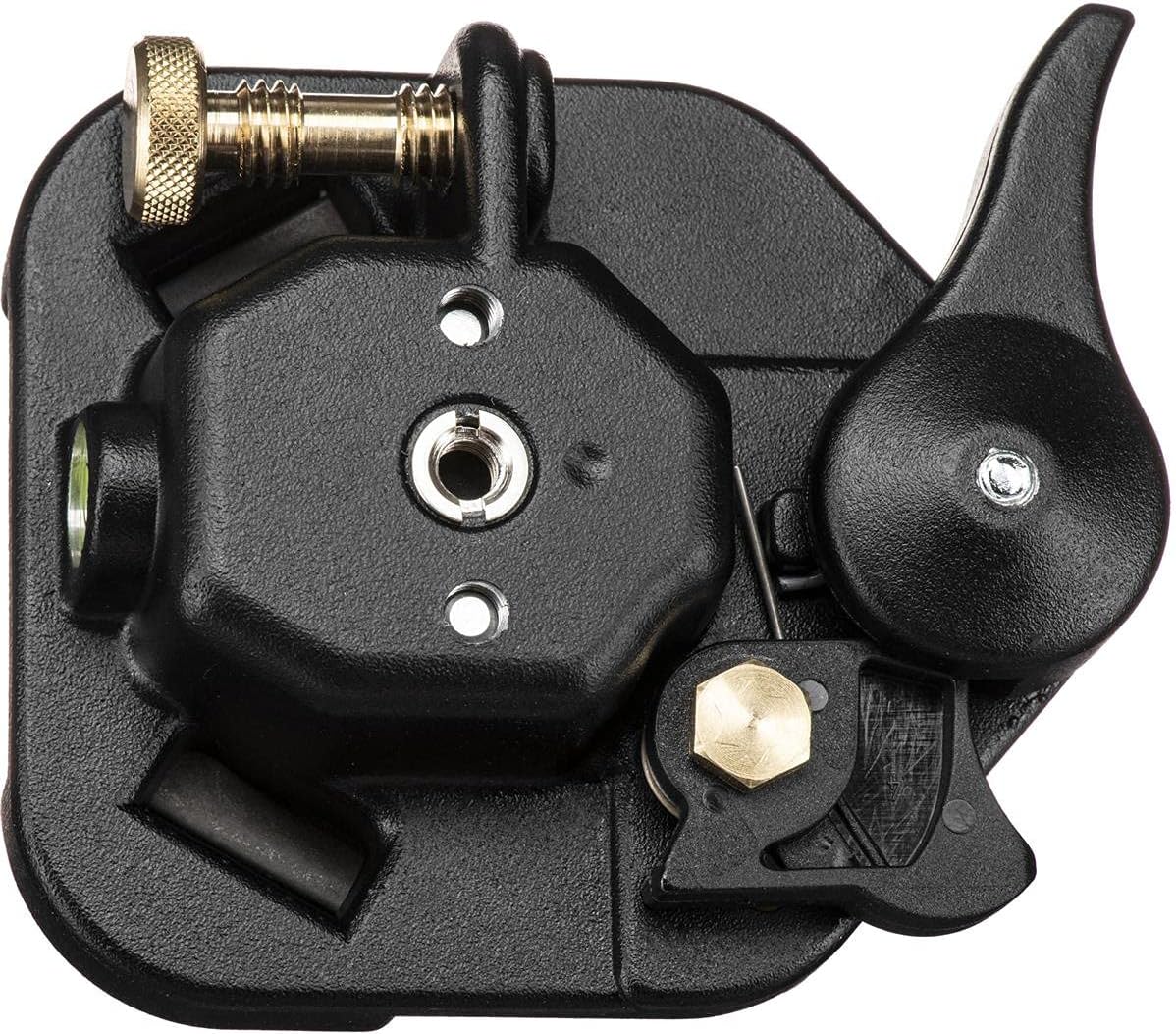
Image: Top view of the Manfrotto 030-14 hexagonal plate, showing the 1/4-inch screw used to attach it to a camera or lens.
Operating Instructions
1. Mounting the Camera onto the Adapter
- Ensure the locking lever on the 625 RC0 adapter is in the open position.
- With the 030-14 plate attached to your camera, align the hexagonal plate with the receiver on the adapter.
- Gently push the camera down into the adapter until it seats fully.
- Push the locking lever to the closed position. You should feel a positive click, indicating the plate is securely locked.
- Important: Always double-check that the camera is firmly secured by gently attempting to lift it before releasing your grip. The secondary safety system will engage if the main lock is not fully closed, preventing accidental drops.

Image: The Manfrotto 625 RC0 adapter with the 030-14 plate securely inserted, illustrating the locked position and the visible spirit levels.
2. Releasing the Camera from the Adapter
- While holding your camera securely, push the safety button (if present and engaged) and then move the main locking lever to the open position.
- Lift the camera straight up from the adapter.

Image: The Manfrotto 625 RC0 adapter with its locking lever in the open position, ready to accept or release a camera plate.
3. Using the Spirit Levels
The 625 RC0 adapter includes two built-in bubble spirit levels. These levels assist in achieving a perfectly horizontal setup for your camera. Adjust your tripod legs or head until the bubbles in both levels are centered within their respective circles.

Image: A close-up view of the Manfrotto 625 RC0 adapter, highlighting one of the integrated bubble spirit levels for precise leveling.
Maintenance
- Cleaning: Wipe the adapter and plate with a soft, dry cloth. Do not use abrasive cleaners or solvents.
- Storage: Store the adapter in a clean, dry environment when not in use.
- Inspection: Periodically inspect the locking mechanism and screws for any signs of wear or damage. Replace components if necessary.
Troubleshooting
- Problem: Camera does not feel secure in the adapter.
- Solution: Ensure the 030-14 plate is fully seated in the adapter and the locking lever is pushed completely into the closed position. Listen for a distinct click. If the issue persists, check for any obstructions or debris in the adapter's receiver or on the plate.
- Problem: Plate is difficult to attach or remove from the camera.
- Solution: Ensure the 1/4-inch screw on the plate is properly aligned with the camera's thread. Do not overtighten the screw when attaching. When removing, ensure the screw is fully loosened.
Specifications
| Model Number | 625 |
| Attachment (Top) | 1/4-inch screw |
| Attachment (Bottom) | 3/8-inch female thread |
| Plate Type | 030-14 (Hexagonal) |
| Spirit Levels | 2 |
| Material | Aluminum |
| Color | Black |
| Weight | 0.79 lbs (12.6 ounces) |
| Product Dimensions | 8.2 x 4.6 x 1.7 inches |
| Country of Origin | Italy |
Warranty Information
Manfrotto products are manufactured to high quality standards and are guaranteed to be fit for the purpose for which they have been designed, and to be free from defects in materials and workmanship. Specific warranty terms and conditions may vary by region and product. Please refer to the official Manfrotto website or your local distributor for detailed warranty information.
Support
For further assistance, technical support, or spare parts, please visit the official Manfrotto website or contact their customer service department. You can typically find contact information and FAQs on their support pages.
- Official Website: www.manfrotto.com
- Product Page (example): Amazon Product Page