
1. Introduction
This instruction manual provides essential information for the proper use and care of your Minolta 70-210mm F/4.5-5.6 AF Zoom Lens. Designed for versatility, this telephoto zoom lens is compatible with Minolta Maxxum and most Sony Alpha Series DSLR cameras, offering a broad focal range for various photographic needs. Please read this manual thoroughly before using the lens to ensure optimal performance and longevity.
2. Product Overview
The Minolta 70-210mm F/4.5-5.6 AF Zoom Lens is a telephoto zoom lens featuring a robust metal construction for durability. It provides a variable aperture range from f/4.5-5.6 to f/22, allowing for flexible control over depth of field and exposure in different lighting conditions. The lens is equipped with autofocus capabilities and a manual zoom mechanism.
- Focal Length: 70-210mm (Telephoto Zoom)
- Aperture Range: f/4.5-5.6 to f/22
- Filter Size: 49mm
- Mount Type: Minolta Maxxum Mount
- Compatibility: Minolta Maxxum and Sony Alpha Series DSLRs
- Construction: Durable metal construction
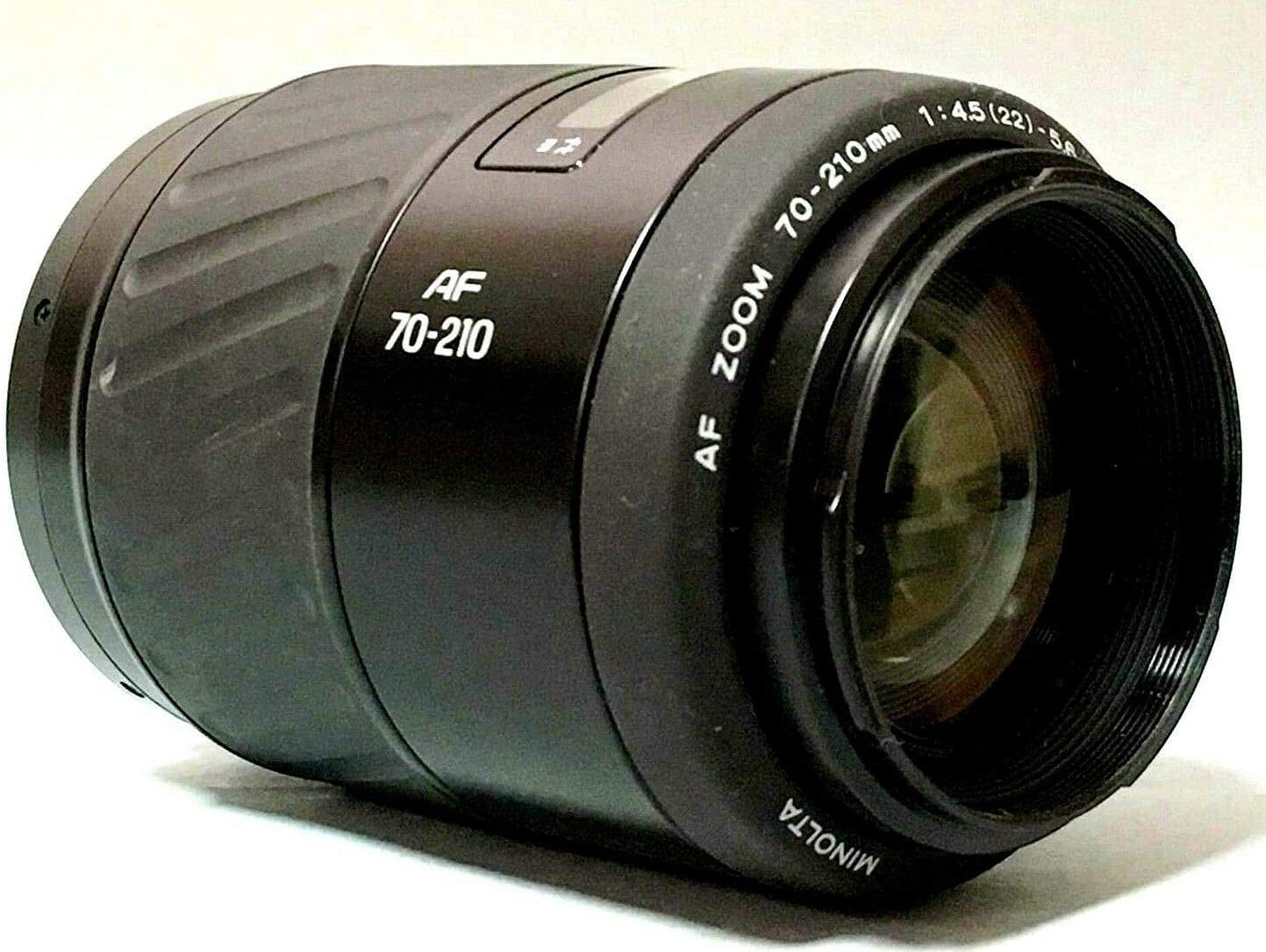
Figure 1: Minolta 70-210mm F/4.5-5.6 AF Zoom Lens. This image shows the lens from an angled perspective, highlighting its black finish, zoom ring, and the "AF 70-210mm" marking. The front element is visible, along with the aperture and focal length markings.
3. Setup
3.1 Attaching the Lens to Your Camera
- Ensure your camera is powered off before attaching or detaching the lens.
- Remove the rear lens cap and the camera body cap.
- Align the mounting index (usually a red dot or white line) on the lens with the corresponding index on your camera body.
- Insert the lens into the camera mount and rotate it clockwise (or counter-clockwise, depending on the camera model) until it clicks into place. Do not force the lens.
3.2 Attaching the Lens Hood
The included lens hood helps to prevent stray light from entering the lens, reducing flare and ghosting, and also provides some physical protection. Align the lens hood with the front of the lens and twist it gently until it locks securely. Ensure it is properly seated and does not obstruct the view.
4. Operating the Lens
4.1 Autofocus (AF)
This lens supports autofocus. Ensure your camera's focus mode is set to AF. The lens will automatically adjust focus when the shutter button is half-pressed. For specific focusing needs, refer to your camera's instruction manual for manual focus override or selection of AF points.
4.2 Zooming
To adjust the focal length, rotate the zoom ring on the lens. The focal length markings (70, 100, 135, 210mm) are indicated on the lens barrel. Rotate the ring to achieve your desired magnification. The lens extends when zoomed to longer focal lengths.
4.3 Aperture Control
The aperture (f/4.5-5.6 to f/22) is controlled via your camera body. Select your desired aperture setting through your camera's menu or dial, depending on the shooting mode (e.g., Aperture Priority, Manual). The lens's maximum aperture varies with the focal length: f/4.5 at 70mm and f/5.6 at 210mm.
5. Maintenance
5.1 Cleaning the Lens
- Lens Elements: Use a lens blower to remove dust. For smudges or fingerprints, use a clean, soft lens cloth and a small amount of lens cleaning fluid. Wipe gently in a circular motion from the center outwards.
- Lens Body: Wipe the lens barrel with a soft, dry cloth. Avoid using harsh chemicals or solvents.
5.2 Storage
When not in use, attach both the front and rear lens caps to protect the lens elements. Store the lens in a cool, dry place, away from direct sunlight and extreme temperatures. Using a desiccant packet in the storage area can help prevent mold and mildew growth.
6. Troubleshooting
- Lens not focusing: Ensure the camera's focus mode is set to autofocus (AF). Check for any obstructions on the lens elements. Verify the lens is securely mounted to the camera body.
- Image quality issues (e.g., soft images, flare): Ensure lens elements are clean. Use the lens hood to minimize flare from strong light sources. Check camera settings for appropriate aperture and shutter speed.
- Lens not recognized by camera: Power off the camera, detach and reattach the lens, ensuring it clicks securely into place. Clean the electrical contacts on both the lens and camera body with a clean, dry cloth.
7. Specifications
| Model Number | 2634-110 |
| Focal Length | 70-210mm |
| Maximum Aperture | f/4.5-5.6 |
| Minimum Aperture | f/22 |
| Filter Size | 49mm |
| Compatible Mountings | Sony Alpha, Minolta Alpha, Maxxum |
| Product Dimensions | 4.5 x 2.5 x 2.5 inches |
| Item Weight | 1.06 pounds |
| Manufacturer | Minolta Camera Co. Ltd. |
8. Warranty and Support
For information regarding warranty coverage, technical support, or service, please refer to the official Minolta documentation that accompanied your purchase or visit the official Minolta support website. Keep your proof of purchase for warranty claims.
You can visit the Minolta Store for additional product information: Minolta Store on Amazon.