Introduction
SSX 3 challenges players to conquer a massive, interconnected mountain. This game offers an open-ended gameplay structure, allowing seamless transitions between events and exploration of the mountain's three distinct peaks. Players will encounter various environmental challenges, including lightning storms, vertical drops, and avalanches, as they strive for the ultimate snowboarding experience.
The game expands on its predecessors with new features, including an enhanced trick system, a diverse cast of characters, and a rich, natural graphical presentation. SSX 3 provides a comprehensive snowboarding simulation with extensive customization and reward systems.
Key Features
- Conquer the Mountain: Explore a vast mountain playground with three massive peaks, offering opportunities for exploration, competition, and showboating.
- Open World Gameplay: Seamlessly ride from event to event without load times or restrictive paths. Discover hundreds of collectibles, secrets, and shortcuts.
- Expanded Trick System: Access a massive arsenal of new Uber Tricks and special moves, including handplants, board presses, and a new three-tiered Uber Trick system.
- Diverse Character Roster: Play as six returning favorites and four new characters, each with unique signature moves.
- Stunning Graphics: Experience immersive visuals with subtle environmental effects like glistening snow and swaying trees, combined with the signature SSX graphic style.
- Big Challenges: Engage in 150 unique hidden challenges designed to test speed, skill, and style in untamed backcountry areas.
- Customization and Rewards: Level up character abilities, win gear, stock your trophy room, and customize personal playlists.
Setup Guide
- Insert Game Disc: Gently insert the SSX 3 GameCube disc into the GameCube console's disc tray with the label facing up.
- Connect Controller: Ensure your GameCube controller is securely connected to one of the controller ports on the front of the console.
- Power On Console: Press the POWER button on your GameCube console. The game should load automatically.
- Memory Card (Optional but Recommended): For saving game progress, ensure a Nintendo GameCube Memory Card is inserted into one of the memory card slots. The game requires 50 blocks of memory.
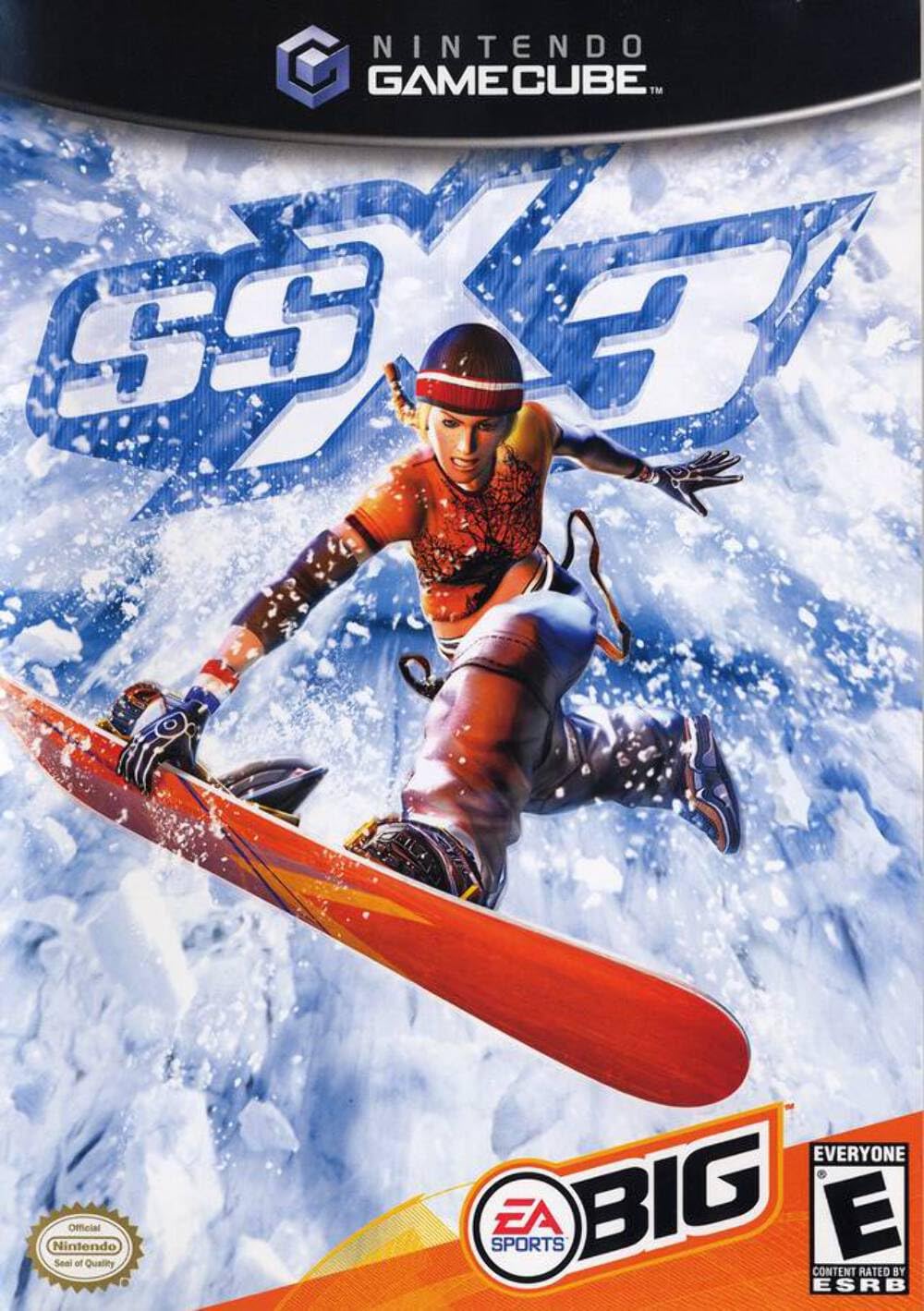
Image: Front cover of the SSX 3 GameCube game case, featuring a snowboarder in action on a snowy mountain.
Operating Instructions
Basic Controls
While specific controls are detailed within the game's tutorial, here are the fundamental GameCube controls for SSX 3:
- Control Stick: Steer your rider, navigate menus.
- A Button: Jump, confirm selections.
- B Button: Grab, cancel selections.
- X/Y Buttons: Perform tricks, modify grabs.
- L/R Buttons: Edge control, pre-wind jumps.
- Z Button: View camera.
- D-Pad: Menu navigation, specific in-game actions.
- Start/Pause Button: Pause game, access in-game menu.
Gameplay Modes
SSX 3 offers a variety of ways to experience the mountain:
- Conquer the Mountain: The primary mode where you progress through challenges across the three peaks, unlocking new areas and events.
- Freeride: Explore the entire mountain at your leisure, discovering hidden paths, collectibles, and practicing tricks.
- Events: Participate in various competitive events including Race, Slopestyle, Big Air, and Super Pipe.
- Big Challenges: Specific objectives scattered across the mountain that test your skills in unique ways.
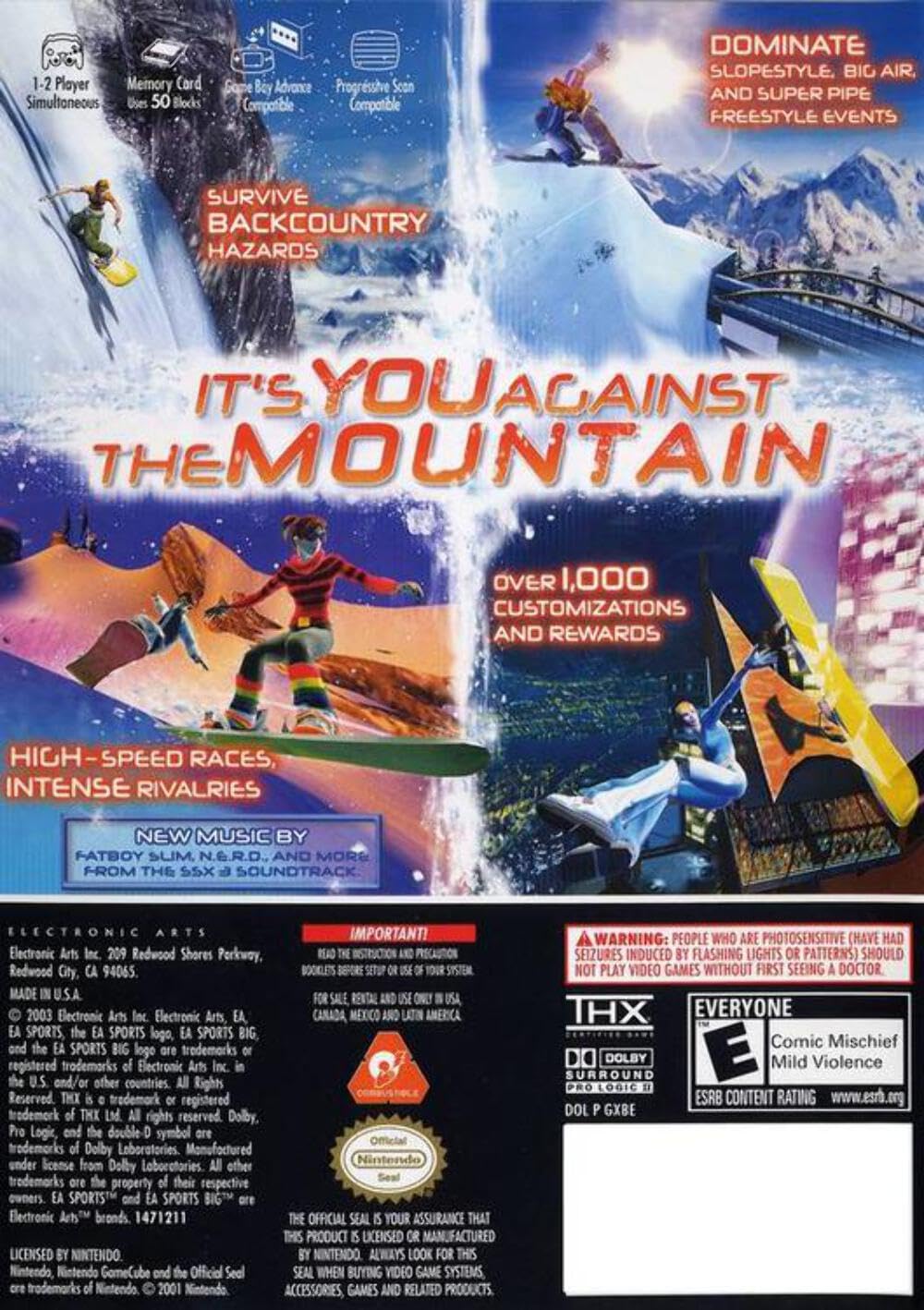
Image: Back cover of the SSX 3 GameCube game case, showing various in-game screenshots and feature highlights.
Maintenance
Proper care of your game disc and console ensures optimal performance and longevity.
- Disc Care:
- Always hold the disc by its edges to avoid fingerprints and smudges.
- Store the disc in its original case when not in use to protect it from dust and scratches.
- If the disc becomes dirty, gently wipe it with a soft, lint-free cloth from the center outwards. Do not use abrasive cleaners or solvents.
- Console Care:
- Keep your GameCube console in a clean, dust-free environment.
- Ensure adequate ventilation around the console to prevent overheating.
- Avoid placing heavy objects on top of the console.
Troubleshooting
If you encounter issues while playing SSX 3, consider the following common solutions:
- Game Not Loading/Disc Read Errors:
- Ensure the disc is clean and free of scratches. Clean the disc as described in the Maintenance section.
- Verify the disc is inserted correctly into the GameCube console.
- Try another GameCube game to determine if the issue is with the console's disc drive or the SSX 3 disc itself.
- Game Freezing During Play:
- Ensure the GameCube console has proper ventilation and is not overheating.
- Clean the game disc.
- If using a memory card, ensure it is not corrupted. Try playing without a memory card inserted to see if the issue persists (though progress will not save).
- Save Data Corruption:
- Ensure your GameCube Memory Card is genuine and not damaged.
- Avoid removing the memory card or powering off the console during a save operation.
- If corruption persists, try formatting the memory card (note: this will erase all data) or using a different memory card.
Specifications
| Attribute | Detail |
|---|---|
| Product Title | SSX 3 |
| Platform | GameCube |
| Brand | Electronic Arts |
| Item Model Number | 14633147124 |
| UPC | 014633147124 |
| Release Date | October 21, 2003 |
| Language | English |
| ESRB Rating | Everyone |
| Product Dimensions | 7.5 x 5.5 x 0.5 inches |
| Item Weight | 4.8 ounces |
Warranty and Support
For information regarding product warranty or technical support, please refer to the official Electronic Arts website or contact their customer support directly. Specific warranty terms may vary based on region and purchase date.
For the most up-to-date support resources, visit the Electronic Arts support page: