1. Introduction
Thank you for choosing the Salter 3-in-1 Digital Baby, Toddler, and Pet Scale. This versatile scale is designed to accurately measure the weight of infants, toddlers, and small pets, supporting growth monitoring and health management. Its multifunctional design allows for use with a comfortable tray for babies and small animals, which can be removed to convert into a standing scale for toddlers and larger pets. This manual provides essential information for proper setup, operation, and maintenance to ensure reliable performance.
2. Important Safety Information
- WARNING: Do not leave a baby or pet unattended on the scale. Always maintain supervision.
- Ensure the scale is placed on a firm, flat, and stable surface to ensure accurate readings.
- Keep the scale away from water and extreme temperatures.
- This product is intended for household use only and is not a substitute for professional medical advice or veterinary care.
- Always consult a healthcare professional or veterinarian for concerns regarding weight or health.
- Proposition 65 Warning: This product may contain chemicals known to the State of California to cause cancer and birth defects or other reproductive harm.
3. Package Contents
- Salter Digital Scale Base
- Removable Weighing Tray (21.5" x 10.0" plastic scoop platform)
- 1 x 9V Battery (included)
4. Setup
4.1. Battery Installation
- Locate the battery compartment on the underside of the scale base.
- Open the battery compartment cover.
- Insert the included 9V battery, ensuring correct polarity (+/-).
- Close the battery compartment cover securely.
4.2. Attaching the Weighing Tray
- Align the posts on the underside of the weighing tray with the corresponding slots on the scale base.
- Gently press down until the tray clicks securely into place. Ensure it is stable and does not wobble.

Figure 1: Salter Digital Scale with the weighing tray attached, ready for use with infants or small pets.
5. Operating Instructions
5.1. Basic Operation
- Place the scale on a hard, flat, and stable surface.
- Press the ON/OFF button to turn on the scale. The display will show '8888' and then '0:0' (or '0.00' depending on unit) when ready.
- To switch between pounds (LB) and kilograms (KG), press the LB/KG button.
5.2. Zero (Tare) Function
The Zero function allows you to subtract the weight of items like blankets or diapers, ensuring only the baby's or pet's weight is measured.
- Place any blanket or soft padding onto the weighing tray.
- Wait for the weight of the item to stabilize on the display.
- Press the ZERO OUT button. The display will reset to '0:0'.
- Now, place the baby or pet onto the padded tray to get their accurate weight.
5.3. Hold Function
The Hold function is useful for weighing active babies or pets. It captures and stabilizes the weight reading even if there is movement.
- Place the baby or pet on the scale.
- If the reading is fluctuating due to movement, press the HOLD button.
- The scale will capture and display a stable weight reading, indicated by a 'HOLD' icon or a steady number.

Figure 2: Overview of scale features including control buttons and tray design.
5.4. Weighing an Infant or Small Pet (with tray)
- Ensure the weighing tray is securely attached.
- Turn on the scale and perform the Zero function if using a blanket.
- Gently place the infant or small pet in the center of the tray.
- Wait for the weight to stabilize. Use the Hold function if necessary.
- Record the weight displayed on the 1.2-inch LCD screen.

Figure 3: An infant being weighed on the scale with the tray attached.

Figure 4: A small dog being weighed on the scale with the tray attached.
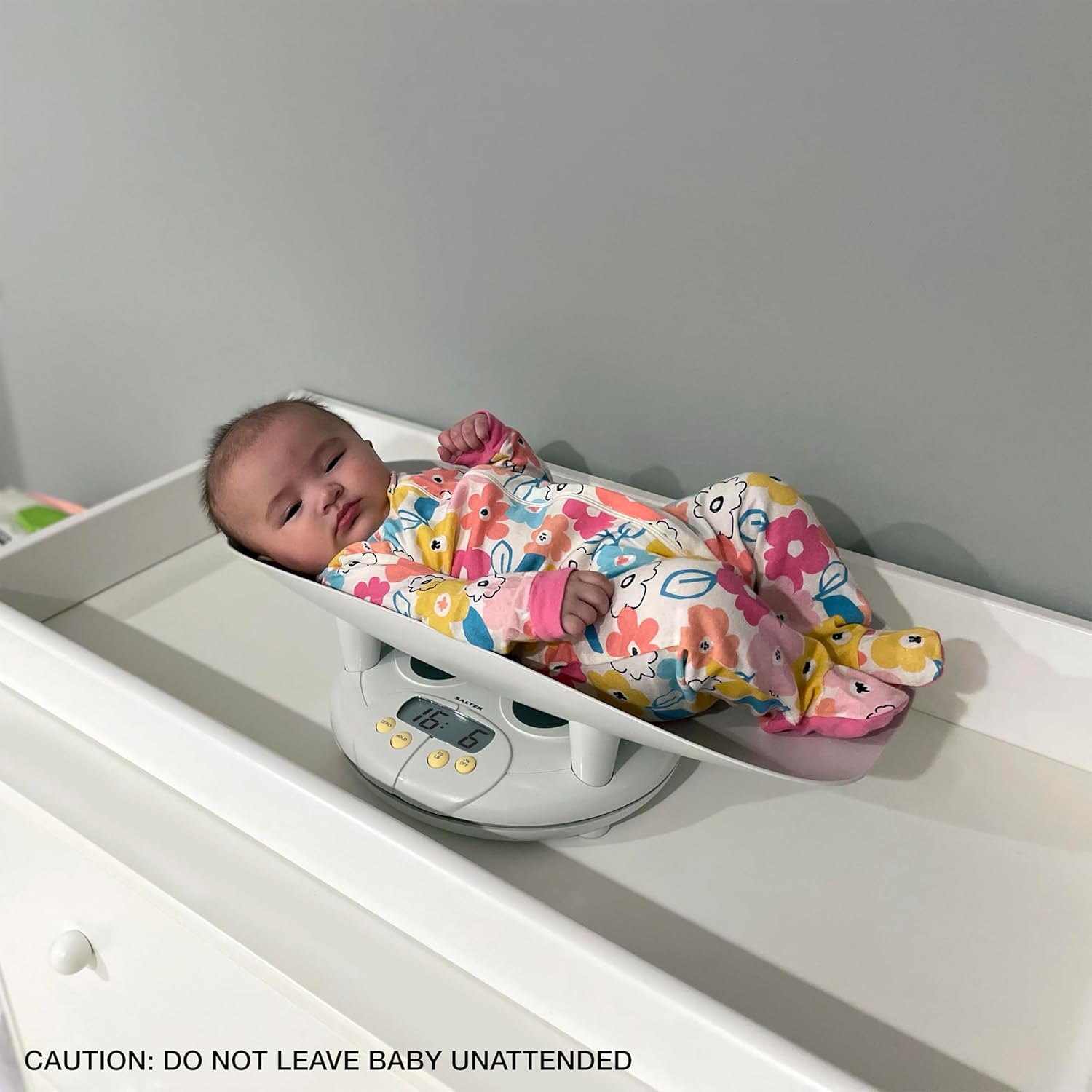
Figure 5: A cat being weighed on the scale with the tray attached.
5.5. Weighing a Toddler or Larger Pet (without tray)
- To remove the tray, locate the locking mechanism (often a screw or latch) on the underside or side of the tray. Unlock it and lift the tray off the base.
- Turn on the scale.
- Have the toddler or pet stand directly on the scale base. Ensure they are centered and stable.
- Wait for the weight to stabilize. Use the Hold function if necessary.
- Record the weight displayed.

Figure 6: A toddler standing on the scale base after the tray has been removed.
6. Maintenance
6.1. Cleaning
- Wipe the scale surface with a soft, damp cloth.
- Do not use abrasive cleaners or immerse the scale in water.
- The plastic tray is removable for easy cleaning.
6.2. Storage
- Store the scale in a cool, dry place.
- If storing for an extended period, remove the 9V battery to prevent leakage.
7. Troubleshooting
| Problem | Possible Cause | Solution |
|---|---|---|
| Inaccurate readings | Scale not on a flat surface; movement during weighing; battery low. | Ensure stable surface; use HOLD function; replace battery. |
| Display shows 'Lo' | Low battery. | Replace the 9V battery. |
| Display shows 'Err' | Overload or internal error. | Remove weight immediately; restart scale. If error persists, contact support. |
| Scale does not turn on | Battery incorrectly installed or dead. | Check battery polarity; replace battery. |
8. Specifications
- Brand: Salter
- Model Number: 914WHLKR
- Weight Capacity: Up to 44 lbs (20 kg)
- Weight Increments: 0.5 ounces (10 grams)
- Display Type: LCD
- Power Source: 1 x 9V Battery
- Product Dimensions: 23.7 x 13.8 x 10 inches
- Platform Size (Tray): 21.5" x 10.0"
- Special Features: Zero (Tare) function, Hold function, LB/KG conversion, Removable tray for 3-in-1 use.
9. Warranty and Support
9.1. Warranty Information
The Salter 3-in-1 Digital Baby, Toddler, and Pet Scale is backed by a 5-year limited warranty. This warranty covers defects in materials and workmanship under normal use. Please retain your proof of purchase for warranty claims.
9.2. Customer Support
For technical assistance, warranty claims, or general inquiries, please contact Salter customer support. Refer to the product packaging or the official Salter website for the most current contact information.


