
1. Product Overview
The Westclox Quartz Movement Round Wall Clock, Model 46991, is a contemporary analog timepiece designed for indoor use. Its sleek black frame and minimalist white dial with clear black numerals offer a sophisticated aesthetic that complements various interior styles. This 9-inch clock provides accurate timekeeping through its reliable quartz movement and operates on a single AA battery, ensuring cordless convenience and easy placement in any room.

Image 1.1: Front view of the Westclox Quartz Movement Round Wall Clock. This image displays the clock's black frame, white dial, and clear numbering, highlighting its contemporary design.
2. Safety Information
- Always use the correct size and type of battery specified (1 AA battery).
- Ensure batteries are inserted with the correct polarity (+ and -). Incorrect insertion can cause damage.
- Do not mix old and new batteries, or different types of batteries.
- Remove exhausted batteries promptly to prevent leakage and damage to the clock.
- If the clock will not be used for an extended period, remove the batteries.
- Keep batteries out of reach of children.
- Do not expose the clock to extreme temperatures, direct sunlight, or high humidity.
- This clock is designed for indoor use only.
3. Setup
3.1 Unpacking
- Carefully remove the clock from its packaging.
- Inspect the clock for any signs of damage. If damaged, do not proceed with setup and contact customer support.
- Retain packaging materials for future storage or transport, if desired.
3.2 Battery Installation
The clock requires one (1) AA battery (not included).
- Locate the battery compartment on the back of the clock.
- Open the battery compartment cover.
- Insert one AA battery, ensuring the positive (+) and negative (-) terminals align correctly with the markings inside the compartment.
- Close the battery compartment cover securely.
3.3 Mounting
The Westclox Wall Clock is designed for easy wall mounting.
- Choose a suitable location on a wall indoors, away from direct sunlight, heat sources, and high humidity.
- Ensure the wall material can support the clock's weight (approximately 10.8 ounces).
- Use a nail or screw (not included) appropriate for your wall type. Insert the nail or screw into the wall, leaving a small portion protruding.
- Align the hanging slot on the back of the clock with the nail or screw head.
- Carefully lower the clock onto the nail or screw, ensuring it is securely seated and level.
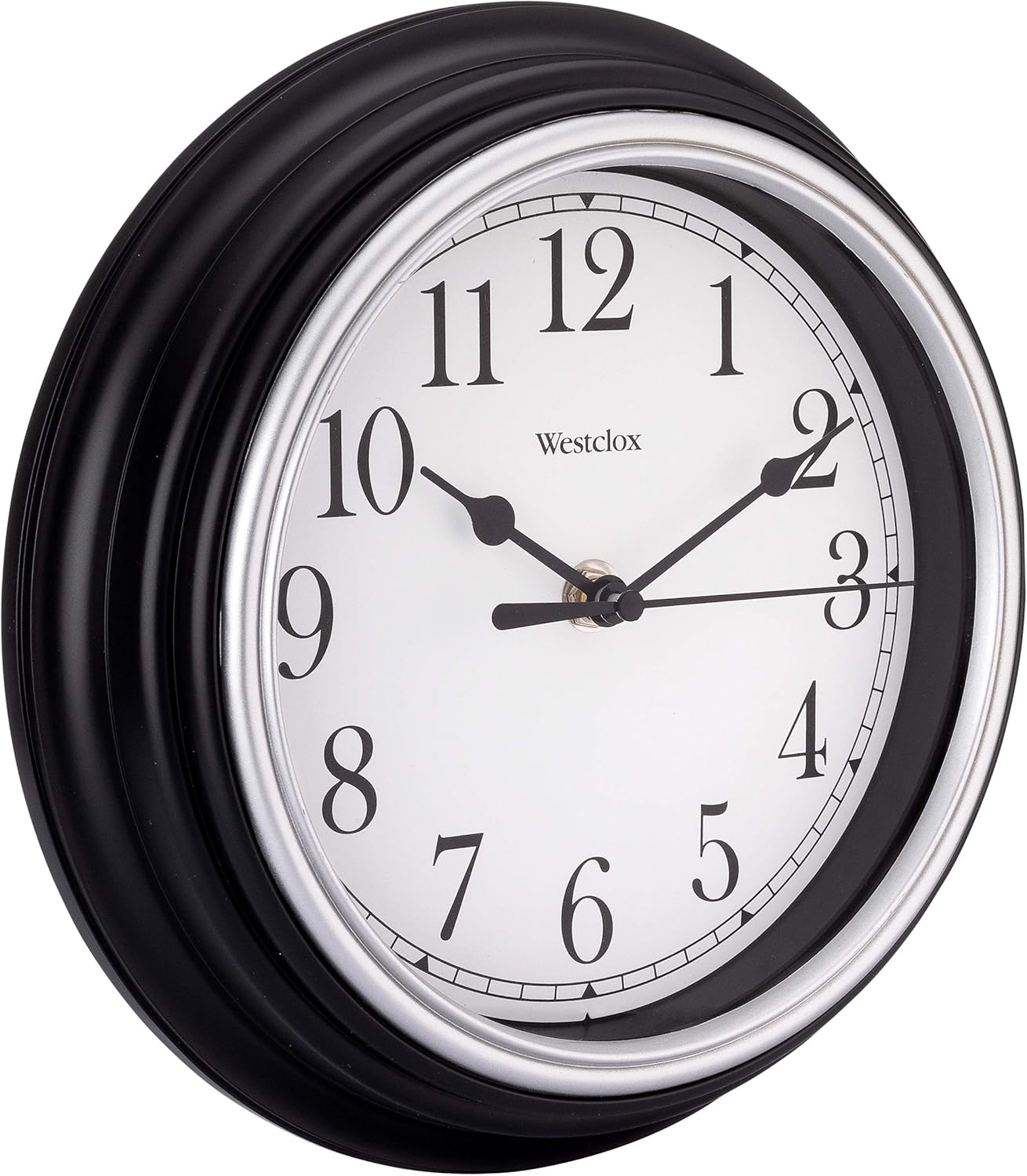
Image 3.1: Angled view of the Westclox Wall Clock. This perspective illustrates the clock's depth and the design of its frame, which houses the quartz movement and battery compartment on the rear.
4. Operating the Clock
4.1 Setting the Time
- Once the battery is installed, locate the time-setting knob on the back of the clock's movement mechanism.
- Gently turn the knob in either direction to move the clock hands to the desired time.
- Set the time accurately. The quartz movement will then maintain precise timekeeping.
5. Maintenance
5.1 Cleaning
To maintain the appearance of your Westclox Wall Clock:
- Wipe the clock's frame and glass with a soft, dry, lint-free cloth.
- Do not use abrasive cleaners, solvents, or chemical sprays, as these can damage the finish or internal components.
- Avoid getting moisture into the clock mechanism.

Image 5.1: Close-up of the clock's frame. This image provides a detailed view of the black metal frame, which can be gently wiped clean with a soft cloth.
5.2 Battery Replacement
Replace the AA battery when the clock hands begin to slow down or stop moving. Refer to section 3.2 for battery installation instructions.
6. Troubleshooting
| Problem | Possible Cause | Solution |
|---|---|---|
| Clock is not running or stops intermittently. | Battery is dead or low. | Replace with a new AA battery. Ensure correct polarity. |
| Clock hands are stuck or not moving smoothly. | Incorrect battery installation or internal mechanism issue. | Check battery polarity. If issue persists, contact customer support. |
| Time is inaccurate. | Battery is low or time was not set correctly. | Replace battery. Re-set the time using the setting knob on the back. |
7. Specifications

Image 7.1: Westclox Wall Clock with dimensions. This image illustrates the 9-inch diameter of the clock, providing a visual reference for its size.
| Feature | Detail |
|---|---|
| Brand | Westclox |
| Model Number | 46991 |
| Color | Black |
| Display Type | Analog |
| Style | Contemporary |
| Power Source | Battery Powered (1 AA battery required, not included) |
| Product Dimensions | 9"W x 9"H |
| Material | Glass (dial), Metal (frame) |
| Mounting Type | Wall Mount |
| Item Weight | 10.8 ounces |
| UPC | 077413469915 |
8. Warranty Information
This Westclox product comes with a Limited Warranty. For specific details regarding the terms and conditions of your warranty, please refer to the documentation included with your purchase or visit the official Westclox website.
9. Customer Support
If you encounter any issues not covered in this manual or require further assistance, please contact Westclox customer support. Visit the official Westclox website for contact information and frequently asked questions.
You can also visit the Westclox Store on Amazon for more product information.