
1. Introduction
Welcome to the user manual for your Skylink WS-100/WS-100N Wireless Remote Control. This system is designed to provide convenient wireless control for indoor and outdoor lights and electronics. It allows you to operate devices from up to 100 feet away, even through walls, enhancing accessibility and ease of use for various applications.
2. Important Safety Instructions
Please read and understand all safety instructions before installing and operating this product. Failure to follow these instructions may result in electric shock, fire, or serious injury.
- Electrical Rating: Do not exceed the electrical ratings of the receiver. Overloading the circuit can cause overheating and fire.
- Grounding: Ensure the receiver is plugged into a standard 3-prong grounded outlet. Do not remove the ground prong.
- Water Exposure: Do not immerse the receiver or remote control in water or expose them to excessive moisture. Ensure the receiver is protected from direct rain if used outdoors.
- Children: Keep the remote control and receiver out of reach of children.
- Maintenance: Do not attempt to repair or modify the unit. Refer all servicing to qualified personnel.
- Battery Safety: Follow proper battery handling and disposal guidelines. Do not mix old and new batteries or different types of batteries.
3. Package Contents
Verify that all items are present in your package:
- 1 x Wireless Receiver (Model WS-100A)
- 1 x Wireless Remote Control (Channel A)
- 1 x Battery (for Remote Control)

Image: The Skylink WS-100A Wireless Remote Control system, showing the compact gray receiver with a three-prong plug and a small black remote control with a red button.
4. Product Overview
4.1 Wireless Receiver (WS-100A)
The receiver is a compact, gray unit designed to plug into any standard 3-prong grounded electrical outlet. It features a single outlet on its side where you connect the appliance you wish to control. The receiver acts as a switch, turning the connected device on or off based on signals from the remote control.
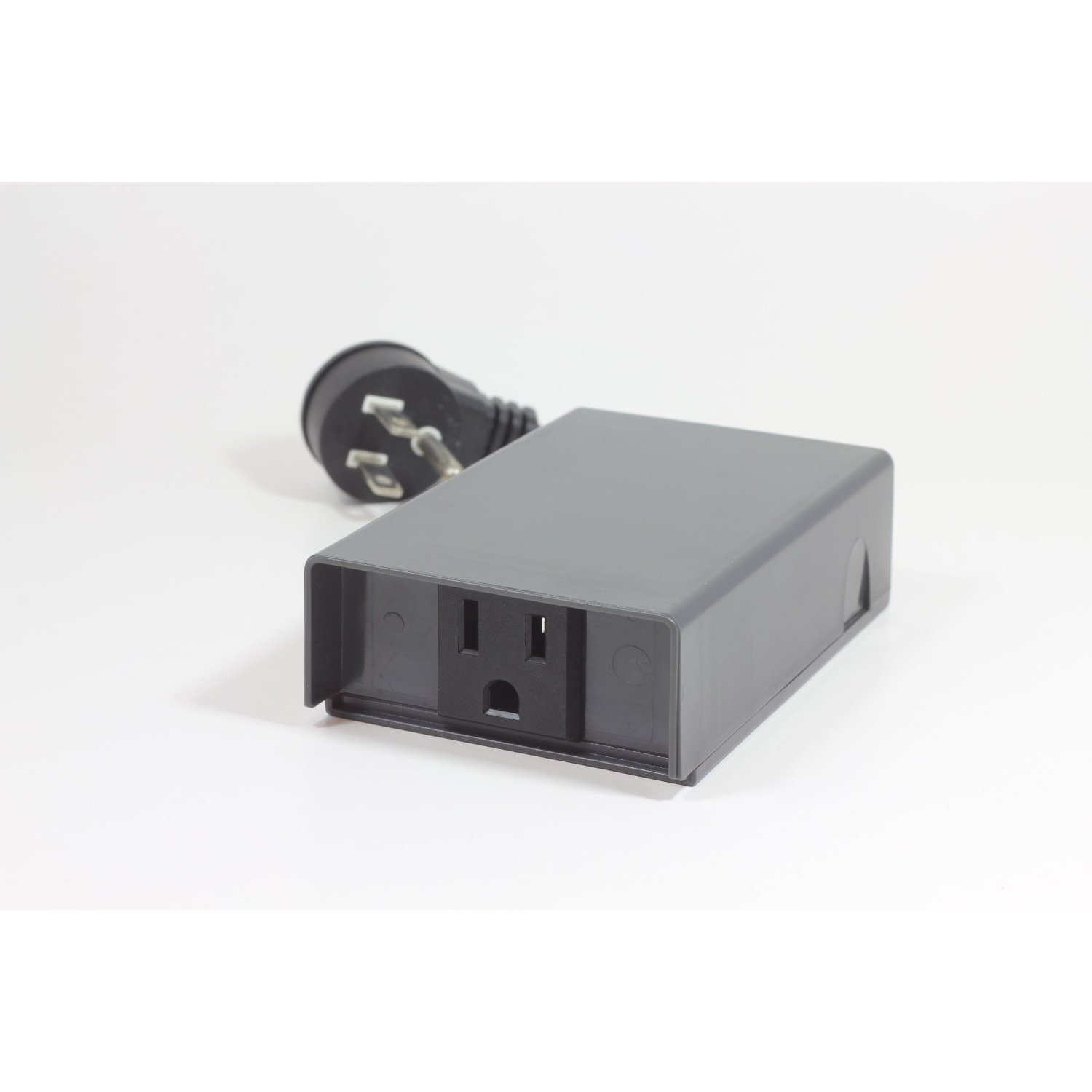
Image: A close-up view of the gray Skylink WS-100A wireless receiver, highlighting its three-prong plug and the single electrical outlet on its side.
4.2 Wireless Remote Control
The remote control is a small, portable device with a single red button. Pressing this button toggles the power to the receiver (and thus the connected appliance) between ON and OFF states. An indicator light on the remote confirms when a signal is being transmitted.
5. Setup
5.1 Step 1: Install Battery in Remote
- Locate the battery compartment on the back of the remote control.
- Open the compartment cover.
- Insert the provided battery, ensuring correct polarity (+ and -).
- Close the battery compartment cover securely.
5.2 Step 2: Plug in the Receiver
- Select a standard 3-prong grounded electrical outlet where you intend to use the controlled device.
- Plug the Skylink WS-100A receiver firmly into the chosen outlet.
5.3 Step 3: Connect Device to Receiver
- Ensure the device you wish to control is turned off.
- Plug the power cord of your appliance (e.g., lamp, fan) into the outlet on the side of the Skylink WS-100A receiver.
- Turn the appliance's power switch to the ON position if it has one, so it can be controlled by the receiver.
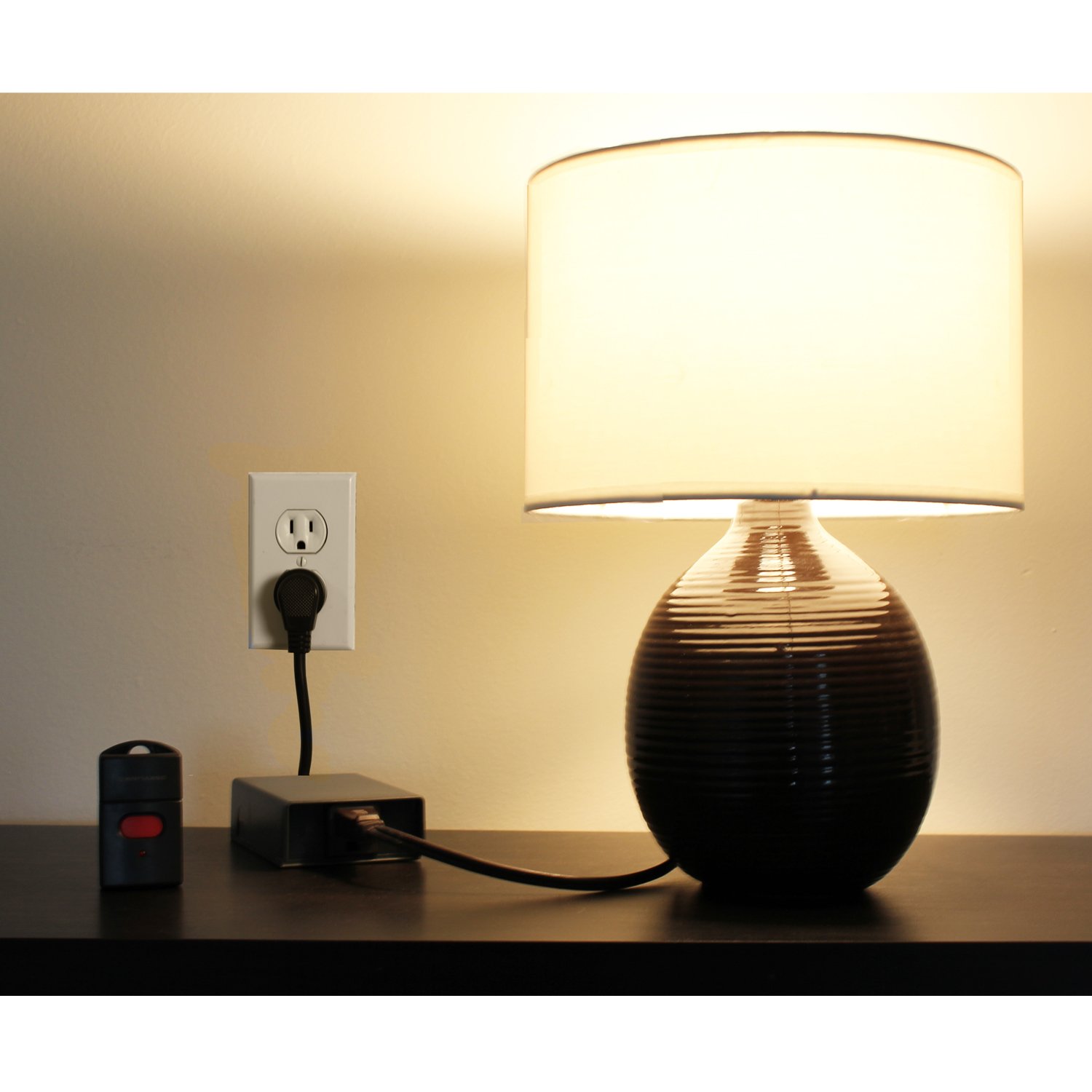
Image: A Skylink WS-100A receiver plugged into a wall outlet, with a lamp's power cord connected to the receiver. The remote control is visible nearby on a table.
6. Operating Instructions
6.1 Turning Devices On/Off
To operate the connected device, simply press the red button on your wireless remote control. Each press will toggle the power state of the receiver (and the connected device) between ON and OFF. The remote's indicator light will illuminate briefly when the button is pressed, confirming signal transmission.
6.2 Range and Signal
The Skylink Wireless Remote Control system operates using radio frequency (RF) technology, allowing it to transmit signals up to 100 feet. This range can be affected by environmental factors such as thick walls, metal structures, or other RF interference. The signal is designed to transmit through walls, providing flexibility in placement.
6.3 Controlling Multiple Devices
The WS-100A system operates on Channel A. If you have multiple WS-100A receivers, a single Channel A remote control can operate all of them simultaneously within range. This is useful for turning on multiple lights or appliances at once.

Image: A single remote control sending a signal to two separate Skylink WS-100A receivers, each connected to a lamp, demonstrating simultaneous control of multiple devices on the same channel.
For separate control of different devices, Skylink offers systems on different channels (e.g., WS-100B for Channel B). If you acquire a WS-100B system, its remote will control only WS-100B receivers, allowing you to manage two distinct sets of devices independently.

Image: An illustration showing a Channel A remote controlling a WS-100A receiver connected to a lamp, and a separate Channel B remote controlling a WS-100B receiver connected to a fan, demonstrating independent control of devices on different channels.
7. Maintenance
7.1 Care and Cleaning
- Wipe the receiver and remote control with a soft, dry cloth. Do not use abrasive cleaners or solvents.
- Ensure the units are dry before use, especially if exposed to moisture.
7.2 Battery Replacement
If the remote control's indicator light does not illuminate or the range decreases significantly, it may be time to replace the battery. Refer to Section 5.1 for battery installation instructions.
8. Troubleshooting
If you encounter issues with your Skylink Wireless Remote Control system, refer to the table below for common problems and solutions:
| Problem | Possible Cause | Solution |
|---|---|---|
| Device does not turn ON/OFF. | Remote battery is low or dead. | Replace the battery in the remote control. |
| Receiver is not plugged in securely. | Ensure the receiver is fully inserted into a live electrical outlet. | |
| Connected appliance is not turned ON or is faulty. | Ensure the appliance's power switch is in the ON position. Test the appliance directly in a wall outlet. | |
| Reduced operating range. | Obstructions or interference. | Move the remote closer to the receiver. Reduce physical obstructions between the remote and receiver. |
| Low battery in remote. | Replace the battery in the remote control. |
9. Specifications
Technical details for the Skylink WS-100A Wireless Remote Control system:
| Feature | Specification |
|---|---|
| Brand | Skylink |
| Model | WS-100A |
| Connectivity Technology | Radio Frequency (RF) |
| Operating Range | Up to 100 feet (30 meters) |
| Max Number of Supported Devices | 1 (per receiver, but multiple receivers can be controlled by one remote on the same channel) |
| Number of Buttons (Remote) | 1 (ON/OFF toggle) |
| Remote Battery Type | 1 x Nonstandard Battery (included) |
| Item Weight | Approximately 272 g (total package) |
10. Warranty and Customer Support
Skylink products are designed for reliability and performance. For information regarding product warranty, please refer to the warranty card included with your purchase or visit the official Skylink website. If you require technical assistance or have questions not covered in this manual, please contact Skylink customer support through their official channels.


