
SEGA DOLPGALE
Skies of Arcadia: Legends - GameCube Instruction Manual
Model: DOLPGALE
Brand: SEGA
Introduction
Skies of Arcadia: Legends is an epic role-playing game for the Nintendo GameCube. This manual provides essential information for setting up, operating, maintaining, and troubleshooting your game. Embark on a grand adventure as you gather your own crew of air pirates and journey through uncharted skies to vanquish the empire. Wage battles against savage monsters and evil pirates, making a name for yourself on land and in the sky. This version allows you to experience the complete story of the critically acclaimed RPG, with additional background stories and hours of new gameplay.

Image: Front cover of the Skies of Arcadia: Legends game for GameCube, featuring the main character Vyse with a sword and airships in the background.
Setup
To begin playing Skies of Arcadia: Legends, ensure your Nintendo GameCube console is properly connected to your television and power source. Follow these steps for initial setup:
- Insert the Game Disc: Open the disc tray of your GameCube console. Carefully place the Skies of Arcadia: Legends game disc onto the spindle with the label side facing up. Gently press down on the center of the disc until it clicks into place.
- Close the Disc Tray: Close the GameCube disc tray securely.
- Power On: Turn on your GameCube console and television. Select the correct input channel on your television.
- Memory Card: A Nintendo GameCube Memory Card is required to save your game progress. Ensure a memory card with sufficient free blocks (G3 Blocks) is inserted into one of the memory card slots on the console.

Image: The Skies of Arcadia: Legends game disc resting inside its GameCube game case, showing the teal disc color and SEGA logo.
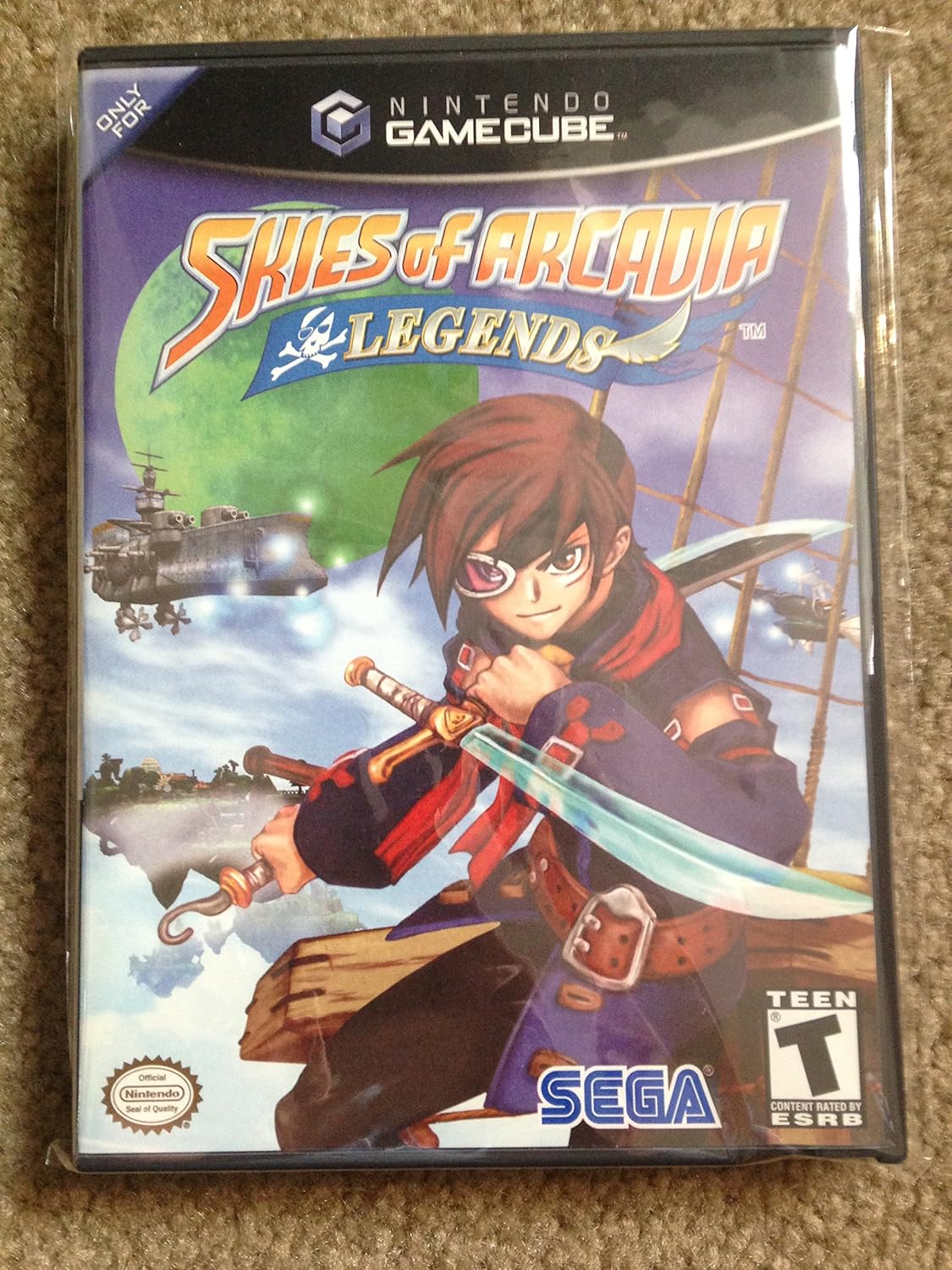
Image: A close-up view of the Skies of Arcadia: Legends GameCube disc, highlighting its reflective surface and central hub.
Operating the Game
Skies of Arcadia: Legends offers a rich role-playing experience with exploration, combat, and character development. Familiarize yourself with the core gameplay mechanics:
- Exploration: Navigate a full 3D world, exploring six enormous virtual lands that range from massive deserts and quaint villages to the cold reaches of outer space. Your airship is key to traversing these vast environments.
- Combat System: Engage in both hand-to-hand and ship-to-ship combat. The game features spectacular spell effects, amazing special attacks, and an improved battle engine. Strategically use over 70 weapons and 36 magical skills to overcome adversaries.
- Airship Customization & Crew: Customize your own airship to enhance its capabilities. Recruit up to 22 unique crew members, each offering distinct advantages to help attack or protect against other ships and challenges.
- Story Progression: Follow a highly imaginative storyline with new plot details and improved character graphics. Progress through the narrative by completing quests, defeating enemies, and interacting with non-player characters.
- Saving Your Progress: Regularly save your game at designated save points or through the in-game menu to ensure your progress is recorded.

Image: The back cover of the Skies of Arcadia: Legends game case, displaying various in-game screenshots showcasing characters, airships, and combat scenes, along with key features.
Maintenance
Proper care of your game disc and case will ensure long-lasting enjoyment:
- Disc Handling: Always hold the game disc by its edges or by placing a finger through the center hole. Avoid touching the reflective surface to prevent fingerprints and scratches.
- Cleaning: If the disc becomes dirty, gently wipe it with a soft, lint-free cloth from the center outwards. Do not use abrasive cleaners or solvents.
- Storage: Store the game disc in its original case when not in use. Keep the case in a cool, dry place away from direct sunlight and extreme temperatures.
- Avoid Damage: Do not bend the disc, apply stickers, or write on the disc surface.
Troubleshooting
If you encounter issues while playing Skies of Arcadia: Legends, consider the following common solutions:
- Disc Read Errors: If the console has difficulty reading the disc, remove the disc and inspect its reflective surface for dirt, smudges, or scratches. Clean the disc as described in the Maintenance section. If the issue persists, try the disc in another GameCube console to rule out a console-specific problem.
- Game Freezing/Crashing: If the game freezes or crashes, turn off your GameCube console, wait a few seconds, and then restart it. Ensure the game disc is clean and properly inserted. Persistent freezing may indicate an issue with the disc or console hardware.
- No Save Data: If your game progress is not saving, ensure a Nintendo GameCube Memory Card is inserted correctly into the console and has sufficient free space. Check the memory card's status through the GameCube's system menu.
- Display Issues: If the game display is distorted or absent, check all video cable connections between your GameCube and television. Ensure your television is set to the correct input source.
Specifications
| Feature | Detail |
|---|---|
| Product Title | Skies of Arcadia : Legends - GameCube |
| Model Number | DOLPGALE |
| Brand | SEGA |
| Platform | GameCube |
| Number of Players | 1 |
| Rated | Teen |
| Item Weight | 3.2 ounces |
| Product Dimensions | 7.4 x 5.31 x 0.59 inches |
| Manufacturer | Sega Of America, Inc. |
| Date First Available | December 4, 2002 |
| UPC | 010086610185 |
| ASIN | B00007KUUD |
Support Information
For further assistance or inquiries regarding Skies of Arcadia: Legends, please contact the manufacturer:
Manufacturer: Sega Of America, Inc.
Please refer to the official SEGA website or customer support channels for the most current contact information and support resources.
Related Documents - DOLPGALE
 |
Clear-Com Arcadia R4.0 Central Station User Guide Comprehensive user guide for the Clear-Com Arcadia R4.0 Central Station, detailing its features, installation, configuration, system examples, and technical specifications for professional intercom systems. |
 |
RetroScaler2X A/V Converter and Line-Doubler Quick Start Guide A quick start guide for the RetroScaler2X, an A/V converter and line-doubler designed to upscale retro gaming console signals to modern HDMI displays, offering zero lag and broad compatibility. |
 |
Clear-Com Arcadia Central Station User Guide Comprehensive user guide for the Clear-Com Arcadia Central Station, detailing its features, setup, configuration, and operation for professional IP networked intercom systems, including FreeSpeak wireless, HelixNet wired, and Dante audio. |
 |
Palram Arcadia & Tucson Carport Installation Guide This guide provides essential information for installing Palram Arcadia and Tucson carports, detailing foundation preparation, extension kit options, and customer support contacts. |
 |
Arcade Legends Sega Genesis Instruction Manual - Model 75020 Official instruction manual for the Arcade Legends Sega Genesis (Model 75020) by Radica. Learn how to set up, connect, and play the 6 built-in classic Sega games, including Sonic the Hedgehog 2, Ecco the Dolphin, and more. Includes troubleshooting and warranty information. |
 |
Radica Arcade Legends Sega Genesis Instruction Manual Comprehensive instruction manual for the Radica Arcade Legends Sega Genesis (Model 75020), featuring setup guides, game descriptions, control schemes for Sonic the Hedgehog 2, Alex Kidd, Ecco the Dolphin, Columns, The OOze, and Gain Ground, plus troubleshooting and warranty information. |
Ask a question about this manual
Ask about setup, troubleshooting, compatibility, parts, safety, or missing instructions. Manuals+ will review the question and use this page’s manual context to help answer it.