Product Overview
The Sauder 109843 Heritage Hill Executive Desk is designed for home office environments, offering a functional and aesthetically pleasing workspace. This desk features a Classic Cherry finish and includes multiple storage options, such as file drawers and a keyboard tray. It is a ready-to-assemble furniture piece.

Image: The Sauder Heritage Hill Executive Desk, showcasing its Classic Cherry finish and ample workspace, complete with office chairs, a laptop, and a telephone.
Key Features
- Three file drawers with full extension slides, accommodating letter, legal, or European size hanging files.
- Two file drawers on the left side are equipped with a key lock for secure storage.
- Center drawer features a flip-down front, ideal for keyboard or laptop storage.
- Grommet holes in the desk top provide convenient cord management.
- Classic Cherry finish for a traditional aesthetic.
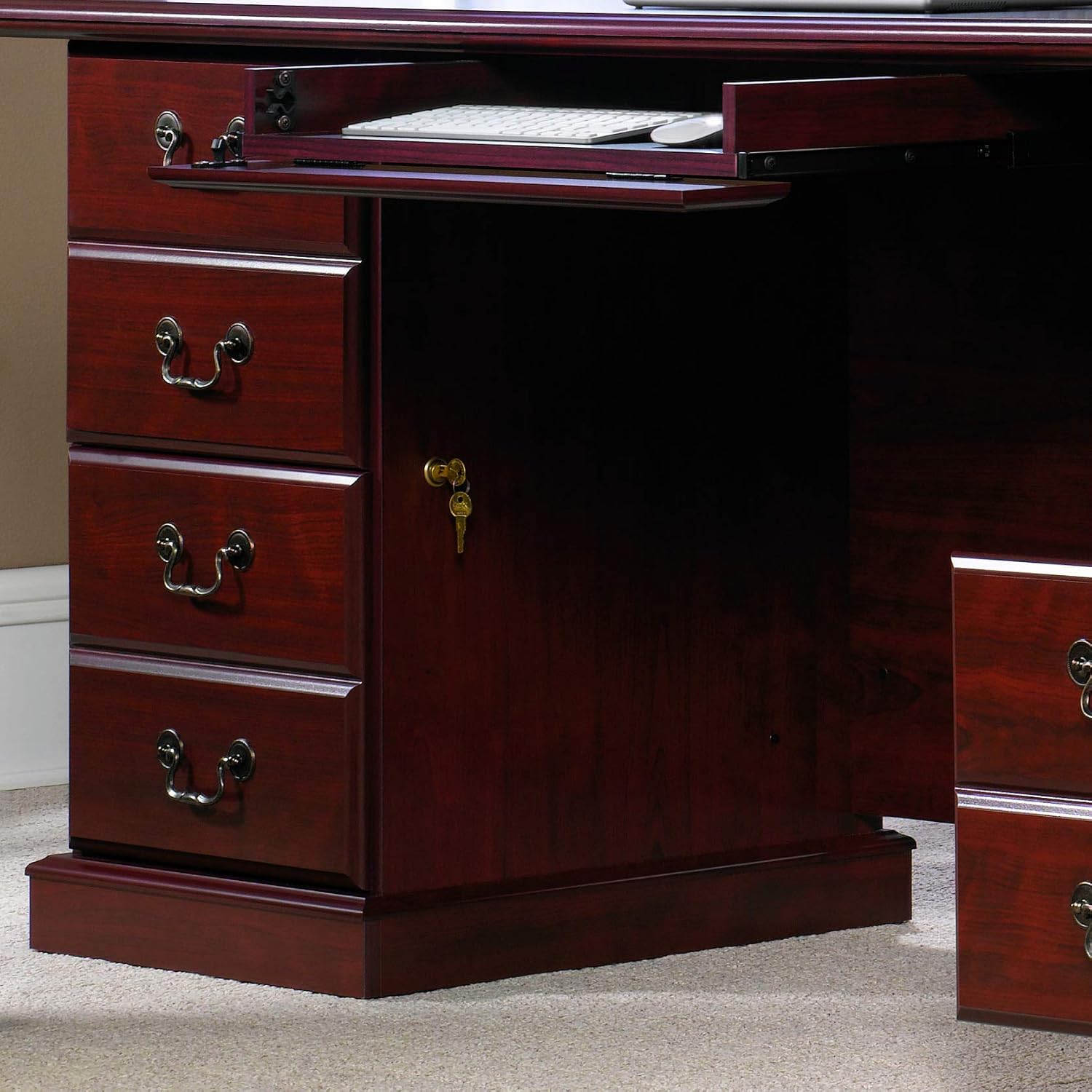
Image: A detailed view of the desk's center drawer with a flip-down front, suitable for a keyboard, and the two left-side file drawers with key locks.
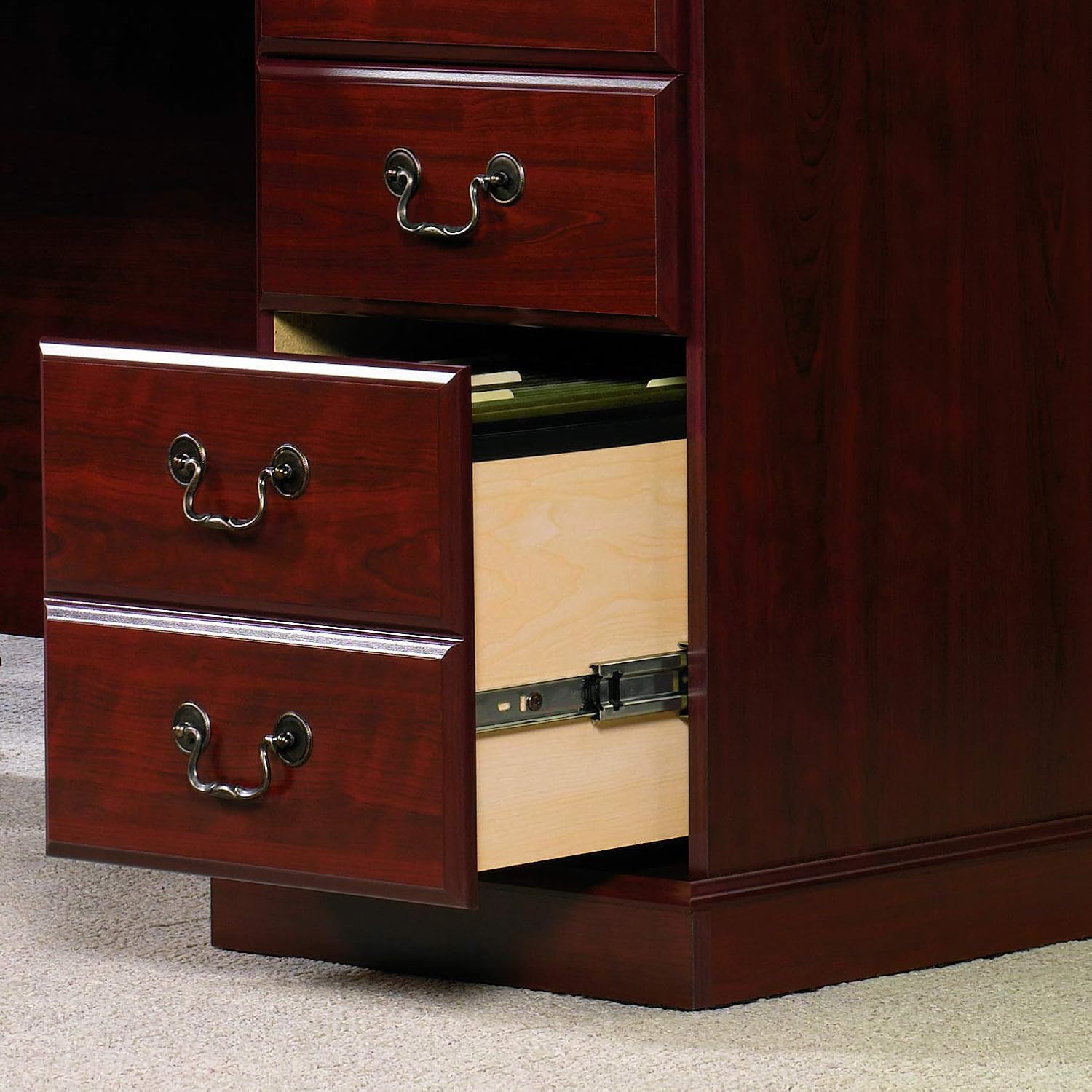
Image: An open file drawer demonstrating the full extension slides and capacity for hanging files.
Specifications
| Attribute | Value |
|---|---|
| Brand | Sauder |
| Model Number | 109843 |
| Model Name | Heritage Hill |
| Product Dimensions (D x W x H) | 35.44" x 70.51" x 29.69" |
| Item Weight | 226 Pounds |
| Color | Classic Cherry |
| Finish Type | Classic Cherry Finish |
| Top Material Type | Engineered Wood |
| Base Material | Engineered Wood |
| Drawer Glide Material | Metal |
| Number of Drawers | 5 |
| Maximum Weight Recommendation | 125 Pounds |
| Recommended Number of People for Assembly | 1 |
| Tools Recommended For Assembly | Hammer, Screw Driver |

Image: A detailed dimensional drawing of the desk, illustrating key measurements for various components including drawer sizes and overall dimensions.
Assembly Instructions
This section provides guidance for assembling your Sauder Heritage Hill Executive Desk. Ensure all parts are present and accounted for before beginning assembly. A hammer and screwdriver are recommended tools.
Adjusting Traditional Drawer Fronts
Follow these steps to ensure your drawer fronts are properly aligned and function smoothly.
Video: This video demonstrates how to adjust traditional drawer fronts to achieve proper alignment and smooth operation.
Identifying Drawer Rails
Correct identification of drawer rails is essential for proper assembly. This video will guide you through distinguishing between different rail types.
Video: Learn to identify the correct drawer rails for your desk assembly, ensuring each piece is placed accurately.
Separating Slides from Extension Rails
Before installing drawers, you may need to separate the slides from the extension rails. This video provides instructions on how to do so, and how to insert and remove drawers.
Video: Instructions on how to separate drawer slides from extension rails, and how to properly insert and remove drawers from the desk.
Attaching the Sauder Twist-Lock Fastener
The Sauder Twist-Lock Fastener is a key component in securing parts of your desk. This video demonstrates the correct method for attachment.
Video: A guide to correctly attaching the Sauder Twist-Lock Fastener for secure furniture assembly.
Operating Instructions
Drawer Usage
The desk features three file drawers with full extension slides. To open, gently pull the drawer handle. To close, push the drawer firmly until it is fully seated. The two left-side file drawers include a key lock. Insert the key and turn to lock or unlock the drawers. Ensure drawers are fully closed before locking.
Keyboard Tray
The center drawer has a flip-down front, designed to function as a keyboard tray. To use, gently pull the drawer front down. To close, push the drawer front back up until it is flush with the desk surface.
Cord Management
Utilize the grommet holes on the desk top to route and organize power cords and cables for electronic devices, maintaining a tidy workspace.
Maintenance
To maintain the appearance and longevity of your Sauder Heritage Hill Executive Desk, follow these care instructions:
- Wipe surfaces with a soft, damp cloth. Avoid harsh chemicals or abrasive cleaners.
- Promptly clean up spills to prevent staining or damage to the finish.
- Avoid placing hot items directly on the desk surface; use coasters or protective pads.
- Keep the desk away from direct sunlight and extreme temperature changes to prevent warping or fading.
- Periodically check and tighten all fasteners to ensure structural integrity.
Troubleshooting
Drawers Not Sliding Smoothly
If drawers are not sliding smoothly, ensure that the drawer slides are properly aligned and free of obstructions. Refer to the 'Adjusting Traditional Drawer Fronts' and 'Separating Slides from Extension Rails' videos in the Assembly section for guidance on adjustment and re-insertion.
Desk Wobbles
A wobbly desk often indicates loose fasteners. Carefully inspect all connections and tighten any loose screws or cam locks. Ensure the desk is placed on a level surface.
Warranty and Support
This Sauder product comes with a 5-year limited warranty. For detailed warranty information or to request replacement parts, please refer to the documentation included with your purchase or visit the official Sauder website. For customer support, please contact Sauder directly.


