
Introduction
This manual provides essential information for the safe and effective operation, maintenance, and care of your Makita HP2050F 3/4-inch Hammer Drill. Please read and understand all instructions before use to ensure optimal performance and user safety.
The Makita HP2050F is a versatile power tool designed for two-mode operation: "rotation only" for standard drilling and "hammering with rotation" for drilling into masonry. It features a powerful 6.6 amp motor, variable 2-speed control, a built-in clutch to prevent gear damage, and an integrated L.E.D. light for improved visibility.
Safety Information
Always wear appropriate personal protective equipment (PPE) including safety glasses, hearing protection, and gloves when operating the hammer drill.
Ensure the work area is clean and well-lit. Cluttered or dark areas invite accidents.
Keep children and bystanders away while operating a power tool. Distractions can cause you to lose control.
Do not operate power tools in explosive atmospheres, such as in the presence of flammable liquids, gases, or dust. Power tools create sparks which may ignite the dust or fumes.
Always unplug the tool from the power source before making any adjustments, changing accessories, or storing the tool.
Use the correct drill bit for the material being drilled. Ensure bits are securely fastened in the chuck.
Maintain a firm grip on the tool, especially when using the hammer drilling function, to control torque reactions.
Setup
Attaching the Side Handle
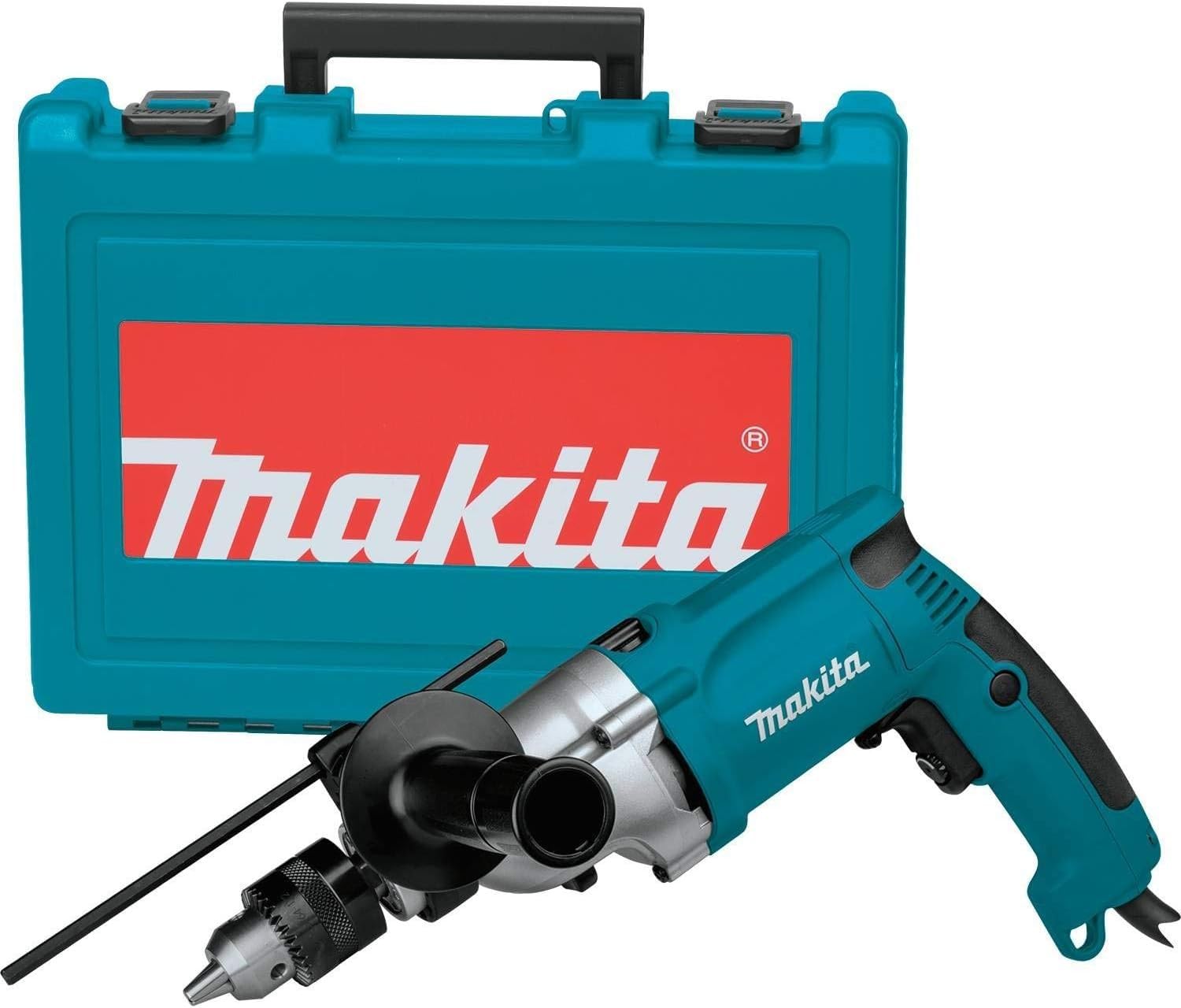
The side handle (part number 152521-9) provides additional control and stability during operation. To attach, loosen the handle by twisting it counter-clockwise. Slide it over the chuck and onto the front housing of the drill. Position the handle to your preferred angle and tighten it by twisting clockwise until secure.

Image showing the Makita HP2050F Hammer Drill with the side handle attached, ready for use.
Inserting and Removing Drill Bits
- Ensure the drill is unplugged from the power source.
- Open the chuck jaws by turning the chuck key (included) counter-clockwise.
- Insert the drill bit fully into the chuck, ensuring it is centered.
- Tighten the chuck jaws by turning the chuck key clockwise. Ensure the bit is firmly secured to prevent slippage during operation.
- To remove, reverse the tightening process.
Close-up view of the Makita HP2050F chuck with a drill bit inserted.
Operating Instructions
Selecting Operating Mode
The HP2050F features a 2-mode switch located on the top of the tool, allowing you to select between "Rotation Only" and "Hammering with Rotation."
- Rotation Only: For drilling into wood, metal, plastic, and driving fasteners.
- Hammering with Rotation: For drilling into masonry, concrete, and brick.
Ensure the switch is firmly set in the desired position before starting the drill. The positive stop mode selector prevents accidental disengagement.
Image illustrating the 2-mode switch for selecting between rotation only and hammering with rotation.
Variable Speed Control
The drill features a variable speed control dial, allowing you to adjust the RPM (Revolutions Per Minute) from 0-1,200 RPM (low) to 0-2,900 RPM (high). Select the appropriate speed for the material and drill bit size.

Close-up of the variable speed control dial on the Makita HP2050F.
Trigger Switch and Lock-on Button
To start the drill, pull the trigger switch. The speed can be varied by the amount of pressure applied to the trigger. For continuous operation, press the recessed lock-on button while the trigger is pulled. To release the lock, pull the trigger again.
Image showing the trigger switch and lock-on button for continuous operation.
Built-in L.E.D. Light
The integrated L.E.D. light illuminates the work area, improving visibility in dimly lit conditions. The light activates when the trigger is pulled.
Torque Limiter
The built-in torque limiter is designed to stop bit rotation if the bit binds, reducing the risk of kickback and protecting the gears from damage.
Maintenance
Regular maintenance ensures the longevity and safe operation of your Makita HP2050F Hammer Drill.
- Cleaning: Periodically clean the tool's exterior with a soft, damp cloth. Do not use harsh chemicals or abrasive cleaners. Keep the ventilation openings clear of dust and debris.
- Cord Inspection: Regularly inspect the power cord for any signs of damage, cuts, or fraying. If damaged, have it repaired by a qualified service technician.
- Chuck Maintenance: Keep the chuck jaws clean and free of debris to ensure proper bit gripping. Apply a small amount of light machine oil to the chuck jaws periodically.
- Carbon Brushes: The motor uses carbon brushes which are consumable parts. If the motor power decreases or the tool stops working, the carbon brushes may need replacement. This should be performed by a Makita authorized service center.
Troubleshooting
| Problem | Possible Cause | Solution |
|---|---|---|
| Drill does not start. | No power supply; damaged cord; faulty switch. | Check power outlet and cord. If problem persists, contact service center. |
| Bit slips in chuck. | Chuck not tightened properly; worn chuck jaws; dirty bit shank. | Ensure bit is clean and chuck is tightened with key. Replace chuck if worn. |
| Excessive vibration or noise. | Bent drill bit; internal component issue. | Replace bent bit. If noise persists, discontinue use and contact service center. |
| Drill overheats. | Overloading the tool; blocked ventilation. | Reduce load, allow tool to cool. Clear ventilation openings. |
Specifications
| Feature | Detail |
|---|---|
| Model Number | HP2050F |
| Power Source | Corded Electric |
| Amperage | 6.6 Amps |
| No Load Speed (Low) | 0 - 1,200 RPM |
| No Load Speed (High) | 0 - 2,900 RPM |
| Blows Per Minute (Low) | 0 - 24,000 BPM |
| Blows Per Minute (High) | 0 - 58,000 BPM |
| Capacity (Concrete) | 3/4" |
| Capacity (Steel) | 1/2" |
| Capacity (Wood) | 1-9/16" |
| Overall Length | 14-1/8" |
| Weight | 5.1 lbs |
| Special Features | Variable 2-speed, Built-in L.E.D. light, Built-in clutch, Positive stop mode selector |
Warranty
This Makita product is covered by the manufacturer's warranty. For detailed information regarding warranty terms, conditions, and registration, please refer to the official Makita website or contact Makita customer service directly. Keep your purchase receipt as proof of purchase for warranty claims.
Support
For technical assistance, service, or to purchase replacement parts, please contact Makita customer support. You can find contact information and authorized service centers on the official Makita website: www.makitatools.com.
When contacting support, please have your model number (HP2050F) and serial number (if applicable) ready.
Product Videos
Makita Hammer Drill Overview
This video provides an honest review and overview of the Makita Hammer Drill, highlighting its features and performance.
Makita Hammer Drill Features and Quality
This video showcases the amazing versatility and quality of the Makita Hammer Drill, including its removable handle and mode selection.