1. Introduction and Overview
The Adams Job Work Order Book (Model T5868) is designed to streamline the process of recording job details, materials used, and labor performed for various services. This book contains 33 professional 3-part carbonless sets, ensuring that you have multiple copies for your records and for your customers.
Each set provides ample space to detail costs for both materials and labor. A unique feature is the back printing, which allows for a comprehensive record of materials used during a repair or service. The integrated wraparound back cover prevents writing from bleeding through multiple sets, maintaining legibility. Additionally, a blank space in the header allows for customization with a company stamp.
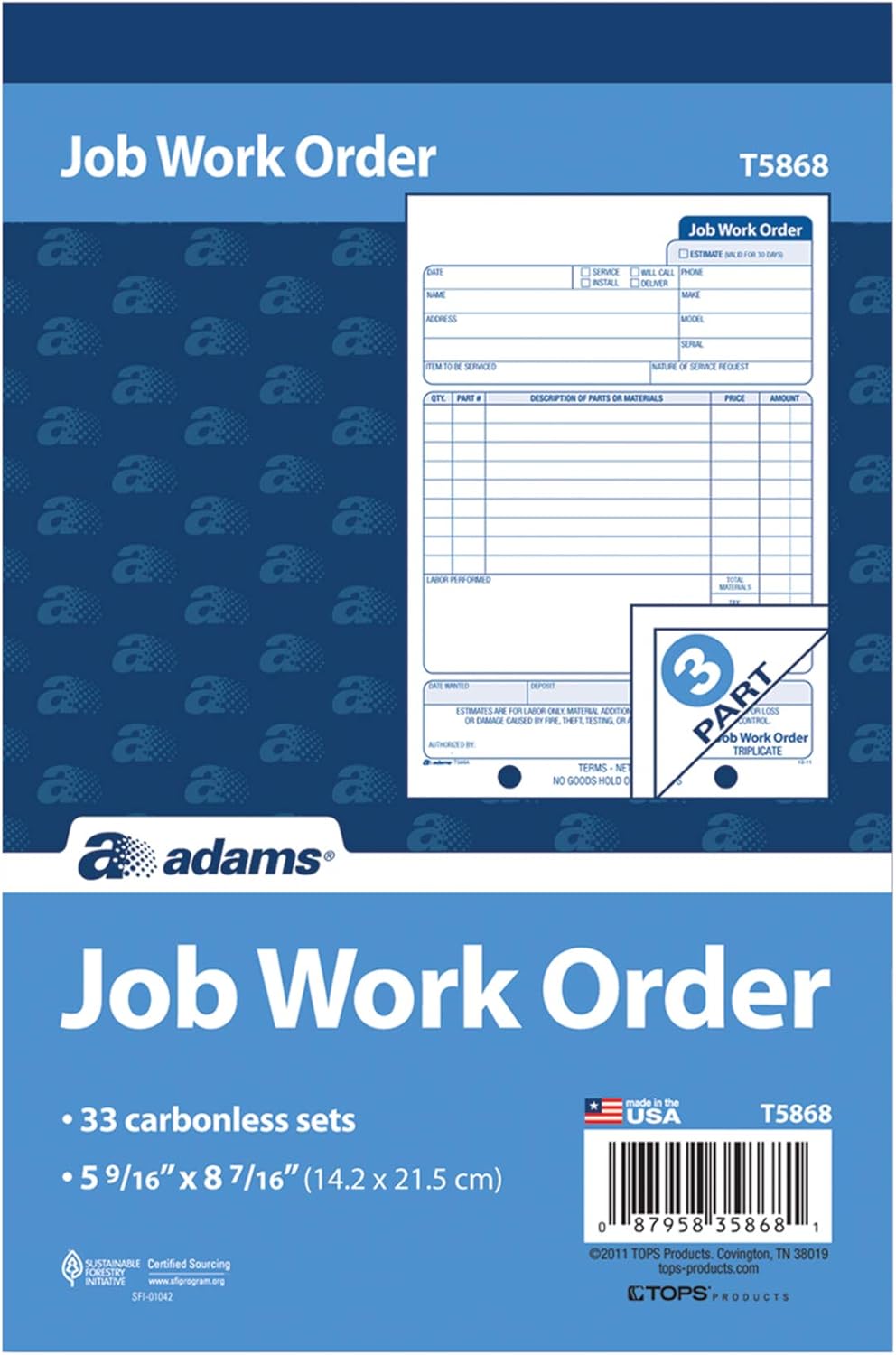
Image 1.1: Front view of the Adams Job Work Order Book, highlighting its key features and model number.
2. Setup and Preparation
The Adams Job Work Order Book requires minimal setup. Upon receiving the book, it is ready for immediate use.
2.1 Preventing Write-Through
To ensure that your writing does not transfer to subsequent sets, utilize the integrated wraparound back cover. Simply fold this cover and place it between the current set you are filling out and the next blank set. This acts as a barrier, keeping your forms neat and legible.

Image 2.1: Proper use of the wraparound cover to prevent ink bleed-through.
2.2 Customization
The top section of each form includes a blank space specifically designed for a company stamp. This allows for easy branding of your work orders, providing a professional appearance without the need for custom-printed forms.
3. Operating Instructions
Follow these steps to accurately complete a job work order form:
- Date and Customer Information: Fill in the current date, customer's name, and address in the designated fields at the top left of the form.
- Service Details: Indicate the type of service (Service, Install, Deliver, Will Call, Phone) by checking the appropriate box. Provide the make, model, and serial number of the item to be serviced. Clearly describe the nature of the service request.
- Parts and Materials: Use the table provided to list the quantity (QTY), part number (PART #), description of parts or materials, unit price (PRICE), and total amount (AMOUNT) for each item used. The form includes 9 line items for detailed entries.
- Labor Performed: Record the labor performed in the dedicated section.
- Cost Summary: Calculate and enter the total materials cost, any applicable tax, and total labor cost. Sum these values to determine the total amount due.
- Back Printing for Material Record: The back of the original form provides additional space to keep a detailed record of materials used in the repair. This is useful for internal tracking and inventory management.
- Payment and Authorization: Fill in the 'Date Wanted', 'Deposit', and 'Received By' fields as applicable. Ensure the 'Authorized By' signature is obtained.
- Terms and Conditions: Note the standard terms: 'TERMS - NET CASH' and 'NO GOODS HOLD OVER 30 DAYS'.
- Distribution of Copies: Once completed, tear out the 3-part carbonless set. Provide one copy to the customer and retain the remaining two copies for your business records.
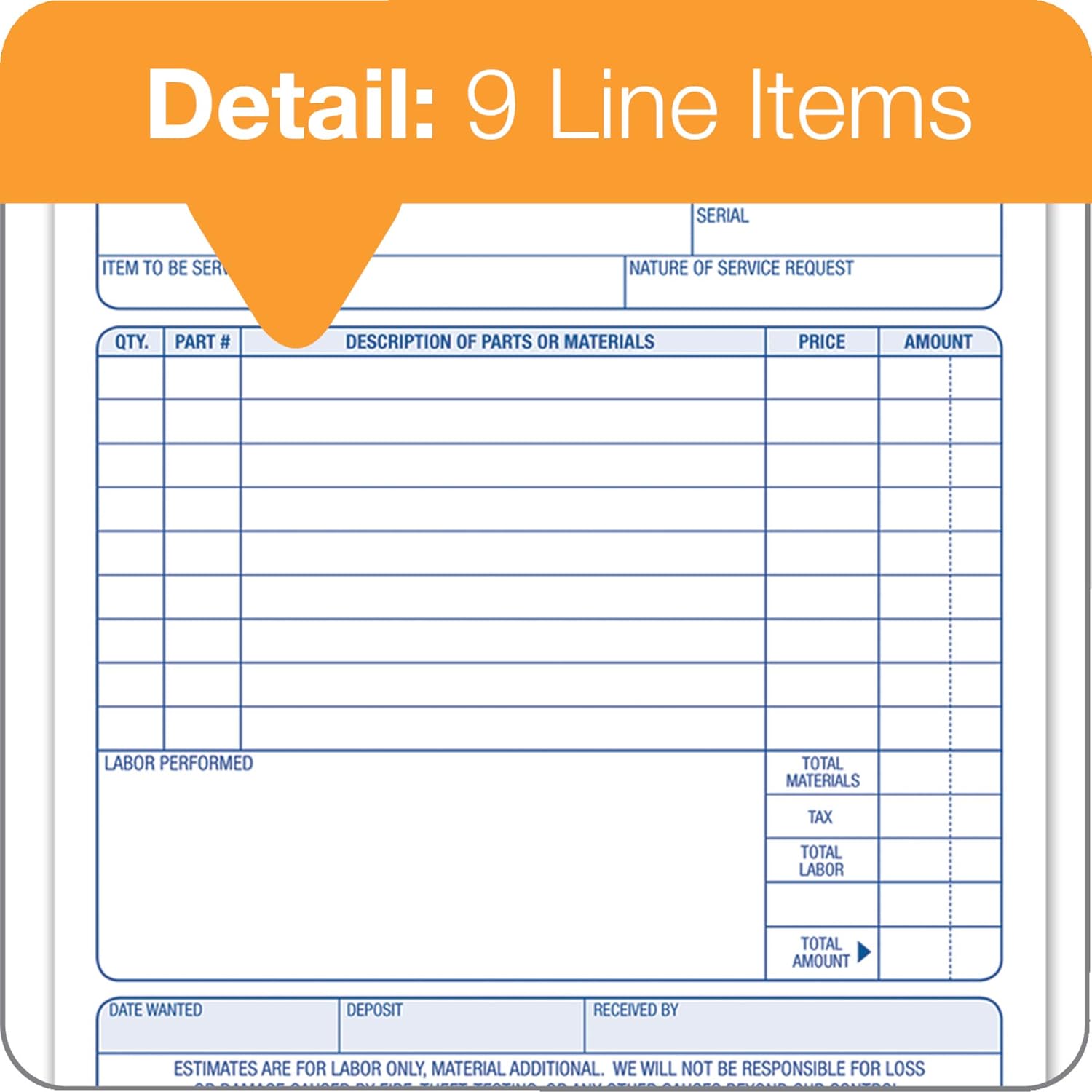
Image 3.1: Detail of the 9 line items for recording parts and materials.

Image 3.2: Section for detailing costs in materials and labor.

Image 3.3: Back printing for comprehensive material record.
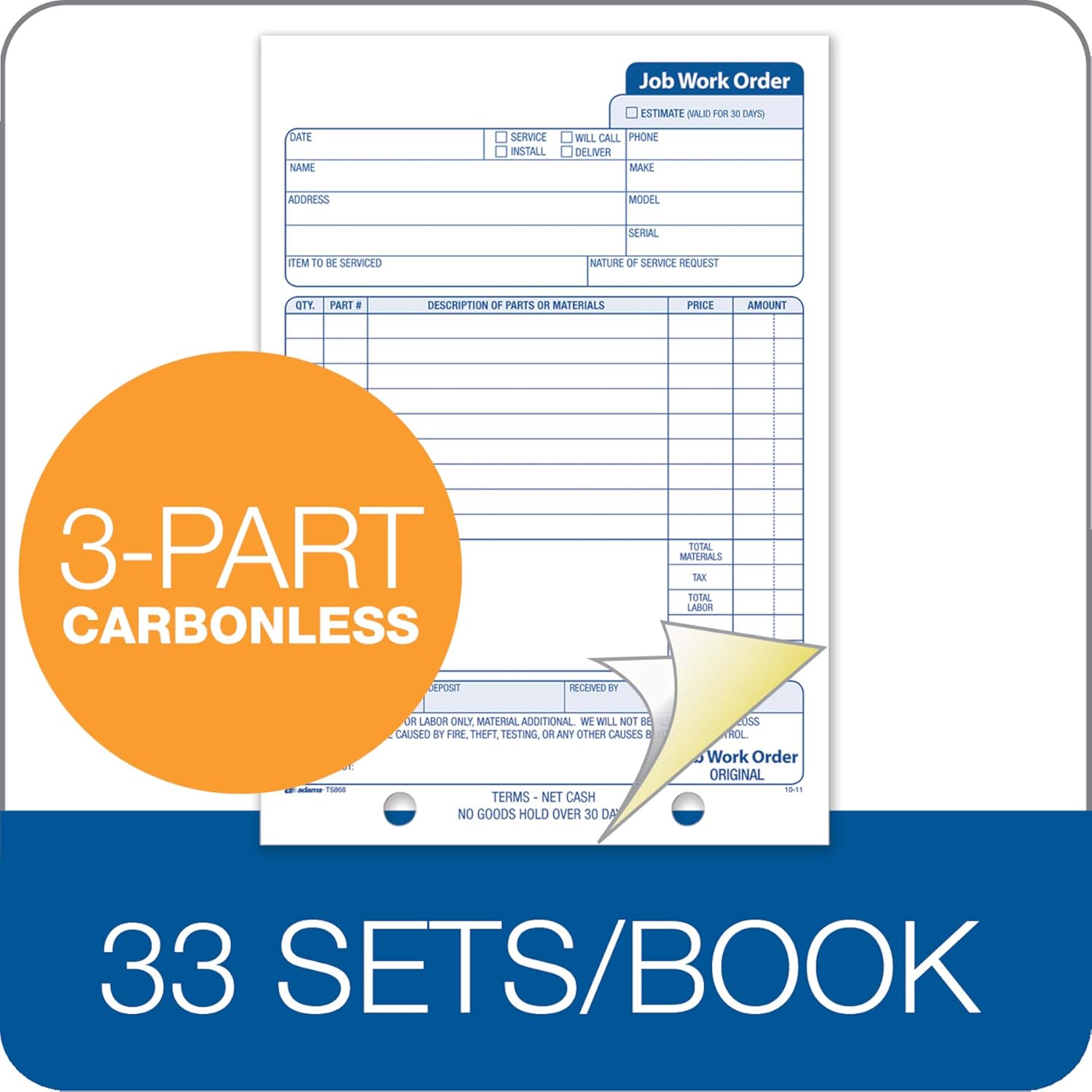
Image 3.4: The Adams Job Work Order Book features 3-part carbonless forms and contains 33 sets per book.
4. Maintenance
As a paper product, the Adams Job Work Order Book requires minimal maintenance. To ensure its longevity and the integrity of the forms:
- Store the book in a dry environment to prevent moisture damage.
- Keep the book flat to avoid bending or creasing the carbonless forms.
- Avoid exposing the book to direct sunlight for extended periods, which can degrade paper quality over time.
5. Troubleshooting
5.1 Illegible Copies
If the carbonless copies are not clear or are difficult to read, ensure that sufficient pressure is applied when writing on the top form. Carbonless paper relies on pressure to transfer the impression to the underlying sheets.
5.2 Writing Through Multiple Sets
If your writing is transferring to sets beyond the current one, verify that the wraparound back cover is correctly positioned between the current set and the next blank set. This cover is specifically designed to prevent unintended transfer.
6. Specifications
| Feature | Detail |
|---|---|
| Model Number | T5868 |
| Number of Sets | 33 |
| Number of Parts per Set | 3 (Carbonless) |
| Sheet Size | 5-9/16 x 8-7/16 inches |
| Product Dimensions | 8.4 x 5.6 x 0.3 inches |
| Item Weight | 8.8 ounces |
| Material Type | Paper |
| Color | White/Canary |

Image 6.1: Detailed dimensions of the Adams Job Work Order form.
7. Warranty and Support
For any questions regarding your Adams Job Work Order Book or for support, please refer to the manufacturer's official website or contact their customer service department. While specific warranty details are not provided in this manual, Adams products are generally designed for quality and reliability.
You can find more information and contact details by visiting the official Adams Store on Amazon.


