
1. Introduction
The Logitech Z-340 is a 2.1-channel, 3-piece speaker system designed to deliver enhanced audio for your computer or other audio devices. This system features two satellite speakers and a powerful subwoofer, providing a total of 33 watts RMS power for a rich and immersive sound experience.
Key features include Logitech's dual-chamber, pressure-driver subwoofer for deep bass, a convenient headphone jack with dedicated volume control on one satellite speaker, and an internal power supply to eliminate bulky external adapters. This manual provides detailed instructions for setting up, operating, maintaining, and troubleshooting your Z-340 speaker system.
2. What's in the Box
Upon opening your Logitech Z-340 speaker system package, verify that all components are present:
- Two (2) Satellite Speakers
- One (1) Subwoofer
- Hookup Cables (integrated)
- User's Manual (this document)
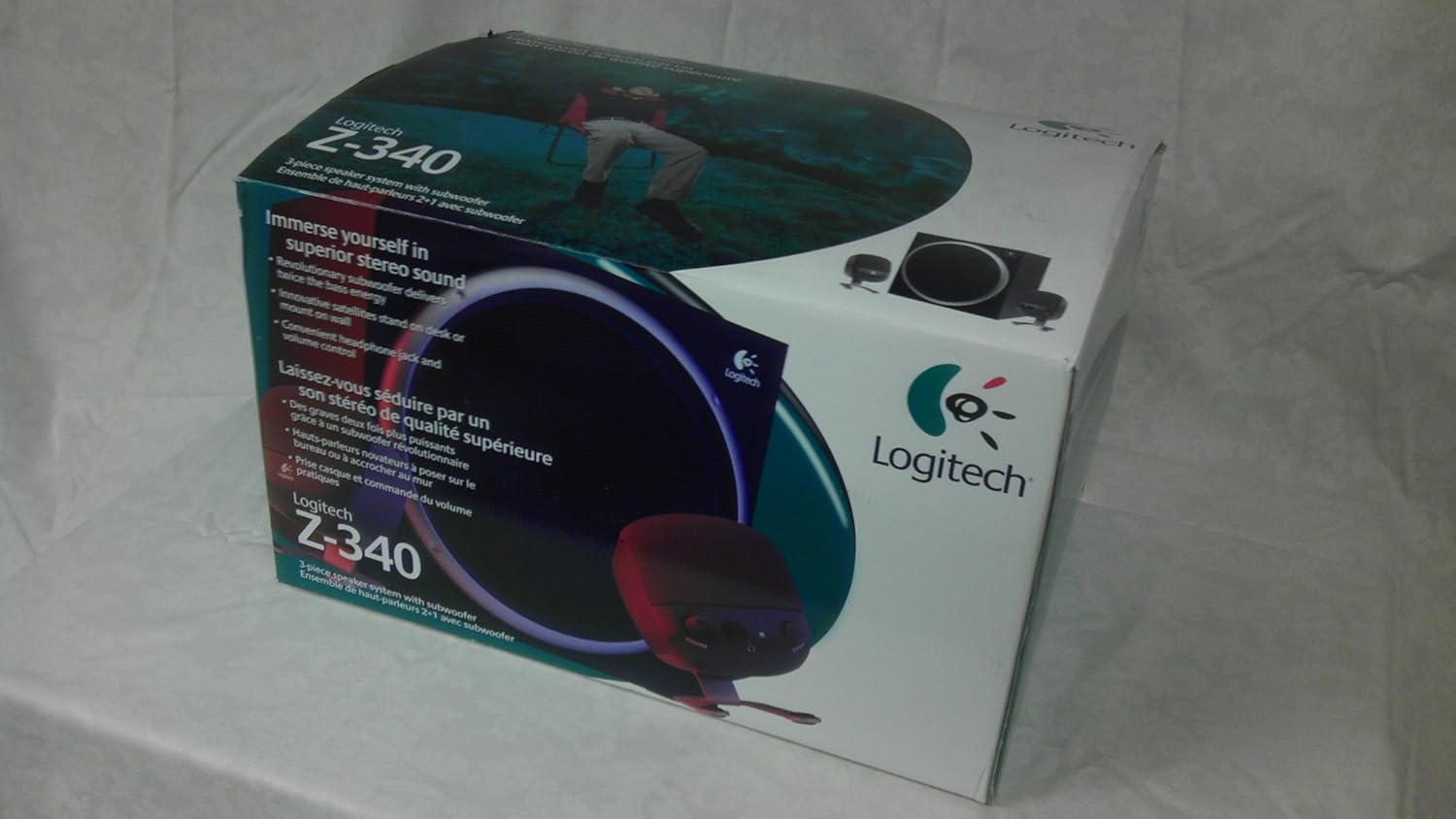
Figure 2.1: Retail packaging of the Logitech Z-340 speaker system.

Figure 2.2: Contents of the Logitech Z-340 speaker system box, showing the subwoofer, satellite speakers, and packaging materials.
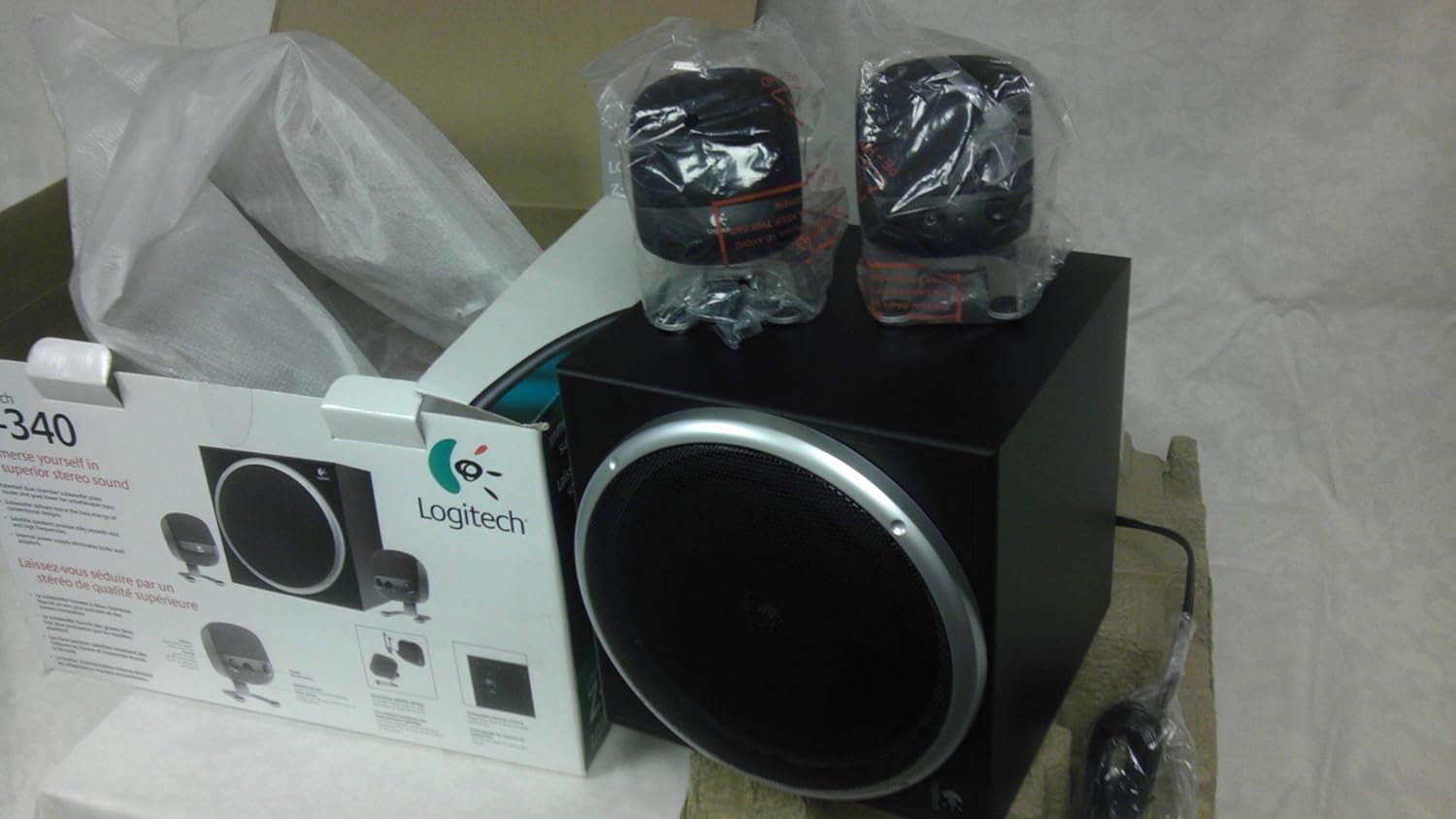
Figure 2.3: The Logitech Z-340 subwoofer and two satellite speakers removed from their packaging.
3. Setup
Follow these steps to correctly set up your Logitech Z-340 speaker system:
- Positioning Speakers: Place the subwoofer on the floor, preferably under your desk or in a corner, to maximize bass response. Position the two satellite speakers on either side of your computer monitor or listening area. Ensure they are equidistant from your listening position for optimal stereo imaging. The satellite speakers can also be wall-mounted by flipping their stands.
- Connecting Satellite Speakers: Connect the cables from the two satellite speakers to the corresponding ports on the back of the subwoofer. Ensure a firm connection.
- Connecting to Audio Source: Locate the audio input cable extending from the subwoofer. Plug this 3.5mm stereo audio cable into the headphone jack or audio output port of your computer, MP3 player, or other audio source. Note: Some computer setups may require connecting to a front-panel headphone jack if the rear speaker output does not function as expected.
- Power Connection: Plug the power cord from the subwoofer into a standard electrical outlet.

Figure 3.1: Rear panel of the Logitech Z-340 subwoofer, showing input and output connections.
4. Operating Instructions
Once your Z-340 system is set up, operating it is straightforward:
- Power On/Off: The system powers on automatically when connected to an active power outlet and an audio source. There is no separate power button.
- Volume Control: Adjust the overall system volume using the rotary knob located on the right satellite speaker. Turn clockwise to increase volume and counter-clockwise to decrease.
- Subwoofer Level Control: A dedicated bass level control knob is located on the rear of the subwoofer. Use this to adjust the intensity of the bass output independently of the main volume.
- Headphone Jack: For private listening, plug your headphones into the 3.5mm jack located on the right satellite speaker. Plugging in headphones will mute the speakers. The volume knob on the satellite speaker will then control the headphone volume.
5. Maintenance
To ensure the longevity and optimal performance of your Logitech Z-340 speaker system, follow these simple maintenance guidelines:
- Cleaning: Use a soft, dry cloth to wipe down the surfaces of the speakers and subwoofer. Avoid using liquid cleaners, aerosols, or abrasive materials, as these can damage the finish or internal components.
- Placement: Keep the speakers away from direct sunlight, heat sources, and excessive moisture. Ensure adequate ventilation around the subwoofer, especially the rear panel, to prevent overheating.
- Cable Management: Avoid kinking or sharply bending the audio and power cables. Periodically check connections to ensure they are secure.
- Storage: If storing the system for an extended period, disconnect it from power and audio sources. Store in a cool, dry place, ideally in its original packaging.
6. Troubleshooting
If you encounter issues with your Logitech Z-340 speaker system, refer to the following common problems and solutions:
| Problem | Possible Cause | Solution |
|---|---|---|
| No sound from speakers. |
|
|
| Distorted or unclear sound. |
|
|
| Lack of bass or weak subwoofer output. |
|
|
| One satellite speaker not working. |
|
|
If these solutions do not resolve your issue, please refer to the support section.
7. Specifications
Detailed technical specifications for the Logitech Z-340 3-Piece Speaker System:
| Feature | Specification |
|---|---|
| Model Number | 970058-0403 |
| Speaker Type | 2.1 Channel System (2 Satellites, 1 Subwoofer) |
| Total RMS Power | 33 Watts RMS |
| Satellite RMS Power | 6.5 Watts x 2 |
| Subwoofer RMS Power | 20 Watts |
| Connectivity Technology | Auxiliary (3.5mm stereo jack) |
| Power Source | Corded Electric (Internal Power Supply) |
| Control Method | Rotary Volume Knob, Subwoofer Level Knob |
| Mounting Type | Desk Stand / Wall Mountable |
| Item Weight | 10 pounds (approx.) |
| Manufacturer | Logitech, Inc |
8. Warranty and Support
Logitech products are manufactured to high quality standards and are designed to provide years of reliable performance. For information regarding the warranty period and terms applicable to your Logitech Z-340 speaker system, please refer to the warranty card included with your product or visit the official Logitech support website.
If you require technical assistance, have questions about your product, or need to initiate a warranty claim, please contact Logitech Customer Support. Support contact information, including phone numbers and online resources, can typically be found on the Logitech website:
Visit Logitech Support Website
When contacting support, please have your product model number (970058-0403) and any purchase information readily available.


