1. Introduction
This manual provides essential information for the proper installation, operation, and maintenance of your Tripp Lite Duplex Multimode 62.5/125 Fiber Patch Cable (LC/SC), Model N316-03M. Please read these instructions carefully before use to ensure optimal performance and safety.
2. Product Overview
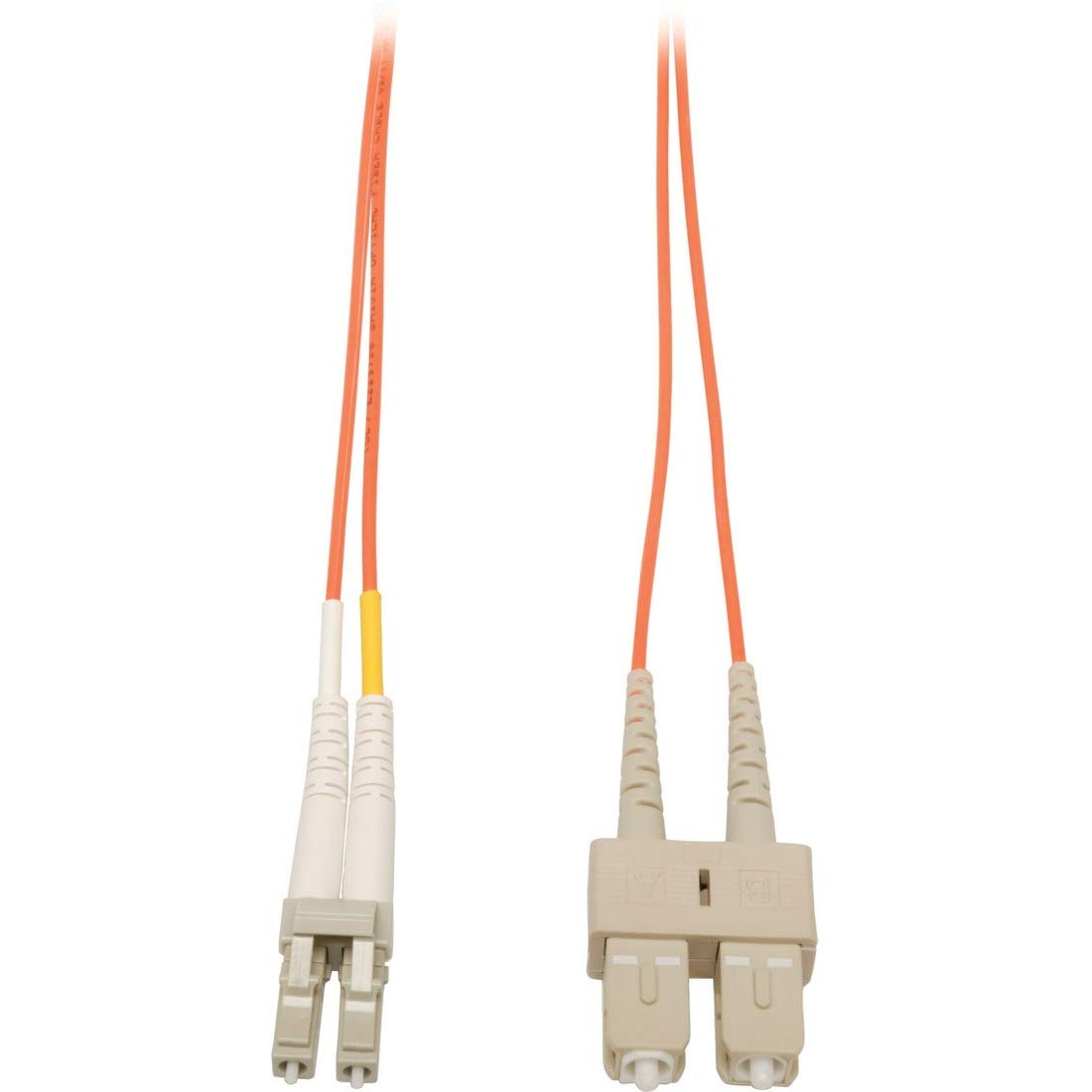
The Tripp Lite N316-03M is a 3-meter (10-foot) duplex multimode fiber patch cable designed for high-speed data transfer. It features LC connectors on one end and SC connectors on the other, facilitating connections between various fiber optic network devices. The cable utilizes 62.5/125µm multimode fiber and has an orange PVC jacket with a riser (OFNR) fire rating.
Key features include:
- 3M (10-feet) Duplex MMF 62.5/125 Patch Cable (LC/SC)
- Premium PVC 62.5/125µm multimode patch cables
- Beveled edge on ends of glass for easy plug insertion
3. Safety Information
- Do not look directly into the end of any fiber optic cable or port. Laser light can cause permanent eye damage.
- Handle fiber optic cables with care. Avoid sharp bends or excessive pulling, which can damage the internal fiber.
- Keep connectors clean. Dust and debris can degrade signal quality.
- Ensure proper ventilation around connected equipment.
4. Package Contents
Your package should contain the following items:
- Tripp Lite Duplex Multimode Fiber Patch Cable (N316-03M)
- Instruction Guide (this document)
5. Setup
Follow these steps to connect your fiber patch cable:
- Identify the appropriate LC and SC ports on your network devices. Ensure they are compatible with 62.5/125µm multimode fiber.
- Remove the protective dust caps from both ends of the fiber patch cable and from the device ports. Store the caps for future use.
- Gently insert the LC connectors into the corresponding LC ports on one device. Ensure they click securely into place.
- Gently insert the SC connectors into the corresponding SC ports on the other device. Ensure they click securely into place.
- Verify that both ends of the cable are securely seated and that there are no kinks or sharp bends in the cable run.
The duplex design means there are two fibers (one for transmit, one for receive). Ensure that the transmit fiber from one device connects to the receive port of the other, and vice-versa. Most duplex connectors are keyed to prevent incorrect connection, but always double-check.
6. Operating Instructions
Once the Tripp Lite N316-03M fiber patch cable is securely connected between two compatible fiber optic devices, it will facilitate high-speed data transmission. No further user interaction is required for the cable itself. The cable supports data transfer rates up to 1 Gigabits Per Second, depending on the connected equipment.
Ensure that the connected devices are powered on and configured correctly according to their respective manuals to establish a network link.
7. Maintenance
Proper maintenance ensures the longevity and performance of your fiber patch cable:
- Cleaning Connectors: If signal issues arise, carefully clean the fiber optic connectors using a specialized fiber optic cleaning kit. Never use harsh chemicals or abrasive materials.
- Cable Management: Avoid bending the cable beyond its minimum bend radius. Do not tie the cable in tight knots or place heavy objects on it.
- Storage: When not in use, replace the dust caps on the connectors and store the cable in a clean, dry environment, away from direct sunlight and extreme temperatures.
8. Troubleshooting
If you experience issues with your fiber optic connection, consider the following troubleshooting steps:
- No Signal/Intermittent Signal:
- Verify that both ends of the cable are securely connected to the correct ports on your devices.
- Ensure the transmit and receive fibers are correctly aligned (Tx to Rx, Rx to Tx).
- Inspect the connectors for any visible dirt or damage. Clean them if necessary using a fiber optic cleaning tool.
- Check the status indicators on your network devices to confirm they are detecting a link.
- Test with a known working fiber patch cable if available to rule out device issues.
- Slow Data Transfer:
- Ensure all connected devices are operating at their optimal speed and are compatible with the cable's specifications.
- Check for excessive bends or damage along the cable run that could be causing signal loss.
9. Specifications
| Feature | Specification |
|---|---|
| Model Number | N316-03M |
| Cable Type | Fiber Optic |
| Fiber Type | 62.5/125µm Multimode |
| Connector Type | LC to SC |
| Cable Length | 3 Meters (10 Feet) |
| Jacket Color | Orange |
| Jacket Material | PVC |
| Fire Rating | OFNR (Optical Fiber Nonconductive Riser) |
| Data Transfer Rate | 1 Gigabits Per Second |
| Item Weight | 1.6 ounces (0.1 Pounds) |
| Product Dimensions (LxWxH) | 9.25 x 7 x 0.5 inches |
| Manufacturer | TRIPP LITE |
10. Warranty and Support
This Tripp Lite fiber patch cable is backed by a Lifetime Warranty. For warranty service or technical support, please refer to the official Tripp Lite website or contact their customer service department. Keep your purchase receipt for warranty claims.


