1. Introduction
Thank you for choosing Polk Audio RC55i In-Wall Speakers. These speakers are designed to deliver high-quality audio performance while integrating seamlessly into your living space. This manual provides essential information for proper installation, operation, and maintenance of your speakers.
The Polk Audio RC55i features a 5.25-inch Dynamic Balance polymer-composite cone woofer and a 0.75-inch Dynamic Balance metalized soft dome tweeter with a swivel mount, allowing for precise sound direction. Constructed with moisture-resistant materials, these speakers are suitable for various indoor and covered outdoor environments.
2. Safety Information
Please read all safety instructions before installing or using your speakers. Keep this manual for future reference.
- Installation: Ensure proper wiring and secure mounting to prevent speakers from falling. Consult a qualified installer if unsure.
- Power: Do not exceed the recommended amplifier power. Overpowering can damage the speakers.
- Moisture: While moisture-resistant, avoid direct water exposure or submersion.
- Cleaning: Disconnect power before cleaning. Use a soft, dry cloth. Avoid harsh chemicals.
- Ventilation: Ensure adequate airflow around the amplifier connected to the speakers.
3. What's in the Box
Upon unpacking, please verify that all items are present and in good condition:
- Polk Audio RC55i In-Wall Speakers (Pair)
- 2 Grilles (Paintable)
- Cardboard Template for Cutout
- Owner's Manual (This document)
- Registration Card

Image: Polk Audio RC55i speakers, showing the speaker unit and the removable grille. The speaker features a black frame with a central woofer and a smaller tweeter above it. The grille is white with a fine mesh pattern.
4. Setup and Installation
The RC55i speakers are designed for easy installation. Follow these steps for optimal performance.
4.1. Planning Speaker Placement
Consider the following when choosing speaker locations:
- Stereo Setup: For a traditional stereo setup, place speakers equidistant from the primary listening position and spaced appropriately apart.
- Home Theater: Integrate with existing home theater systems. The RC55i is timbre-matched to Polk Audio Monitor Series for seamless sound.
- Environment: Suitable for damp and humid areas like bathrooms, kitchens, saunas, or covered porches due to moisture-resistant materials.
- Obstructions: Ensure no electrical wires, plumbing, or studs are behind the chosen wall or ceiling location.
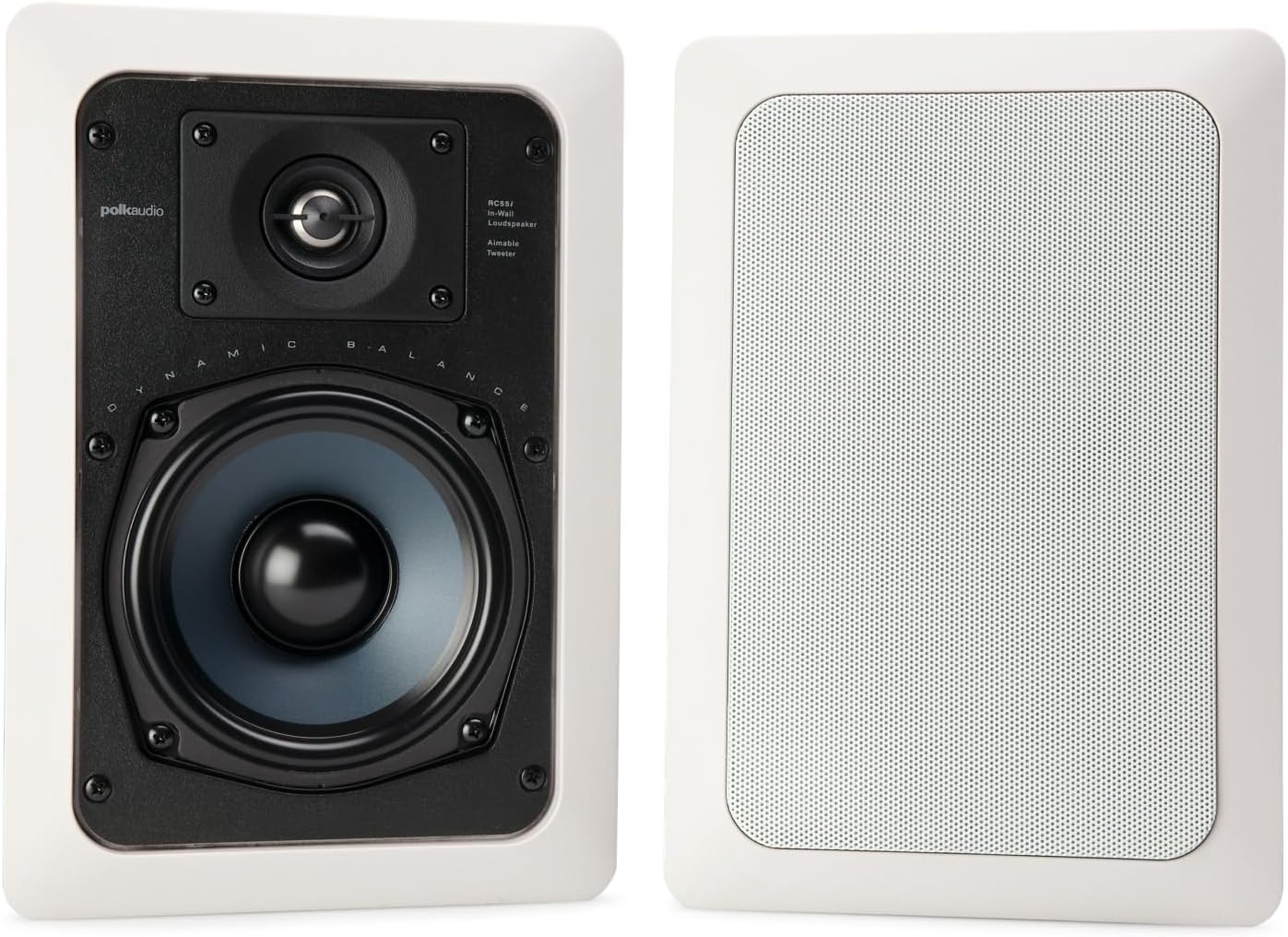
Image: Diagram showing the dimensions of the Polk Audio RC55i speaker. The overall dimensions are 13.3 inches high by 8.9 inches wide. The recommended cutout dimensions are 12.06 inches high by 7.5 inches wide.
4.2. Installation Steps
- Prepare the Location: Use a stud finder to locate studs and ensure the chosen area is clear.
- Mark the Cutout: Use the provided cardboard template to trace the cutout shape onto the wall or ceiling.
- Cut the Opening: Carefully cut along the traced line using a drywall saw or appropriate tool.
- Run Speaker Wires: Feed speaker wires from your amplifier to the cutout opening. Ensure sufficient length for connection.
- Connect Wires: Strip approximately 1/2 inch of insulation from the speaker wire ends. Connect the positive (+) terminal of the speaker to the positive (+) terminal of the amplifier, and the negative (-) terminal of the speaker to the negative (-) terminal of the amplifier. Ensure a secure connection.
- Insert Speaker: Gently insert the speaker into the cutout opening.
- Secure Speaker: The RC55i features a patented secure mounting clamp system. Tighten the screws on the front baffle. This will rotate the mounting cams behind the wall/ceiling, securing the speaker in place. Do not overtighten.
- Attach Grille: The paintable grille attaches magnetically or via friction fit. Press it firmly into place.

Image: Close-up of the Polk Audio RC55i's easy installation mechanism. It shows a white plastic mounting clamp with a screw, designed to pivot and secure the speaker against the wall or ceiling without special tools.
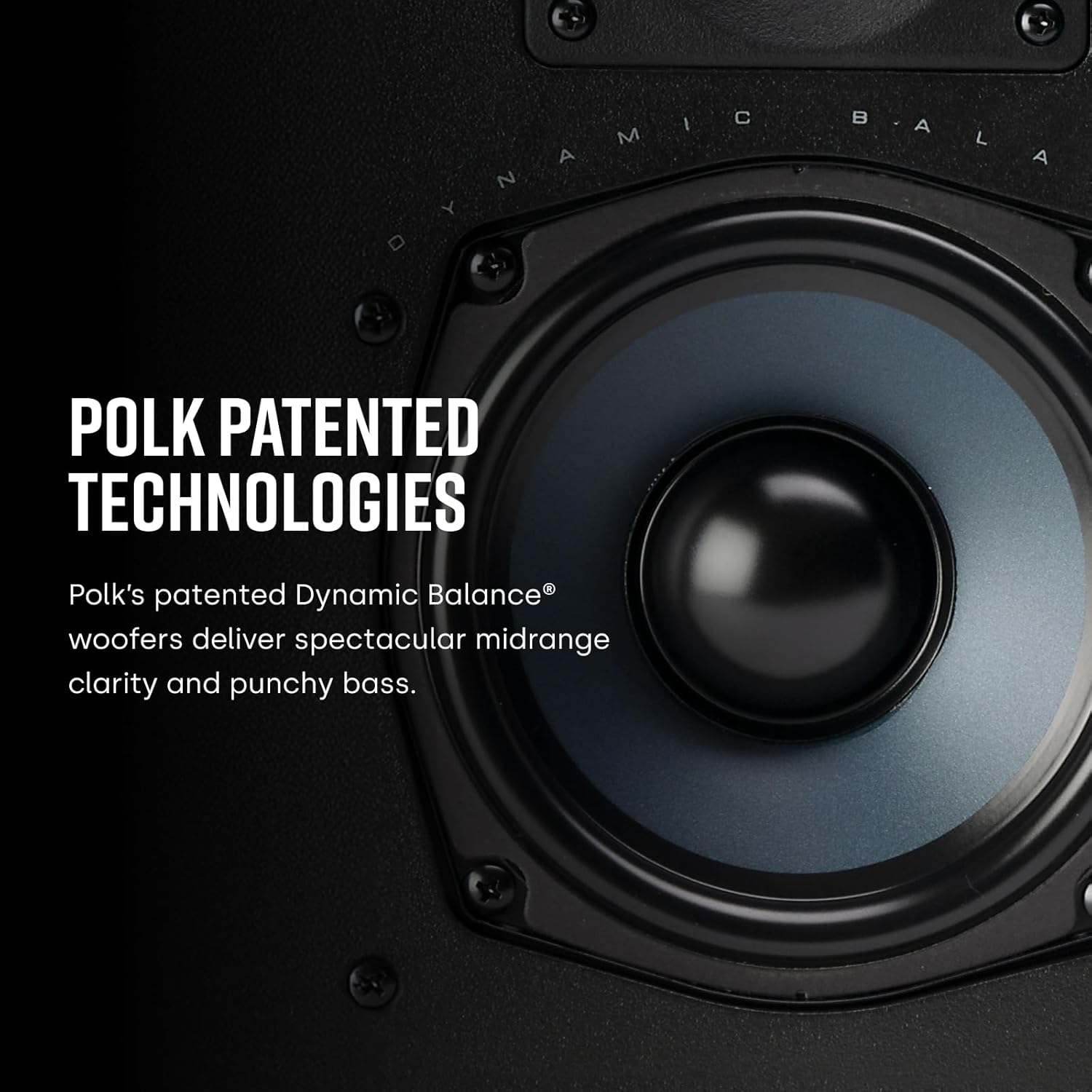
Image: The Polk Audio RC55i speaker with its paintable grille installed, demonstrating how it blends seamlessly into a wall. The grille is white and rectangular, designed to be painted to match room decor.
5. Operating Your Speakers
Once installed, your Polk Audio RC55i speakers are ready for use.
5.1. Connecting to an Amplifier/Receiver
Ensure your amplifier or receiver is turned off before making any connections. Connect the speaker wires from the RC55i speakers to the corresponding speaker output terminals on your amplifier/receiver. Maintain correct polarity (positive to positive, negative to negative) for optimal sound quality.
5.2. Adjusting the Swivel Tweeter
The RC55i features a 0.75-inch swivel-mounted tweeter. This allows you to aim the high frequencies towards your primary listening area for improved imaging and soundstage. Gently pivot the tweeter to direct sound as desired.

Image: A detailed view of the 0.75-inch soft-dome tweeter on the Polk Audio RC55i speaker. The tweeter is designed to swivel, allowing users to aim the sound for optimized listening.
5.3. Initial Listening and Break-in
Allow a break-in period of several hours of normal listening for the speakers to reach their full sonic potential. During this time, the speaker components will settle, resulting in improved bass response and overall clarity.
6. Maintenance and Care
To ensure the longevity and performance of your Polk Audio RC55i speakers, follow these simple maintenance guidelines:
- Cleaning: Dust the grilles and speaker frames with a soft, dry cloth. For stubborn dirt, a slightly damp cloth can be used, but ensure no moisture enters the speaker components. Do not use abrasive cleaners or solvents.
- Grille Painting: If you choose to paint the grilles, remove them from the speakers first. Use a thin coat of spray paint to avoid clogging the mesh holes, which can affect sound quality. Allow to dry completely before reattaching.
- Environmental Conditions: While moisture-resistant, avoid prolonged exposure to extreme temperatures or direct sunlight, which can degrade materials over time.
7. Troubleshooting
If you encounter issues with your RC55i speakers, refer to the following common problems and solutions:
| Problem | Possible Cause | Solution |
|---|---|---|
| No sound from speaker | Loose or incorrect wiring; amplifier off or input not selected; speaker damaged. | Check all speaker wire connections for correct polarity and tightness. Ensure amplifier is on and correct input is selected. Test with another speaker if possible. |
| Distorted sound | Overdriven amplifier; loose speaker connections; damaged speaker component. | Reduce amplifier volume. Check speaker wire connections. If distortion persists at low volumes, contact support. |
| Weak or unbalanced sound | Incorrect amplifier balance settings; phase issue (reversed polarity); improper tweeter aim. | Adjust amplifier balance. Verify speaker wire polarity. Adjust swivel tweeter direction. |
| Grille does not fit securely | Debris in grille channel; grille bent. | Inspect the grille and speaker frame for obstructions. Gently straighten the grille if bent. |
If the problem persists after trying these solutions, please contact Polk Audio customer support.
8. Specifications
Detailed technical specifications for the Polk Audio RC55i In-Wall Speakers:
- Model: RC55i
- Speaker Type: 2-Way In-Wall Speaker
- Woofer: 5.25-inch Dynamic Balance Polymer-Composite Cone
- Tweeter: 0.75-inch Dynamic Balance Metalized Soft Dome (Swivel Mount)
- Frequency Response: 60 Hz - 20 kHz (Typical)
- Impedance: 8 Ohm
- Recommended Amplifier Power: 10 - 100 Watts per channel
- Speaker Maximum Output Power: 200 Watts
- Mounting Type: Wall Mount, Ceiling
- Product Dimensions (Overall): 13.3" H x 8.9" W x 9.9" D
- Cutout Dimensions: 12.06" H x 7.5" W (Refer to template for exact measurements)
- Item Weight: 3.5 Pounds (per speaker)
- Material: Aluminum (frame/grille), Polymer-Composite (woofer cone)
- Color: White (Paintable Grille)
- Water Resistance Level: Water Resistant (Suitable for damp/humid environments)
Note: Specifications are subject to change without notice.
9. Warranty and Support
Polk Audio products are designed and manufactured to the highest quality standards. Your RC55i speakers come with a Full Warranty. Please refer to the registration card included in the box for specific warranty terms and conditions applicable to your region.
For technical assistance, troubleshooting beyond this manual, or warranty claims, please contact Polk Audio Customer Support:
- Website: www.polkaudio.com/support
- Phone: Refer to your product registration card or the Polk Audio website for regional contact numbers.
Please have your model number (RC55i) and purchase date available when contacting support.


