Introduction
The Stanley 10-788 Curved Quick-Change Utility Knife is designed for efficient and safe cutting tasks. It features a durable cast-metal core with bi-material soft panels for a secure grip, a quick-change blade mechanism, and integrated blade storage. This manual provides essential information for the safe and effective use of your utility knife.
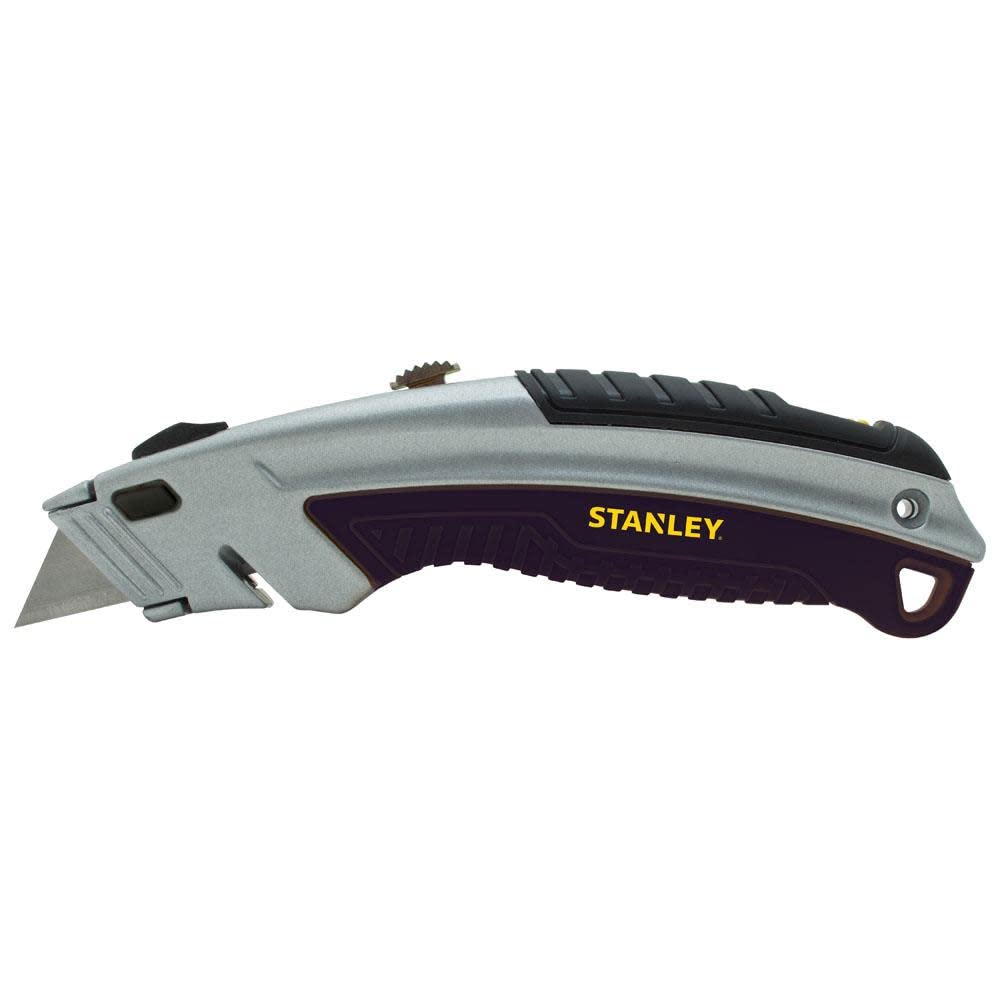
An image showing the Stanley 10-788 utility knife. The knife features a silver-colored metal body with black bi-material soft grip panels. The blade is partially extended from the front. The STANLEY logo is visible on the side.
Safety Information
Always prioritize safety when using any cutting tool. Failure to follow these guidelines may result in serious injury.
- Always wear appropriate personal protective equipment, including safety glasses and gloves.
- Keep fingers and body parts away from the blade path during cutting and blade changes.
- Ensure the blade is fully retracted when the knife is not in use or when storing.
- Use only sharp, undamaged blades. Dull or damaged blades can slip and cause injury.
- Do not apply excessive force. Let the blade do the work.
- Keep out of reach of children.
- Dispose of used blades safely in a designated container.
Setup: Blade Installation
The Stanley 10-788 features a quick-change mechanism for easy blade replacement without tools.
- Retract the Blade: Ensure the existing blade (if any) is fully retracted into the knife body.
- Advance the Slider: Locate the brass-colored blade slider button on the top of the knife. Push this button all the way forward until it reaches the black rubber cushion at the front and locks into place. This action prepares the mechanism for blade insertion.
- Press Release Button: While the slider is in the forward position, press and hold the yellow blade release button located on the side of the knife body.
- Insert New Blade: Carefully slide a new utility blade into the front opening of the knife. Ensure the blade is inserted as far as it will go, with no notches visible at the top.
- Release Button: Release the yellow blade release button.
- Retract Slider: Pull the brass-colored blade slider button back to its original position. The new blade should now be securely seated and ready for use.
Note: If the blade does not seat properly or the slider does not move, ensure the blade slider was pushed completely forward before inserting the blade.
Operating Instructions
Extending and Retracting the Blade
- To extend the blade, push the brass-colored slider button forward to the desired cutting depth. The slider has multiple stops for controlled blade exposure.
- To retract the blade, pull the slider button all the way back until the blade is fully enclosed within the knife body.
Using the Integrated String Cutter
The knife includes an integrated string cutter for quick and easy cutting of twine, cord, or thin materials without extending the main blade. Locate the small cutting slot near the front of the knife. Insert the material into the slot and pull to cut.
Accessing Blade Storage
The handle features a convenient storage compartment for spare blades.
- Locate the button on the top rear of the handle.
- Press this button to release the bottom section of the handle, which will swing down to reveal the blade storage compartment.
- Store new blades or safely dispose of used blades in this compartment.
- Close the compartment by swinging the handle section back up until it clicks securely into place.
Maintenance
Cleaning
Periodically clean your utility knife to ensure optimal performance. Use a dry cloth or a soft brush to remove dust, debris, and adhesive residue from the blade channel and body. Avoid using harsh chemicals or abrasive cleaners.
Blade Replacement
Replace blades when they become dull or damaged to maintain cutting efficiency and safety. Refer to the "Setup: Blade Installation" section for detailed instructions on how to change the blade.
Troubleshooting
- Blade does not extend or retract smoothly:
- Check for debris or obstructions in the blade channel. Clean as described in the Maintenance section.
- Ensure the blade is correctly installed and not bent or damaged. Replace if necessary.
- New blade does not lock into place:
- Verify that the brass-colored blade slider button was pushed completely forward to the black rubber cushion before inserting the new blade.
- Ensure the yellow blade release button was pressed and held while inserting the blade, and that the blade was pushed fully into the mechanism.
- Blade compartment does not open:
- Ensure the button on the top rear of the handle is pressed firmly.
- Check for any foreign objects obstructing the hinge mechanism.
Specifications
| Model Number: | 10-788 |
| Brand: | STANLEY |
| Material: | High Carbon Steel (Blade), Metal/Steel (Handle) |
| Color: | Silver with Black/Gray accents |
| Item Length: | 9.1 Inches |
| Blade Length: | 2.43 Inches |
| Item Weight: | 130 Grams |
| Style: | Retractable, Quick-Change |
| Included Components: | Utility Knife, 3 Blades (initial purchase) |
Warranty and Support
For information regarding warranty coverage or technical support for your Stanley 10-788 Curved Quick-Change Utility Knife, please refer to the official STANLEY website or contact their customer service directly. Keep your purchase receipt as proof of purchase.
STANLEY Customer Service: Please visit www.stanleytools.com/support for contact information and further assistance.