1. Introduction
Thank you for choosing the Midiland MLi-SW190 2.1 Channel Computer Speaker System. This system is designed to enhance your audio experience with your computer, delivering clear sound and dynamic bass. It consists of two satellite speakers and one subwoofer, providing a total output of 18 Watts.
Please read this manual carefully to ensure proper setup, operation, and maintenance of your speaker system.
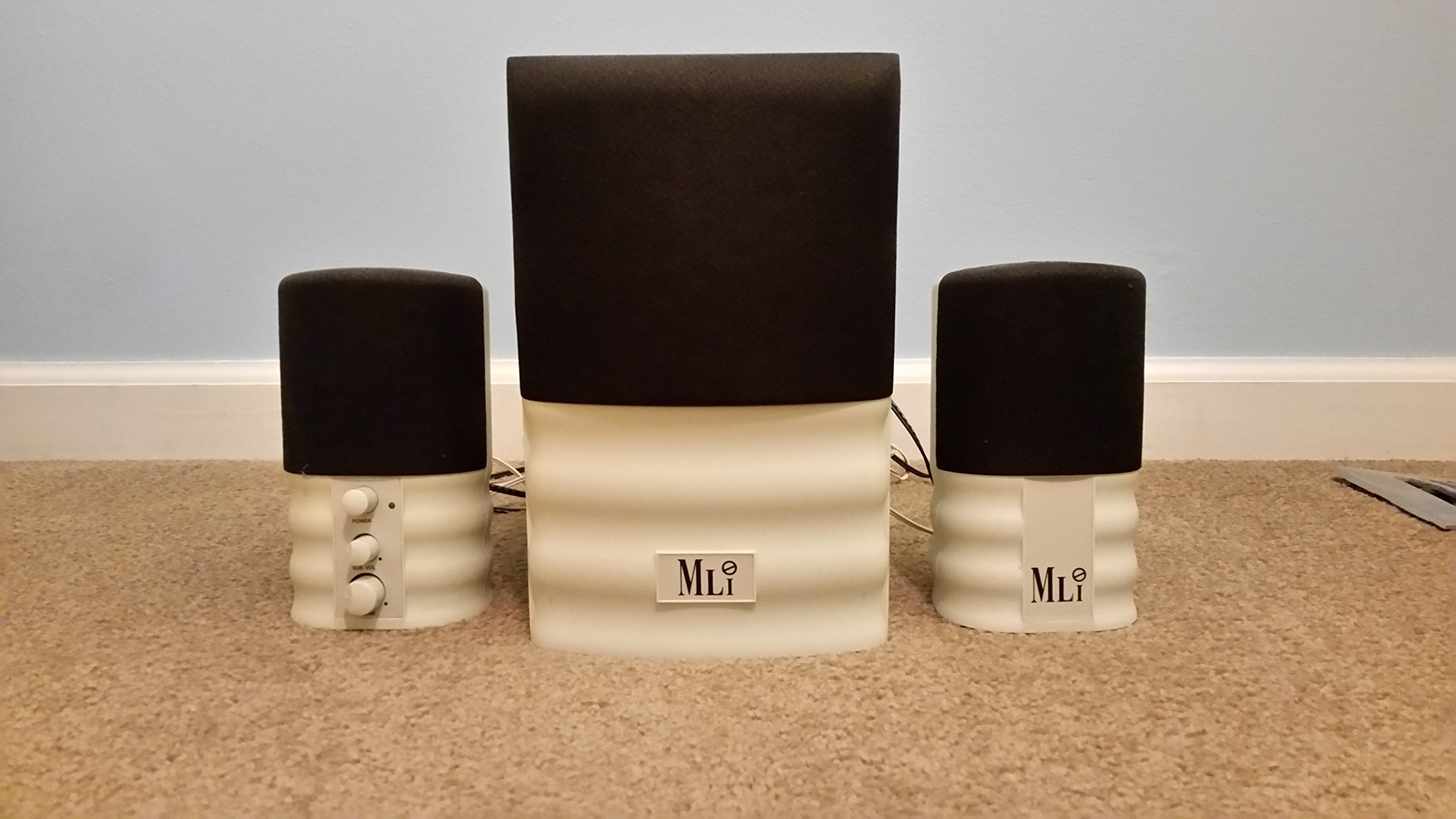
Figure 1: The Midiland MLi-SW190 2.1 Channel Computer Speaker System. This image displays the complete speaker setup, featuring two compact satellite speakers positioned on either side of a larger central subwoofer unit. The satellite speakers have black grilles and white bases with control knobs. The subwoofer also has a black grille and a white base, with the 'MLi' logo visible on its front.
2. Setup
Follow these steps to set up your Midiland MLi-SW190 speaker system:
- Placement: Position the subwoofer on the floor near your computer. Place the two satellite speakers on your desk, one on each side of your monitor, for optimal stereo separation.
- Connect Satellite Speakers: Connect the cables from the two satellite speakers to the corresponding output jacks on the subwoofer. Ensure a secure connection.
- Connect to Audio Source: Connect the audio input cable from the subwoofer to the audio output jack (usually green) on your computer's sound card or laptop.
- Power Connection: Plug the power cord from the subwoofer into a standard electrical outlet.
- Power On: Locate the power control knob on one of the satellite speakers (refer to Figure 1 for visual reference). Turn the knob clockwise to power on the system. The power indicator light should illuminate.
3. Operating Instructions
Once the system is set up, follow these instructions for operation:
- Power On/Off: Use the 'POWER' knob on the right satellite speaker to turn the system on or off.
- Adjusting Volume: Use the 'MAIN VOL' knob, also located on the right satellite speaker, to adjust the overall volume level. Turn clockwise to increase volume and counter-clockwise to decrease.
- Audio Playback: Start playing audio from your computer. Ensure your computer's volume is also adjusted appropriately.
- Dynamic 3D Surround Sound: The system features dynamic 3D surround sound. No specific user adjustment is required for this feature; it is integrated into the system's audio processing.
4. Maintenance
Proper maintenance ensures the longevity and optimal performance of your speaker system:
- Cleaning: Disconnect the power before cleaning. Use a soft, dry cloth to wipe the surfaces of the speakers and subwoofer. Do not use liquid cleaners, aerosols, or abrasive materials, as these can damage the finish or internal components.
- Ventilation: Ensure that the speaker units, especially the subwoofer, have adequate ventilation. Do not block any vents or place the speakers in enclosed spaces that could lead to overheating.
- Storage: If storing the system for an extended period, disconnect all cables and store it in a cool, dry place away from direct sunlight and extreme temperatures.
- Avoid Moisture: Keep the speakers away from water, humidity, and other liquids.
5. Troubleshooting
If you encounter any issues with your Midiland MLi-SW190 speaker system, refer to the following troubleshooting guide:
| Problem | Possible Cause | Solution |
|---|---|---|
| No sound |
|
|
| Distorted sound |
|
|
| Power indicator not lit |
|
|
If the problem persists after trying these solutions, please contact customer support.
6. Specifications
| Model Number | MLi-SW190 (SP1903DMLICEPW) |
| Speaker Configuration | 2.1 Channel (Two satellite speakers, one subwoofer) |
| Total Output Power | 18 Watts (RMS) |
| Audio Features | Dynamic 3D Surround Sound |
| Controls | Separate Power and Volume Controls |
| Mounting Type | Desktop Mount |
| Dimensions (Product) | 23.11 x 20.07 x 10.41 cm (approx. 9.1 x 7.9 x 4.1 inches) |
| Weight (Product) | 997.9 g (approx. 2.2 lbs) |
| Batteries Required | No |
7. Warranty and Support
Warranty Information: The Midiland MLi-SW190 speaker system comes with a 3-year warranty from the date of purchase, covering manufacturing defects. Please retain your proof of purchase for warranty claims.
Customer Support: For technical assistance, troubleshooting beyond this manual, or warranty inquiries, please refer to the contact information provided with your product packaging or visit the official Midiland website for support resources.


