
Introduction
Welcome to the world of homemade bread with your new Breadman Ultimate Bread Machine, Model TR2200C. This appliance is designed to simplify the bread-making process, allowing you to enjoy fresh, delicious bread with minimal effort. With its advanced features and versatile settings, you can create a wide variety of breads, doughs, and even jams. Please read this manual thoroughly before first use to ensure safe and efficient operation.
This manual provides essential information on setting up, operating, maintaining, and troubleshooting your bread machine. Following these instructions will help you achieve the best results and extend the life of your appliance.
Important Safeguards
When using electrical appliances, basic safety precautions should always be followed to reduce the risk of fire, electric shock, and/or injury to persons, including the following:
- Read all instructions before operating the appliance.
- This appliance generates heat during use. Surfaces may become hot. Do not touch hot surfaces. Use handles or knobs.
- To protect against electric shock, do not immerse cord, plugs, or appliance in water or other liquid.
- Close supervision is necessary when any appliance is used by or near children.
- Unplug from outlet when not in use and before cleaning. Allow to cool before putting on or taking off parts.
- Do not operate any appliance with a damaged cord or plug, or after the appliance malfunctions or has been damaged in any manner.
- The use of accessory attachments not recommended by the appliance manufacturer may cause injuries.
- Do not use outdoors.
- Do not let cord hang over edge of table or counter, or touch hot surfaces.
- Do not place on or near a hot gas or electric burner, or in a heated oven.
- Extreme caution must be used when moving an appliance containing hot oil or other hot liquids.
- To disconnect, turn any control to 'off', then remove plug from wall outlet.
- Do not use appliance for other than intended use.
- Caution: Hot surface. Do not touch exhaust, glass, or moving parts.
- Keep hands out of the Bread Pan.
- To reduce the risk of electric shock, cook only in the removable container (Bread Pan).
Product Overview
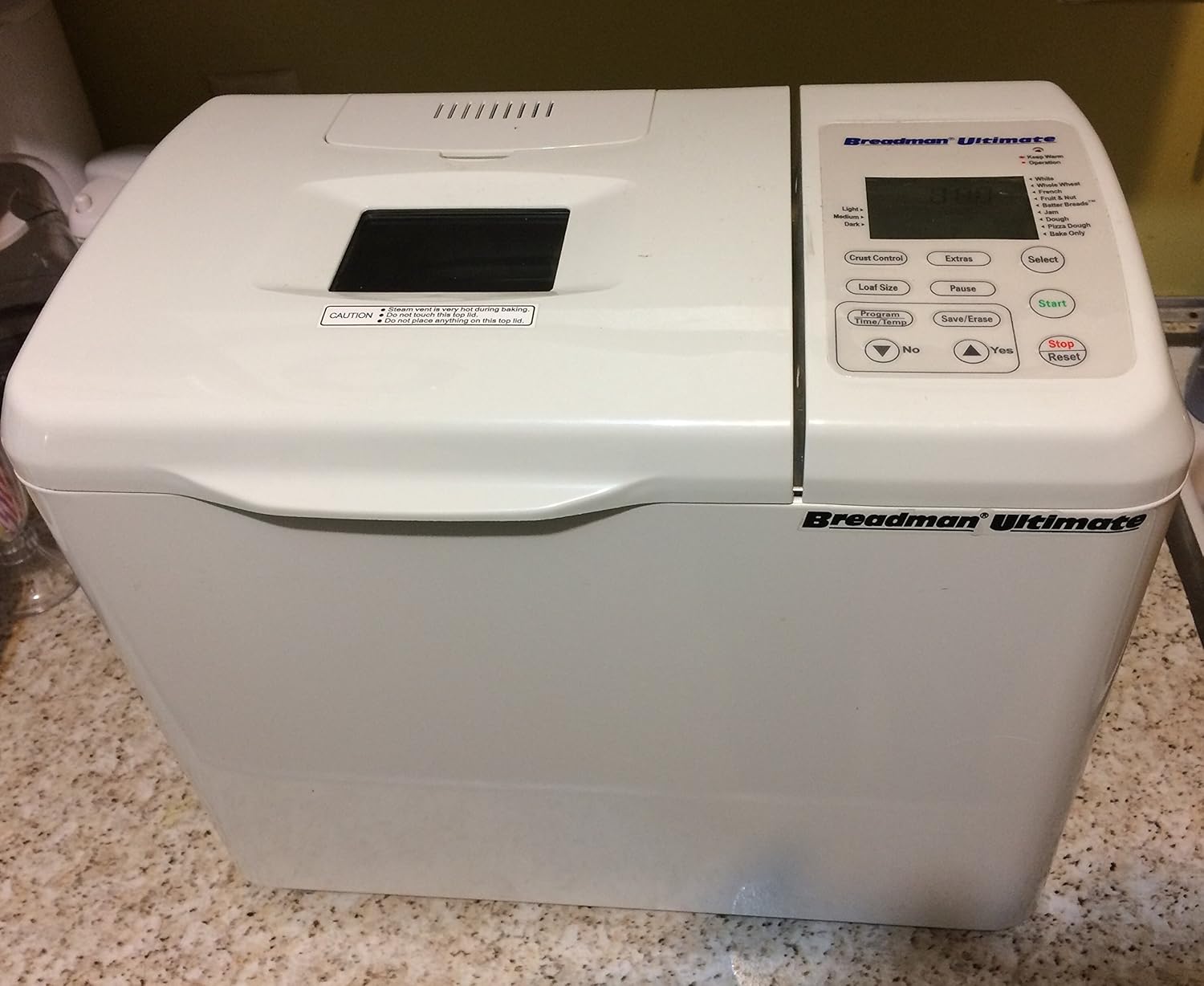
Figure 1: The Breadman TR2200C Ultimate Bread Machine, showcasing its compact design and control panel on the right side. The viewing window is visible on the lid.
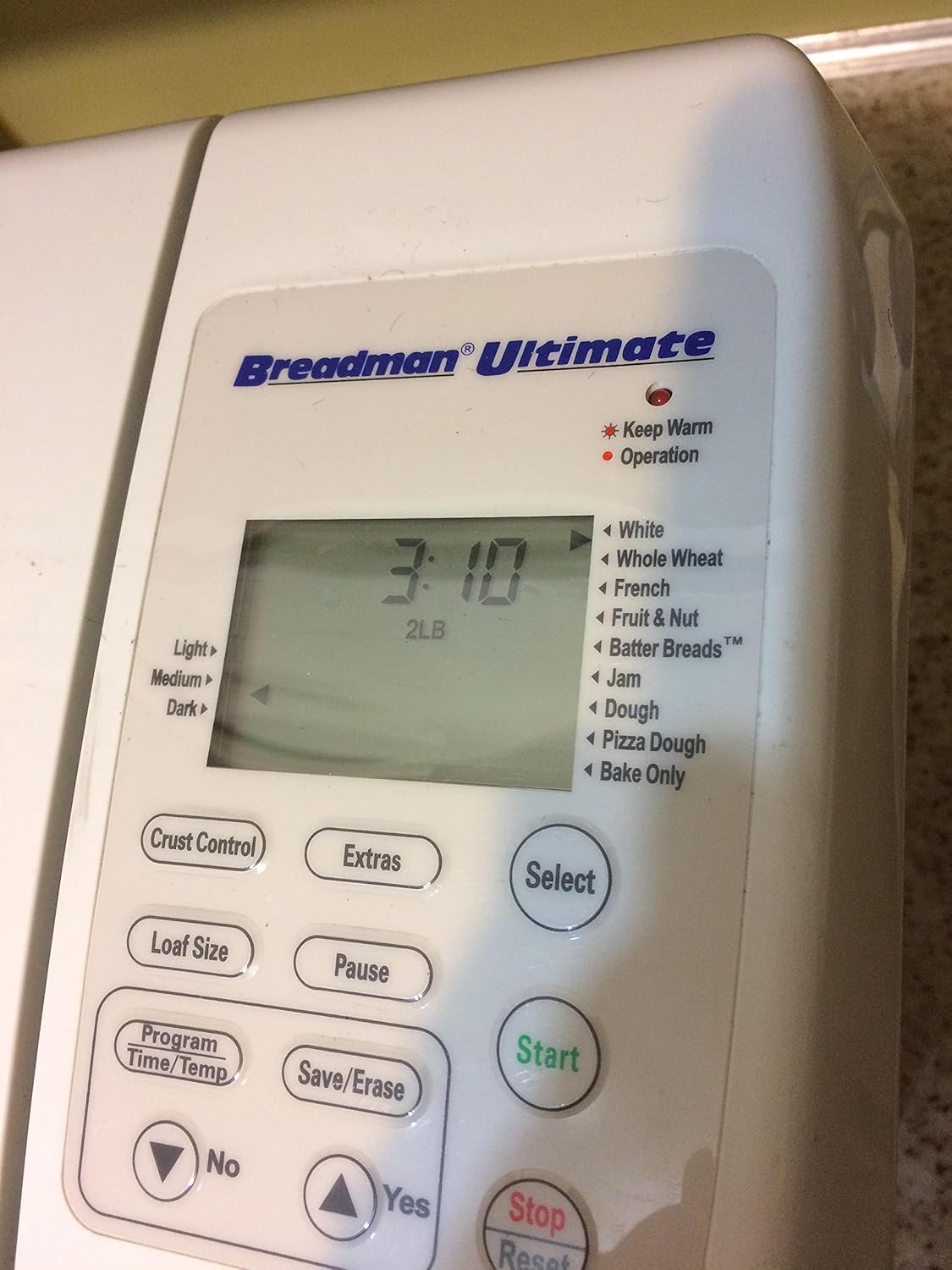
Figure 2: A detailed view of the control panel, featuring the digital display, program selection buttons (White, Whole Wheat, French, Fruit & Nut, Batter Breads, Jam, Dough, Pizza Dough, Bake Only), loaf size selection, crust control, and start/stop buttons.

Figure 3: The interior of the bread machine with the nonstick bread pan securely in place. The kneading paddle is visible at the bottom of the pan.

Figure 4: The bread machine with its lid fully open, revealing the interior cavity and the automatic fruit, nut, and herb dispenser located on the underside of the lid.

Figure 5: The product label located on the bottom of the unit, displaying the model number TR2200C, electrical requirements (120V-430W AC only 60Hz), and UL listing information.
Setup
- Unpacking: Carefully remove the bread machine and all accessories from the packaging. Retain packaging for future storage or shipping.
- Initial Cleaning: Before first use, wipe the exterior of the bread machine with a damp cloth. Remove the bread pan and kneading paddle. Wash the bread pan and kneading paddle with warm, soapy water, rinse thoroughly, and dry completely. Do not immerse the main unit in water.
- Placement: Place the bread machine on a stable, flat, heat-resistant surface, away from direct sunlight and heat sources. Ensure there is adequate ventilation around the unit.
- Insert Bread Pan: Place the kneading paddle onto the shaft inside the bread pan. Insert the bread pan into the baking chamber, pressing down firmly and twisting slightly until it locks into place.
- Power Connection: Plug the power cord into a standard 120V AC electrical outlet. The display will illuminate, indicating the machine is ready for use.
Operating Instructions
The Breadman Ultimate Bread Machine offers 110 preprogrammed settings and various customization options to suit your baking needs.
Basic Operation
- Add Ingredients: Always add liquid ingredients first, followed by dry ingredients, and finally yeast. Ensure ingredients are at room temperature for best results. Do not exceed the maximum capacity of approximately 5 cups of dry ingredients for the 9-1/2-inch nonstick baking pan.
- Select Program: Use the 'Select' button to cycle through the available programs (e.g., White, Whole Wheat, French, Jam, Dough, Pizza Dough, Bake Only). The selected program will be displayed on the screen.
- Choose Loaf Size: Press the 'Loaf Size' button to select your desired loaf size: 1 lb, 1.5 lb, or 2 lb.
- Adjust Crust Control: Use the 'Crust Control' button to choose light, medium, or dark crust settings.
- Start Baking: Press the 'Start' button to begin the selected program. The machine will automatically proceed through kneading, rising, and baking cycles.
- Pause Function: During operation, you can press the 'Pause' button to temporarily stop the cycle. Press it again to resume.
- Stop/Reset: To cancel a program at any time, press and hold the 'Stop/Reset' button until the machine resets.
Advanced Features
- Delay Bake Timer: The 24-hour delay bake timer allows you to set the machine to finish baking at a later time. Add ingredients, then use the 'Program Time/Temp' buttons to set the desired delay.
- Automatic Dispenser: The patented fruit, nut, and herb dispenser automatically adds mix-ins at the optimal time during the kneading cycle. Load your desired ingredients into the dispenser before starting the program.
- Customizing Cycle Times: The 'Program Time/Temp' control allows for customization of cycle times for advanced users. Refer to the recipe booklet for specific guidance on adjusting settings.
- Bake-Only Cycle: This cycle allows you to bake dough prepared externally or to extend the baking time of a loaf. It features variable temperature control.
- Power-Failure Backup: The machine features an instant recall 1-hour power-failure backup, which will resume the cycle if power is restored within one hour.
Maintenance and Cleaning
Regular cleaning and maintenance will ensure the longevity and optimal performance of your Breadman Ultimate Bread Machine.
- Before Cleaning: Always unplug the bread machine from the power outlet and allow it to cool completely before cleaning.
- Bread Pan and Kneading Paddle: Remove the bread pan and kneading paddle. Wash them with warm, soapy water. For stubborn residue, soak the pan and paddle for a short period. Do not use abrasive cleaners or scouring pads, as this can damage the nonstick coating. Rinse thoroughly and dry completely.
- Exterior: Wipe the exterior of the bread machine with a soft, damp cloth. Do not use harsh chemicals or abrasive cleaners.
- Interior: Wipe the interior of the baking chamber with a damp cloth to remove any crumbs or spills.
- Lid and Viewing Window: Clean the lid and viewing window with a soft, damp cloth. The lid is removable for easier cleaning.
- Storage: Ensure all parts are clean and dry before storing the appliance. Store in a cool, dry place.
Troubleshooting
If you encounter issues with your bread machine, refer to the following common troubleshooting tips:
- Bread Does Not Rise: Check yeast freshness and quantity. Ensure water temperature is correct (not too hot or cold). Verify that the correct program was selected.
- Bread is Too Dense/Heavy: This can be due to too much flour, too little liquid, or insufficient kneading. Ensure accurate ingredient measurements.
- Bread is Too Sticky/Wet: Too much liquid or not enough flour. Adjust ingredient ratios slightly.
- Kneading Paddle Stuck in Bread: This is common. Allow the bread to cool slightly, then carefully remove the paddle. A small hook tool is often provided for this purpose.
- Machine Not Starting: Ensure the power cord is securely plugged in. Check if the bread pan is properly seated and locked into place.
- Unusual Noise: A certain amount of noise during kneading is normal. If the noise is excessive or unusual, ensure the bread pan is correctly installed and there are no foreign objects inside.
For issues not covered here, please refer to the recipe booklet or contact customer support.
Specifications
| Feature | Specification |
|---|---|
| Model Number | TR2200C |
| Dimensions (L x W x H) | 9 x 15 x 12.5 inches |
| Weight | 17.45 Pounds |
| Power | 430 Watts |
| Voltage | 120V AC, 60Hz |
| Loaf Capacities | 1 lb, 1.5 lb, 2 lb |
| Number of Programs | 110 |
| Color | White |
| UPC | 740057001642 |
| Product Care | Wipe with Dry Cloth |
Warranty and Support
Your Breadman Ultimate Bread Machine (Model TR2200C) comes with a 1-year limited warranty from the date of purchase. This warranty covers defects in materials and workmanship under normal household use.
The warranty does not cover damage resulting from misuse, abuse, accident, alteration, or commercial use. It also does not cover normal wear and tear.
For warranty claims, technical support, or replacement parts, please contact Breadman customer service. Keep your proof of purchase for warranty validation.
For the most up-to-date support information, please visit the official Breadman website or refer to the contact details provided in your product packaging.


