
Introduction
This manual provides essential information for playing and maintaining your Phantasy Star IV game cartridge for the Sega Genesis console. Phantasy Star IV: End of the Millennium is a role-playing game known for its engaging story, detailed graphics, and extensive gameplay.
Developed by SEGA, this title is a significant installment in the Phantasy Star series, offering a rich adventure experience.
Setup
To begin playing Phantasy Star IV, follow these steps:
- Connect your Sega Genesis console: Ensure your Sega Genesis console is properly connected to your television and power source according to its own instruction manual.
- Insert the game cartridge: With the console powered off, gently insert the Phantasy Star IV cartridge into the cartridge slot on your Sega Genesis console. Ensure it is fully seated. Do not force the cartridge.
- Power on the console: Turn on your television and select the correct input channel. Then, power on your Sega Genesis console. The game should start automatically.
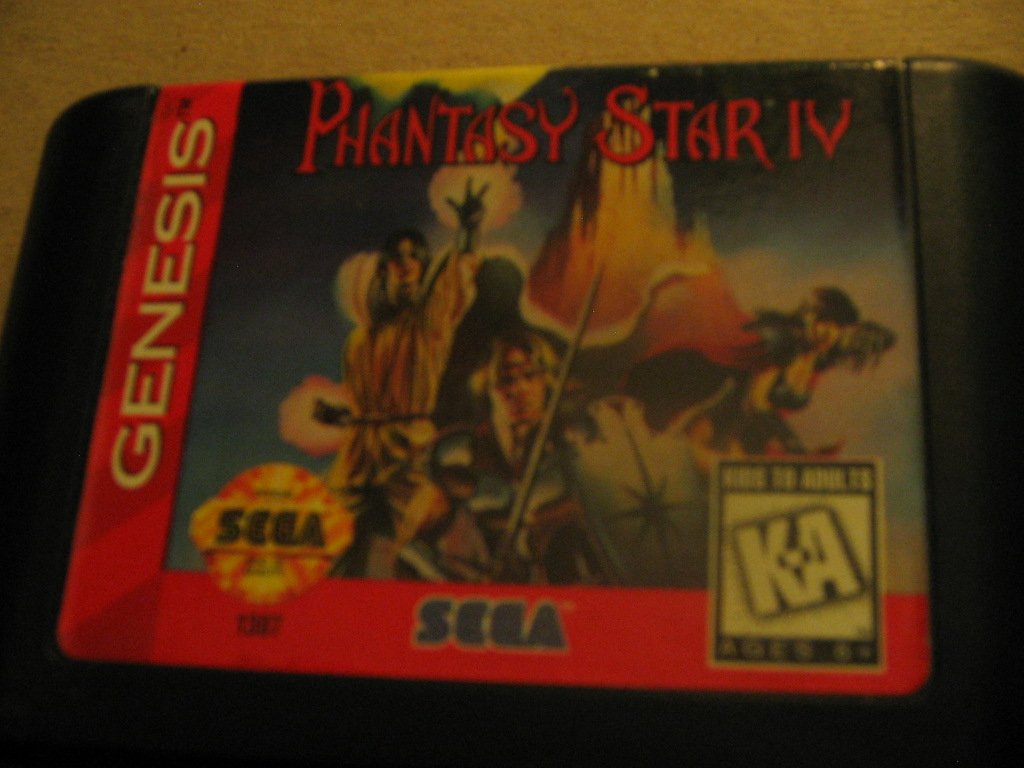
Image: Front view of the Phantasy Star IV Sega Genesis game cartridge. This shows the game's title and artwork.
Operating Instructions and Gameplay
Basic Controls
While specific in-game controls are detailed within the game itself, standard Sega Genesis controller functions apply:
- Directional Pad (D-Pad): Move characters, navigate menus.
- A, B, C Buttons: Confirm selections, perform actions, attack, interact.
- Start Button: Pause game, open main menu.
Game Features
- Extensive Magic System: Cast over 200 different magic spells. Spells can be combined for more powerful effects.
- Dynamic Combat: Engage in battles against various monsters. Some foes may transform into deadlier forms during combat.
- Vehicle Combat: Utilize combat vehicles such as the Land Rover and Ice Digger for strategic advantages in certain battles.
- Role-Playing Challenge: Experience a comprehensive role-playing adventure, recognized as one of the largest RPGs for the Sega Genesis.
Saving Game Progress
Phantasy Star IV includes a battery backup system, allowing you to save your game progress directly onto the cartridge. Ensure the console remains powered on until the save process is complete to prevent data loss.

Image: Side view of the Phantasy Star IV Sega Genesis game cartridge, showing the label with the game title.
Maintenance
Proper care of your Phantasy Star IV game cartridge will ensure its longevity and reliable performance:
- Storage: Store the cartridge in a cool, dry place away from direct sunlight, extreme temperatures, and humidity.
- Cleaning: If the cartridge contacts appear dirty, gently clean them with a cotton swab lightly dampened with isopropyl alcohol. Allow to dry completely before reinserting into the console.
- Handling: Always handle the cartridge by its edges. Avoid touching the metal connector pins to prevent corrosion or damage.
- Insertion/Removal: Always power off the Sega Genesis console before inserting or removing the game cartridge.

Image: Back view of the Phantasy Star IV Sega Genesis game cartridge, showing the Sega logo and caution text.
Troubleshooting
If you encounter issues while playing Phantasy Star IV, consider the following solutions:
- Game Not Starting:
- Ensure the cartridge is fully and correctly inserted into the console slot.
- Clean the cartridge's connector pins as described in the Maintenance section.
- Verify your Sega Genesis console is functioning correctly with other games.
- Saving Issues:
- If the game saves but cannot load, this may indicate an issue with the internal battery backup. This typically requires professional repair or battery replacement.
- Ensure the console is not powered off during a save operation.
- Graphical or Audio Glitches:
- Remove and reinsert the cartridge firmly.
- Clean the cartridge contacts.
- Check your console's A/V connections to the television.
Specifications
| Item Type | Video Game |
| Compatible Console | Sega Genesis |
| Manufacturer | Sega of America, Inc. |
| Product Dimensions | 4.3 x 2.6 x 0.7 inches |
| Item Weight | 1.6 ounces |
| ESRB Rating | Everyone |
| ASIN | B000035XMM |
| Date First Available | January 1, 2000 |

