
1. Setup
This section provides instructions for setting up your Golden Axe game cartridge with a Sega Genesis console.
1.1 Console Connection
Ensure your Sega Genesis console is properly connected to your television and power supply. Refer to your Sega Genesis console's manual for detailed connection instructions.
1.2 Inserting the Game Cartridge
- Power off the Sega Genesis console.
- Hold the Golden Axe game cartridge with the label facing forward.
- Carefully insert the cartridge into the cartridge slot on the top of the Sega Genesis console. Apply gentle, even pressure until the cartridge is fully seated.
- Ensure the cartridge is firmly in place to prevent connection issues.

Image: Side view of the Golden Axe Sega Genesis game cartridge, illustrating its form factor for insertion.
1.3 Connecting Controllers
Connect your Sega Genesis controllers to the controller ports on the front of the console. Golden Axe supports one or two players.
2. Operating (Gameplay)
Golden Axe is a side-scrolling beat 'em up game where players embark on a quest to defeat the evil Death Adder and rescue the captured King and Princess.
2.1 Character Selection
At the start of the game, select one of three available heroes:
- Ax Battler (Warrior): Wields a powerful sword and utilizes earth-based magic.
- Tyris Flare (Amazon): A swift fighter with a sword, capable of unleashing fire magic.
- Gilius Thunderhead (Dwarf): Uses the Golden Axe and can cast lightning spells.
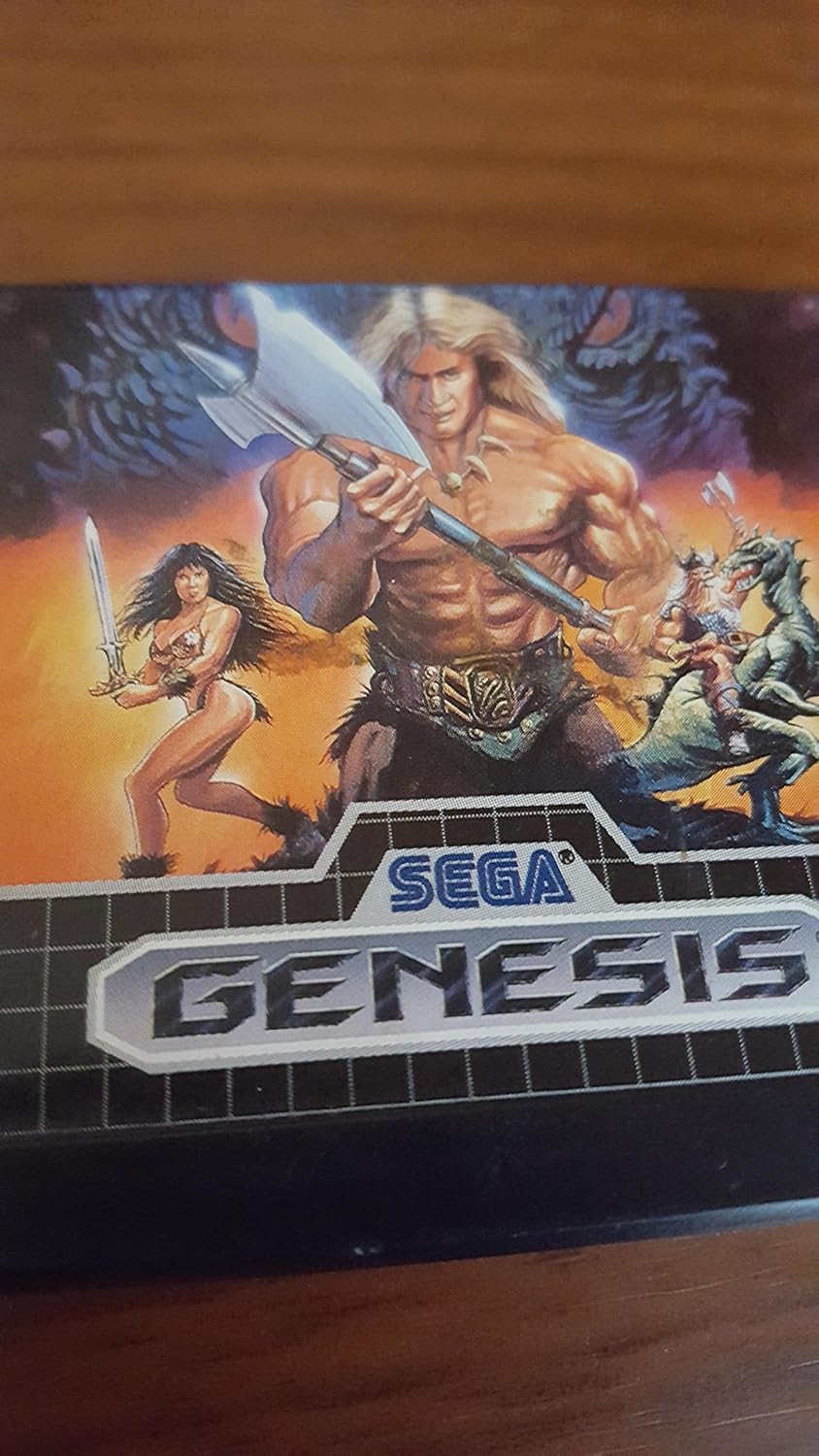
Image: The game's cover art, featuring the three playable characters and various enemies.
2.2 Basic Controls
The following are general controls for Sega Genesis games. Specific actions may vary slightly based on context.
- Directional Pad: Move character (left, right, up, down).
- Button A: Attack (swing weapon, punch, kick).
- Button B: Jump.
- Button C: Use Magic (consumes magic potions).
2.3 Gameplay Elements
Players will encounter various enemies, including monstrous foes, armored skeletons, and flame-breathing creatures. Special gameplay mechanics include riding vanquished beasts and utilizing environmental elements like giant turtles and enchanted eagles.
3. Maintenance
Proper care of your Golden Axe game cartridge ensures its longevity and reliable performance.
- Storage: Store the cartridge in its original case or a protective sleeve when not in use. Keep it away from direct sunlight, extreme temperatures, and high humidity.
- Cleaning: If the game fails to load or experiences intermittent issues, the cartridge's electrical contacts may need cleaning. Use a cotton swab lightly dampened with isopropyl alcohol to gently wipe the gold-plated contacts at the bottom of the cartridge. Allow to dry completely before reinserting into the console.
- Handling: Avoid touching the electrical contacts with your fingers. Do not bend, drop, or apply excessive force to the cartridge.

Image: Back of the Golden Axe Sega Genesis cartridge, showing the electrical contacts that may require cleaning.
4. Troubleshooting
If you encounter issues while playing Golden Axe, refer to the following troubleshooting steps:
- Game Not Loading/Black Screen:
- Ensure the cartridge is fully and correctly inserted into the console slot.
- Power off the console, remove the cartridge, and reinsert it firmly.
- Clean the cartridge's electrical contacts as described in the Maintenance section.
- Verify that your Sega Genesis console is functioning correctly with other games.
- Graphics or Sound Glitches:
- Restart the console.
- Check for any dust or debris in the cartridge slot.
- Ensure all console cables (power, A/V) are securely connected.
- Controller Unresponsive:
- Ensure the controller is securely plugged into the console.
- Test with a different controller if available.
- Verify the controller functions with other games.
- Incorrect Game Loaded:
- Confirm that the cartridge inserted is indeed "Golden Axe" and not a different game.
5. Specifications
| Platform | Sega Genesis |
| Item Weight | 1.6 ounces |
| Product Dimensions | 8 x 4 x 10 inches |
| Manufacturer | Sega of America, Inc. |
| ESRB Rating | Teen |
| UPC | 010086011067 |
| ASIN | B00002SVOJ |
6. Warranty Information
Specific warranty information for the Golden Axe Sega Genesis game cartridge is not available in the provided product data. Please refer to the original product packaging or contact the manufacturer, Sega of America, Inc., for any warranty-related inquiries.
7. Support
For further assistance or technical support regarding the Golden Axe game, please consult the official Sega website or any support channels provided by Sega of America, Inc. Contact details are not available in this manual.