Introduction
This manual provides detailed instructions for assembling and operating your Scholastic Make Your Own Nerf Launchers kit. This kit allows you to construct various projectile-flinging devices, including a catapult, a slingshot, and an air-powered dart launcher. Please read all instructions carefully before beginning assembly or operation to ensure safe and enjoyable use.
Safety Information
- Adult Supervision: Adult supervision is recommended during assembly and operation, especially for younger users.
- Eye Protection: Always wear appropriate eye protection when operating any launcher.
- Projectile Safety: Use only the included foam darts and foam balls. Do not use other objects as projectiles.
- Target Safely: Never aim launchers at people, animals, or fragile objects. Always ensure a clear and safe firing range.
- Choking Hazard: Small parts may be a choking hazard for children under 3 years old. Keep all components out of reach of infants.
- Proper Use: Do not modify the launchers or components in any way. Use only as instructed.
Package Contents
Verify that all components listed below are present in your kit:
- Make Your Own NERF Launchers Guidebook (1)
- Punch-out catapult components (1 set)
- Punch-out slingshot components (1 set)
- Air-powered dart launcher (1)
- NERF foam darts (3)
- Foam ball (1)
- Rubber bands (5)
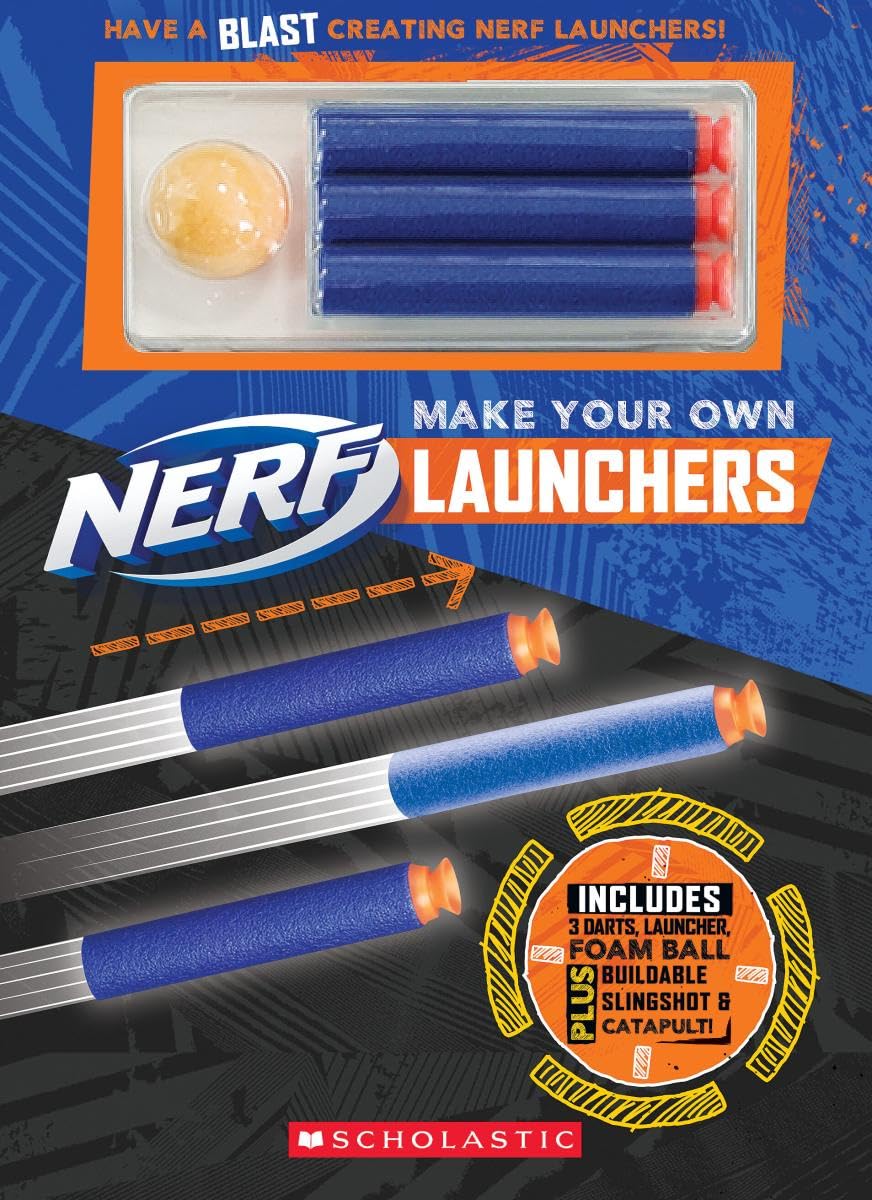
Image: The complete Scholastic Make Your Own Nerf Launchers Kit, showing the guidebook, punch-out components, air-powered dart launcher, foam darts, foam ball, and rubber bands.
Setup and Assembly
1. Punch-Out Catapult Assembly
- Carefully punch out all catapult pieces from the provided sheets.
- Follow the step-by-step diagrams in the "Make Your Own NERF Launchers Guidebook" to connect the base, arm, and basket components.
- Secure the catapult arm with the designated rubber bands to create tension for launching.
- Ensure all connections are firm before use.
2. Punch-Out Slingshot Assembly
- Carefully punch out all slingshot pieces from the provided sheets.
- Refer to the "Make Your Own NERF Launchers Guidebook" for detailed assembly instructions.
- Attach the rubber bands to the slingshot frame as shown in the guidebook, ensuring they are securely fastened.
- Verify the integrity of the slingshot before loading a projectile.
3. Air-Powered Dart Launcher
The air-powered dart launcher comes pre-assembled. No additional setup is required. Ensure the dart chamber is clear before inserting a dart.
Operating Instructions
1. Operating the Catapult
- Place one foam ball or foam dart into the catapult's basket.
- Pull the catapult arm back to the desired tension.
- Release the arm to launch the projectile.
- Always ensure the launch area is clear and aim away from people and fragile objects.
2. Operating the Slingshot
- Hold the slingshot firmly with one hand.
- Place one foam ball or foam dart into the pouch.
- Pull the pouch back with the other hand, stretching the rubber bands.
- Release the pouch to launch the projectile.
- Maintain a firm grip and always aim at a safe target.
3. Operating the Air-Powered Dart Launcher
- Insert one foam dart into the front opening of the launcher.
- Hold the launcher firmly.
- Rapidly push the plunger at the back of the launcher forward to expel air and launch the dart.
- Ensure the dart is fully seated before launching.
Maintenance
- Cleaning: Wipe down plastic and foam components with a dry or slightly damp cloth. Do not immerse in water.
- Storage: Store all components in a cool, dry place away from direct sunlight when not in use.
- Rubber Bands: Inspect rubber bands periodically for signs of wear or breakage. Replace worn bands with similar elastic bands if necessary.
- Foam Darts/Balls: Replace damaged or worn foam darts and balls to ensure optimal performance and safety.
Troubleshooting
| Problem | Possible Cause | Solution |
|---|---|---|
| Launcher not firing effectively. | Worn or loose rubber bands; improper projectile placement; damaged components. | Check and replace rubber bands. Ensure projectile is correctly seated. Inspect for damage and reassemble if needed. |
| Projectile falls out before launch. | Incorrect projectile size; loose basket/pouch. | Use only included foam projectiles. Re-secure basket/pouch components. |
| Difficulty assembling components. | Misinterpretation of instructions; pieces not aligned correctly. | Refer to the "Make Your Own NERF Launchers Guidebook" for detailed diagrams. Ensure pieces are oriented correctly before joining. |
Specifications
- Product Name: Make Your Own Nerf Launchers Kit
- Brand: Scholastic
- Model/ASIN: 1338663232
- Kit Contents: Guidebook, punch-out catapult, punch-out slingshot, air-powered dart launcher, 3 foam darts, 1 foam ball, 5 rubber bands.
- Batteries Required: No
- Language: English
- Release Date: Sept. 21, 2021
Warranty and Support
This product is designed for educational and recreational purposes. While specific warranty details are not provided, please ensure all components are handled with care as per the instructions. For any missing parts or significant defects upon purchase, please contact the retailer or Scholastic customer support through their official website. Keep your purchase receipt as proof of purchase.
For additional support or inquiries, please visit the official Scholastic website or contact their customer service department.


