Introduction
This manual serves as a practical companion for individuals studying IP networking. It provides a structured approach to understanding fundamental and advanced networking concepts through hands-on laboratory exercises. Designed to reinforce theoretical knowledge, this guide facilitates the development of essential skills required in real-world networking environments.
Purpose of This Manual
The primary purpose of the ODOM IP Networking Lab Manual is to offer a series of practical exercises that complement theoretical instruction in IP networking. It aims to bridge the gap between conceptual understanding and practical application, enabling users to configure, troubleshoot, and verify network operations effectively. Each lab is designed to be self-contained, providing clear objectives, necessary equipment, and step-by-step procedures.
Audience
This lab manual is intended for students, educators, and IT professionals who are learning or teaching IP networking. It is particularly suitable for those preparing for industry certifications or seeking to enhance their practical networking skills. A basic understanding of networking principles is recommended to maximize the benefits of this manual.
Lab Environment Setup
Before commencing any lab exercise, it is crucial to set up the appropriate environment. This section outlines the general requirements and recommendations for a successful lab experience.
Hardware Requirements
- Router(s): Specific models may be recommended per lab.
- Switch(es): Specific models may be recommended per lab.
- Personal Computer(s): For configuration and testing.
- Ethernet Cables: Various lengths and types (straight-through, crossover).
- Console Cable: For initial device configuration.
Software Requirements
- Terminal Emulation Software: PuTTY, Tera Term, or similar.
- Operating System: Windows, macOS, or Linux.
- Network Simulation Software (Optional): Packet Tracer, GNS3, or EVE-NG for virtual labs.
Refer to the beginning of each specific lab for detailed hardware and software prerequisites.
Lab Exercises and Operating Instructions
Each lab exercise in this manual follows a consistent structure to facilitate ease of use and effective learning. Users should carefully read the objectives and instructions before beginning.
General Procedure for Each Lab
- Review Objectives: Understand what you are expected to achieve.
- Gather Equipment: Ensure all necessary hardware and software are available.
- Initial Configuration: Reset devices to default or apply a baseline configuration as specified.
- Step-by-Step Instructions: Follow the detailed steps to configure network devices and verify connectivity.
- Verification: Use commands like show ip interface brief, ping, traceroute to confirm successful implementation.
- Analysis and Reflection: Answer any questions posed in the lab to solidify understanding.
Always save your configurations periodically to prevent loss of work.
Troubleshooting Common Lab Issues
Encountering issues during lab exercises is a normal part of the learning process. This section provides general troubleshooting tips.
- Connectivity Problems:
- Check physical connections (cables, ports).
- Verify IP addresses, subnet masks, and default gateways.
- Use ping and traceroute to isolate the point of failure.
- Configuration Errors:
- Review command syntax carefully.
- Use show running-config to inspect current configurations.
- Look for typos or incorrect parameters.
- Device Access Issues:
- Ensure console cable is properly connected and terminal emulator settings are correct (baud rate, data bits, parity, stop bits).
- Verify power to the device.
Systematic troubleshooting is key. Start with the physical layer and work your way up the OSI model.
Maintenance and Best Practices
To ensure a productive and consistent lab experience, consider the following best practices:
- Document Your Work: Keep notes on configurations, commands, and troubleshooting steps.
- Backup Configurations: Save successful configurations to a TFTP server or local storage.
- Reset Devices: Always reset lab devices to a known baseline configuration before starting a new lab.
- Stay Updated: Keep your terminal emulation software and any virtual lab environments updated.
- Practice Regularly: Consistent practice is essential for mastering networking concepts.
Specifications
Details regarding the ODOM IP Networking Lab Manual (Second Edition):
| Publisher: | Pearson |
| Publication Date: | January 1, 2013 |
| Edition: | Second Edition |
| Language: | English |
| Print Length: | 602 pages |
| ISBN-10: | 0789750937 |
| ISBN-13: | 978-0789750938 |
| Item Weight: | 0.01 ounces |
| Dimensions: | 7.99 x 10 x 1.85 inches |
Warranty and Support
This lab manual is a published educational resource. For inquiries regarding content, errata, or general support, please contact the publisher, Pearson, directly through their official website or customer service channels. Specific warranty information for educational texts typically pertains to the physical quality of the book at the time of purchase.
Publisher Website: www.pearson.com
Product Image
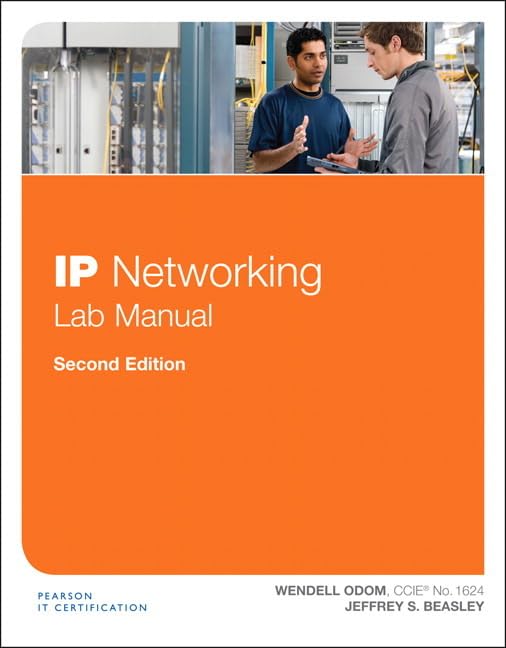
Image: Front cover of the ODOM IP Networking Lab Manual, Second Edition. The cover features the title prominently with networking-related graphics.


