Roku Roku 4

Roku 4 User's Guide: Manual for Private Channels List, Tips & Tricks

Comprehensive Guide by Shelby Johnson

Introduction

This user's manual is designed to help you maximize your Roku 4 experience. Whether you are looking to replace traditional cable services or simply enhance your current television setup, this guide provides clear, step-by-step instructions. It covers essential setup procedures, channel management, troubleshooting, and various tips and tricks to optimize your viewing capabilities.

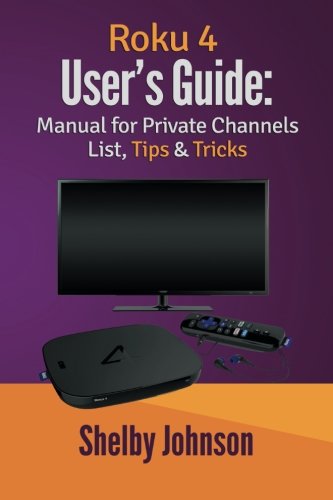
Front cover of the Roku 4 User's Guide book, featuring a Roku device, remote, and a TV screen on a purple and orange background.

Image: Front cover of the Roku 4 User's Guide, providing a visual representation of the manual.

Getting Started with Roku 4

Setting Up Your Roku 4

This section details the initial steps required to set up your Roku 4 player. It covers connecting the device to your television and power source, as well as the on-screen guided setup process for network connection and account linking.

Channel Management

Accessing Channels from the Channel Store

Learn how to navigate the Roku Channel Store to find and add new channels. Instructions include searching for specific channels, browsing categories, and installing channels to your Roku device.

Understanding Roku Feed

The Roku Feed feature provides updates on movies and TV shows you're interested in, including information on availability and pricing. This guide explains how to utilize Roku Feed to track content.

Using Hotel and Dorm Connect

For users in hotels, dorms, or other locations requiring web browser authentication for Wi-Fi, this section provides instructions on how to connect your Roku 4 to these networks.

Discovering and Adding Private Channels

Explore the world of private channels, which offer content not available in the official Channel Store. This section guides you through the process of finding and adding these channels using specific codes.

The manual includes a list of dozens of private channels with their respective codes to enhance your viewing experience.

Programming for More Channels

This part of the guide explains advanced methods to program your Roku 4 to access an even wider array of channels beyond the standard offerings.

Exploring Premium Roku Channels

A description of select premium Roku channels is provided, highlighting their features and content to help you choose the best subscriptions for your needs.

Enhancing Your Roku Experience

Complementary Items for Your Roku

Discover various accessories and complementary items that can further enhance your Roku 4 streaming media device, helping you get the most out of its capabilities.

Troubleshooting and Tips

Roku Troubleshooting

This section provides solutions to common issues you might encounter with your Roku 4, helping you diagnose and resolve problems efficiently.

Locating Your Roku Remote

Practical advice and methods for finding a misplaced Roku remote are covered, ensuring you can quickly regain control of your device.

Advanced Tips & Tricks

A collection of valuable tips and tricks designed to increase your viewing capabilities and overall enjoyment of the Roku 4 platform.

Book Specifications

The following table provides detailed specifications for the "Roku 4 User's Guide" manual.

AttributeDetail
PublisherRAM Internet Media
Publication DateNovember 22, 2015
LanguageEnglish
Print Length86 pages
ISBN-100692586644
ISBN-13978-0692586648
Item Weight5 ounces
Dimensions6 x 0.2 x 9 inches
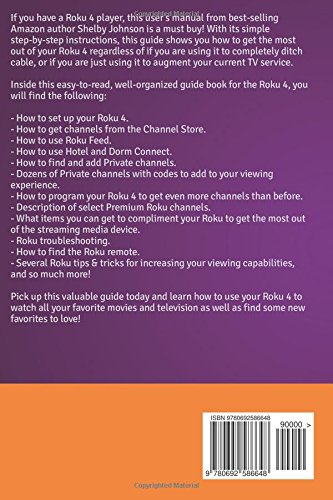
Back cover of the Roku 4 User's Guide, showing a summary of the book's contents and ISBN barcode.

Image: Back cover of the guide, detailing the topics covered within the manual.

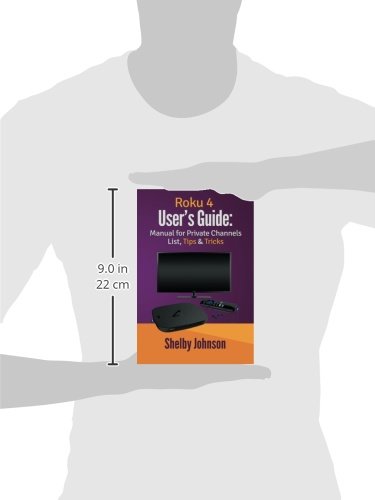
Side view of the Roku 4 User's Guide book with measurements indicating a height of 9.0 inches (22 cm).

Image: Physical dimensions of the Roku 4 User's Guide book.

Related Documents - Roku 4

Preview Roku TV Remote Control User Manual
This manual provides instructions and compatibility information for a Roku TV remote control, detailing its functions, buttons, and supported TV models. It also lists incompatible Roku devices.
Preview Roku Wireless Speakers Quick Start Guide - Setup and Tips
Get premium sound with Roku Wireless Speakers. This quick start guide provides setup instructions, tips for sound settings, voice commands, and Bluetooth pairing.
Preview Roku Wireless Bass Pro Quick Start Guide: Setup and Connection
Get started quickly with the Roku Wireless Bass Pro subwoofer. This guide provides step-by-step instructions for setup, connection, and placement.
Preview Roku TV™ Guía del Usuario v9.4 para México
Explore la Guía del Usuario v9.4 para Roku TV™ en español, diseñada para México. Aprenda a configurar, usar y disfrutar todas las funciones de su televisor inteligente Roku TV.
Preview Roku Gallery Collection: High-Definition Art Packs for HD1000
Explore the Roku Gallery Collection, featuring six high-definition art packs for your Roku HD1000. Discover classic art, nature scenes, aquariums, space, holidays, and clocks. Learn how to set up and customize your viewing experience with detailed artist and photographer information.
Preview Roku Limited Warranty for Televisions - Original Purchaser
This document outlines the limited warranty terms and conditions for Roku brand televisions provided to the original purchaser. It details coverage, duration, service procedures, exclusions, and legal limitations governed by California law.