1. Introduction
This user guide provides an overview and instructions for effectively utilizing the textbook "Modeling and Designing Accounting Systems: Using Access to Build a Database" by Laura R. Ingraham and C. Janie Chang. This book offers a comprehensive approach to understanding and implementing Accounting Information System (AIS) data modeling and database design.
It is designed to equip readers with both the conceptual knowledge and practical skills necessary to build functional accounting information systems, primarily using Microsoft Access.
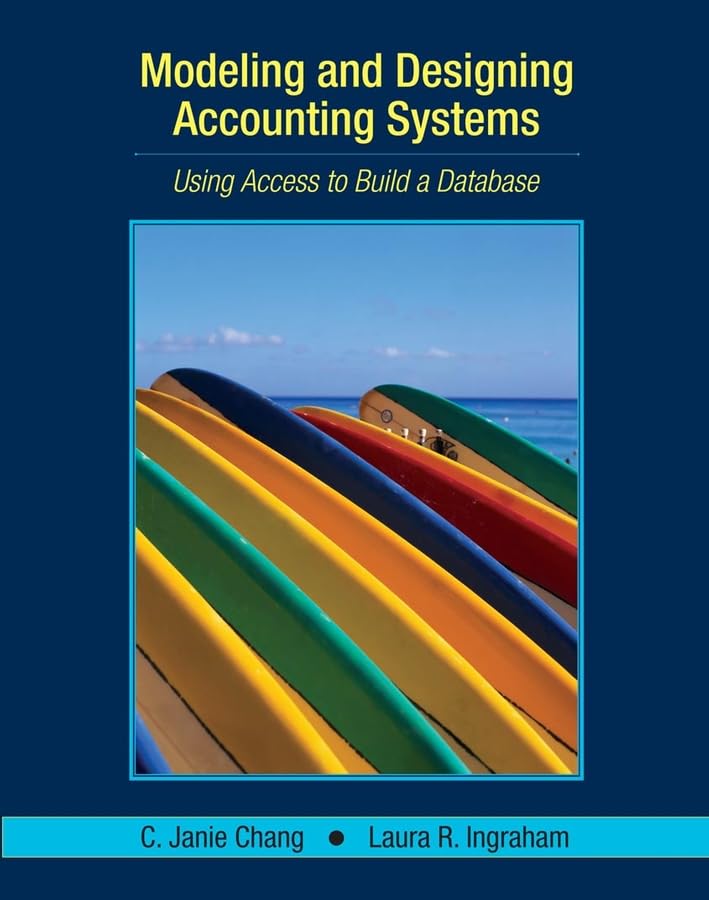
Figure 1.1: Book Cover. The cover features the title 'Modeling and Designing Accounting Systems: Using Access to Build a Database' with authors C. Janie Chang and Laura R. Ingraham. The central image depicts several colorful surfboards on a beach, suggesting a practical, real-world application context.
2. Getting Started
To begin your learning journey with this textbook, ensure you have the following:
- The Textbook: Ensure you have the physical copy of "Modeling and Designing Accounting Systems: Using Access to Build a Database".
- Microsoft Access Software: The book utilizes Microsoft Access 2003 for its practical exercises. While newer versions of Access may be compatible, some interface differences might exist. It is recommended to use Access 2003 if possible for the most seamless experience.
- Companion CD-ROM: The textbook originally included a companion CD-ROM containing additional data and forms necessary to complete the exercises. This CD-ROM is crucial for hands-on practice. Verify its presence and functionality.
- Basic Computer Literacy: Familiarity with operating a computer and navigating software applications is assumed.
2.1. Preparing Your Environment
- Install Microsoft Access: If not already installed, install Microsoft Access on your computer.
- Access CD-ROM Content: Insert the companion CD-ROM into your computer's drive. Copy the necessary exercise files to a dedicated folder on your hard drive for easy access. Refer to the book's initial chapters for specific instructions on setting up your exercise files.
- Review Prerequisites: Briefly review the introductory sections of the book to understand any assumed prior knowledge in accounting or database concepts.
3. Core Concepts
The book introduces and extensively uses the Resource-Event-Agent (REA) approach for data modeling business processes. Understanding REA is fundamental to grasping the book's methodology.
- Resources: Economic resources that are of value to the organization (e.g., cash, inventory).
- Events: Business activities that affect resources (e.g., sales, purchases).
- Agents: People or organizations involved in events (e.g., customers, employees, vendors).
The text provides simple, easy-to-understand examples of data modeling using the REA approach before progressing to more complex scenarios. Pay close attention to the initial chapters that lay the groundwork for this conceptual framework.
4. Practical Application: Building Databases with Access
A significant portion of the book is dedicated to hands-on application. It provides step-by-step instructions on how to convert REA diagrams into actual database structures within Microsoft Access.
4.1. Key Processes Covered
The book guides you through modeling and designing essential processes of an accounting information system:
- The Sales/Collection Process
- The Acquisition/Payment Process
- The Human Resources/Payroll Process
4.2. Following Exercises
Each practical section includes detailed instructions and often screenshots to guide you. It is crucial to:
- Read Carefully: Understand each step before attempting it in Access.
- Execute Steps: Perform the actions described in the book within your Access environment.
- Verify Results: Compare your results with the expected outcomes described in the text or provided on the CD-ROM.
- Practice: Repetition and independent practice are key to mastering the concepts.
The final chapters integrate these processes by having students model and design a portion of the accounting information system for a single company, "Tragg's Custom Surfboards," using the REA approach.
5. Troubleshooting Common Issues
While working through the textbook, you might encounter some common challenges:
5.1. CD-ROM Content Access
- Issue: CD-ROM not recognized or files not accessible.
- Solution:
- Ensure the CD is clean and free of scratches.
- Try accessing the CD on a different computer or CD/DVD drive.
- If the CD is missing or damaged, contact your instructor or publisher for alternative access to the exercise files.
5.2. Microsoft Access Version Compatibility
- Issue: Exercises do not function as expected in newer versions of Microsoft Access.
- Solution:
- The book is designed for Access 2003. Be aware that menu options and interface elements may differ in Access 2007, 2010, or later.
- Search online for "Access 2003 to [Your Version] compatibility guide" to find equivalent functions.
- If possible, use Access 2003 for the exercises.
5.3. Exercise Errors
- Issue: Database errors or unexpected results during exercises.
- Solution:
- Carefully re-read the instructions for the step you are on. A small typo or missed click can cause issues.
- Compare your database structure (tables, relationships, queries) with the expected structure, often provided in the book or on the CD-ROM.
- If working in a course, consult your instructor or a teaching assistant.
6. Product Specifications
| Title | Modeling and Designing Accounting Systems: Using Access to Build a Database |
| Authors | Laura R. Ingraham, C. Janie Chang |
| Publisher | Wiley |
| Publication Date | January 6, 2006 |
| Edition | 1st Edition |
| ISBN-10 | 0471450871 |
| ISBN-13 | 978-0471450870 |
| Print Length | 160 pages |
| Language | English |
| Item Weight | 9.6 ounces |
| Dimensions | 7.32 x 0.39 x 9.06 inches |
7. Support and Additional Resources
For further assistance or to deepen your understanding, consider the following:
- Academic Support: If you are using this textbook as part of a course, your instructor or teaching assistant is the primary resource for questions and clarifications.
- Publisher Resources: Check the Wiley website for this book's specific page. Publishers sometimes offer errata, supplementary materials, or updated resources online.
- Microsoft Access Documentation: Refer to official Microsoft Access documentation or online help for detailed information on specific Access features.
- Online Forums and Communities: Engage with online communities focused on accounting information systems, database design, or Microsoft Access for peer support and shared knowledge.


