Introduction
This manual provides comprehensive guidance for diagnosing, solving, and preventing common hardware and software problems encountered with personal computers. Written by veteran author Dan Gookin, it offers clear, easy-to-understand solutions and valuable advice for maintaining your system to maximize its lifespan. The content covers various aspects of PC care, including hardware, software, laptops, internet connectivity, networking, and general maintenance.
This edition specifically addresses issues relevant to Windows Vista, Windows 7, and Internet Explorer 8, reviewing an array of useful tools to help users confidently handle PC challenges.
Setup: Installing Memory
Installing or upgrading memory (RAM) can significantly improve your computer's performance. This process requires careful attention to detail to ensure proper seating and compatibility. Before beginning, ensure your computer case is properly opened and that the memory modules you intend to install are compatible with your system's motherboard.
Memory modules, often referred to as DIMMs, have specific notches that must align with the corresponding slots on the motherboard. It is crucial to handle memory modules by their edges to avoid static discharge, which can damage components. Ground yourself before touching any internal components.
The installation process involves gently pushing the memory module into the slot until the clips on both ends snap into place, indicating that the module is fully seated. If the memory is not fully seated, the computer may not recognize it or may encounter errors during startup.
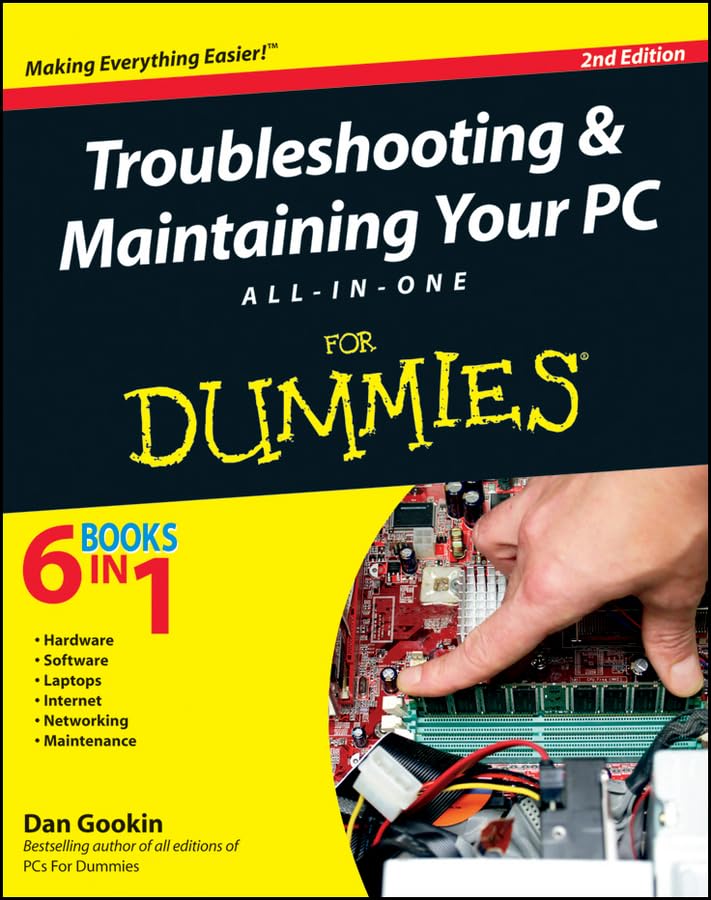
Figure 1: Book cover illustrating a hand installing a memory module into a PC motherboard.
Visual Guide: Installing Memory
For a detailed visual demonstration of memory installation, refer to the video below. The video illustrates the process, including how to identify memory slots and properly seat the memory modules.
Video 1: A person demonstrating how to install a memory module into a computer motherboard. The video shows the internal components of a PC, highlighting the memory slots and the correct method for inserting a DIMM.
Operating Your PC
Effective PC operation involves understanding your operating system and applications. This manual provides insights into optimizing your system for daily tasks and ensuring smooth performance. Key areas include managing files, navigating the user interface, and utilizing various software programs efficiently.
- Software Management: Learn to install, update, and uninstall software effectively to maintain system stability and security.
- Internet Usage: Guidance on using web browsers like Internet Explorer 8, managing downloads, and understanding basic internet security practices.
- File Organization: Tips for organizing your documents, photos, and other files to improve accessibility and system responsiveness.
Maintenance
Regular maintenance is vital for extending the life of your PC and preventing common issues. This section outlines essential maintenance tasks to keep your computer running optimally.
- System Updates: Regularly update your operating system (Windows Vista, Windows 7) and installed software to benefit from security patches and performance improvements.
- Disk Cleanup and Defragmentation: Utilize built-in Windows tools to remove unnecessary files and optimize disk performance.
- Antivirus and Malware Protection: Ensure your security software is up-to-date and perform regular scans to protect against malicious threats.
- Physical Cleaning: Periodically clean the internal components of your PC, such as fans and heat sinks, to prevent overheating.
- Backup Procedures: Implement a reliable backup strategy for your important files to prevent data loss.
Troubleshooting Common PC Problems
This section provides guidance on diagnosing and resolving various PC issues, from hardware malfunctions to software conflicts. Understanding the root cause of a problem is the first step towards an effective solution.
Hardware Troubleshooting
- Start-up and Shutdown Issues: Investigate power supply, connections, and boot sequence settings.
- Peripheral Problems: Ensure all external devices are correctly connected and drivers are up-to-date.
- Memory Errors: If memory is newly installed or suspected to be faulty, re-seat the modules firmly in their slots. Incorrectly seated memory can lead to system instability or failure to boot.
- Overheating: Check fan functionality and ensure proper airflow within the computer case.
Software and Operating System Troubleshooting
- Application Crashes: Try restarting the application, checking for updates, or reinstalling the software.
- Slow Performance: Identify and close unnecessary background programs, check for malware, and ensure sufficient free disk space.
- Internet Connectivity Issues: Troubleshoot router and modem connections, check network adapter settings, and verify internet service provider status.
- Error Messages: Consult the manual or online resources for specific error codes to understand their meaning and recommended solutions.
Specifications
This section provides key specifications related to the "Troubleshooting & Maintaining Your PC All-in-One For Dummies" book.
| Attribute | Value |
|---|---|
| ASIN | 0470878673 |
| Publisher | For Dummies |
| Publication Date | June 28, 2011 |
| Edition | 2nd |
| Language | English |
| Print Length | 792 pages |
| ISBN-10 | 9780470878675 |
| ISBN-13 | 978-0470878675 |
| Item Weight | 2.55 pounds |
| Dimensions | 7.4 x 1.61 x 9.25 inches |
Warranty and Support Information
As this product is an instructional book, it does not come with a traditional hardware warranty or technical support in the same manner as electronic devices. For information regarding returns or replacements of the book itself, please refer to the retailer's policy where the book was purchased.
For additional resources and supplementary materials related to the book's content, you may visit the companion website mentioned in the book: www.dummies.com/go/troubleshootingandmaintainingyourpcaio2e.


