1. انتهى المنتجview
The MOBILLA MBUDS 101 are true wireless stereo earbuds designed to deliver a superior audio experience with convenience and style. Featuring multi-function buttons, these earbuds allow you to take control of your music and calls for a hands-free experience. Their aesthetic and ergonomic design ensures comfort and elegance.
المميزات الرئيسية:
- التشغيل الموسع: Up to 21 hours of total playback time with the charging case, and 5 hours of non-stop playtime per charge.
- صوت متفوق: Powered by a 10mm Dynamic Driver for balanced and powerful audio.
- مقاوم للماء: IPX4 rating makes them resistant to splashes and sweat.
- التحكم بلمسة واحدة: Easily manage music playback and calls with simple touch gestures.
- المساعدة الصوتية: Compatible with voice assistants for convenient command execution.
- مكالمات واضحة: Passive Voice Cancellation helps mute surrounding disturbances for clearer conversations.
- ملاءمة مريحة: Craftily designed to fit securely in your ear for a non-jerky music experience.
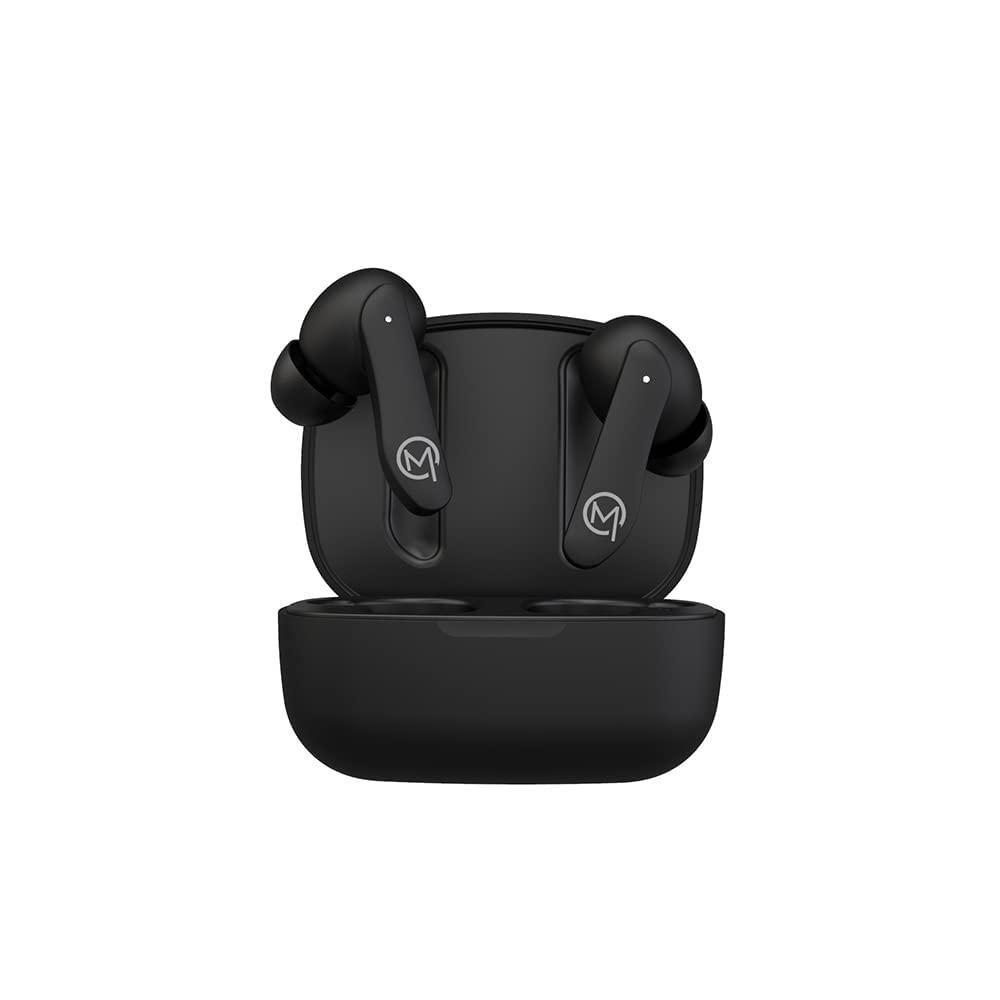
Figure 1: MOBILLA MBUDS 101 Matte Black Earbuds in their charging case.
2. البدء
2.1 فتح علبته
Upon opening your MOBILLA MBUDS 101 package, ensure all components are present:
- MOBILLA MBUDS 101 Earbuds
- حافظة الشحن
- كابل الشحن
- وسائد الأذن (أحجام مختلفة)
- دليل المستخدم
2.2 شحن سماعات الأذن
Before first use, fully charge your MBUDS 101. Place the earbuds into the charging case and connect the charging cable to the case and a power source. The indicator lights on the case will show the charging status. A full charge provides up to 5 hours of playtime, with the charging case extending total playback to 21 hours.
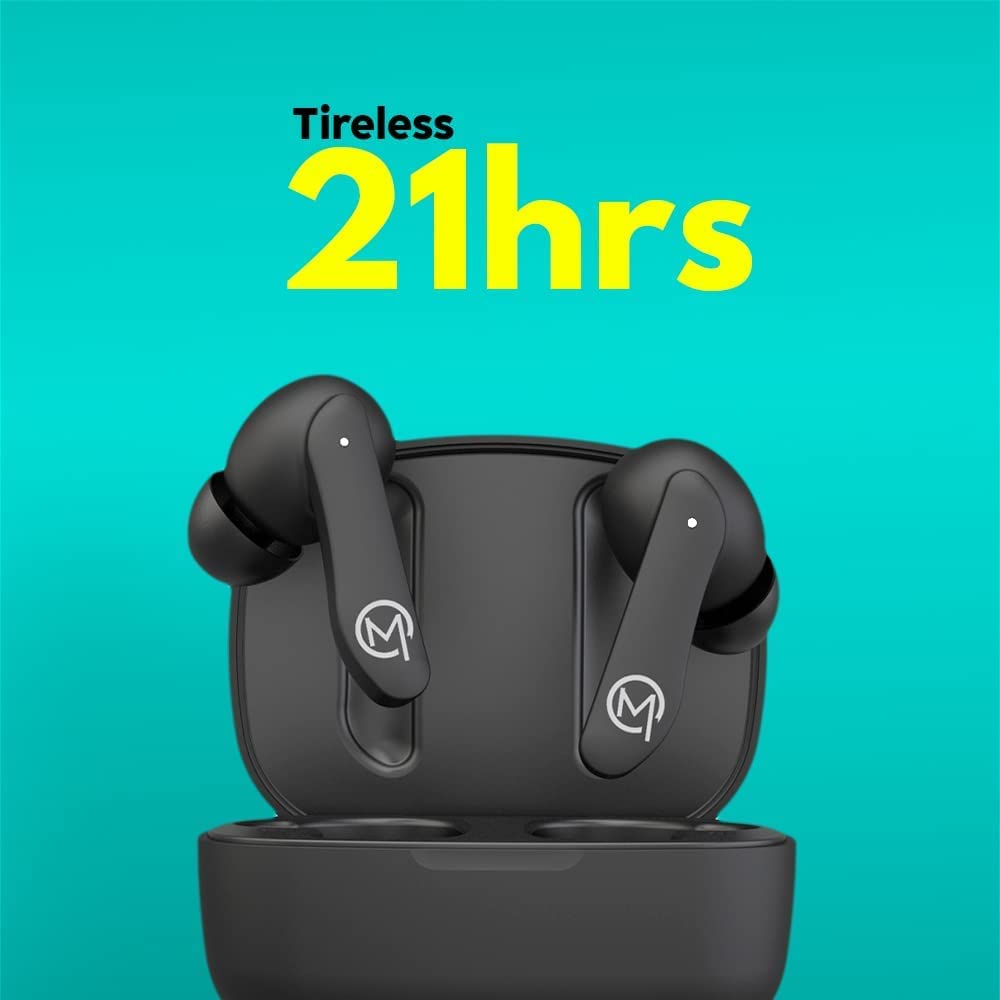
Figure 2: The MOBILLA MBUDS 101 offer up to 21 hours of total playback time with the charging case.
2.3 الاقتران بجهازك
- تأكد من شحن وسادات الأذن.
- افتح علبة الشحن. ستدخل سماعات الأذن تلقائيًا في وضع الاقتران (سيومض مؤشر الضوء).
- On your smartphone or audio device, go to Bluetooth settings.
- بحث عن available devices and select "MOBILLA MBUDS 101".
- بمجرد الاتصال، ستتوقف أضواء المؤشر الموجودة على سماعات الأذن عن الوميض.
- سيتم إعادة توصيل سماعات الأذن تلقائيًا بالجهاز المقترن الأخير عند إخراجها من العلبة.
3. Operating Your MBUDS 101
3.1 الضوابط التي تعمل باللمس
The MBUDS 101 feature intuitive touch controls on each earbud for seamless management of your audio and calls:
- تشغيل/إيقاف مؤقت: ضغطة واحدة على أي سماعة أذن.
- المسار التالي: اضغط مرتين على سماعة الأذن اليمنى.
- المسار السابق: اضغط مرتين على سماعة الأذن اليسرى.
- الرد/إنهاء المكالمة: ضغطة واحدة على أي سماعة أذن.
- رفض المكالمة: اضغط مع الاستمرار على أي من سماعات الأذن لمدة ثانيتين.
- تنشيط مساعد الصوت: اضغط ثلاث مرات على أي سماعة أذن.
3.2 المساعدة الصوتية
The MBUDS 101 support voice assistance, allowing you to control your device with voice commands. Simply triple tap either earbud to activate your smartphone's voice assistant (e.g., Ok Google, Hey Siri) and speak your command.

Figure 3: Enjoy enhanced bass and seamless voice assistant integration with your MBUDS 101.
3.3 إدارة المكالمات
With Passive Voice Cancellation, your MBUDS 101 are designed to provide clear call quality by minimizing background noise. Use the touch controls to manage incoming and ongoing calls effectively.
3.4 مقاومة الماء (IPX4)
The MBUDS 101 are rated IPX4 water-resistant, meaning they are protected against splashing water from any direction. This makes them suitable for workouts and light rain, but they are not designed for submersion in water.

Figure 4: The IPX4 rating ensures your MBUDS 101 are splash-proof and suitable for active use.
4. الصيانة والعناية
4.1 التنظيف
- قم بتنظيف سماعات الأذن وعلبة الشحن بانتظام باستخدام قطعة قماش ناعمة وجافة وخالية من الوبر.
- لا تستخدم المنظفات الكاشطة أو الكحول أو المذيبات الكيميائية.
- قم بإزالة أي شمع أذن أو حطام من أطراف الأذن وشبكة مكبر الصوت بلطف باستخدام فرشاة ناعمة صغيرة أو قطعة قطن.
4.2 التخزين
- عندما لا تكون قيد الاستخدام، قم دائمًا بتخزين سماعات الأذن في علبة الشحن الخاصة بها لحمايتها والحفاظ عليها مشحونة.
- قم بتخزينه في مكان بارد وجاف بعيدًا عن درجات الحرارة العالية وأشعة الشمس المباشرة.
5. استكشاف الأخطاء وإصلاحها
5.1 لا يوجد طاقة / لا يتم الشحن
- تأكد من توصيل كابل الشحن بشكل آمن بكل من العلبة ومصدر الطاقة.
- تحقق مما إذا كان مصدر الطاقة نشطًا.
- قم بتنظيف نقاط اتصال الشحن الموجودة على سماعات الأذن والعلبة.
5.2 مشاكل الاقتران
- تأكد من تمكين البلوتوث على جهازك.
- تأكد من أن سماعات الأذن في وضع الاقتران (تومض أضواء المؤشر).
- قم بتقريب سماعات الأذن من جهازك.
- Forget/delete "MOBILLA MBUDS 101" from your device's Bluetooth list and try pairing again.
- أعد تشغيل جهازك وسماعات الأذن.
5.3 مشاكل جودة الصوت
- Ensure the earbuds are properly seated in your ears. Try different ear tip sizes for a better seal.
- Check the audio source volume and the device volume.
- Move away from potential sources of interference (e.g., Wi-Fi routers, other Bluetooth devices).
- نظف شبكة مكبر الصوت في سماعات الأذن.
6. المواصفات
| ميزة | التفاصيل |
|---|---|
| اسم الموديل | إم بي دي إس 101 |
| تكنولوجيا الاتصال | لاسلكي |
| مقبس سماعات الرأس | 3.5 mm Jack (for charging cable) |
| وقت التشغيل | 21 Hours (with charging case) | 5 Hours (per charge) |
| نوع برنامج تشغيل الصوت | محرك ديناميكي 10 مم |
| مستوى مقاومة الماء | مقاوم للماء IPX4 |
| طريقة التحكم | المس، صوت |
| تنسيق الميكروفون | مع ميكروفون |
| المميزات الخاصة | شحن سريع، يتضمن ميكروفون، مقاوم للعرق |
| عامل الشكل | Earbuds, In ear |
| مادة | بلاستيك |
| لون | أسود |
| وزن العنصر | 200 جرام |
| أبعاد المنتج | 10 × 10 × 10 سم |
7. الضمان والدعم
7.1 معلومات الضمان
Your MOBILLA MBUDS 101 comes with a ضمان لمدة 365 يومًا from the date of purchase. This warranty covers manufacturing defects and ensures your product is free from material and workmanship flaws under normal use. Please retain your proof of purchase for warranty claims.
7.2 دعم العملاء
للحصول على مزيد من المساعدة أو الدعم الفني أو مطالبات الضمان، يرجى زيارة الموقع الرسمي MOBILLA Store on Amazon or contact MOBILLA customer service through their official channels.


