1. المقدمة
The TP-Link UB5A is a compact Bluetooth 5.0 Nano USB Adapter designed to provide Bluetooth connectivity to your desktop or laptop computer. This adapter allows you to connect various Bluetooth-enabled devices such as headphones, speakers, keyboards, mice, and game controllers wirelessly. Its nano size ensures a low-profile fit, making it ideal for permanent installation in a USB port.
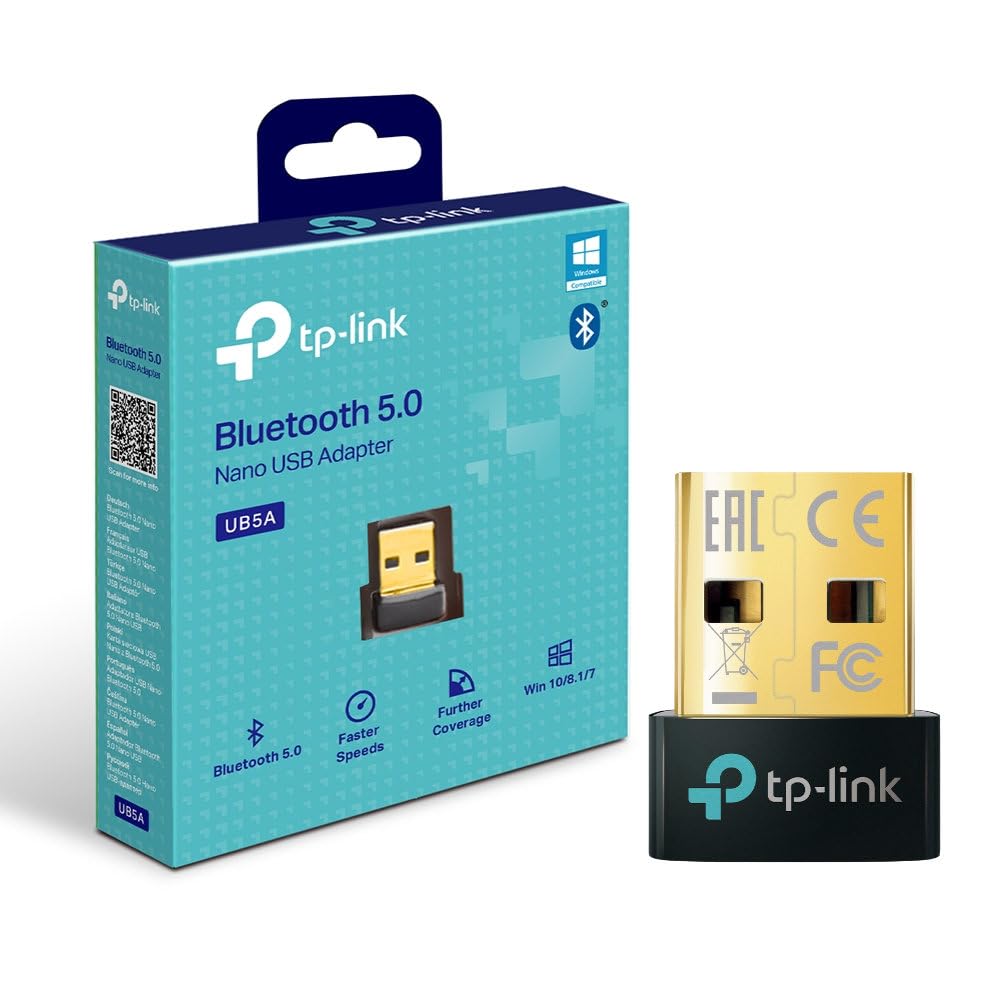
أمام view of the TP-Link UB5A Bluetooth 5.0 Nano USB Adapter, showcasing its compact design and TP-Link branding.
2. الإعداد والتثبيت
Follow these steps to install your TP-Link UB5A Bluetooth 5.0 Nano USB Adapter:
- أدخل المحول: Plug the UB5A adapter into an available USB 2.0 port on your desktop or laptop computer.
- تثبيت برنامج التشغيل: For most modern operating systems (Windows 10/8.1/7), the necessary drivers should install automatically upon connection. If the adapter is not recognized or Bluetooth functionality is not available, you may need to manually install drivers.
- تثبيت برنامج التشغيل يدويًا (إذا لزم الأمر):
- قم بزيارة الدعم الرسمي لشركة TP-Link webموقع: www.tp-link.com/support.
- بحث عن 'UB5A' and download the latest drivers compatible with your operating system.
- Run the downloaded driver installer and follow the on-screen instructions.

The TP-Link UB5A adapter discreetly plugged into a laptop's USB port, demonstrating its nano size and low-profile ملائم.
3. تعليمات التشغيل
Once the adapter is installed and recognized by your system, you can begin pairing Bluetooth devices:
- تمكين البلوتوث: Ensure Bluetooth is enabled on your computer. This can usually be done through the Windows Settings (Settings > Devices > Bluetooth & other devices) or the system tray icon.
- Put Device in Pairing Mode: Place your Bluetooth device (e.g., headphones, speaker, mouse) into pairing mode. Refer to your device's manual for specific instructions on how to do this. Typically, this involves holding down a power or Bluetooth button until an indicator light flashes.
- إضافة جهاز: On your computer, click "Add Bluetooth or other device" and select "Bluetooth." Your computer will scan for nearby Bluetooth devices.
- اختر وقم بالاتصال: From the list of discovered devices, select your device and follow any on-screen prompts to complete the pairing process. You may be asked to enter a PIN or confirm a code.
- تحقق من الاتصال: Once paired, your device should appear as "Connected" in your computer's Bluetooth settings.

The retail packaging for the TP-Link UB5A adapter, highlighting key features like Bluetooth 5.0 and Windows compatibility.
4. الصيانة
The TP-Link UB5A adapter requires minimal maintenance. To ensure optimal performance and longevity:
- Keep the adapter plugged into a USB port to avoid misplacement, as its small size can make it easy to lose.
- تجنب تعريض المحول لدرجات الحرارة العالية أو الرطوبة أو أشعة الشمس المباشرة.
- Clean the adapter gently with a dry, soft cloth if necessary. Do not use liquid cleaners.
5. استكشاف الأخطاء وإصلاحها
If you encounter issues with your TP-Link UB5A adapter, try the following troubleshooting steps:
- لم يتم اكتشاف المحول:
- جرب توصيل المحول بمنفذ USB مختلف على جهاز الكمبيوتر الخاص بك.
- أعد تشغيل الكمبيوتر الخاص بك.
- Ensure the drivers are correctly installed (refer to Section 2).
- لا يمكن إقران الأجهزة:
- تأكد من أن جهاز Bluetooth الخاص بك في وضع الإقران.
- Ensure the device is within range (typically up to 10 meters or 33 feet).
- Turn off and on Bluetooth on your computer.
- قم بإزالة أي نسخ مقترنة مسبقًا من الجهاز من إعدادات البلوتوث في جهاز الكمبيوتر الخاص بك وحاول الاقتران مرة أخرى.
- Unstable Connection or Poor Audio Quality:
- Ensure there are no physical obstructions or sources of interference (e.g., Wi-Fi routers, microwaves) between the adapter and your Bluetooth device.
- Update your Bluetooth drivers to the latest version from the TP-Link support webموقع.
- Try moving the computer or the Bluetooth device to a different location.
6. المواصفات
| رقم الموديل | UB5A |
| واجهة الأجهزة | بلوتوث، يو اس بي |
| بروتوكول ربط البيانات | بلوتوث، يو اس بي |
| معدل نقل البيانات | 12 جيجابت في الثانية |
| أبعاد المنتج | 4.76 × 3.43 × 3.54 بوصة (أو 7.87 بوصة طول × 5.91 بوصة عرض × 5.91 بوصة ارتفاع) |
| وزن العنصر | 0.952 أونصة (27 جرامًا) |
| الأجهزة المتوافقة | سطح المكتب، الكمبيوتر المحمول |
| الحد الأدنى لنظام التشغيل المطلوب | Windows 10, Mac OS 10.12 Sierra |
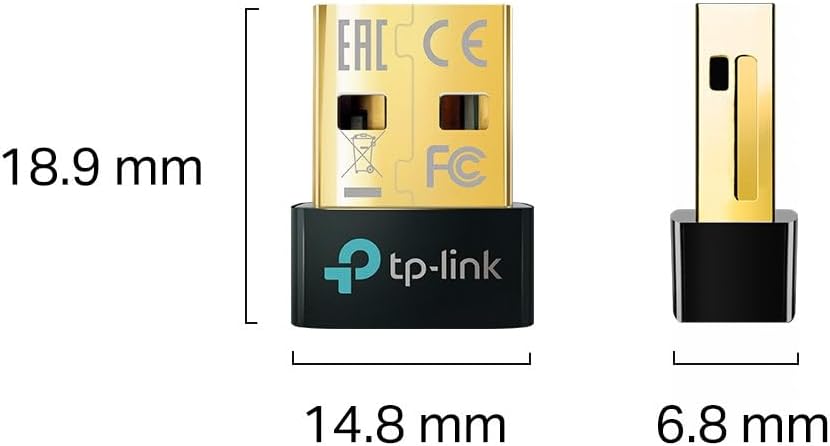
Diagram illustrating the compact dimensions of the TP-Link UB5A adapter: 18.9 mm length, 14.8 mm width, and 6.8 mm height.
7. الضمان والدعم
معلومات الضمان: The TP-Link UB5A Bluetooth 5.0 Nano USB Adapter comes with a ضمان لمدة ثلاث سنوات against manufacturing defects, ensuring reliability and peace of mind.
الدعم الفني: For further assistance, technical support, or warranty claims, please visit the official TP-Link support webالموقع أو الاتصال بخدمة العملاء:
- دعم تي بي لينك Webموقع: www.tp-link.com/support
- دعم البريد الإلكتروني: support.usa@tp-link.com
- دعم الهاتف: 866.225.8139
Please have your product model (UB5A) and purchase information ready when contacting support.


