1. المقدمة
The HUION Kamvas Pro 16 (4K) is a professional pen display designed for digital art, graphic design, and creative work. This device features a 4K UHD display, full lamination, anti-glare glass, and a battery-free stylus with PenTech 3.0 technology. It is compatible with various operating systems and software, offering a natural and precise drawing experience.
Please note: The Kamvas Pro 16 (4K) Pen Display is not a standalone product. It requires connection to a computer, laptop, or Android device to function.
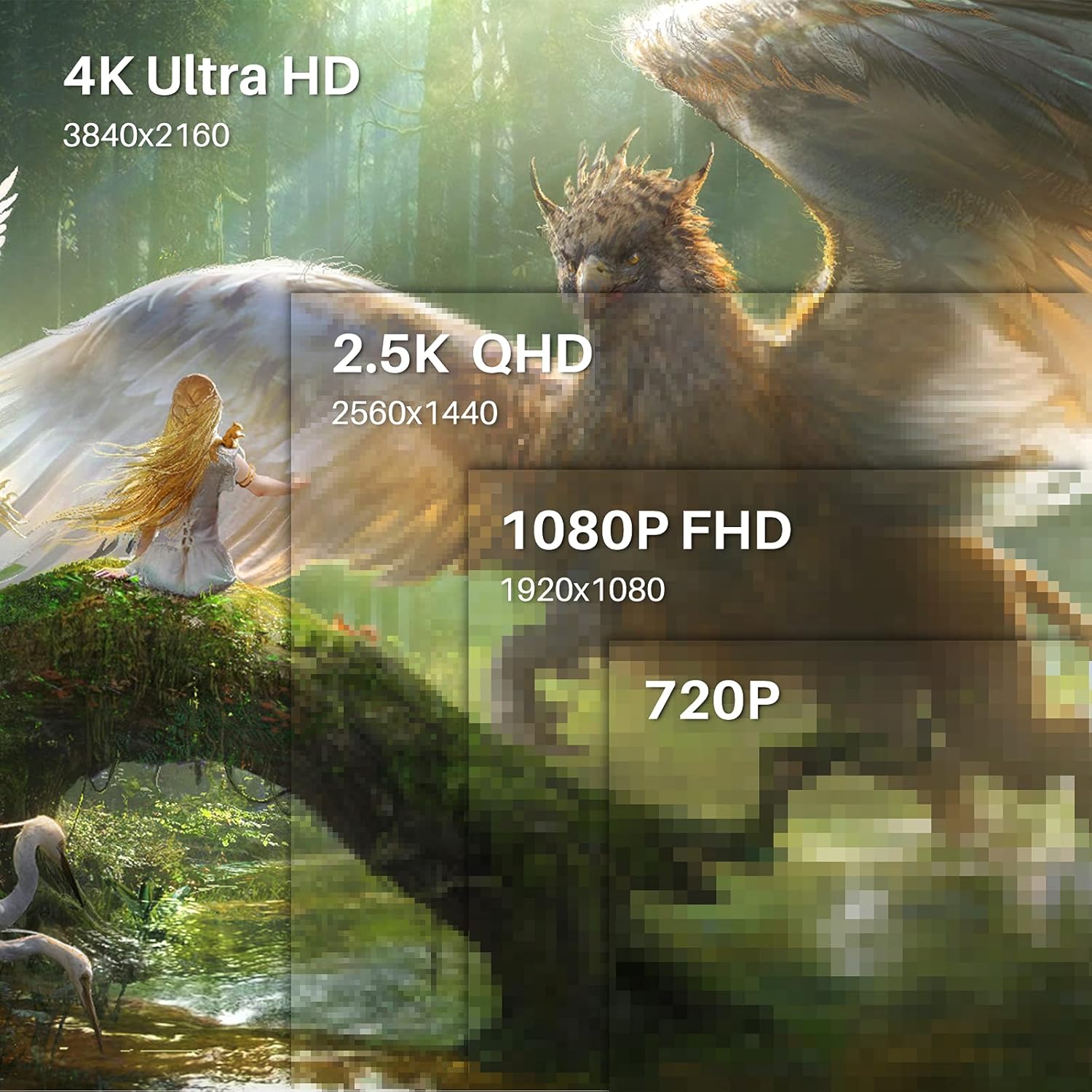
Image 1.1: The HUION Kamvas Pro 16 (4K) UHD Drawing Tablet.
2. ماذا يوجد في الصندوق
تأكد من وجود جميع العناصر في العبوة:
- عرض القلم
- قلم رقمي
- حامل أقلام PH05A
- سن القلم × 10
- حالة القلم
- كليب بنك الاستثمار القومي
- كابل 3 في 1
- تمديد كابل USB
- كابل USB-C إلى USB-C
- كابل طاقة USB
- USB محول الطاقة
- حامل قابل للطي
- قفاز
- قطعة قماش للتنظيف
- دليل البدء السريع

Image 2.1: All items included in the Kamvas Pro 16 (4K) package.
3. الإعداد
3.1 التوصيل بجهاز كمبيوتر
The Kamvas Pro 16 (4K) offers flexible connectivity options. You can connect it via a single 3-in-1 HDMI cable or a full-featured USB-C cable and a power cable. Ensure your device supports USB 3.1 Gen1 and DP1.2 for full-featured USB-C connection.
Video 3.1: Instructions on how to connect the Kamvas Pro 16 (4K) to a PC.
3.2 Setting Screen Resolution (macOS)
For macOS users, it is important to correctly set the screen resolution to ensure optimal display quality. The native resolution of the Kamvas Pro 16 (4K) is 3840x2160.
Video 3.2: Guide on setting the screen resolution for Kamvas Pro 16 (4K) on macOS.
3.3 حامل قابل للتعديل
The included multi-angle adjustable stand allows you to set the tablet at an angle between 20° and 80° for comfortable drawing. This helps in reducing strain during extended use.
4. التشغيل
4.1 Using the Digital Pen
The digital pen PW517 features PenTech 3.0, offering 8192 levels of pressure sensitivity and ±60° tilt support for precise and natural strokes. The pen is battery-free, eliminating the need for charging.

Image 4.1: Features of the HUION PenTech 3.0 Stylus.
4.2 Adjusting OSD Menu
The On-Screen Display (OSD) menu allows you to adjust various display settings such as brightness and color temperature. The PW517 digital pen can be used to navigate and adjust these settings.
Video 4.2: Guide on how to adjust the OSD Menu on Kamvas Pro 16 (4K).
5. الميزات الرئيسية
5.1 4K UHD Display
Experience stunning visual clarity with a 4K UHD resolution of 3840x2160 (16:9). This provides four times more pixels than a Full HD screen, revealing intricate details in your artwork. The display boasts a 120% sRGB color gamut volume and 16.7 million display colors for vibrant and natural color presentation.

Image 5.1: Comparison illustrating the clarity of 4K UHD display.
5.2 Full-Laminated Anti-Glare Screen
The full-laminated anti-glare screen minimizes reflections and reduces eye strain. It also ensures minimal parallax between the pen tip and the cursor, providing a natural pen-on-paper drawing experience.

Image 5.2: Illustration of anti-glare etched glass reducing reflections.
5.3 Dual USB-C Ports
Dual USB-C ports offer versatile connectivity, allowing easy connection to PCs, Macs, and Android devices. This simplifies cable management and provides a tidy workspace.
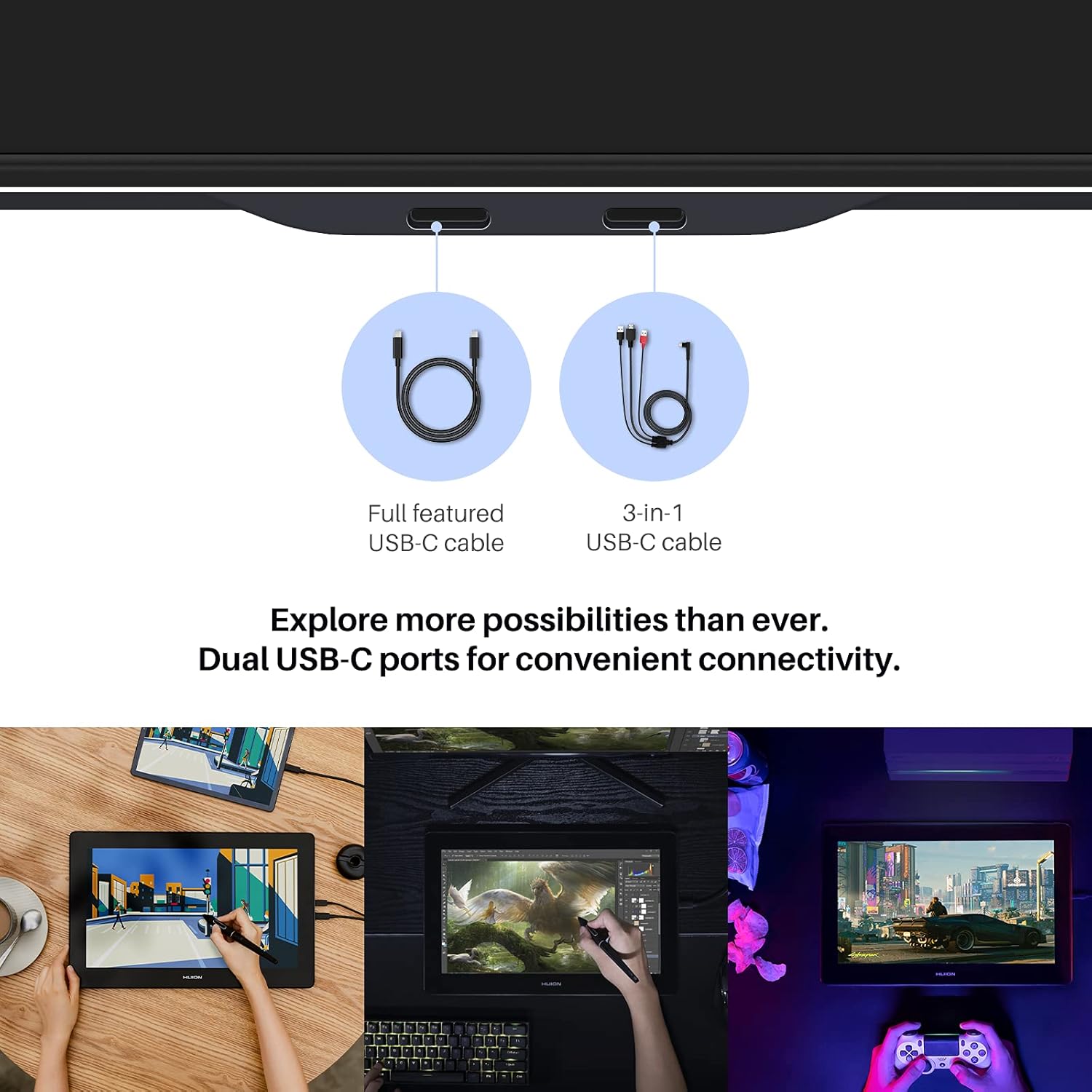
Image 5.3: Dual USB-C ports for convenient connectivity.
6. التوافق
The Kamvas Pro 16 (4K) is broadly compatible with various operating systems and mainstream design software.
6.1 أنظمة التشغيل المدعومة
- ويندوز 7 أو أعلى
- macOS 10.12 أو أعلى
- Linux (Ubuntu 20.04 LTS)
- Android phones and tablets (supporting USB3.1 GEN and DP1.2)
6.2 Compatible Software
Works seamlessly with popular creative software including, but not limited to:
- أدوبي فوتوشوب
- كوريل بينتر
- Comic Studio
- الهيئة السعودية للمحاسبين القانونيين
- Zbrush
- Medibang Paint

الصورة 6.1: انتهىview of compatible operating systems and software.
7. المواصفات
| ميزة | التفاصيل |
|---|---|
| أبعاد المنتج | 13.6 × 7.65 × 0.1 بوصة |
| وزن العنصر | 7.65 رطل |
| رقم موديل العنصر | جي تي 1561 |
| تكنولوجيا الاتصال | USB-C إلى USB-C |
| حساسية الضغط | 8192 مستويات |
| توافق نظام التشغيل | Android 6.0+, Linux (Ubuntu 20.04 LTS), Windows 7+, macOS 10.12+ |
| المميزات الخاصة | 4K UHD resolution, 60° Tilt Support, Anti-Glare Glass, Full Lamination, USB-C Connection |
8. الصيانة
To ensure the longevity and optimal performance of your Kamvas Pro 16 (4K), follow these maintenance guidelines:
- تنظيف: Use the provided cleaning cloth to gently wipe the screen. Avoid harsh chemicals or abrasive materials.
- تخزين: عند عدم الاستخدام، قم بتخزين الجهاز اللوحي في مكان نظيف وجاف بعيدًا عن أشعة الشمس المباشرة ودرجات الحرارة القصوى.
- أقلام الكتابة: Replace the pen nibs when they show signs of wear to maintain drawing precision. Use the included nib clip for easy replacement.
- العناية بالكابلات: Handle connection cables carefully to prevent damage. Avoid bending or twisting them excessively.
9. استكشاف الأخطاء وإصلاحها
If you encounter any issues with your Kamvas Pro 16 (4K), consider the following:
- لا يوجد عرض/طاقة: Ensure all cables are securely connected and the power adapter is functioning. If using a USB-C to USB-C connection, confirm your device provides sufficient power or connect the additional power cable.
- القلم لا يستجيب: Check if the pen nib is properly inserted. Reinstall the tablet driver on your computer.
- دقة غير صحيحة: Refer to Section 3.2 for instructions on setting the screen resolution, especially for macOS.
- مشاكل السائق: Download the latest drivers from the official HUION webموقع مخصص لنظام التشغيل الخاص بك.
10. الضمان والدعم
For warranty information and technical support, please refer to the warranty policy document included in your product package or visit the official HUION webالموقع. احتفظ بإيصال الشراء الخاص بك كإثبات للشراء في حالة مطالبات الضمان.
رسمي Webموقع: www.huion.com


