مقدمة
Thank you for choosing the Baseus 2 in 1 Bluetooth 5.0 FM Transmitter Car Charger. This device combines a car charger with an FM transmitter, allowing you to stream audio wirelessly from your mobile device to your car's FM radio and charge your devices simultaneously. Please read this manual carefully before use to ensure proper operation and to maximize the product's lifespan.
المنتج انتهىview

Image: The Baseus 2 in 1 Bluetooth 5.0 FM Transmitter Car Charger, showing its compact design with dual USB ports and a digital display.
The Baseus Car Wireless MP3 Charger (Model CCNLZ-C0G) features Bluetooth 5.0 for stable audio transmission, dual USB ports for quick charging, and an FM transmitter function. It is designed for ease of use with a single-key operation and includes an intelligent digital display for voltagالمراقبة الإلكترونية.
المميزات الرئيسية:
- Bluetooth 5.0 for stable and fast audio transmission.
- Dual USB ports for charging, supporting 18W Quick Charge 3.0, AFC, and FCP.
- FM frequency transmission for audio playback through car radio.
- Single-key operation for volume, track, frequency adjustment, and call management.
- Lossless audio decoding for high-quality sound.
- Intelligent digital display for real-time voltagالمراقبة الإلكترونية.
- Music playback from a USB flash drive.
- Automatic reconnection and power-off memory playback.
تعليمات الإعداد
- أدخل في مقبس السيارة: Insert the Baseus FM Transmitter into your car's cigarette lighter socket. The device will power on automatically, and the digital display will show the current car battery voltagاضغط على زر e لبضع ثوانٍ، ثم انتقل إلى تردد FM.

Image: The Baseus device securely plugged into a car's 12V power outlet.
- ضبط تردد FM:
- اضبط راديو FM الخاص بسيارتك على تردد فارغ (تردد بدون إشارة بث قوية).
- On the Baseus device, press and hold the multi-function knob until the frequency display starts flashing.
- Rotate the knob left or right to adjust the FM frequency of the transmitter to match your car's radio frequency.
- Once matched, wait a few seconds for the display to stop flashing, or press the knob briefly to confirm.

Image: Close-up of the digital display on the Baseus device, showing the current FM frequency.
- الاقتران عبر البلوتوث:
- قم بتمكين البلوتوث على جهازك المحمول.
- بحث عن available Bluetooth devices and select "Baseus" (or similar name) from the list.
- بمجرد الاقتران، سيؤكد تنبيه صوتي الاتصال.
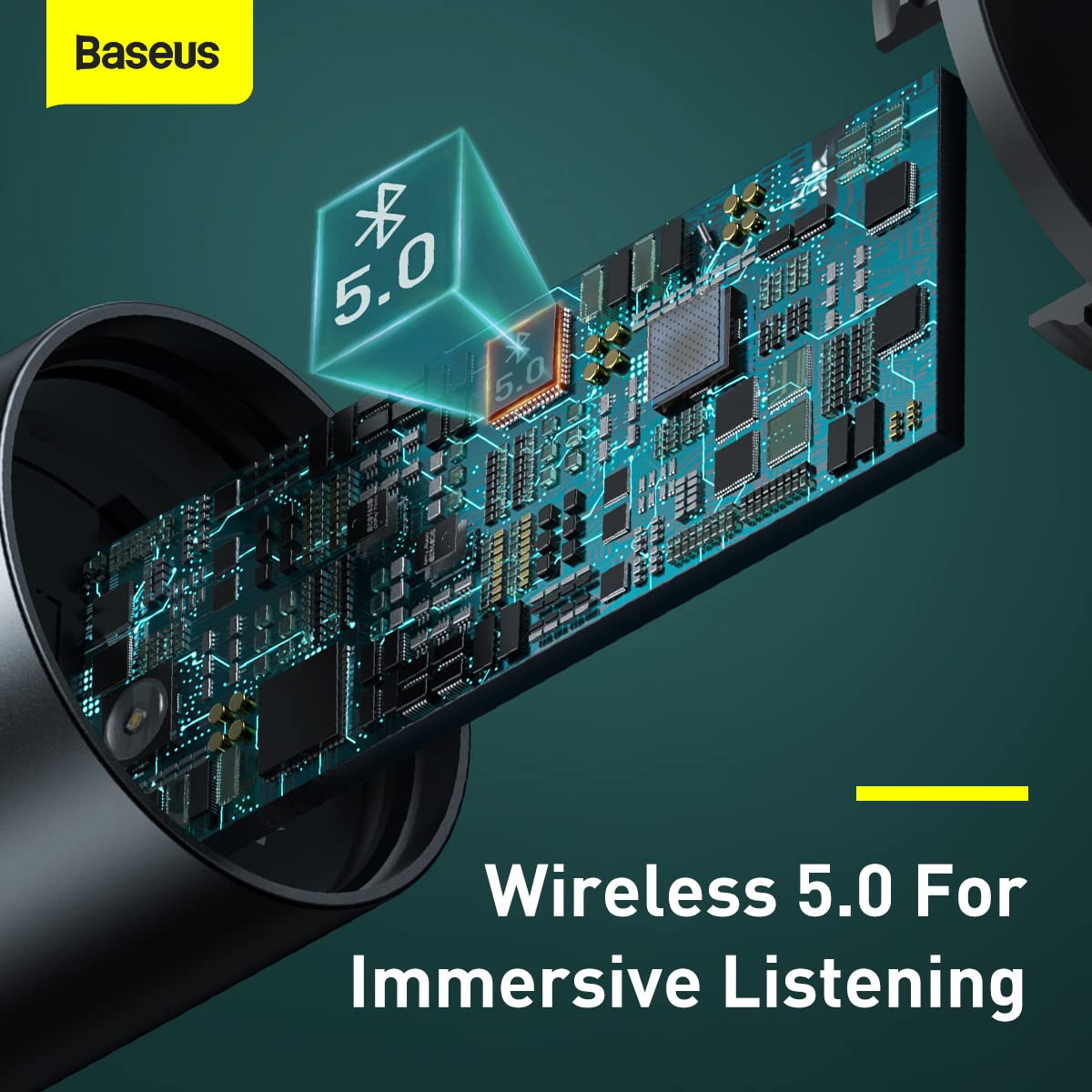
الصورة: داخلية view highlighting the Bluetooth 5.0 chip, representing the wireless connection capability.
تعليمات التشغيل
تشغيل الموسيقى:
- صوت بلوتوث: Once paired, play music on your mobile device. The audio will be transmitted to your car's FM radio.
- تشغيل محرك أقراص فلاش USB: Insert a USB flash drive containing MP3/WAV/FLAC/APE/WMA audio files into the designated USB port (marked with a music note icon). The device will automatically detect and play music from the drive.

Image: A USB flash drive plugged into the Baseus device, illustrating its music playback capability.
معالجة المكالمات:
- الرد/إنهاء المكالمة: Briefly press the multi-function knob to answer an incoming call or end an ongoing call.
- رفض المكالمة: Press and hold the multi-function knob to reject an incoming call.
- معاودة الاتصال: اضغط مرتين على الزر متعدد الوظائف لإعادة طلب الرقم الأخير.
عناصر التحكم:
- ضبط مستوى الصوت: Rotate the multi-function knob left or right to adjust the volume.
- تبديل المسار: During music playback, briefly press the multi-function knob and then rotate it left (previous track) or right (next track).
- تعديل التردد: As described in the Setup section, press and hold the knob until the frequency flashes, then rotate to adjust.

Image: A finger interacting with the multi-function knob, demonstrating its single-key operation.
أجهزة الشحن:
- Connect your device's charging cable to either of the two USB ports on the transmitter.
- The device supports 18W Quick Charge 3.0, AFC, and FCP for fast charging compatible devices.

Image: The Baseus device showing its two USB ports, ready for charging mobile devices.
صيانة
- تنظيف: استخدم قطعة قماش ناعمة وجافة لتنظيف الجهاز. لا تستخدم المنظفات السائلة أو البخاخات.
- تخزين: عند عدم استخدام الجهاز لفترات طويلة، قم بتخزينه في مكان بارد وجاف بعيدًا عن أشعة الشمس المباشرة ودرجات الحرارة القصوى.
- التعامل: تجنب إسقاط الجهاز أو تعريضه لصدمات قوية.
- إيقاف التشغيل: Always ensure the device is properly seated in the car socket to maintain a stable connection.
استكشاف الأخطاء وإصلاحها
| مشكلة | السبب المحتمل | حل |
|---|---|---|
| لا يوجد طاقة/الجهاز لا يعمل. | Loose connection in car socket; car socket not providing power. | Ensure the device is firmly inserted into the car's cigarette lighter socket. Check if the car's socket is functional (e.g., by testing with another device). |
| Poor FM signal/Static noise. | تداخل ترددات FM؛ راديو السيارة غير مضبوط بشكل صحيح. | Find a clearer, unused FM frequency on your car radio and match the transmitter's frequency to it. Avoid frequencies used by strong local radio stations. |
| البلوتوث غير قادر على الاتصال. | Bluetooth not enabled on phone; device not in pairing mode; incorrect device selected. | Ensure Bluetooth is enabled on your phone. Restart both the phone and the FM transmitter. Forget the device in your phone's Bluetooth settings and re-pair. |
| الشحن بطيء أو عدم الشحن. | مشكلة في الكابل؛ الجهاز غير متوافق مع الشحن السريع؛ أجهزة متعددة تستهلك طاقة زائدة. | Try a different USB cable. Ensure your device supports the fast charging protocols (QC3.0, AFC, FCP). If charging multiple devices, total output may be limited. |
تحديد
| ميزة | التفاصيل |
|---|---|
| ماركة | باسيس |
| رقم الموديل | CCNLZ-C0G |
| أبعاد المنتج | 8 × 6 × 1.5 سم |
| وزن العنصر | 100 جرام |
| واجهة الأجهزة | بلوتوث 5، يو اس بي |
| الأجهزة المتوافقة | مشغلات MP3، الهواتف الذكية، الأجهزة اللوحية |
| المميزات الخاصة | 18W quick charge, FM frequency transmission, Intelligent digital display, Support playback from flash disk |
| وضع إخراج الصوت | FM transmission, A2DP |
| واتtage | 18 واط |
| نوع لاسلكي | بلوتوث |
| إجمالي منافذ USB | 2 |
| نوع الموصل | بلوتوث |
| نوع الوسائط المتوافق | Bluetooth 5.0, FM, USB Flash Drive |
| مادة | معدن |
معلومات الضمان
يأتي منتج Baseus هذا مع ضمان لمدة 1 سنوات from the date of purchase. The warranty covers manufacturing defects and malfunctions under normal use. It does not cover damage caused by misuse, accidents, unauthorized modifications, or normal wear and tear. Please retain your proof of purchase for warranty claims.
دعم العملاء
For further assistance, technical support, or warranty claims, please contact Baseus customer service through their official website or the retailer where you purchased the product. Please have your model number (CCNLZ-C0G) and proof of purchase ready when contacting support.
You can find more information and support resources on the official Baseus webموقع: www.baseus.com


