1. المقدمة
The Samotech® Mini Adapter (SM202-BT) is specifically designed to integrate your Philips Hue Smart Button seamlessly with the Samotech SM223-UK Light Switch Surround. This adapter provides a clean, integrated appearance for your smart home controls, eliminating cluttered walls and tangled wires. It is compatible with standard 86x86mm UK light switches, offering a practical and aesthetic solution for smart lighting control.
2. معلومات السلامة
- Ensure all power is disconnected from the main electrical supply before attempting any installation or maintenance.
- This product is an adapter and does not carry electrical current. However, it is designed to be installed near live electrical components (light switches).
- Do not expose the adapter to excessive moisture or extreme temperatures.
- يحفظ بعيدًا عن متناول الأطفال.
- إذا لم تكن متأكدًا من أي جزء من عملية التثبيت، فاستشر كهربائيًا مؤهلًا.
3. محتويات العبوة
يرجى التحقق من الحزمة للعناصر التالية:
- Samotech® Mini Adapter (SM202-BT)
Note: The SM223-UK Light Switch Surround and Philips Hue Smart Button are sold separately and are required for full functionality.
4. الإعداد والتثبيت
The Samotech Mini Adapter is designed for easy integration with the SM223-UK Light Switch Surround and your existing UK light switch.
4.1 المكوناتview
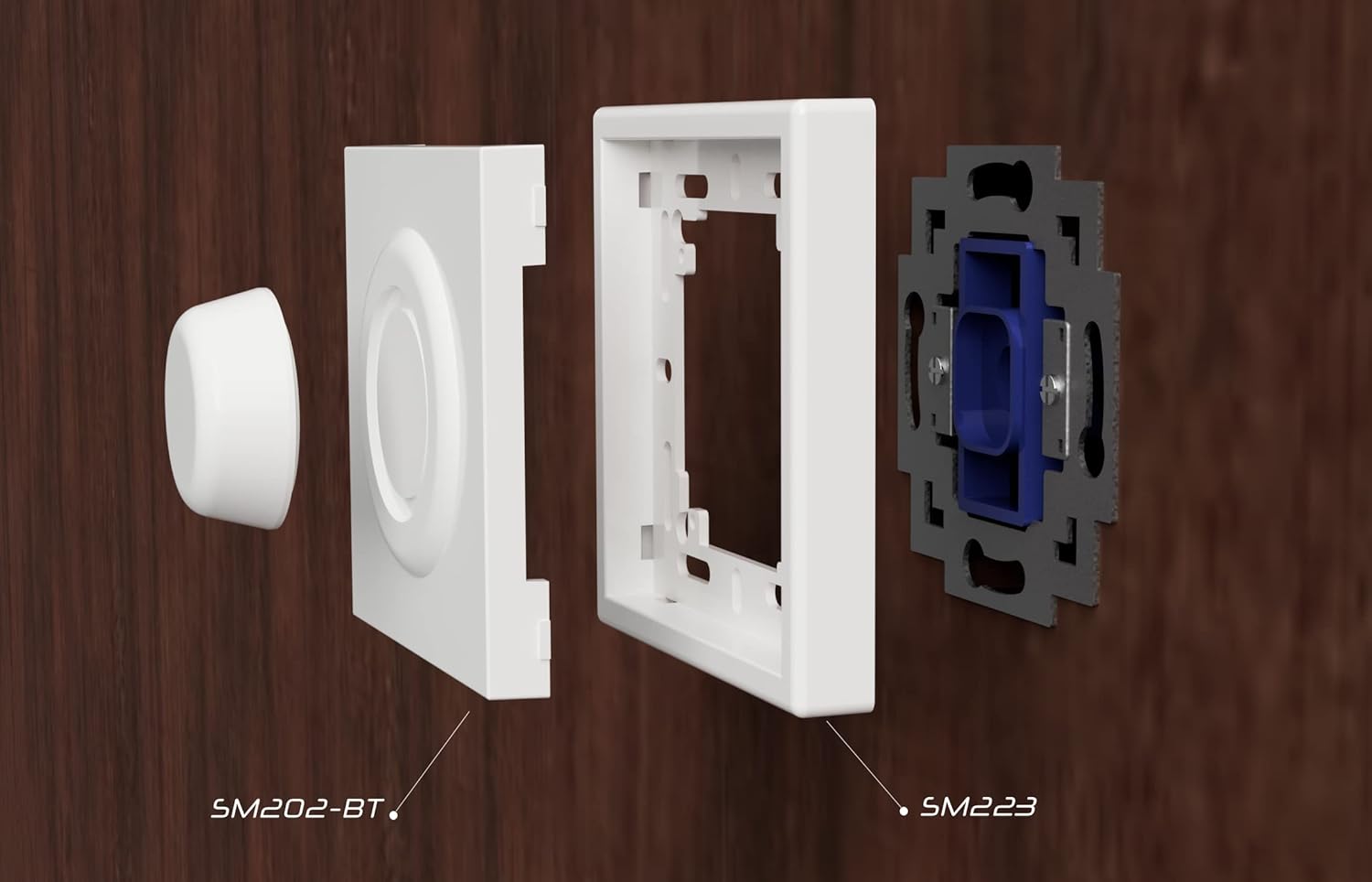
4.2 خطوات التثبيت
- Prepare the Light Switch: Ensure the power to your light switch is turned off at the main circuit breaker. Remove the existing faceplate of your UK light switch.
- Install the SM223-UK Surround: Position the SM223-UK Light Switch Surround over your existing light switch mechanism. Secure it using the original screws or the screws provided with the surround. Ensure it is flush and stable.
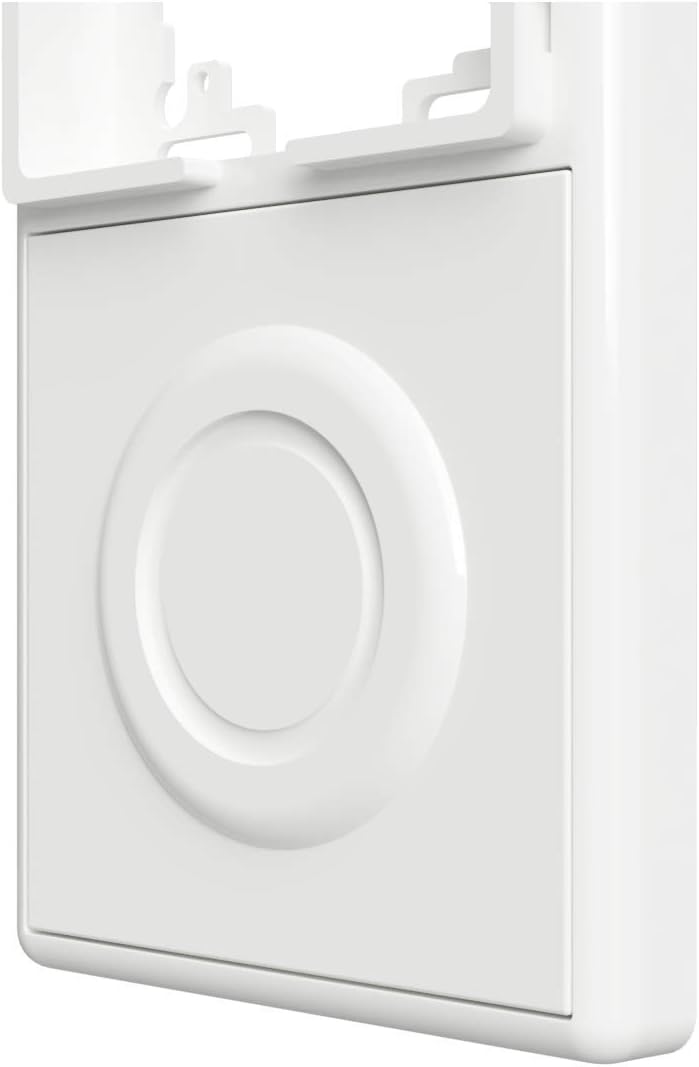
- Insert the Mini Adapter: Take the Samotech Mini Adapter (SM202-BT). Align it with the opening in the SM223-UK Light Switch Surround. The adapter is designed to fit snugly into this opening.
- قم بتأمين المحول: Gently push the SM202-BT adapter into the surround until it clicks into place or sits firmly. It should create a seamless surface with the surround.
- Insert Philips Hue Smart Button: Once the adapter is in place, insert your Philips Hue Smart Button into the circular recess of the SM202-BT adapter. The button should fit securely.
- اعادة الطاقة: Turn the power back on at your main circuit breaker.


5. تشغيل المحول
The Samotech Mini Adapter is a passive component designed to hold your Philips Hue Smart Button securely and aesthetically. Once installed, the adapter itself does not require any operation. The functionality of your smart lighting system will be controlled directly through the Philips Hue Smart Button as per its own instructions.
The adapter ensures that the physical light switch remains in the 'ON' position, preventing accidental power cuts to your smart bulbs and maintaining continuous power for your smart lighting system.
6. الصيانة
The Samotech Mini Adapter requires minimal maintenance.
- تنظيف: To clean the adapter, gently wipe it with a soft, dry cloth. For stubborn marks, a slightly damp يمكن استخدام القماش، ثم تجفيفه على الفور.
- يتجنب: Do not use abrasive cleaners, solvents, or harsh chemicals, as these may damage the material and finish.
- تقتيش: Periodically check that the adapter remains securely seated within the SM223-UK surround and that the Philips Hue Smart Button fits snugly.
7. استكشاف الأخطاء وإصلاحها
- Adapter does not fit into the surround: Ensure you have the correct Samotech SM223-UK Light Switch Surround. The SM202-BT adapter is specifically designed for this surround. Check for any obstructions or debris in the opening.
- Philips Hue Smart Button does not fit into the adapter: Verify that you are using an official Philips Hue Smart Button. The adapter is precisely molded for this specific button. Do not force the button into the recess.
- المحول يبدو فضفاضًا: Re-check the installation of the SM223-UK surround to ensure it is securely fastened to the wall switch. The adapter should snap firmly into the surround.
- Smart lights are not responding: This issue is typically related to the Philips Hue Smart Button or your Hue Bridge, not the adapter itself. Ensure your Hue system is powered, connected, and the button is properly paired. Check the battery in your Philips Hue Smart Button.
8. المواصفات
| ماركة | ساموتيك |
| رقم الموديل | SM202-BT (AK3-AT1-GL-M-X) |
| مادة | أكريلونيتريل بوتادين ستايرين (ABS) |
| لون | Black (Note: Product images may show white variant) |
| وزن العنصر | 20 جرام |
| أبعاد الحزمة | 7.3 × 7.2 × 1.2 سم |
| طريقة التثبيت | Screw-In (via surround) |
| Switch Type Compatibility | 1-way, electronic push button (Philips Hue Smart Button) |
| توصيل بروfile | التركيب السطحي |
| شهادة | IP44 |
| البطاريات المتضمنة | لا |
| البطاريات المطلوبة | لا |
9. الضمان والدعم
Samotech products are manufactured to high-quality standards. For information regarding warranty coverage and terms, please refer to the documentation provided with your purchase or visit the official Samotech webموقع.
If you encounter any issues or have questions about your Samotech Mini Adapter, please contact Samotech customer support through their official channels. Provide your product model (SM202-BT) and a detailed description of your query for efficient assistance.
الدعم عبر الإنترنت: Visit the SAMOTECH Store on Amazon or their official webموقع للأسئلة الشائعة ومعلومات الاتصال.


